|
VOOZH | about |
|
VOOZH | about |
Choosing the right design tool is crucial for anyone involved in UI/UX design, and two of the most popular options available are XD and Sketch. Both are powerful tools that cater to designers with different needs, whether you're focusing on creating detailed vector graphics or prototyping interactive digital experiences.
While XD offers cross-platform compatibility and advanced prototyping features, Sketch is a macOS favorite known for its extensive plugin ecosystem and simple, effective vector design tools. This article dives into the differences between XD and Sketch to help you make an informed decision based on your design requirements.
XD is a vector-based design and prototyping tool primarily used for creating user interfaces (UI) and user experiences (UX) for websites, mobile apps, and other digital platforms. It was developed by and first launched in 2016, with a stable release in 2021. XD is designed to cater to product designers, app designers, and visual designers, offering a user-friendly interface combined with advanced features like vibrant color controls and professional typography options. The tool is known for its seamless integration with other products like Photoshop and Illustrator, allowing designers to streamline their workflow.
Sketch is a vector graphics editor specifically designed for UI/UX design, popular for creating interfaces, icons, and digital graphics. Developed by Sketch B.V, a Dutch company, it was first released in 2010 and has gained a stable reputation over the years, with its latest version launched in 2022. Sketch is favored by many designers for its clean interface and powerful tools tailored for web and mobile design. However, it is only available for macOS, which limits its accessibility for non-Mac users.
| Aspects | XD | Sketch |
|---|---|---|
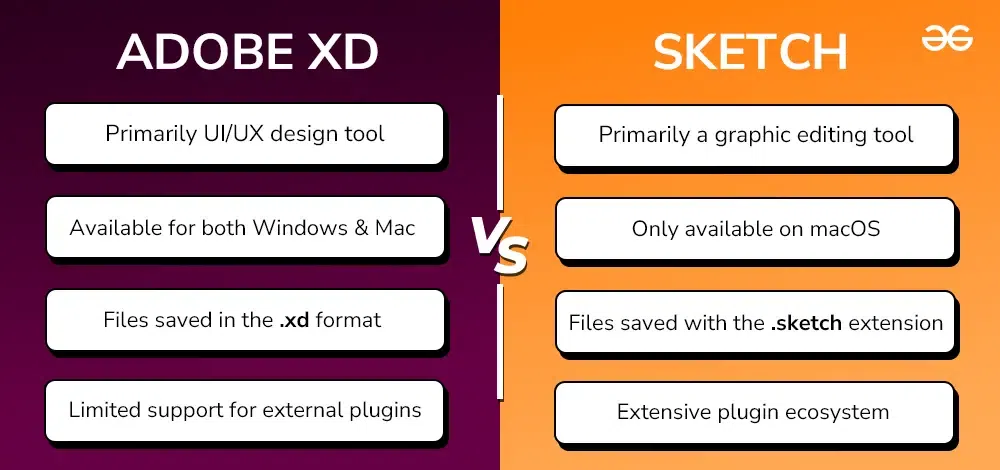
| Purpose | Primarily a UI/UX design tool focused on prototyping and graphic design for digital platforms. | A graphic editing tool mainly for creating and manipulating vector designs, typically used in UI/UX design. |
| Developer | Developed by Adobe Inc. | Developed by Sketch B.V., a Dutch company. |
| Operating System Compatibility | Available for both Windows and Mac operating systems. | Only available for macOS; not supported on Windows. |
| Prototyping Capabilities | Offers robust prototyping features, including interactive prototypes, drag gestures, and auto-animate options. | Limited in prototyping; primarily focused on design creation rather than interactive elements. |
| Functionality | Comes with advanced features like drag gestures, auto-animate, voice commands, and responsive resizing. | Features basic tools for vector design and lacks some of the advanced functionalities found in XD. |
| Plugin Support | Limited support for external plugins; primarily relies on built-in features. | Extensive plugin ecosystem that enhances functionality with third-party integrations and custom features. |
| File Format | Saves files in .xd format, making it easier to share within Creative Cloud. | Saves files in .sketch format, which is widely accepted within the design community but limited to macOS users. |
| Pricing & Trial Period | Offers a 7-day free trial, followed by a subscription starting at $9.99 per month. | Offers a 30-day free trial, with subscription plans starting at $9 per month. |
| Collaboration Features | Integrated cloud sharing, allowing teams to collaborate in real-time with version control. | Collaboration is limited; relies on external plugins or cloud services like Abstract for real-time collaboration. |
| Community and Templates | Strong community support with access to pre-built templates, UI kits, and design assets within ’s ecosystem. | Active community with a large repository of plugins, templates, and design resources available for macOS users. |
When it comes to deciding between XD and Sketch, it ultimately boils down to your specific design goals and the platform you use. XD is ideal if you need a versatile tool with strong prototyping features and cross-platform support, making it suitable for larger teams and detailed user interactions.
On the other hand, Sketch is perfect for macOS users who prefer a streamlined design process with access to a wide range of plugins for enhanced functionality. Both tools have their strengths, so understanding what you need from a design tool will guide you toward the right choice.