|
VOOZH | about |
|
VOOZH | about |
GET and POST requests enable clients to retrieve and send data to servers using standard HTTP methods.
When building web applications, clients and servers communicate using HTTP requests, mainly through GET and POST methods.
A Node.js HTTP server handles client requests and sends responses using the built-in http module, enabling backend functionality without external frameworks.
Setting up a simple HTTP server in Node.js that listens on port 8080:
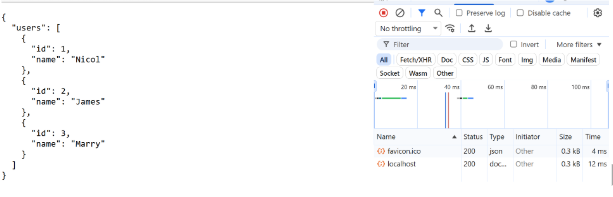
To verify that the browser sends a GET request, check the request method using req.method === "GET" on the server.
Testing with Postman: Postman allows you to easily test GET and POST requests by sending HTTP requests and inspecting server responses.
GET Request: Open Postman, select GET as the request type.
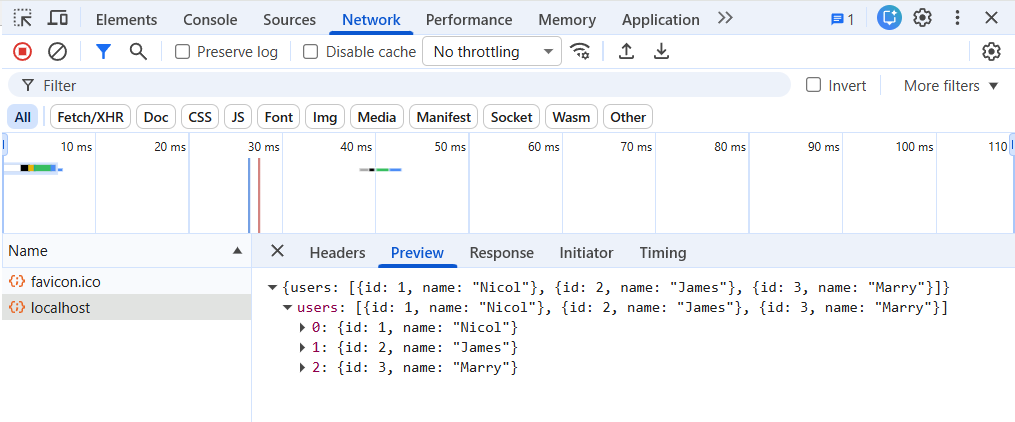
Enter the URL as http://localhost:8080.Click Send to see the data returned from the server (the list of users).
POST Request: In Postman, select POST as the request type.
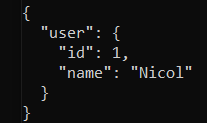
Use the same URL (http://localhost:8080).In the body, select raw and JSON as the format, and send data such as:
{ "id": 1, "name": "Nicol" }Click Send and you will receive a response from the server confirming that the data was received.
Node.js handles HTTP requests by checking the request method and responding accordingly. The most common methods are GET for retrieving data and POST for sending data to the server.
Checks for a GET method and returns JSON data without a request body.
Receives body data in chunks, processes it, and sends a response.
Request
{ "id": 1, "name": "Nicol"}Server Response
{ "message": "Data received successfully", "data": { "id": 1, "name": "Nicol" }}Error handling validates POST data and returns clear error responses.
Example: Handling Missing Data
if (!data.id || !data.name) { res.writeHead(400, { "Content-Type": "application/json" }); res.end(JSON.stringify({ error: "Missing ID or name" }));}