|
VOOZH | about |
|
VOOZH | about |
Altair is a powerful Python library for creating interactive data visualizations. Built on the Vega-Lite grammar, it follows a declarative approach, allowing users to specify what to display rather than how to render it. This simplifies the creation of complex visualizations, especially in interactive environments like Jupyter Notebooks and Google Colab. Altair also offers flexible sharing options, enabling charts to be embedded in web pages, exported as static images or published on platforms like GitHub and content management systems (CMSs).
Altair visualizations are rendered using a JavaScript frontend, making them especially suited for environments like Jupyter Notebooks, JupyterLab, and Google Colab. These environments combine a Python backend with a JavaScript frontend, facilitating seamless chart display.
Altair provides a flexible renderer system to switch between output formats based on the environment:
Altair visualizations can be exported to various formats including HTML, PNG and SVG, which are useful for different sharing and embedding needs.
HTML export allows embedding charts in web pages or sharing via links.
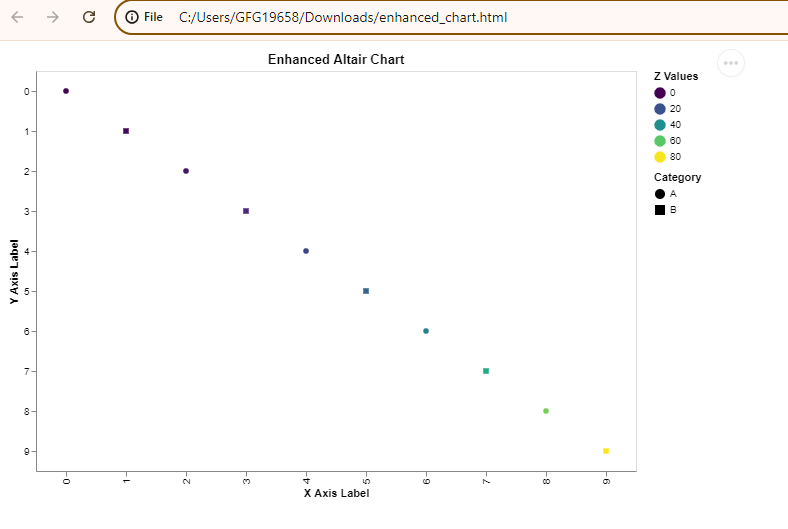
Output
Explanation: Creates a line chart with points, colored by x² and shaped by category, with zoom/pan via .interactive() and export to enhanced_chart.html.
For exporting to PNG or SVG formats, you need additional libraries such as selenium and pillow. We will use the vl-convert-python package. This package allows you to convert Vega-Lite chart specifications into static images without additional dependencies.
First, ensure that you have the necessary libraries installed. You can install them using pip:
!pip install altair vl-convert-python vega-datasets
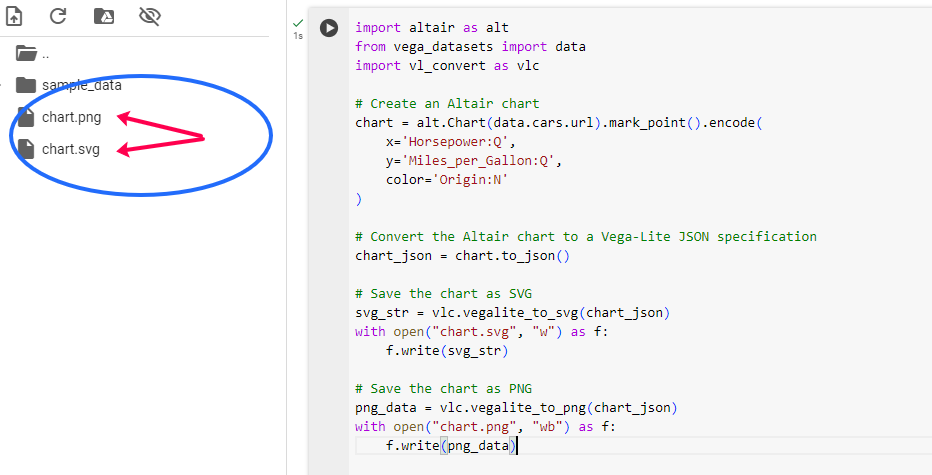
Create and Export Altair Chart:
Output
Explanation:
Publishing visualizations involves making them accessible to a broader audience through various platforms and media. Here are some methods to publish your Altair charts.
GitHub is a popular platform for sharing code and data visualizations. Altair visualizations can be included in GitHub repositories in several ways:
Altair visualizations can be integrated with content management systems (CMS) like WordPress, Drupal, or Joomla. This is particularly useful for bloggers or content creators who want to embed interactive visualizations in their posts.
<iframe src="path_to_your_chart.html" width="600" height="400"></iframe>
Data science platforms like Kaggle and Google Colab support Jupyter Notebooks, making them excellent choices for sharing Altair visualizations. By uploading your notebooks to these platforms, you can share your work with the data science community.
When sharing Altair visualizations, interactivity is often a key feature. To ensure that your visualizations remain interactive:
Interactive visualizations can be resource-intensive, especially with large datasets. To optimize performance:
Ensure that your visualizations are compatible across different platforms and devices: