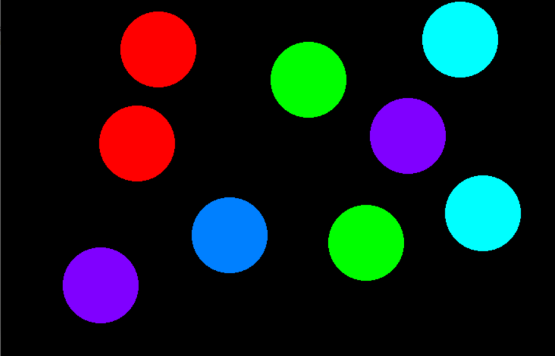
In this article, the task is to draw circles using a single mouse click in OpenGL.
OpenGL: OpenGL is a cross-language, cross-platform API for rendering 2D and 3D Vector Graphics. It will make a lot of design as well as animations using this.
- Create a circle anywhere on the console using a single left mouse click and the coordinates of the center of the circle created depends on the position of your click.
- To change the color of the circle, simply right-click on the mouse.
- After performing all operations jump out of the program by simply pressing the Esc key on the keyboard.
Approach: The idea is to use the below inbuilt function to draw the circle using single click in OpenGL:
- glMatrixMode(GL_PROJECTION): This function sets the current matrix to projection.
- glLoadIdentity(): The function is used to multiply the current matrix by identity matrix.
- gluOrtho2D(0.0, 800.0, 0.0, 600.0): It sets the parallel(orthographic) projection of the full frame buffer.
- glutCreateWindow("Circle Creation on mouse click"): Creates the window as specified by the user as above.
- glClearColor(0, 0, 0, 0): It sets the background color.
- glClear(GL_COLOR_BUFFER_BIT): It clears the frame buffer and set values defined in glClearColor() function call.
- glutDisplayFunc(display): It links the display event with the display event handler(display).
- glutMouseFunc(mouse): Mouse event handler.
- glutKeyboardFunc(keyboard): Keyboard event handler.
- glutMainLoop(): This function loops the current event.
Below is a C++ program that implements onClick functionality in OpenGL:
Output:
👁 Image