|
VOOZH | about |
|
VOOZH | about |
GraphQL is a query language for REST APIs created by Facebook which is designed to provide more efficiency, flexibility, and superiority in data handling.
While GraphQL queries are used to retrieve information, mutations are used to perform data operations on the server, similar to HTTP Commands like POST, PUT, PATCH, and DELETE in REST APIs. In this article, We will learn about the Mutations in GraphQL in detail.
Create a new project directory, initialize it, and install the necessary dependencies:
mkdir graphql-mutations
cd graphql-mutations
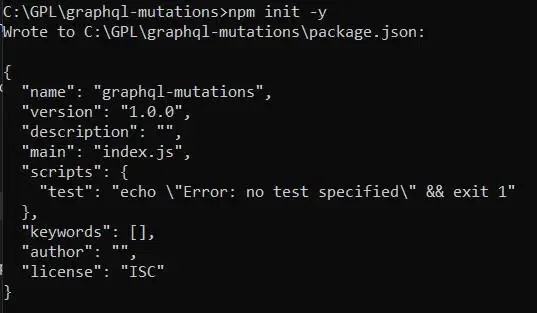
npm init -y
Output:
Install Express and its associated extension Express-GraphQL in addition to the GraphQL package itself:
npm install express express-graphql graphqlIn your project directory, create an index.js file and set up a basic Express server with GraphQL.
const express = require('express');
const { graphqlHTTP } = require('express-graphql');
const { buildSchema } = require('graphql');

// Mock data
let books = [
 { id: 1, title: '1984', author: 'George Orwell' },
 { id: 2, title: 'To Kill a Mockingbird', author: 'Harper Lee' }
];

// Construct a schema, using GraphQL schema language
const schema = buildSchema(`
 type Book {
 id: Int
 title: String
 author: String
 }

 type Query {
 books: [Book]
 }

 type Mutation {
 addBook(title: String!, author: String!): Book
 updateBook(id: Int!, title: String, author: String): Book
 deleteBook(id: Int!): Book
 }
`);

// The root provides a resolver function for each API endpoint
const root = {
 books: () => books,
 addBook: ({ title, author }) => {
 const book = { id: books.length + 1, title, author };
 books.push(book);
 return book;
 },
 updateBook: ({ id, title, author }) => {
 const book = books.find(book => book.id === id);
 if (!book) throw new Error('Book not found');
 if (title) book.title = title;
 if (author) book.author = author;
 return book;
 },
 deleteBook: ({ id }) => {
 const index = books.findIndex(book => book.id === id);
 if (index === -1) throw new Error('Book not found');
 const deletedBook = books.splice(index, 1)[0];
 return deletedBook;
 }
};

const app = express();
app.use('/graphql', graphqlHTTP({
 schema: schema,
 rootValue: root,
 graphiql: true,
}));

app.listen(4000, () => console.log('Now browse to localhost:4000/graphql'));
Start our server by running:
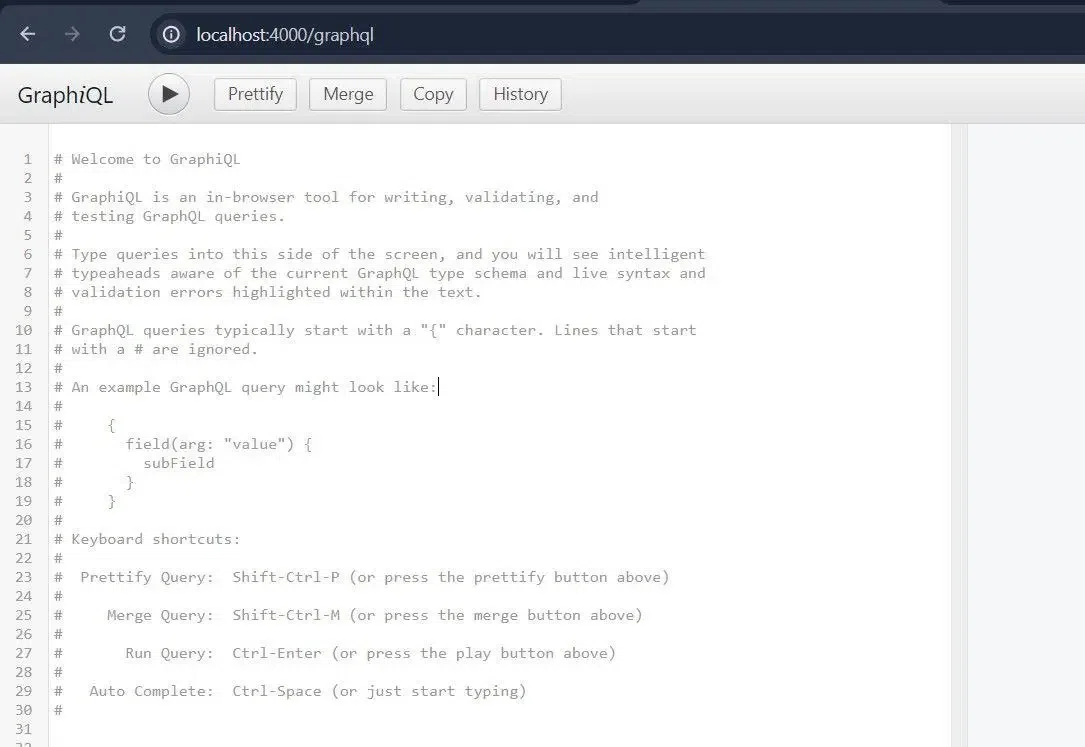
node index.jsOpen our browser and navigate to http://localhost:4000/graphql. we should see the GraphiQL interface, which is an in-browser tool for writing, validating, and testing GraphQL queries.
Mutations are defined in the schema just as queries, but with the concept of the Mutation type. In the above example, we have three mutations: These are addBook, updateBook and deleteBook operations and all of them work with books table.
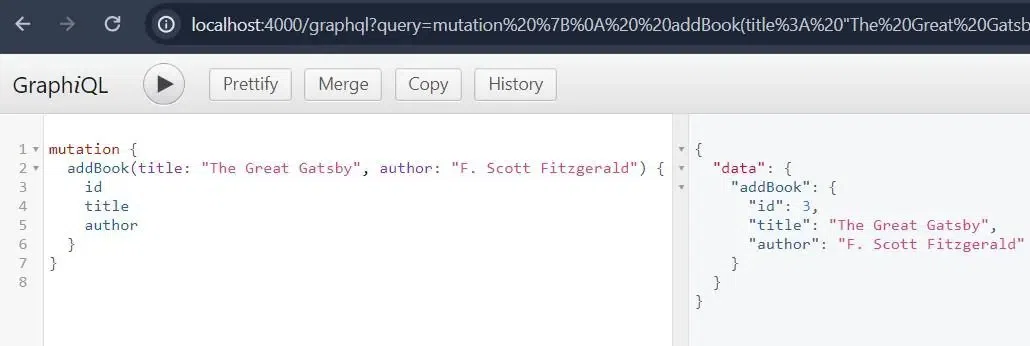
To add a new book, use the following mutation:
mutation {
 addBook(title: "The Great Gatsby", author: "F. Scott Fitzgerald") {
 id
 title
 author
 }
}
Output
This mutation invokes the addBook resolver function, which generates a new book id, creates a new book object with the new id and the provided fields, inserts the new book to the end of the books array and returns the new book.
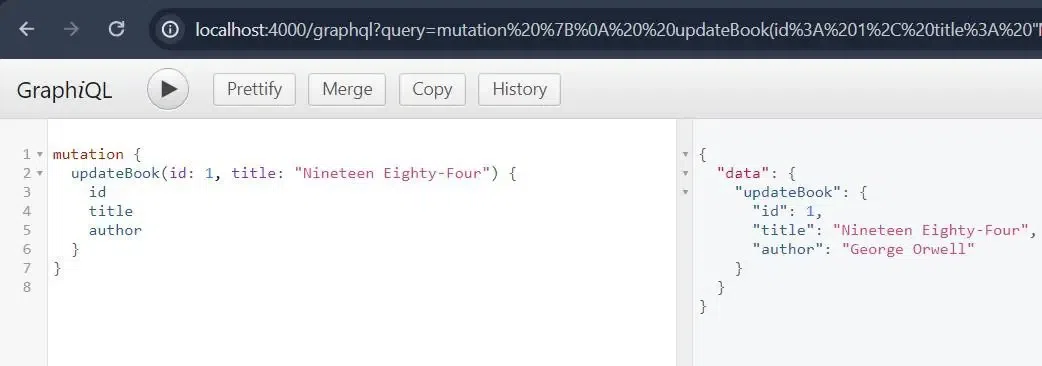
Here is a mutation that will help to update an existing book:
mutation {
 updateBook(id: 1, title: "Nineteen Eighty-Four") {
 id
 title
 author
 }
}
Output:
This mutation executes the updateBook resolver function, which accepts the id, and compares the new title and/or author fields to the book object found by its id, then returns the updated book.
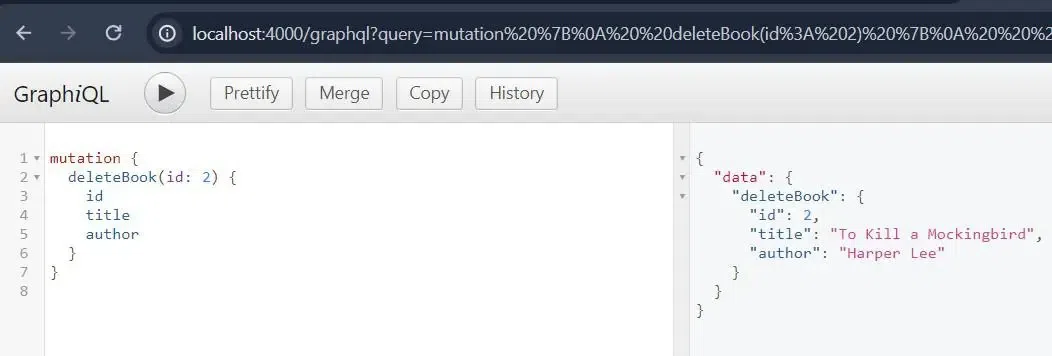
Use the following mutation to delete a book:
mutation {
 deleteBook(id: 2) {
 id
 title
 author
 }
}
Output:
This mutation invokes the deleteBook resolver function, which takes the book based on the id, removes that particular book from the books array, and returns A product containing the deleted book.
GraphQL supports the use of variables in mutations, which makes them more flexible and reusable. Here’s how we can use variables with the addBook mutation.
In GraphiQL, the mutation is defined and each variable is separately defined in the query section of the dropdown.
mutation AddNewBook($title: String!, $author: String!) {
 addBook(title: $title, author: $author) {
 id
 title
 author
 }
}
Under the query editor process, there is a space to input variables in json format.
{
 "title": "Brave New World",
 "author": "Aldous Huxley"
}
This way, we can reuse the mutation with different variables without changing the mutation query itself.
Bulk mutations allow us to add multiple books at once. Use the following mutation:
mutation {
 bulkAddBooks(books: [
 { title: "Brave New World", author: "Aldous Huxley" },
 { title: "The Catcher in the Rye", author: "J.D. Salinger" }
 ]) {
 id
 title
 author
 }
}
Nested mutations allow us to perform multiple related operations in a single mutation. Use the following mutation to add a book with an author:
mutation {
 nestedAddBookWithAuthor(book: { title: "The Hobbit", author: "J.R.R. Tolkien" }, author: "J.R.R. Tolkien") {
 id
 title
 author
 }
}
Overall, mutations in GraphQL are important and serve the purpose of changing server data. They enable clients to carry out the CRUD operations in the shortest time possible. In this article, we have learned about how to perform various data manipulation responsibilities through defining mutations and installing a simple Express server. This example shows how to eventually work with basic mutations to create a good start for creating more complex GraphQL applications. Using variables in mutations allows for better flexibility and code reuse by making your API calls all the more effective.