|
VOOZH | about |
|
VOOZH | about |
Theano is a Python-based library that is basically used in the operations of mathematics. We can perform operations on multi-dimensional arrays so efficiently with this library. The main use of this library is done in building advanced deep learning projects or in the process of data visualization. If you want the speed to be more of execution then this library needs GPU as this can work smoother and faster in GPU rather than CPU. Some common features of Theano are:
In this article, we will look into the steps of installing Theano on the Linux Operating System.
Requirements:
To install the Theano package in Linux we have to follow the following steps:
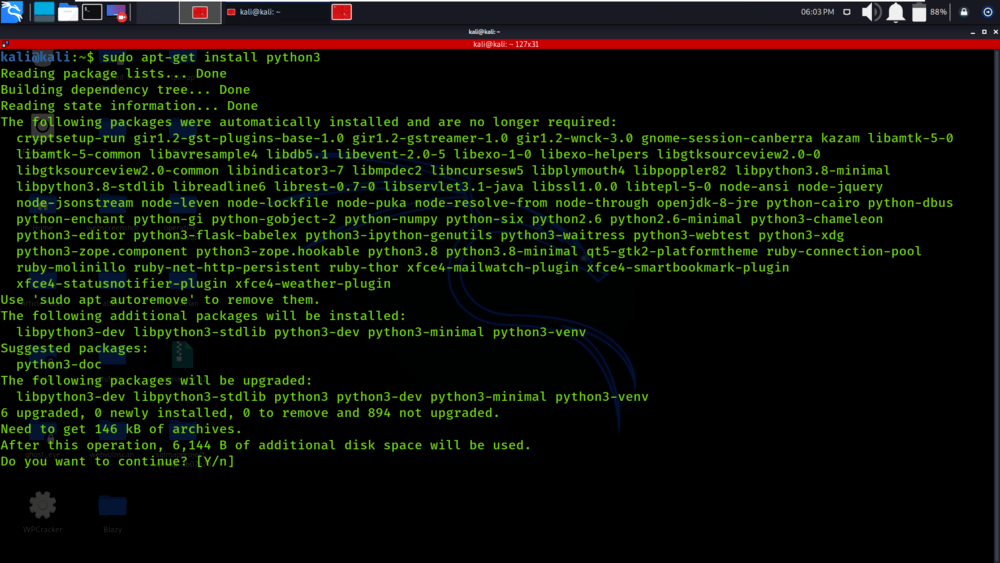
Step 1: First of all, we will install Python3 on our Linux Machine. Use the following command in the terminal to install Python3.
👁 Installing-Python3sudo apt-get install python3
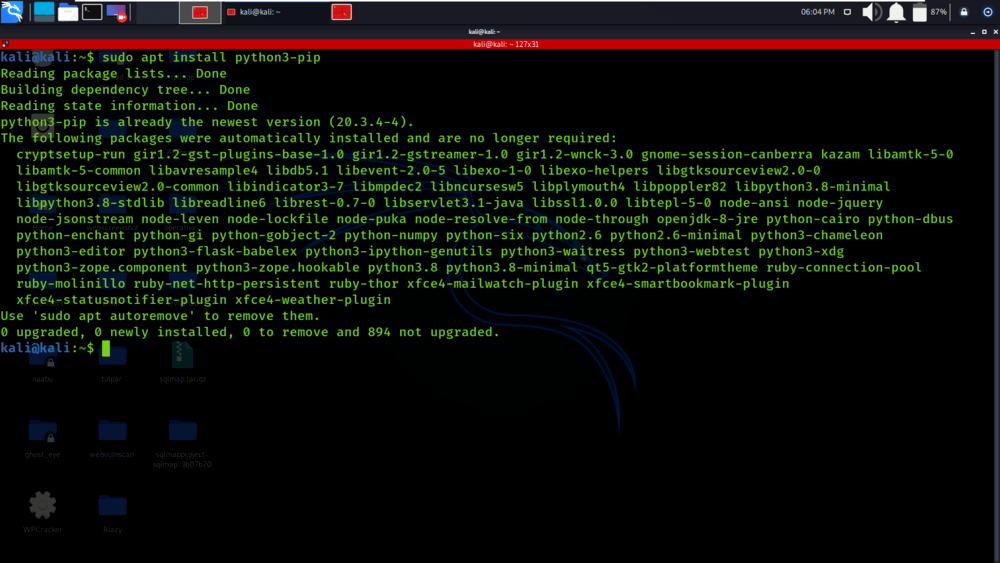
Step 2: Now, install the pip module which is required to install the packages in Python3. So we use the following command for installation:
👁 Installing-the-pipsudo apt install python3-pip
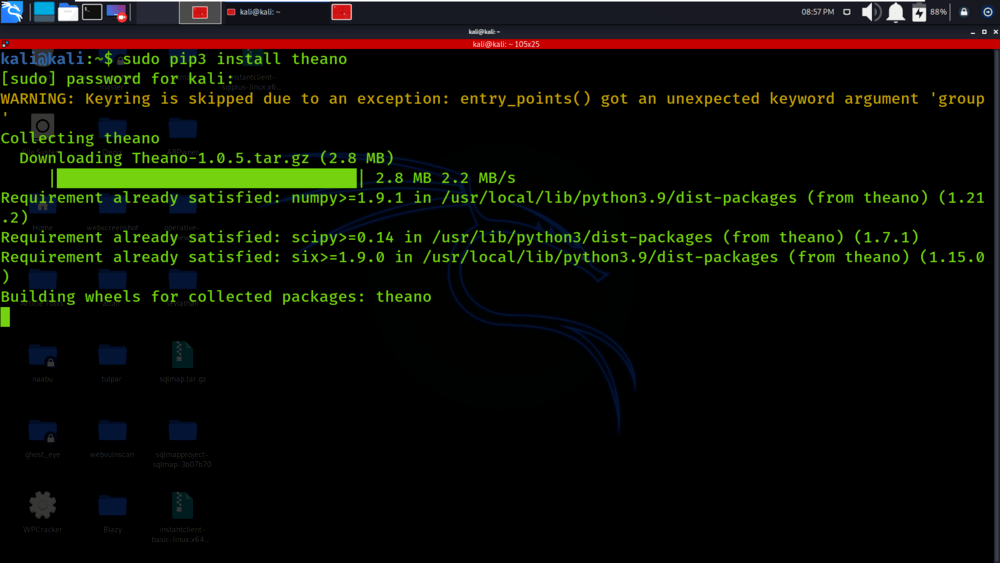
Step 3: Now, install the Theano package by using pip module. Use the following command to install the Theano package.
👁 Installing-the-Theano-packagesudo pip3 install theano
Verifying Theano package Installation on Linux using PIP
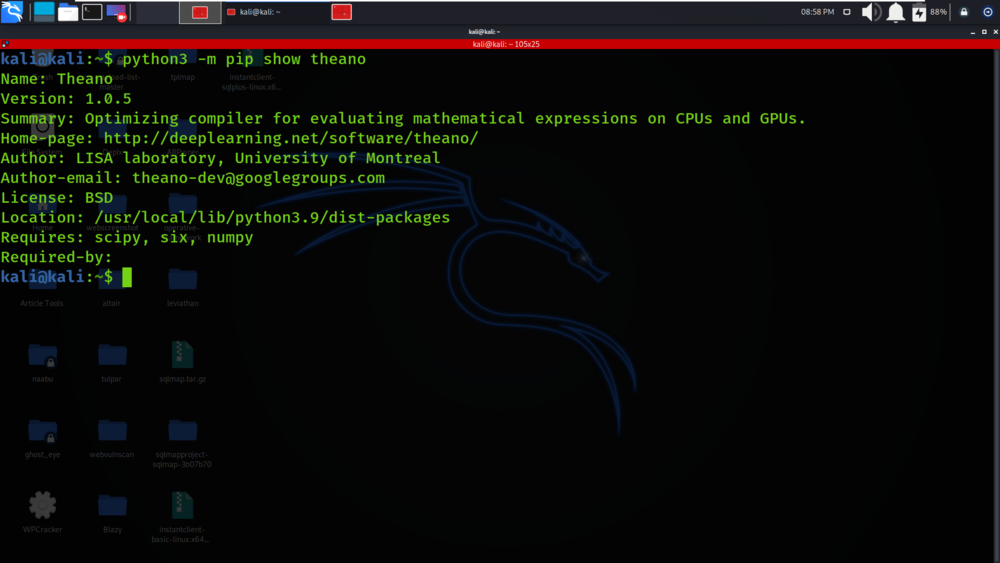
To verify if the Theano package has been successfully installed in your system run the below command in Terminal:
python3 -m pip show theano
You’ll get the below message if the installation is complete:
👁 Verifying-Theano-package-installation