|
VOOZH | about |
|
VOOZH | about |
Vue.js is a progressive JavaScript framework used for building interactive user interfaces. One of its core features is directives, which allow you to extend HTML with special syntax. Directives in Vue.js provide a simple and expressive way to bind data, manage events, control rendering, and more — directly in the HTML template.
In this article, we’ll explore what Vue.js directives are, the different types of built-in directives and how to use them.
In Vue.js, directives are special commands or attributes that start with v- and give extra functionality to HTML. Think of directives as special attributes that add reactive behaviour to your HTML. It makes it easier to build interactive and responsive pages with less code, compared to doing the same things with traditional JavaScript. It simplifies the process and makes your code cleaner and more efficient.
For example, the v-bind directive binds an attribute to an expression, and the v-if directive conditionally renders an element.
Syntax
<element v-directive="expression"></element>Now, let us understand with the help of the example.
Output:
In this example
Basically there are the three types of the vue directives
Core directives in Vue.js are the built-in directives that help manage reactive behaviors in your application. These directives are used to bind data to the DOM and conditionally render elements.
The v-bind directive is used to dynamically bind an HTML attribute to an expression or a data property. It allows you to bind an element’s attribute to Vue data or computed properties.
Syntax
<img v-bind:src="imageUrl" alt="Vue logo">Here, the src attribute of the img tag is dynamically bound to the value of the imageUrl data property.
You can also use shorthand for v-bind:
<img :src="imageUrl" alt="Vue logo">The v-model directive is used for two-way data binding. It binds the value of an input field or textarea to a property in Vue's data, allowing the data to automatically update as the user types.
Syntax
<input v-model="message">Here, the input field is bound to the message data property. Whenever the user types in the input field, message will update automatically, and vice versa.
This directive is used to conditionally render elements in the DOM. The element or component will only be rendered if the provided condition is true.
Syntax
<p v-if="isLoggedIn">Welcome back!</p>
<p v-else>Login to continue</p>
The v-for directive in Vue.js is used for rendering a list of items by iterating over an array or object. It simplifies the process of displaying multiple elements in the DOM by iterating over data, without needing to write repetitive code.
Syntax
<ul>
 <li v-for="item in items" :key="item.id">{{ item.name }}</li>
</ul>
Here, v-for loops through the items array and renders a list item (li) for each entry. The key is required for optimal performance in Vue when rendering lists.
Similar to v-if, the v-show directive is used to conditionally render elements, but it differs in how it does so. The v-show directive always renders the element, but it toggles the element's CSS display property based on the condition.
Syntax
<p v-show="isVisible">This is visible if isVisible is true</p>Unlike v-if, v-show is not removed from the DOM but is simply hidden.
The v-text is used to update the textContent of an element.
<p v-text="message"></p>
<!-- Equivalent to -->
<p>{{ message }}</p>
The v-html renders raw HTML inside an element.
<div v-html="rawHtml"></div>Security Note: Be cautious when using v-html to prevent XSS (Cross-Site Scripting) attacks.
Event directives are used to handle user input and DOM events like clicks, form submissions, and mouse movements. These directives bind event listeners to elements.
The v-on directive is used to bind event listeners to an element. It listens for DOM events like click, input, mouseover, etc., and triggers methods when the event is fired.
Syntax
<button v-on:click="submitForm">Submit</button>
<!-- Shortcut -->
<button @click="submitForm">Submit</button>
You can also handle native DOM events like input, change, mouseover, etc.
You can also use shorthand for v-on
<input @input="updateValue" />Vue provides modifiers to handle common event behavior
Example
<form @submit.prevent="onSubmit">
 <button type="submit">Submit</button>
</form>
Vue allows you to create your own custom directives when built-in ones are not sufficient.
Global Custom Directive
A global custom directive can be defined globally and will be available throughout your entire Vue application. It’s useful when you want to reuse a custom directive across multiple components.
Vue.directive('focus', {
 mounted(el) {
 el.focus();
 }
});
Usage:
<template>
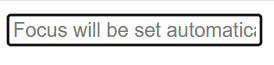
 <input v-focus /> <!-- Automatically focused when the component is mounted -->
</template>
Sometimes, you may only want to use a custom directive within a specific component. In that case, you can define the directive locally within the component’s directives option.
export default {
 directives: {
 focus: {
 mounted(el) {
 el.focus();
 }
 }
 }
};
Custom directives support several lifecycle hooks
Hook | Description |
|---|---|
created | Called once the directive is attached to the element |
beforeMount | Before the element is inserted into the DOM |
mounted | After the element is inserted into the DOM |
beforeUpdate | Before the component is updated |
updated | After the component is updated |
beforeUnmount | Before the directive is unmounted |
unmounted | After the directive is removed from the DOM |
The different Vue directives we used are listed below.
Directives | Details |
|---|---|
Binds an attribute to an expression. | |
Conditionally renders elements. | |
Conditionally shows/hides elements without removing them from the DOM. | |
Renders a list by iterating over an array or object. | |
Binds event listeners to DOM elements. | |
v-model | Two-way binding for form inputs. |
Updates the textContent of an element. | |
Renders raw HTML inside an element. |
By using directives like v-bind, v-model, v-if, v-for, and custom directives, you can efficiently manage dynamic behavior in the applications without complicating the codebase. Directives simplify tasks such as data binding, conditional rendering, and list rendering, which are essential for building interactive and user-friendly interfaces.