Write a Perl program to display contents of the file in sorted order(ascending) based on line numbers given via command-line arguments. Note that the line numbers can be in any order and throw an error if the line number is large.
Syntax: perl Filename.pl File_to_be_read.abc x y z
Here,
Filename.pl is the name of the file that contains the perl script
File_to_be_read.abc is the name of the file which is to be read. This file can be of any type. Ex- text, script, etc.
x y z are the line numbers which are to be printed.
Approach:
Sort the line numbers excluding the first argument which is file name. Once sorted read whole content of the file into an array using single statement
(my @file = <FNAME>). Now loop through the sorted line numbers and display the file content by passing line number as index to file array like (
print "$file[$var-1]\n";).
Example 1: Consider a file Hello.txt
Output:
👁 Image
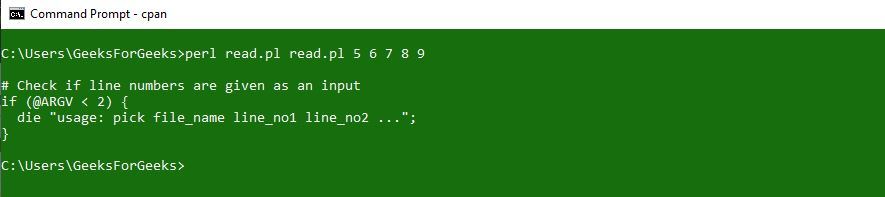
Example 2: Reading the same script file
Output:
👁 Image
If the line number passed is not in the file:
👁 Image