|
VOOZH | about |
|
VOOZH | about |
Creating a WordPress plugin from scratch might seem tough, but it's an essential skill for customizing and extending the functionality of your WordPress site. This article will walk you through the steps of creating a simple plugin.
A WordPress plugin is a piece of software that adds new features or extends the functionality of your WordPress site. Plugins can do anything from adding a contact form to integrating with third-party services.
Creating your own plugin allows you to:
Before you start, ensure you have:
Here is what you should need to make a WordPress module:
Also Explore:
Creating a WordPress plugin from scratch involves a clear process that helps developers customize and add new features to their WordPress websites. In this guide, we'll explain the essential steps of WordPress plugin development to help you easily WordPress create plugin of your own
The initial phase in WordPress module advancement is to think of an authority name for your module. You'll need to pick one that is applicable to what the module does, but on the other hand, is remarkable.
👁 create WordPress pluginNavigate to wp-content/plugins in your WordPress installation. Create a new folder, naming it after your plugin using dashes to separate words (e.g., "your-plugin-name"). Create the main PHP file within this folder.
👁 create WordPress pluginIn the main plugin file, include a file header with essential details like the plugin name and a brief description. This information is crucial for WordPress to recognize and manage your plugin.
You've set up the basic structure for your plugin, but it doesn't do anything yet. To make it work, you'll need to program your plugin using the necessary components.
Before you transfer your module to your WordPress site, you'll have to change it over to the .zip format.
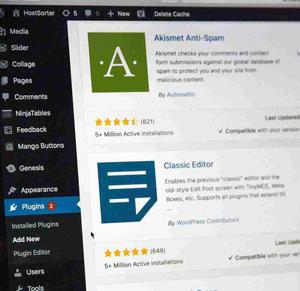
You can add it to your dashboard by navigating to Plugins >> Add New >> Upload Plugin >> Choose File.
Make sure your WordPress site is up-to-date and working well. If automatic updates are turned off, you can update WordPress manually. Always back up your WordPress files before updating to avoid losing any data.
Creating a WordPress plugin from scratch is a rewarding process that allows you to add unique features to your website. By following the steps outlined in this guide, you can master WordPress plugin development and enhance your site's functionality.
The process involves choosing a relevant plugin name, creating the plugin folder and PHP file, adding a file header, coding the desired functions, and finally, compressing and activating the plugin on your WordPress site. Remember, even if you're a beginner, you can successfully create WordPress plugin with practice and dedication. Start small, experiment, and soon you'll be contributing valuable plugins to the WordPress community.
Also Explore: