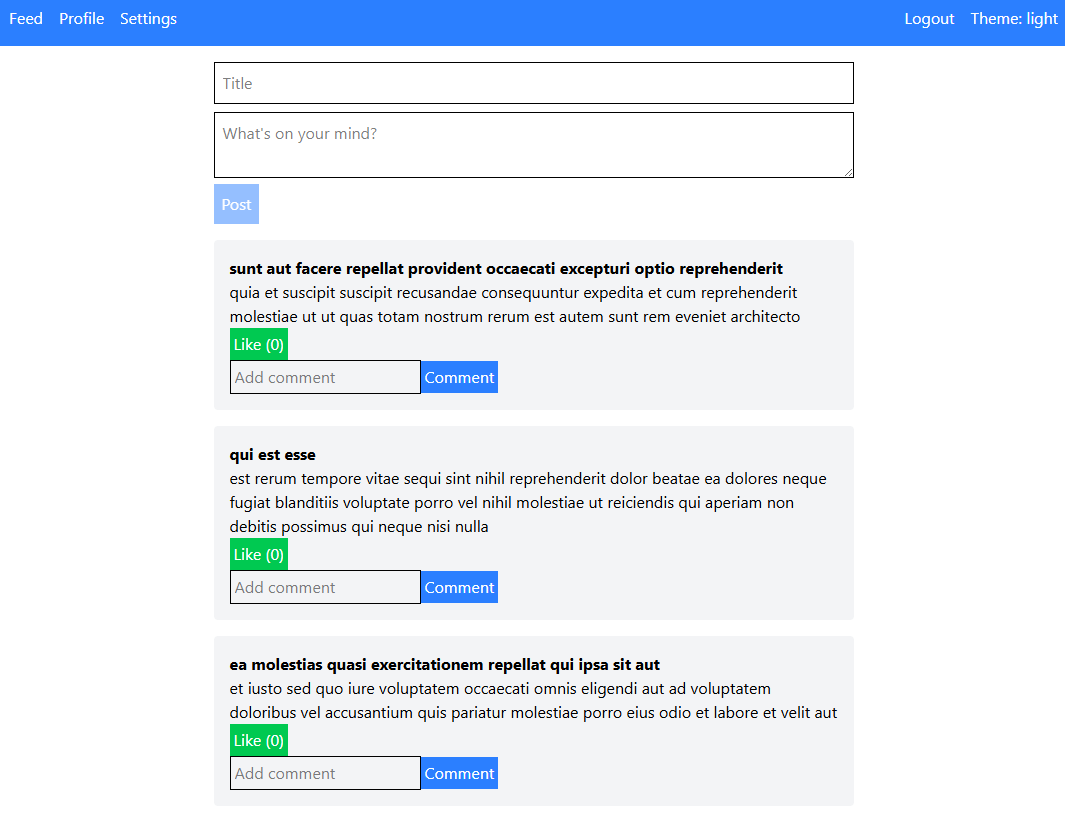
Here is a Social Media Dashboard, a React-based web app that brings together all your social media statistics in one place. It shows important data like followers, likes, comments, and engagement in a clean and interactive interface. Built with React, the dashboard is fast, responsive, and easy to customize with widgets and real-time updates.
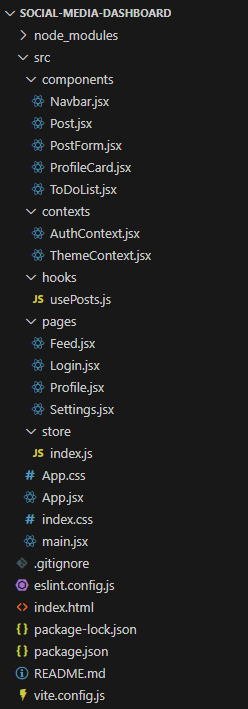
contexts/: React Contexts for global state (auth, theme).
hooks/: Custom React hooks.
pages/: Route-based pages.
store/: Redux store and reducers.
public files: index.html for the app entry point.
config files: ESLint, Vite, and package management.
Setup
Setting up the vite app:
npm create vite@latest social-media-dashboard
cd social-media-dashboard
Install dependencies:
npm install
Run the development server:
npm run dev
Access the app:
Open http://localhost:5173 in your browser.
Code base
Files in:-
src/components
src/contexts
src/hooks->usePosts.js
src/pages
src/store->index.js
src
base folder->index.html
Core Files Explained
Entry Point
main.jsx: Renders the root React component (App) into the DOM.
App Component
App.jsx: Sets up routing, Redux provider, theme, and authentication contexts. Uses React Router for navigation and protects routes with authentication.
Styling
index.css: Uses Tailwind CSS for utility-first styling, supporting light/dark themes.
App.css: Additional custom styles.
State Management
index.js: Implements Redux store with actions and reducers for posts and users.
Contexts
AuthContext.jsx: Manages authentication state.
ThemeContext.jsx: Manages theme switching.
Custom Hooks
usePosts.js: Fetches posts from an API and syncs with Redux.
Components
Navbar.jsx: Navigation bar with theme and auth controls.
Post.jsx: Displays a post, handles likes and comments.
PostForm.jsx: Form to create new posts.
ProfileCard.jsx: Displays user profile info.
ToDoList.jsx: Simple to-do list for user goals.
Pages
Feed.jsx: Main feed, shows posts and post form.
Profile.jsx: User profile, list of users to follow, and to-do list.
Login.jsx: Login form.
Settings.jsx: Theme toggle.
Coding Highlights
React Functional Components: Most UI is built with functional components and hooks.
Redux: Centralized state for posts and users.
React Context: Used for authentication and theme management.
Routing: Protected routes using React Router and custom logic.
Tailwind CSS: Rapid styling with utility classes.
API Integration: Fetches posts and users from jsonplaceholder.typicode.com.