|
VOOZH | about |
|
VOOZH | about |
Interaction between two smart contracts in Solidity means invoking functions of one contract from another contract so that we can use the content of one contract in another. For example, if you want to use contractA methods into contractB, so simply import the contractA inside contract B and create an instance of contractA then call methods using the dot operator.
To interact with smart contracts written in Solidity, you will need the following software and tools:
Step 1: Create a file contractA.sol
pragma solidity ^0.8.0;
contract contractA {
// ... Write Code Here
}
Step 2: Create another file contractB.sol and import contractA using the import statement.
pragma solidity ^0.8.0;
import "./contractA.sol";
contract contractB {
// ... Write Code Here
}
Step 3: Deploy both contracts on the blockchain. Each contract will have its own address that can be used to interact with it.
pragma solidity ^0.8.0;
contract MyContractA {
// ...
}
AND
pragma solidity ^0.8.0;
contract MyContractB {
// ...
}
Step 4: In the contract(MyContractB) where you want to invoke the other contract's function, you need to import the other contract. This can be done using the import keyword.
pragma solidity ^0.8.0;
import "./MyContractA.sol";
contract MyContractB {
// ...
}
Step 5: Create an instance of the other contract(MyContractA). In the same contract where you imported the other contract, you need to create an instance of it.
pragma solidity ^0.8.0;
import "./MyContractA.sol";
contract MyContractB {
MyContractA myContractA = MyContractA(0x123456789...); // Replace with the actual address of the other contract
}
Step 6: Call the other contract's function: Once you have created an instance of the other contract, you can call its functions using the instance. To do this, you need to know the function's name and arguments. For example:
pragma solidity ^0.8.0;
import "./MyContractA.sol";
contract MyContractB {
// Replace with the actual address of the other contract
MyContractA myContractA = MyContractA(0x123456789...);
function doSomething() public {
myContractA.anyFunction(args);
}
}
In the above example, anyFunction is a function in the MyContractA contract, which takes args. You can replace these with the actual values you want to pass to the function.
Below we have two separate contracts contractA and contractB, to use one contract into another we should import one Solidity contract into another one, you can use the import keyword. Here's an example of how we can do it.
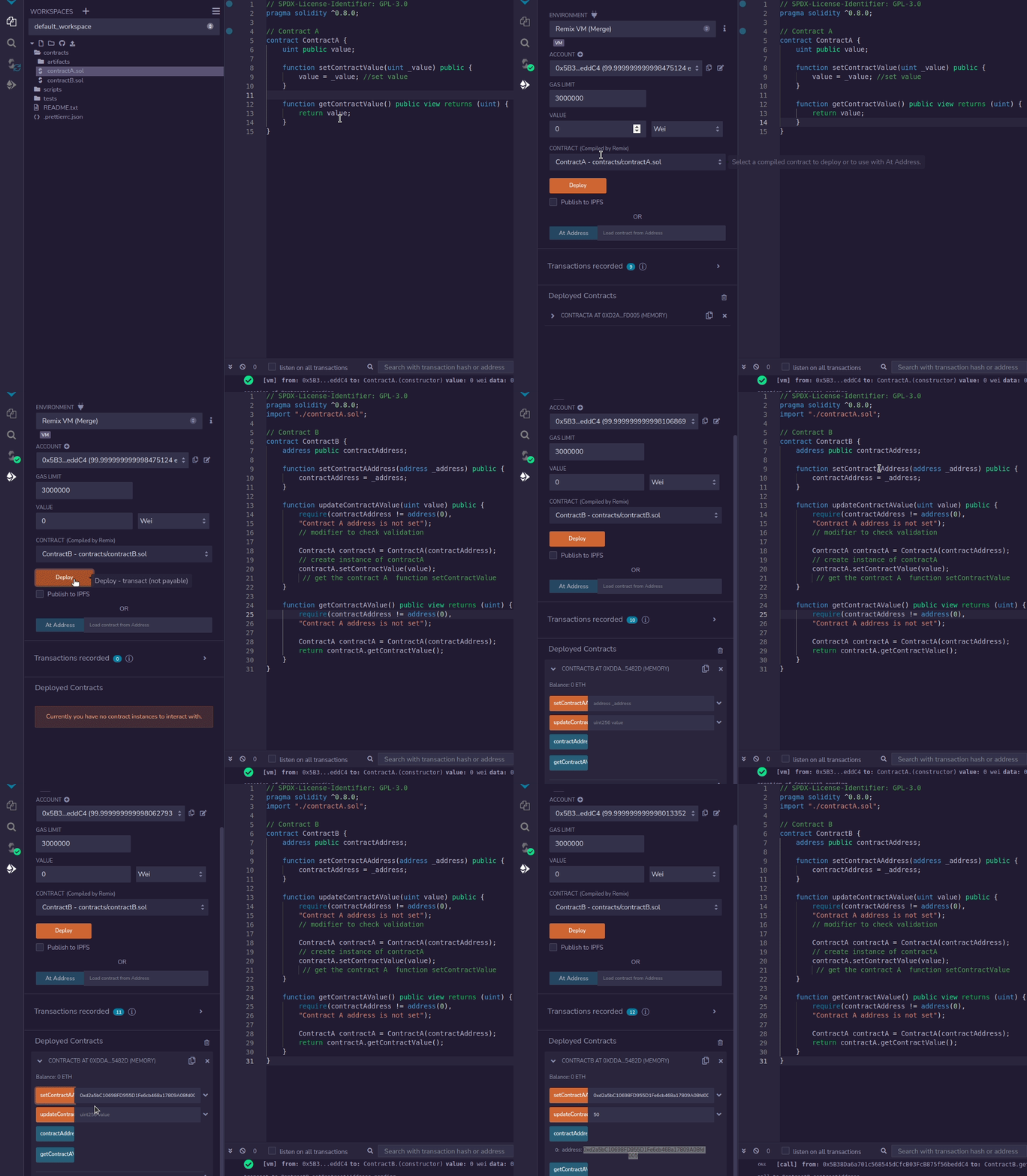
Suppose we have two contracts, ContractA and ContractB and you want to import ContractA.sol into ContractB.sol. Here, Remix IDE is being used for contract compilation and deployment you can use any IDE that you wish, and create a new file named ContractA.sol.
Contract A:
In ContractB.sol, add the following import statement at the top after declaring the solidity version.
import "./ContractA.sol";
This tells Solidity to import ContractA.sol from the current directory and make its contents available in ContractB.sol.
Now we can use ContractA inside ContractB. For that, you can create an instance of ContractA and call its functions.
Contract B:
Output:
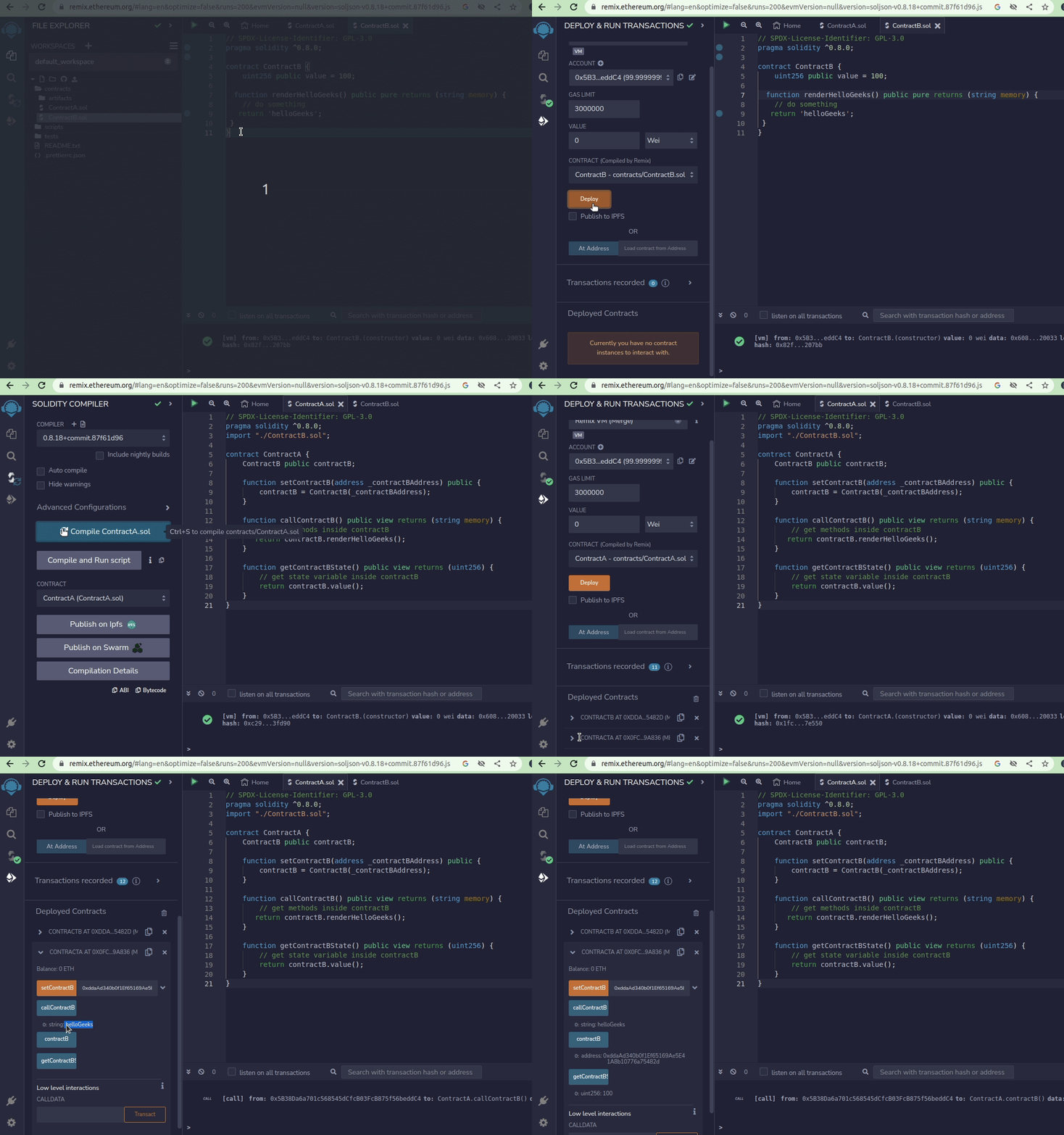
Let's say we have two smart contracts, ContractA and ContractB. ContractA has a function that calls a function in ContractB, and ContractB has a state variable that ContractA wants to access. Below is the Solidity program to implement the above approach:
ContractA.sol
ContractB.sol
Output: