|
VOOZH | about |
|
VOOZH | about |
Smart contracts are self-execution programs stored on a blockchain that are automatically executed when predefined conditions are met. They allow the participants on the blockchain to transact with each other without a trusted central authority. After creating a smart contract, the next step is to deploy the smart contract onto a blockchain for execution. For this purpose, developers often use development tools such as Remix IDE. This article focuses on discussing steps to create, test, and deploy the Ethereum Smart Contract on Remix Tool.
Table of Content
Remix IDE is a no-setup tool with a GUI that is used for smart contract development. It is famous for the visual debugger and allows for a simple deployment process.
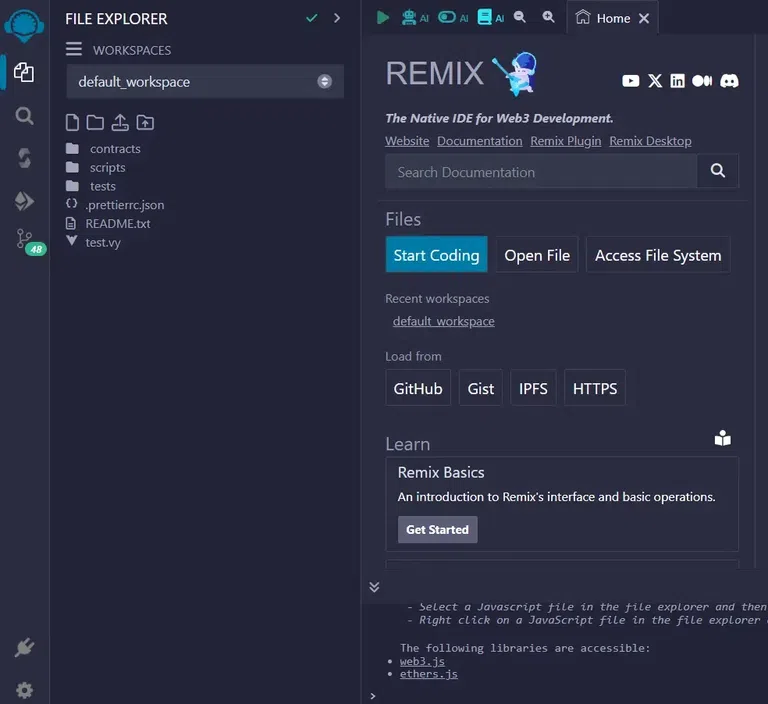
Step 1: Open the Remix IDE in your browser following the URL https://remix.ethereum.org/. You will be presented to the following screen:
Step 2: Click on the file explorer icon onto the left side bar.
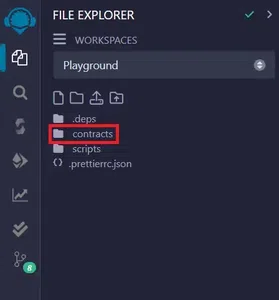
Step 3: Click on contracts as indicated in the below figure:
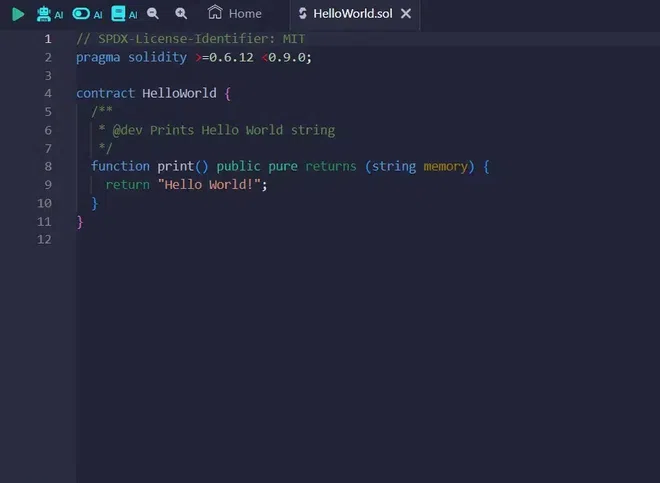
Step 4: Click on HelloWorld.sol and you will be presented with the code editor with the default code on the editor.
Solidity is a statically typed programming language that is designed for developing smart contracts that run on Ethereum.
Below is the Solidity program of the default code in the code editor:
Explanation:
1. SPDX License Identifier
// SPDX-License-Identifier: MIT
SPDX License Identifiers are standardized abbreviations for common open-source software licenses.
2. Version Pragma
pragma solidity >=0.6.12 <0.9.0;
Pragma are the instructions to the compiler on how to treat the code. This line states that the code is compatible with a version greater than or equal to 0.6.12 but less than 0.9.0.
3. The contract keyword
contract HelloWorld {
}
The contract keyword is used to declare a contract HelloWorld consisting of functions and data.
4. Function declaration
function print() public pure returns (string memory)
The print() function will print the string value on the console. The function has an access modifier public and is declared as pure as it does not read or modify the variables of the state.
5. Return statement
return "Hello World!";
The return statement prints the string Hello World! on the console.
Output:
Follow the steps below to develop a smart contract on Remix IDE:
Step 1: Open the Remix IDE and click on the File Explorer.
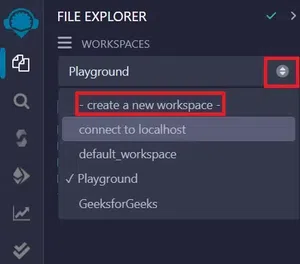
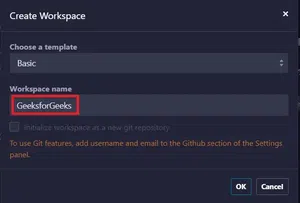
Step 2: Select create a new workspace option from the drop-down menu.
Step 3: Enter the name of the new workspace GeeksforGeeks.
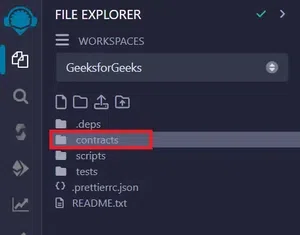
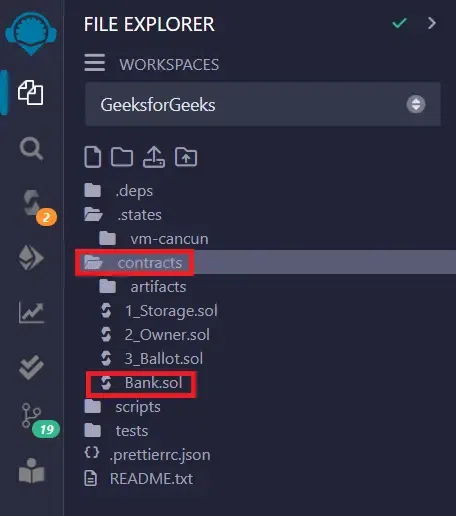
Step 4: In the workspace GeeksforGeeks, right-click on the option contracts and select the option New File.
Step 5: Create a new file Bank.sol.
Step 6: Paste the below code in Bank.sol.
Explanation:
There are 4 functions in the smart contract Bank.sol:
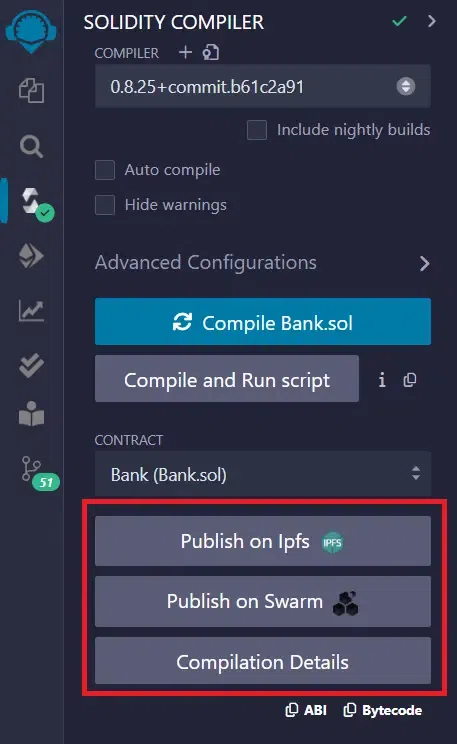
Smart Contact can be Compiled by two methods:
In manual compilation, the developer has to manually compile the smart contract after every change before deploying it.
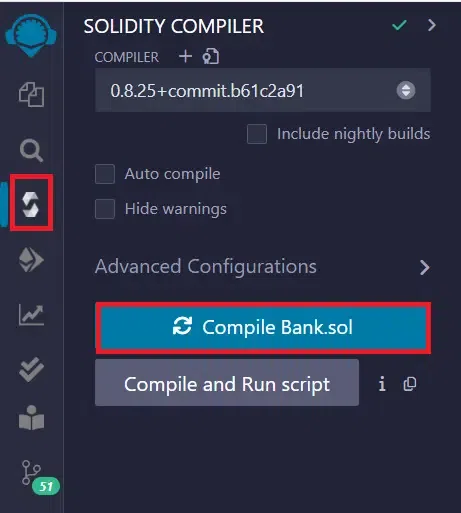
Step 1: Click on the Compile Bank.sol option as shown in the figure below:
Step 2: This will show the compilation details.
This option when enabled will automatically compile the code after every change and there is no need to manually perform the above steps for compiling the smart contract before deploying it.
Select the Auto Compile option as shown below:
By selecting this option, the smart contract will be compiled automatically.
Follow the step below to execute the code after successful compilation:
Step 1: To execute the code, click on Deploy button under the Deploy and Run transactions window.
After deploying the code, click on the method button under the drop-down of deployed contracts to invoke the method, and for the output scroll down to see the result.
Function 1: Deposit Balance
Add amount and click on transact. Click on displayBalance and the total balance in the account will be displayed.
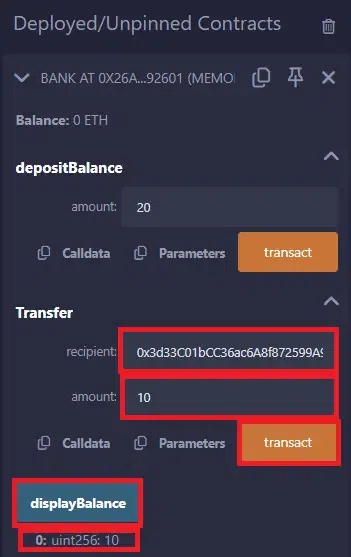
Function 2: Transfer:
To transfer amount, add Recipient address, amount to transfer and click on transact button. Click on displayBalance button and the total balance in the account will be displayed.
Writing and deploying smart contracts may seem challenging but with the right development tools and knowledge, it can be a simple process. In this article, we have walked through the process of using Remix IDE for developing and deploying the smart contract. By following the step-by-step guide, one can start building a smart contract and harness the power of Blockchain Technology.