|
VOOZH | about |
|
VOOZH | about |
Remix IDE is generally used to compile and run Solidity smart contracts. Below are the steps for the compilation, execution, and debugging of the smart contract.
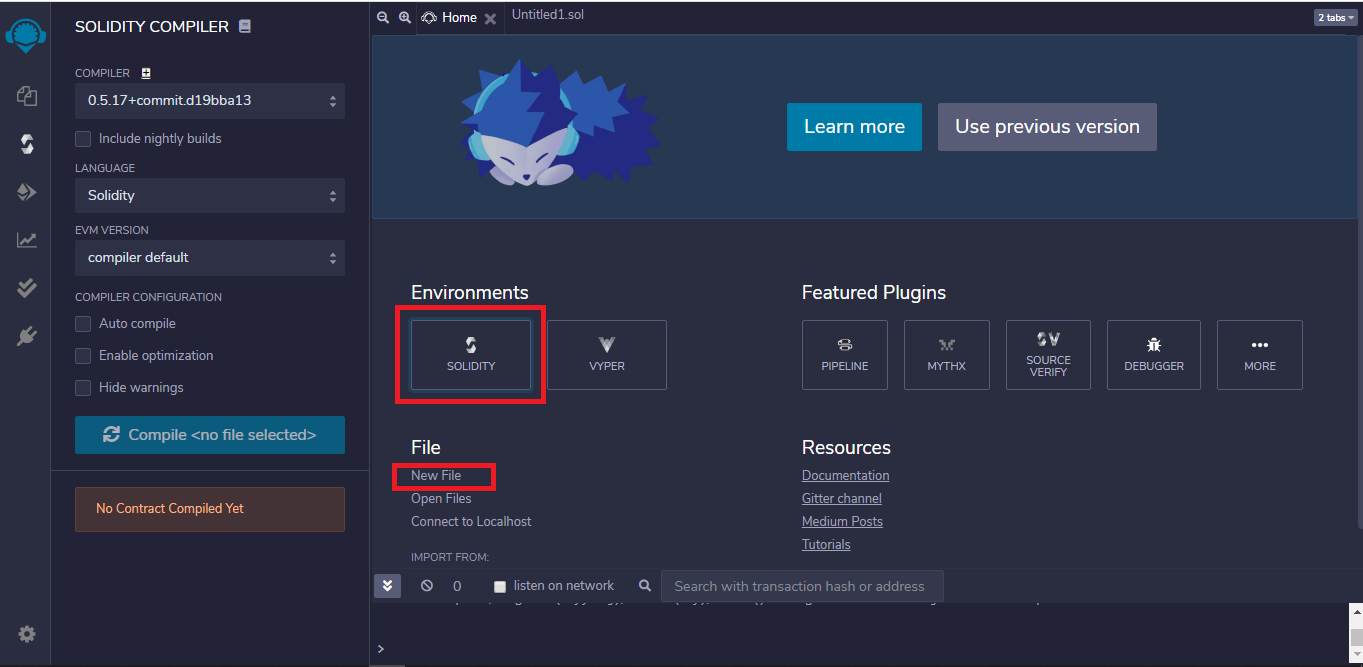
Step 1: Open Remix IDE on any of your browsers, select on New File and click on Solidity to choose the environment.
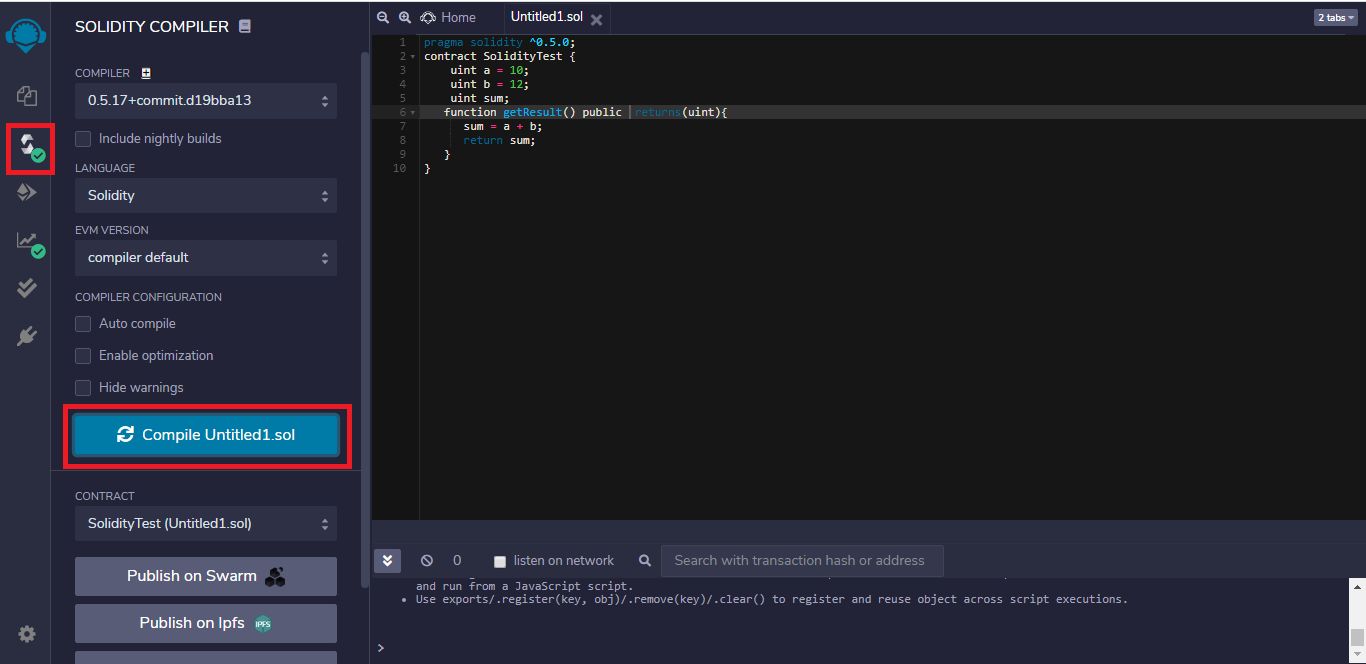
Step 2: Write the Smart contract in the code section, and click the Compile button under the Compiler window to compile the contract.
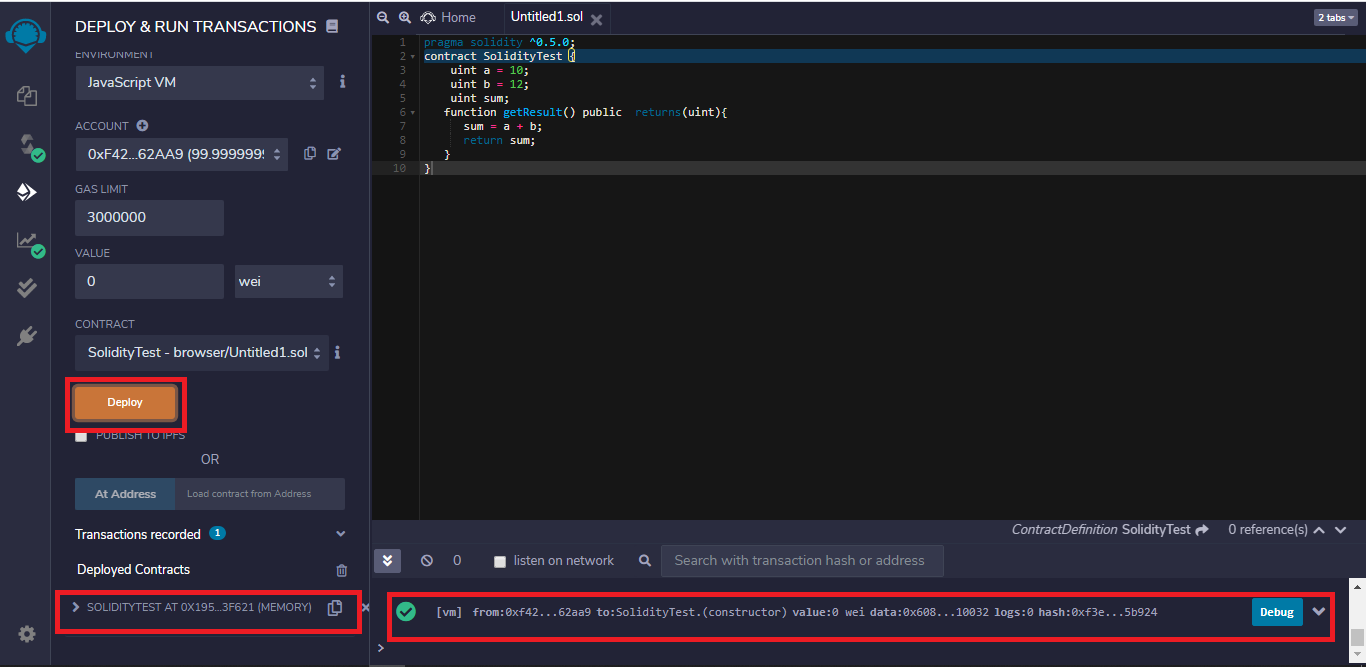
Step 3: To execute the code, click on the Deploy button under Deploy and Run Transactions window.
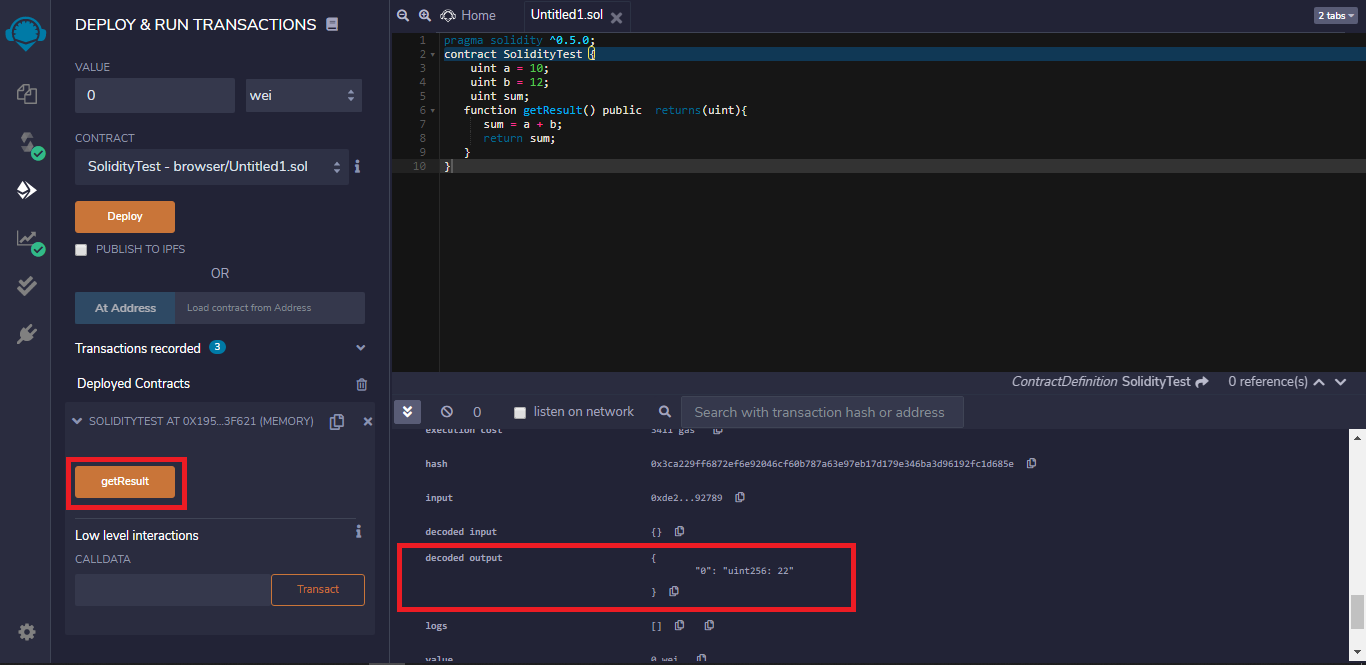
Step 4: After deploying the code click on the method calls under the drop-down of deployed contracts to run the program, and for output, check to click on the drop-down on the console.
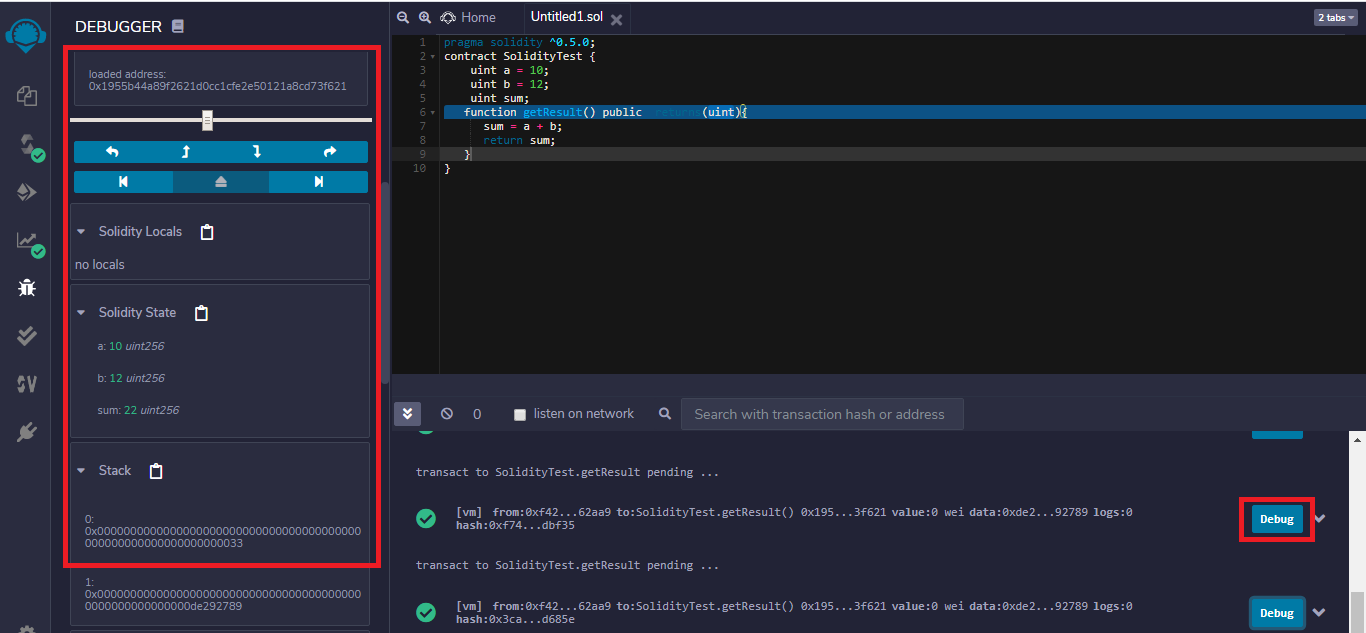
Step 5: For debugging click on the Debug button corresponding to the method call in the console. Here you can check each function call and variable assignments.