|
VOOZH | about |
|
VOOZH | about |
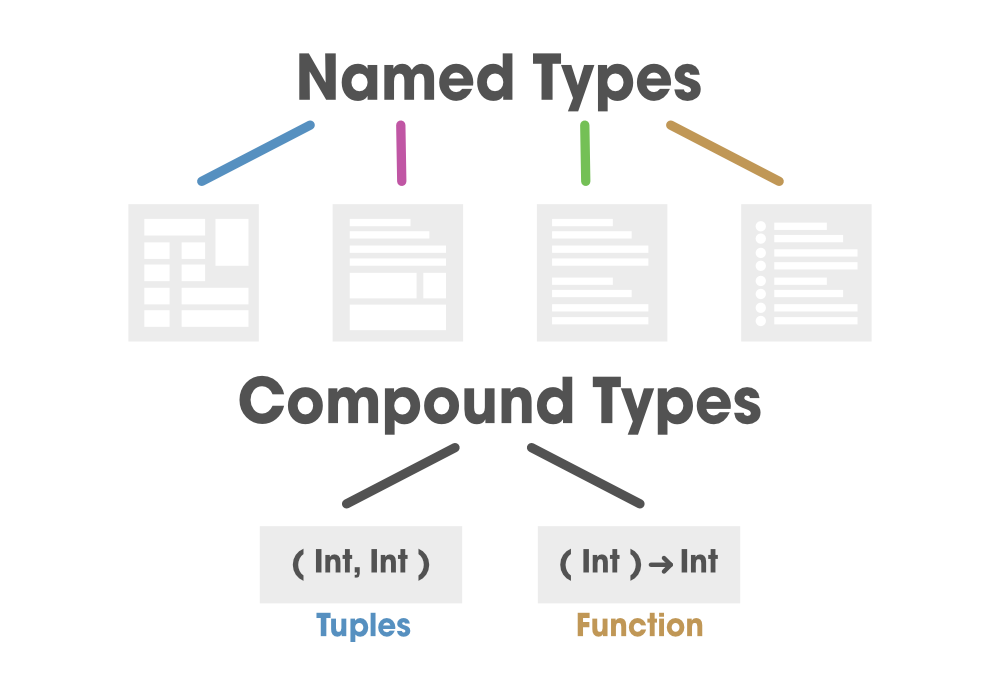
A Tuple is a constant or variable that can accommodate a group of values that can be of different data types and compounded for a single value. In easy words, a tuple is a structure that can hold multiple values of distinct data types. Tuples are generally used as return values to retrieve various data from the output of any process.
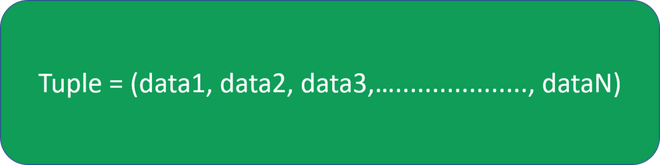
👁 ImageIn order to create a tuple, first declare a tuple in Swift, we declare a constant or a variable in our code and type the data directly into the circular brackets separated with a comma. Below is the basic structure of a tuple where data1, data2, data3,……,dataN can all be of the same or distinct data type.
👁 ImageImplementation:
Example 1: Declaring a tuple containing a string and an integer
// statusLoad is of type (String, Int), and equals to (“Forbidden”, 403)
let statusLoad = (“Forbidden”, 403)
So, this data is available in two forms, String, a human-readable description, and Int, which is a number.
We can create a tuple from any permutation of data types, and that they can contain as many various types as you wish. Meaning, a tuple can hold any amount of data of similar or different data types.
Example 2: Declaring a tuple containing a string
let a = (Int, Int, Int, Int)
var b = (String, Int, String, Int, Int)
Additionally, we can name individual elements inside a tuple which is shown in the below example
Example 3:
let statusLoad = (tupleMessage: “Forbidden”, tupleCode = 403)
Now in order to decompose a tuple in swift, it is done and split into variables or constants . We can access the data in a tuple by decomposing it into constants and variables
It is as shown below in the example shown below:
Example 4:
// refer statusLoad from above
let (sMessage, sCode) = statusLoad

// prints the message “Forbidden”
print(“The status message is \(sMessage).”)

// prints the code “403”
print(“The status code is \(sCode).”)
Output:
The status message is Forbidden.
The status code is 403.
Note: Additionally, we can access a specific element inside a tuple by replacing the unwanted data positions with an underscore (_).
Example 5:
let (sMessage,_) = statusLoad

print(“The status message is \(sMessage).”)
// prints the message “Forbidden”

let (_, sCode) = statusLoad

print(“The status code is \(sCode).”)
// prints the code “403”
Output:
The status message is Forbidden.
The status code is 403.
Note: Alternatively, we can access the data using indexed numbers. These numbers start from 0, meaning that we need to pass n-1 indexed term to access the nth element.
Example 6:
let sMessage = statusLoad.0

// prints the message “Forbidden”
print(“The status message is \(sMessage).”)

let sCode = statusLoad.1

// prints the code “403”
print(“The status code is \(sCode).”)
Output:
The status message is Forbidden.
The status code is 403.
Refer to example 3 above illustrated:
Note: We can also access every individual element by their names as shown:
Example 7:
let statusLoad = (tupleMessage: “Forbidden”, tupleCode = 403)

// prints the message “Forbidden”
print(“The status message is \(statusLoad.tupleMessage).”)

// prints the code “403”
print(“The status code is \( statusLoad.tupleCode).”)
Output:
The status message is Forbidden.
The status code is 403.