|
VOOZH | about |
|
VOOZH | about |
In Express.js, the res.redirect() function is one of the most commonly used methods to handle redirection in a web application. This method is part of the response object (res), and it allows you to send an HTTP redirect to the client, telling it to navigate to a different URL.
In web development, redirection refers to the process of sending the user from one URL to another. This can happen for several reasons:
Syntax
res.redirect([status] path)Parameter: This function accepts two parameters as mentioned above and described below:
Return Value: It returns an Object.
Step 1: You can install this package by using this command.
npm install expressStep 2: After installing the express module, you can check your express version in the command prompt using the command.
npm version expressStep 3: After that, you can just create a folder and add a file, for example, index.js.
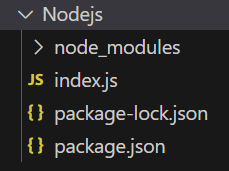
Project Structure
Example 1: Below is the code example of the res.redirect().
Steps to Run the Code
Run the index.js file using the below command:
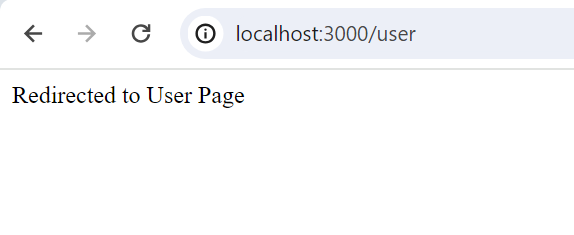
node index.jsOutput: Visit http://localhost:3000/ in your browser, and you'll be redirected to http://localhost:3000/user.
Server listening on PORT 3000Browser Output: You'll be redirected to http://localhost:3000/user.
Example 2: Below is the code example of the res.redirect().
Steps to Run the Code
Run the index.js file using the below command:
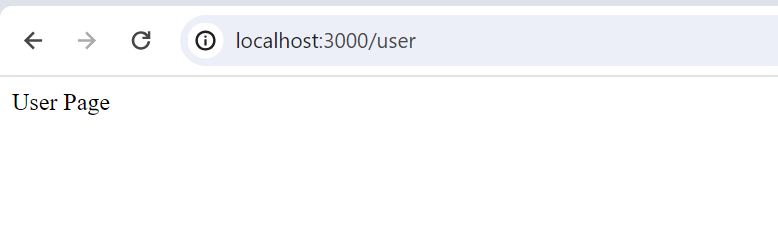
node index.jsOutput: Visit http://localhost:3000/verify in your browser, and you will be redirected to http://localhost:3000/user.
Server listening on PORT 3000
Authenticate and Redirect
Browser Output : You'll be redirected to http://localhost:3000/user.