 |
VOOZH | about |
|
VOOZH | about |
18 min
read
Discover the 11 best no-code mobile app builders to create iOS & Android apps without coding. Compare features & pick the right tool for your needs
By
Jesus Vargas
Updated on
May 29, 2026
.
Reviewed by
Real-World Experience with No-Code Tools: With over 320 apps built, we know firsthand what works—and what doesn't—when using no-code platforms like Glide, Bubble, FlutterFlow and Webflow.
Expert Team with 40+ Years of Combined Experience: Our team has deep technical knowledge, with experts who use no-code tools to solve real-world problems for clients every day, ensuring our advice is actionable and reliable.
Detailed Guides Based on Actual Projects: We don’t just talk about no-code; we use it daily to solve real business problems for our clients, from MVPs to complex automations.
Take a deeper look at our editorial guidelines
A no-code mobile app builder is a tool that lets you create mobile apps without writing any code. It uses drag-and-drop interface, visual workflows, and ready-made elements to build apps faster and easier. You don’t need to use programming languages or traditional development methods.
These platforms speed up the mobile app development process and cut costs. Instead of spending months coding, we can build a fully functional app in weeks, or even days if the app is really simple. This makes it a smart choice for founders or businesses that want to test ideas quickly without spending too much.
No-code is different from low-code. No-code platforms need zero coding. Low-code tools still need some coding, usually for advanced features or custom logic. No-code tools are better when you want to build fast and keep things simple. Low-code works best when you need more flexibility and have some coding knowledge.
Overall, no-code mobile app builders make development more efficient and budget-friendly.
| Platform | Features | Limitations | Pricing Range |
|---|---|---|---|
| Glide | • Multiple database integrations (Google Sheets, Excel, Airtable, BigQuery, Glide Tables) • Extensive template library • Real-time data syncing • User-friendly interface | • Limited design customization • Performance issues with large datasets • Basic animation capabilities | $0-$249/month |
| FlutterFlow | • Native code export • Advanced UI customization • Firebase integration • GitHub connectivity | • Steeper learning curve • Limited free plan capabilities • Requires some technical knowledge | $0-$70/month |
| Bubble | • Comprehensive database features • Robust workflow editor • Extensive plugin marketplace • Advanced responsive design | • Mobile apps require wrappers • Performance can be slower • Complex pricing structure | $0-$399/month |
| Adalo | • Marketplace integrations • Custom component creation • Offline functionality • Native look and feel | • Limited scaling capabilities • Fewer customization options • Database size restrictions | $0-$250/month |
| AppSheet | • Google Workspace integration • Advanced data capture • Workflow automation • ML capabilities | • Limited design flexibility • Complex UI for beginners • Google-centric ecosystem | $5-$10/user/month |
| Thunkable | • Drag-and-drop blocks • Live testing • Export to App Store • Component marketplace | • Limited database options • Basic UI customization • Fewer third-party integrations | $0-$189/month |
| OutSystems | • Enterprise-grade security • Advanced scalability • One-click deployment • AI-assisted development | • Higher learning curve • Enterprise-focused pricing • Complex for simple projects | Contact for pricing |
| BuildFire | • Industry-specific templates • White-label capabilities • Extensive plugin marketplace • Regular updates | • Limited design freedom • Monthly subscription required • Additional costs for plugins | $209-$549/month |
| Draftbit | • React Native foundation • Code export capabilities • Component reusability • Professional-grade UI | • Technical learning curve • Higher starting price • Limited free plan | $0-$249/month |
| Bravo Studio | • Design-first workflow • Figma/XD integration • Native performance • Clean visual output | • Requires design skills • Separate design process • Limited built-in components | $0-$99/month |
| Jotform Apps | • Advanced form capabilities • Payment processing • Appointment scheduling • Easy data collection | • Form-centric functionality • Limited complex interactions • Basic design customization | $0-129/month |
No-code mobile app builders provide many useful features that help us create apps faster. Here are some common features offered by popular no-code mobile app builders:
No-code mobile app builders make app creation simple by breaking the process into easy steps. Here's how it usually works from start to finish:
If these steps seem too much to handle, don’t worry—our team at LowCode Agency specializes in building powerful, user-friendly mobile apps using the best no-code tools. We’re here to help turn your ideas into fully working apps that are ready to scale.
Read our case studies to see how we’ve helped founders like you launch mobile apps twice as fast and at half the cost compared to traditional development methods.
Here’s a quick look at the top no-code platforms to help you choose the right one for your mobile app—along with their key features and limitations.
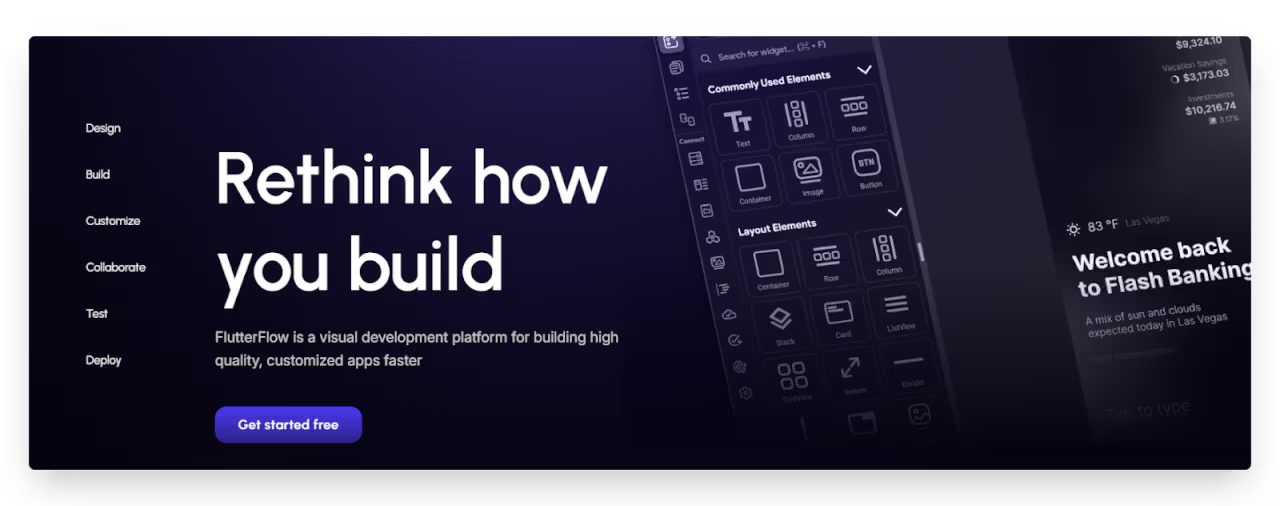
FlutterFlow stands out as a powerful no-code platform specifically designed for creating native mobile applications. Built on Google's Flutter framework, the visual editor lets you design your interface while automatically generating clean, efficient Flutter code behind the scenes.
What makes FlutterFlow unique is its ability to export production-ready code. Unlike many no-code platforms, FlutterFlow gives you complete access to the generated code, allowing developers to extend functionality beyond the visual editor's capabilities.
It also offers Firebase integration for the backend, real-time previews, and the ability to test your app directly on your device during development.
Despite its strengths, FlutterFlow has a steeper learning curve compared to other no-code tools. The platform's power comes with complexity that might intimidate beginners. The free plan is quite limited, and while pricing is reasonable, you'll need a paid plan to access the most valuable features like code export and custom domains.
Read more about:
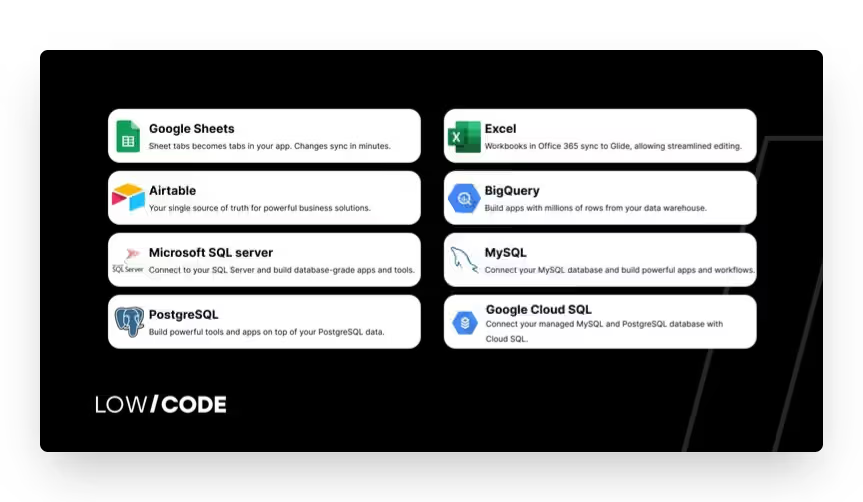
Glide transforms spreadsheets into beautiful, functional mobile apps within minutes. Originally built around Google Sheets integration, Glide has evolved to support multiple data sources including its own Glide Tables, Airtable, and BigQuery. This data-first approach makes it ideal for businesses looking to mobilize their existing information.
The platform shines with its ability to scale and speed to market. Glide's template library is extensive, offering professionally designed starting points for various industries and use cases. Recent updates have introduced more advanced features like "Big Tables" that support up to 10 million rows of data.
Glide's limitations become apparent when you need highly customized designs or complex animations. While it offers remarkable functionality, the visual customization options are somewhat limited compared to design-focused platforms.
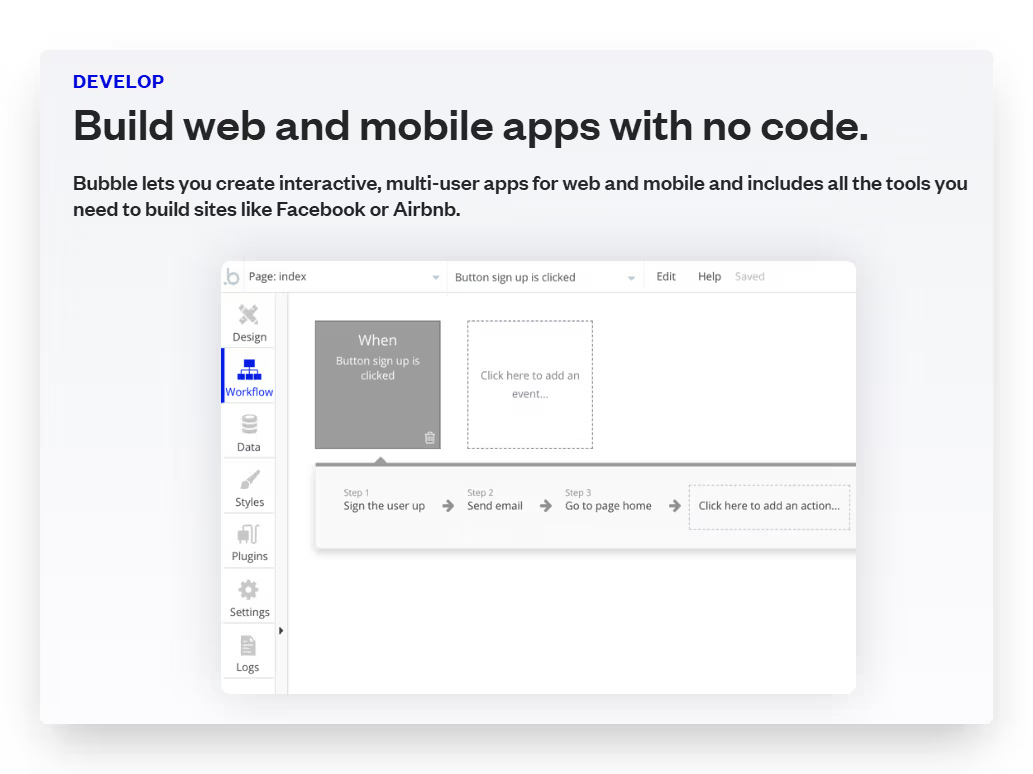
Bubble excels at creating complex, data-driven applications. Previously, we used native wrappers to convert web apps into mobile apps, but now Bubble also supports native mobile apps with its new native app builder. This makes it a strong option for both web and mobile projects within the same ecosystem.
Bubble offers one of the most powerful visual programming interfaces available, making it easy to build advanced applications without writing code. Its robust workflow editor and database system let you build complex logic, multi-step processes, and connect to nearly any external API.
You also get access to a large plugin marketplace, where you can add ready-made features to your app. For extra flexibility, you can include custom JavaScript and CSS.
The main drawback used to be its lack of native app support, but that gap is closing as Bubble plans to add more native features like push notifications and many more. However, Bubble still has a steeper learning curve compared to other no-code tools, and its pricing can seem complicated if you're just starting out.
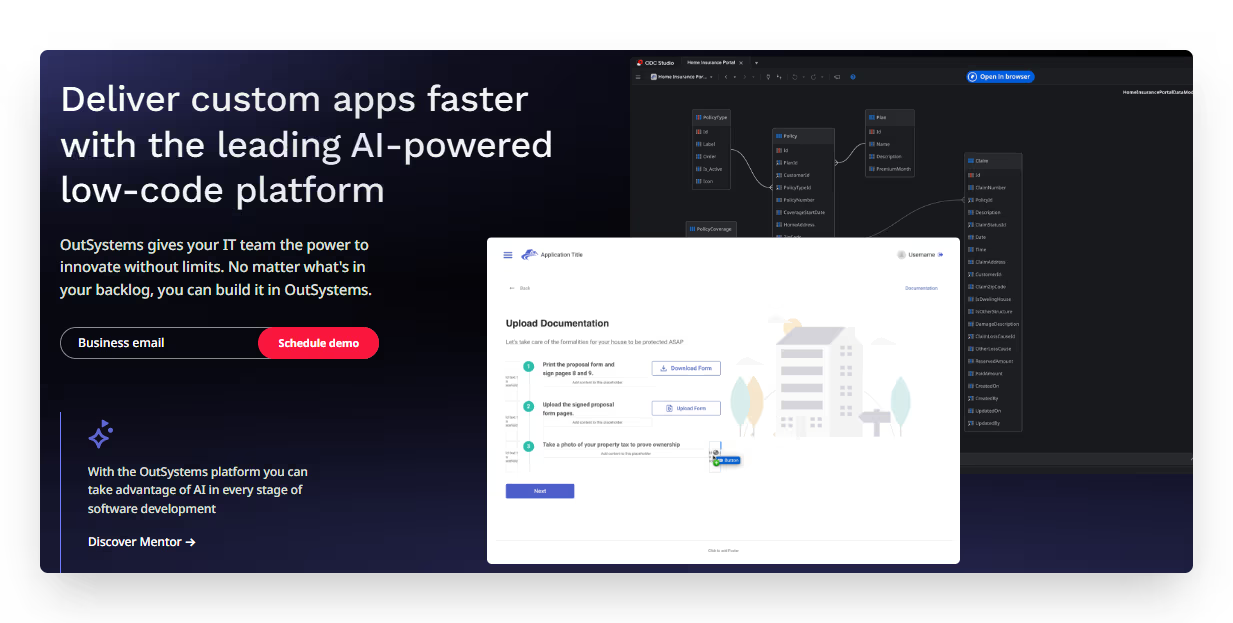
OutSystems is a mature low-code platform aimed at enterprise-level applications, offering both no-code visual development and more advanced low-code capabilities. It stands apart from typical no-code tools by focusing on scalability, security, and integration with existing enterprise systems, making it ideal for established businesses rather than startups or individuals.
The platform provides comprehensive development features including visual modeling, drag-and-drop interface design, and one-click publishing. OutSystems generates real native mobile applications for iOS and Android with full access to device capabilities.
However, OutSystems' enterprise power comes with significant cost; pricing starts much higher than most no-code platforms, putting it out of reach for smaller projects or individual entrepreneurs. The learning curve is also considerably steeper, and while it offers no-code capabilities, getting the most from OutSystems often requires some technical expertise or training.
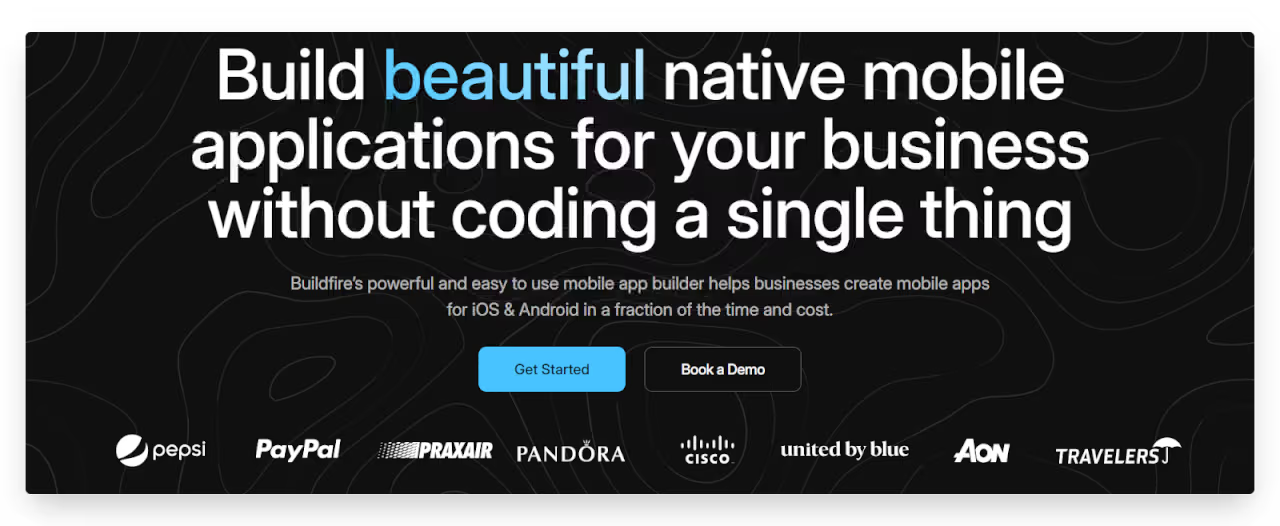
BuildFire provides a specialized platform for creating native mobile apps with an emphasis on simplicity and expandability. The platform caters to various industries with pre-built functionality for loyalty programs, e-commerce, event management, and more. Its modular approach lets you add features through plugins rather than building everything from scratch.
What makes BuildFire appealing is its balance of ease-of-use and customization options. The platform offers a straightforward interface for non-technical users while providing deeper customization through BuildFire's JavaScript SDK for developers.
This hybrid approach makes it suitable for projects that start simple but might need more complex functionality later. BuildFire also handles the entire app submission process for both App Store and Google Play.
The main limitation is that BuildFire operates on a subscription model with relatively high starting prices compared to some competitors. Additional plugins often come with extra costs, which can add up for feature-rich applications.
Adalo focuses on creating visually appealing mobile apps with a true native feel. The platform emphasizes design flexibility and user experience, allowing you to create custom interfaces that look professionally designed. It strikes a good balance between simplicity and capability, making it popular among entrepreneurs and small businesses.
One of Adalo's strengths is its component-based approach that lets you create reusable elements for your app. The marketplace offers additional components and integrations to extend functionality.
Adalo also provides native app export for both iOS and Android, along with responsive web versions. The platform's database capabilities are straightforward yet powerful, allowing for relationships between data collections and complex filtering.
While Adalo offers impressive capabilities, it can face performance challenges with larger applications or complex data structures. The platform has limits on database records and listview items in its lower-tier plans, which may restrict scaling. Some users also report that more advanced logic and workflows can become difficult to manage as applications grow in complexity.
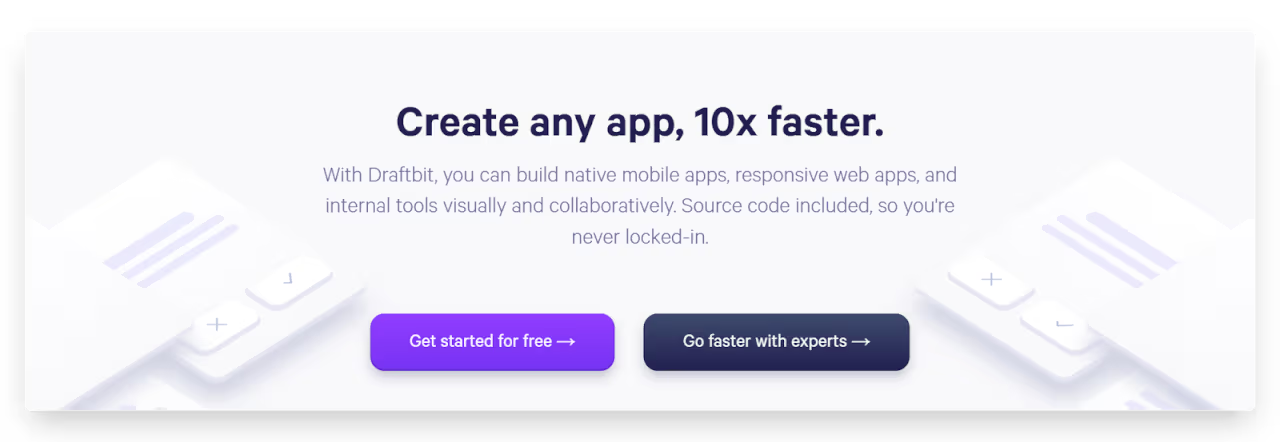
Draftbit positions itself as a professional no-code platform that bridges the gap between visual development and traditional coding. Built on React Native, it allows you to create truly native mobile applications with a focus on quality code generation. The platform appeals to both non-technical founders and professional developers looking to accelerate their workflow.
What sets Draftbit apart is its approach to code ownership. Unlike many platforms that lock you into their ecosystem, Draftbit allows you to export clean, well-structured React Native code that can be further developed in any standard development environment. The platform offers advanced styling options, reusable components, and a component library that follows best practices in mobile design.
The main limitations of Draftbit include a steeper learning curve than some purely visual tools and pricing that starts higher than basic no-code platforms. While its React Native foundation provides excellent performance, some users report that complex animations and transitions can be challenging to implement through the visual interface alone.
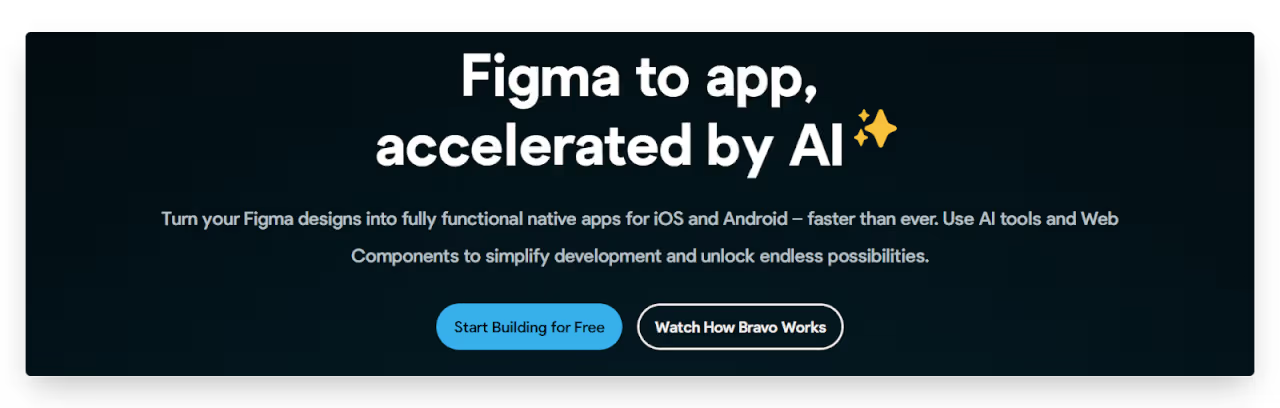
Bravo Studio takes a unique approach to no-code development by separating design and functionality. The platform allows you to design your app interface in design tools, then import those designs into Bravo to add functionality and data connections. This workflow appeals to designers who want to maintain precise control over aesthetics while still creating functional apps without coding.
The platform's design-first approach results in visually stunning apps with native performance. Bravo excels at turning static designs into interactive applications by connecting them to various data sources and APIs. It supports user authentication, payments through Stripe, and various other integrations essential for modern applications. The export process generates native apps for both iOS and Android.
Bravo's limitations stem from its specialized approach. Users without design skills or access to design tools may find the workflow challenging compared to all-in-one platforms. The separation of design and functionality can sometimes create friction when making changes that affect both aspects of the app.
Thunkable offers an accessible entry point to app development with its block-based programming interface. It uses visual programming blocks that snap together to create app logic. This approach makes it particularly suitable for educational settings, beginners, and those who find text-based programming intimidating.
Despite its approachable interface, Thunkable can create sophisticated applications with features like real-time databases, API integration, and device functionality access. The platform generates native applications for both iOS and Android, ensuring good performance and access to device capabilities. Its live testing feature allows you to see changes immediately on your device as you build.
Thunkable's block-based approach, while accessible, can become cumbersome for highly complex applications with intricate logic. The platform offers fewer pre-built templates and components compared to some competitors, which means more building from scratch. While it supports various data sources, the database options are more limited than data-focused platforms like Glide or Bubble.
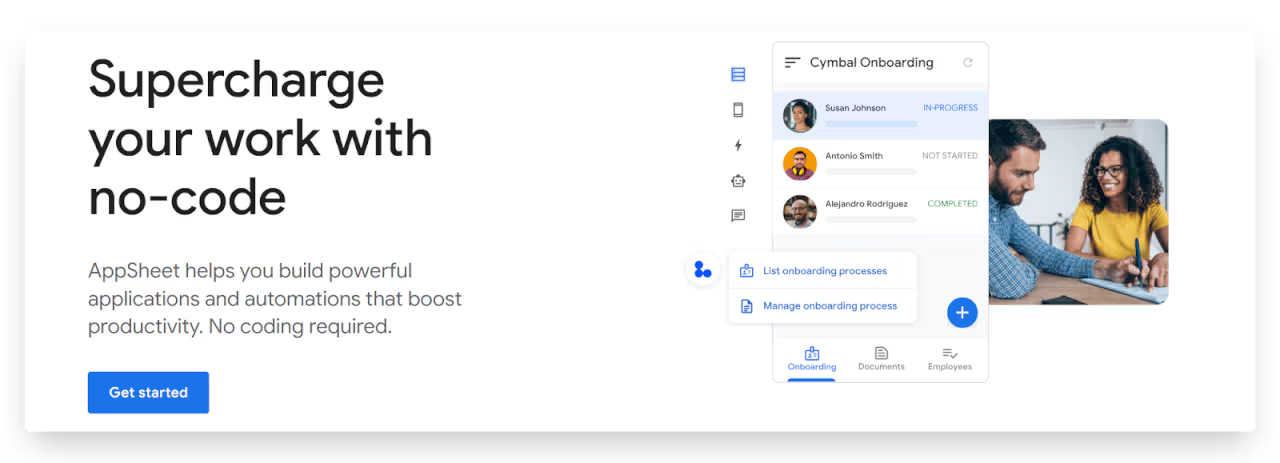
AppSheet specializes in turning spreadsheet data into functional business applications. The platform excels at creating operational apps for workflow automation, data collection, and business process management. Its deep integration with Google Workspace makes it particularly powerful for organizations already using these tools.
What makes AppSheet stand out is its intelligent features like natural language processing for search and filtering, machine learning capabilities, and advanced automation options. The platform can recognize patterns in your data and suggest automations or app structures. Its offline capabilities are robust, allowing users to work with apps even without internet connectivity and syncing changes when connection is restored.
The main limitations of AppSheet include less design flexibility compared to more visually-oriented platforms. The interface prioritizes functionality over aesthetics, resulting in apps that work well but may look more utilitarian. The platform's learning curve can be steep for complex applications, particularly when implementing advanced workflows and automation rules.
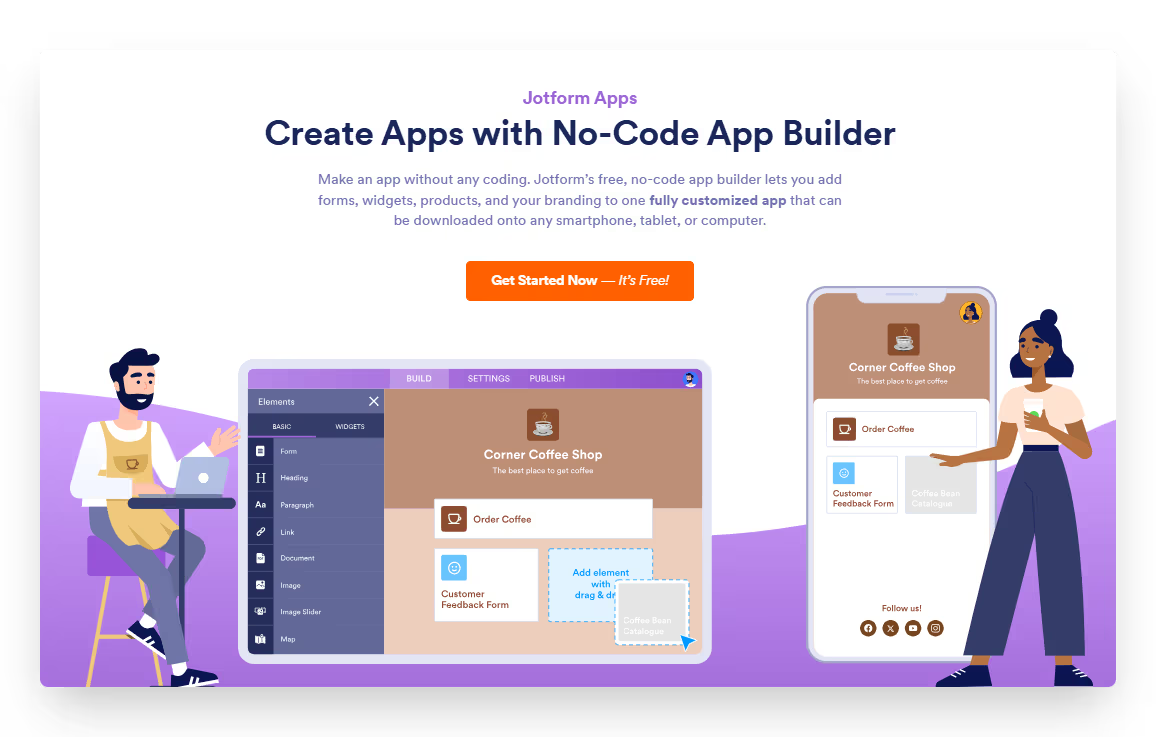
Jotform Apps evolved from Jotform's popular form builder platform, focusing on creating simple yet functional mobile apps centered around data collection and form submissions. It's ideal for businesses that need to gather information, automate workflows, or create simple customer-facing applications without complex development.
The platform leverages Jotform's extensive form capabilities, allowing you to incorporate sophisticated forms with conditional logic, payment processing, and file uploads into your mobile app.
Jotform Apps includes a variety of widgets and integrations to extend functionality beyond forms, including calendars, appointment scheduling, and data visualization. Apps can be published as PWAs or shared via QR codes and links.
While Jotform Apps excels at form-centric applications, it has limitations for apps that require complex interactions or highly customized user experiences. The platform is less suitable for creating games, social networks, or applications where forms aren't central to the user journey. Design customization, while improving, doesn't offer the same flexibility as dedicated mobile app development platforms.
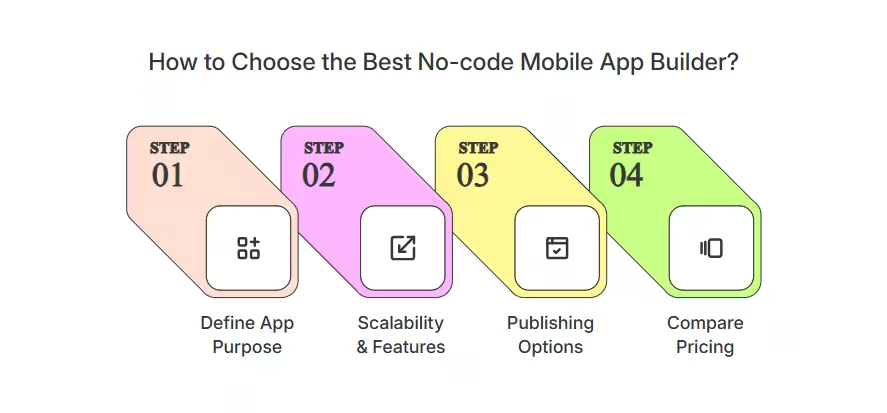
Choosing the right no-code mobile app builder depends on your project goals and future needs. Here are key things to look at before making a decision:
If you're unsure which no-code mobile app builder is right for you, reach out to us. We’ll help you choose the best platform based on your goals, features, and budget.
We’ve built 330+ apps using leading no-code platforms, helping businesses launch faster and smarter.
Here are a few mobile apps we've built to solve real problems and drive results.
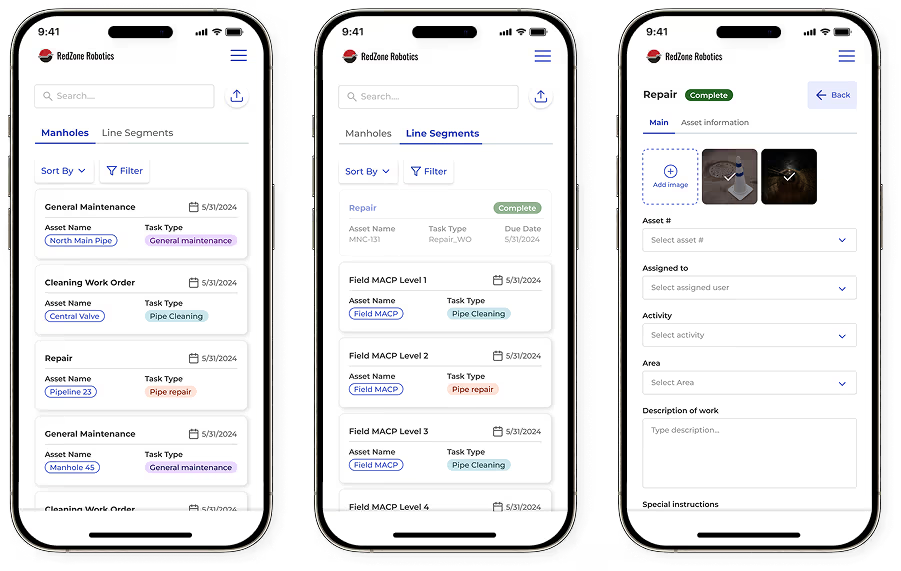
RedZone faced a critical challenge: their field workers were losing valuable data while working in underground sewers without connectivity. This lead to compromised crucial infrastructure data. We created a custom FlutterFlow application that revolutionized their workflow.
The RedZone app enabled seamless offline data collection with automatic syncing when connectivity returned. Field workers could complete detailed inspection forms in the dark underground environments, with all data securely stored until they returned to signal range. A sophisticated visual system kept users informed of synchronization status through intuitive color-coded indicators.
The results were immediate and significant. Field workers reduced their work order processing time by 40%, while data accuracy improved by an impressive 80%. With approximately 150 active users across the organization, the app transformed not just how workers collected data, but how the entire company managed critical infrastructure maintenance.
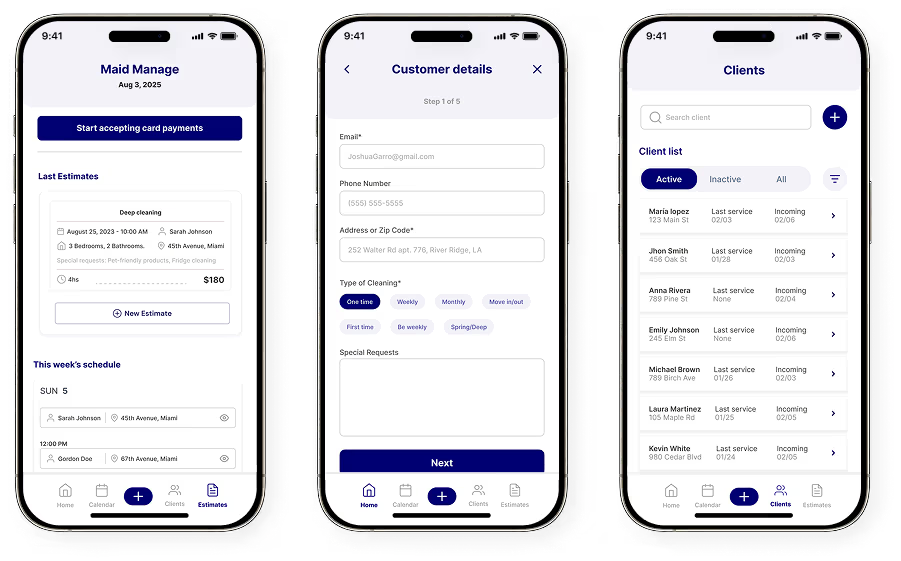
Cleaning professionals were losing valuable income-generating hours to manual price calculations, inconsistent estimates, and awkward payment collection. We partnered with founder Brian Renner to develop MaidManage, a Bubble-based app that addressed these specific challenges.
The app incorporated a standardized yet customizable formula for calculating service rates, ensuring accurate and consistent pricing. We integrated Stripe Connect for seamless payment processing, eliminating cash transactions and separate invoicing systems. The platform automatically created bookings in workers' schedules once payment was processed, ensuring no jobs were missed.
Since implementation, cleaning professionals have experienced a 25% reduction in administrative paperwork time, translating directly to more billable hours. Payment processing improved by 40%, virtually eliminating late payments and confusion about job status. Perhaps most importantly, estimate generation became 30% more accurate, ensuring fair compensation while maintaining consistent pricing for clients.
Read our case studies to explore the mobile apps we've built.
At LowCode Agency, we've built over 330 successful applications across multiple no-code platforms. Our team has deep expertise in Glide, Bubble, and FlutterFlow allowing us to select the perfect platform for your specific project requirements.
We understand that each business has unique needs. Some require data-heavy applications with complex workflows, while others need visually stunning consumer-facing apps.
Our development process emphasizes collaboration and transparency. We work closely with you to understand your vision, design an intuitive user experience, and implement the necessary functionality. Throughout the project, you'll receive regular updates and opportunities to provide feedback, ensuring the final product aligns perfectly with your expectations.
Ready to bring your mobile app idea to life? Book a free consultation call with our team to discuss your project.
Last updated on
May 29, 2026
.
Jesus Vargas
-
Founder
Jesus is a visionary entrepreneur and tech expert. After nearly a decade working in web development, he founded LowCode Agency to help businesses optimize their operations through custom software solutions.
Custom Automation Solutions
Save Hours Every Week
We automate your daily operations, save you 100+ hours a month, and position your business to scale effortlessly.
Our AI — trained on 300+ shipped products — tells you what to build, what to skip, and what it'll actually cost. No fluff.
Assess My Idea"Working with LowCode Agency was the best decision I made in 2025"
Franklin Frith
CEO at HRM
The best platform depends entirely on your specific needs. FlutterFlow excels for native apps with custom designs, Glide is perfect for data-driven apps with quick deployment, while Bubble offers robust capabilities for complex web applications. Your choice should align with your technical skills, budget, and the type of app you're building.
Building an app without coding involves selecting a no-code platform, designing your interface using drag-and-drop tools, setting up workflows for app logic, connecting to data sources, and testing thoroughly before publishing. These platforms handle the code generation behind the scenes while you focus on functionality and design through visual interfaces.
For low-code development, OutSystems and Bubble are leading choices, offering more flexibility than pure no-code tools. OutSystems excels for enterprise applications with its robust security and scalability, while Bubble provides an excellent balance of power and accessibility. FlutterFlow also stands out by generating clean, exportable code you can further customize.
Absolutely! No-code apps can implement the same monetization strategies as traditionally coded apps. You can charge for downloads, offer in-app purchases, implement subscription models, or generate revenue through advertising. Many successful businesses have built profitable applications using no-code platforms, from e-commerce stores to SaaS products.
Neither is universally better, they serve different purposes. FlutterFlow creates true native mobile apps with excellent performance and design flexibility. Bubble excels at complex web applications with sophisticated workflows and database operations. Choose FlutterFlow for mobile-first projects requiring native features, and Bubble for feature-rich web applications with complex business logic.
No-code/Low-code
What Are Low-code Tools? [Features, and Examples]
Learn what low-code tools are, how they work, and see real examples used to build apps faster. A clear guide covering features, use cases, and benefits.
Mobile App Development
How to Validate Your Mobile App Idea First
Don't build a mobile app nobody wants. Learn how to validate your idea with real users before spending time and money on development.
No-code/Low-code
Low-code Employee App Development Guide
Low-code employee app development guide covering features, use cases, tools, costs, and best practices to build internal apps faster and scale teams.
Mobile App Development
Retail Mobile App Development: What It Takes
Thinking of building a retail mobile app? Learn what it takes, what features matter most, and how to build one that drives revenue.
Mobile App Development
Mobile App Agency Pricing Models (How Agencies Actually Charge)
Mobile app agency pricing models explained. Learn how agencies charge, what fixed vs hourly really means, and how to choose the safest pricing structure.
No-code/Low-code
What Are Low-code Applications? [Detailed Guide]
Understand what low-code applications are, how they work, and where they’re used. A simple guide with examples, benefits, and common use cases.





![👁 What Are Low-code Tools? [Features, and Examples]](https://cdn.prod.website-files.com/61cbe22a00483909d327afc6/69de878d902970291a8e40ea_69b2c0ed22d1ae8689dc9420_what-are-low-code-tools-.avif)


![👁 What Are Low-code Applications? [Detailed Guide]](https://cdn.prod.website-files.com/61cbe22a00483909d327afc6/69de878d902970291a8e40e7_69b2c801e7ca826265eea676_what-are-low-code-applications.avif)


