 |
VOOZH | about |
|
VOOZH | about |
We use cookies to improve your experience on our site. By using our site, you are agreeing to the collection and use of data as described in our Privacy Policy.
Cookie Settings×Table of contents
API keys are an essential part of any API request.
They allow you, the requestor, to perform the specific action you want on a given resource; and they enable the API provider to both confirm that you have the appropriate permissions to perform the action and aren’t exceeding your rate limit for the current window.
To help you use API keys successfully as well as decide whether to use them in the first place, we’ll walk through how a few widely-used applications accept API keys for authentication, a common set of steps you’ll need to follow to retrieve them, and the pros and cons of using them.
But first, let’s take a closer look at what an API key is.
It’s a unique identifier that a client has to add to their API requests. The server uses it to validate that a client can, in fact, perform the desired action on the resource and isn’t violating their rate limit in the current window.
Depending on the API provider and the nature of the request, the client would add the API key in their header, body, or URL.
Related: What is low-code integration? Here's what you need to know
To help make our definition more tangible, let’s break down how common API providers accept API keys.
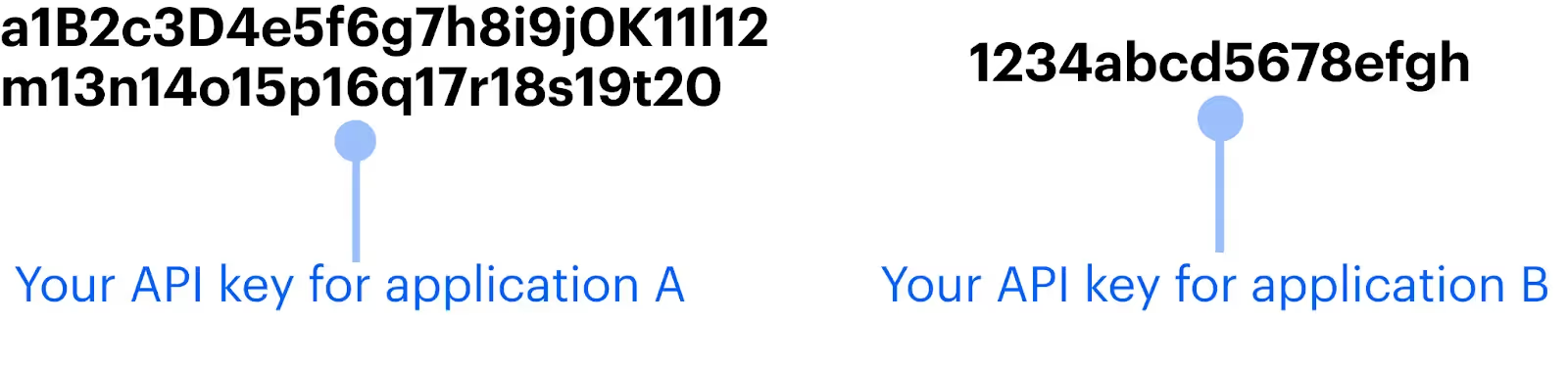
The popular HRIS solution uses an extremely lengthy and complex API key to keep their API endpoints secure.
According to their documentation, their API keys are 160-bit numbers represented in hexadecimal form. Moreover, for basic authentication, they require you to use the API key as the username and allow you to use whatever string of characters you want for the password.
More specifically, if you’re using curl to make API requests, the API key can be included before the URL and a dummy password can be added in place of “x.”
curl -i -u "{API Key}:x" "https://api.bamboohr.com/api/gateway.php/{subdomain}/v1/employees/directory"
Related: How REST API authentication works
The gift-giving platform doesn’t explicitly cite the level of their API keys’ complexity. However, given the example output they use in their documentation, we can assume that it’s complex—though not as lengthy as BambooHR’s.
To use the API key in requests, you would include it in the authorization header. In particular, it should replace “token.”
curl --request GET \  --url https://app.sendoso.com/api/v3/sends \
--header 'Authorization: Bearer <token>'
Every application has a unique process for generating and accessing API keys. However, there are often a common set of steps you’ll need to follow.
Here are a few of these steps:
Related: How to get your ChatGPT API key
Depending on the API provider, you may be able to use authentication methods that extend beyond API keys, such as OAuth or JSON Web Tokens.
Deciding whether API keys are the right approach for your API requests, therefore, requires you to review each approach's pros and cons carefully.
We’ll help you start this exercise by highlighting the top benefits and drawbacks of API keys.
Whenever you use API keys, you should keep the following in mind:
Related: A guide to monitoring API integrations
The process of finding your API keys across software providers, incorporating them into your API calls, rotating them consistently, and more, can quickly overwhelm your team. This is especially true when you consider all the other steps of building to an API and the sheer volume of API connections you need to build and maintain.
To help your engineers avoid all of this complexity, you can simply build to Merge’s Unified API.
Once you’ve built to it, you can add hundreds of integrations to your product, allowing you to cover all the customer-facing integrations your clients and prospects want and need.
You can learn more about Merge by scheduling a demo with one of our integration experts.
In case you have any more questions on API keys, we’ve addressed several more below.
Since API providers determine their method(s) of authentication, you typically can’t decide whether to use API keys; you either need to use them or you can’t.
In some cases, however, an API provider lets you choose from several authentication methods. For instance, they might let you authenticate via API keys, OAuth 2.0, or through basic authentication.
Whenever your authentication options include and extend beyond API keys, you should compare the methods carefully to determine the one that’s most secure for your business.
An API key is a component of an API; it ensures that a resource exposed from an endpoint is accessed securely and without violating the provider’s rate limit policies.
The cost of accessing one depends on the API provider.
Some API providers require you to enter into a formal business partnership to access their API key (among other items, like their sandbox accounts). These partnerships can cost anywhere from $10-50k per year.
That said, most API providers will make their API keys readily accessible and without any charges; you’ll just need to create accounts with the API providers—which include their free plans—and follow a few simple steps (as outlined earlier in this article) to generate it.
There are public and private API keys.
Private API keys are any that can be generated by an individual who’s met certain requirements, such as having an account set up. They’re specific to that individual and can be used to access sensitive data and functionalities that fall within the individual's scope of permissions.
Public API keys, on the other hand, are any that several individuals—if not anyone—can use to access publicly-available data or functionality in a product.




.png)



