|
VOOZH | about |
|
VOOZH | about |
dotnet add package FFmpegVideoPlayer.Avalonia --version 2.9.0
NuGet\Install-Package FFmpegVideoPlayer.Avalonia -Version 2.9.0
<PackageReference Include="FFmpegVideoPlayer.Avalonia" Version="2.9.0" />
<PackageVersion Include="FFmpegVideoPlayer.Avalonia" Version="2.9.0" />Directory.Packages.props
<PackageReference Include="FFmpegVideoPlayer.Avalonia" />Project file
paket add FFmpegVideoPlayer.Avalonia --version 2.9.0
#r "nuget: FFmpegVideoPlayer.Avalonia, 2.9.0"
#:package FFmpegVideoPlayer.Avalonia@2.9.0
#addin nuget:?package=FFmpegVideoPlayer.Avalonia&version=2.9.0Install as a Cake Addin
#tool nuget:?package=FFmpegVideoPlayer.Avalonia&version=2.9.0Install as a Cake Tool
FFmpeg-based media player control for Avalonia, with video and audio-only playback. Works on Windows, macOS, and Linux (including Apple Silicon).
dotnet add package FFmpegVideoPlayer.Avalonia
Requires Avalonia 11.3.15+ and .NET 8+.
1. Initialize FFmpeg (e.g. in Program.cs before the app starts):
using FFmpegVideoPlayer.Core;

FFmpegInitializer.Initialize();
2. Add the control in XAML:
xmlns:ffmpeg="clr-namespace:Avalonia.FFmpegVideoPlayer;assembly=Avalonia.FFmpegVideoPlayer"

<ffmpeg:VideoPlayerControl Source="C:\path\to\video.mp4" ShowControls="True" />
Video and audio-only files are both supported, for example .mp4, .mov, .mp3, .wav, .flac, .ogg, and .m4a.
Audio (OpenAL) is included in the main package. On Windows, install OpenAL Soft or place OpenAL32.dll next to your app — otherwise playback is video-only.
| Platform | Default |
|---|---|
| Windows x64 | Bundled DLLs in the package |
| macOS | System/Homebrew (brew install ffmpeg); can auto-install |
| Linux | System packages (apt/dnf/pacman); can auto-install with passwordless sudo |
Custom FFmpeg path:
FFmpegInitializer.Initialize(customPath: @"C:\ffmpeg\bin", useBundledBinaries: false);
Subscribe to StatusChanged for progress during discovery or auto-install.
git clone https://github.com/jojomondag/FFmpegVideoPlayer.Avalonia.git
cd FFmpegVideoPlayer.Avalonia/examples/FFmpegVideoPlayerExample
dotnet run
Properties: Source, AutoPlay, Volume, ShowControls, ShowOpenButton, VideoStretch, VideoBackground, EnableKeyboardShortcuts, RenderingMode (Cpu / OpenGL), AudioPlayerFactory, IconProvider
Methods: Open, OpenUri, Play, Pause, Stop, TogglePlayPause, Seek, ToggleMute
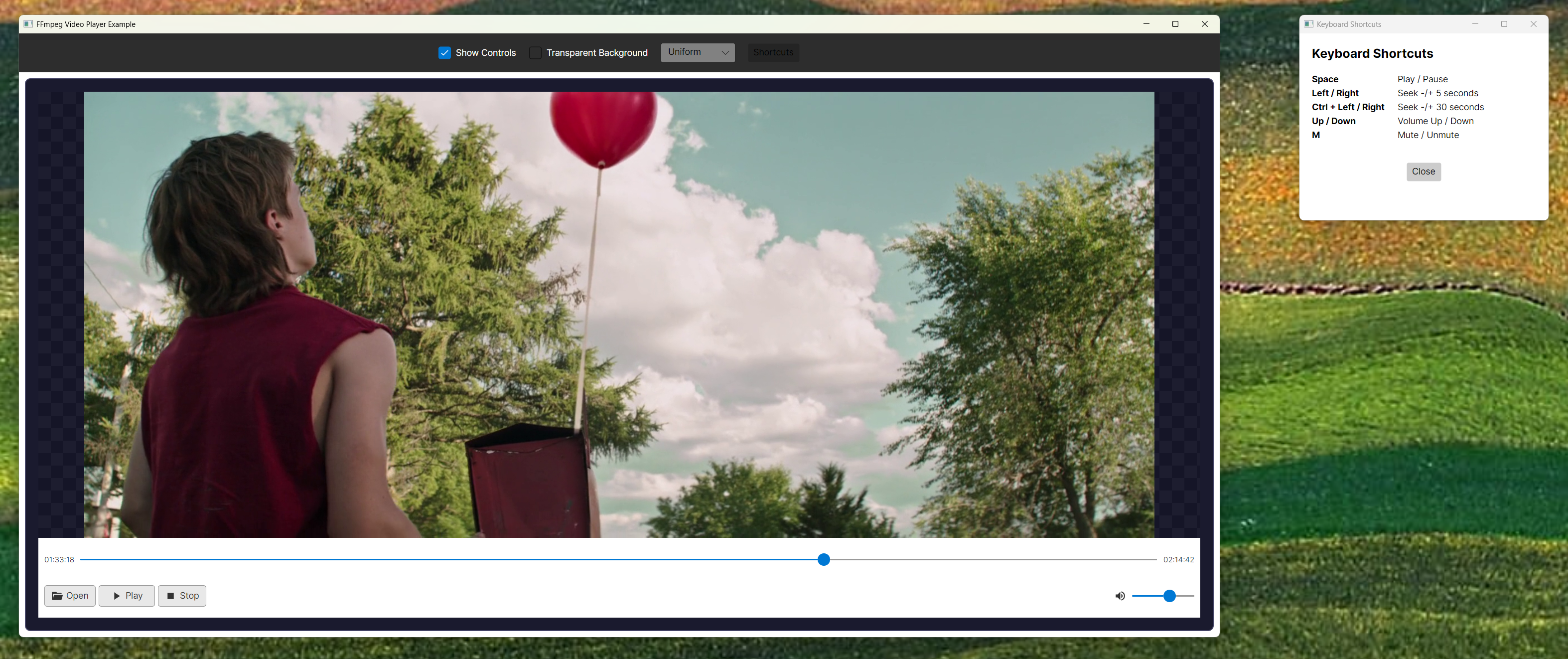
Shortcuts: Space (play/pause), arrow keys (seek/volume), M (mute)
Set AudioPlayerFactory to customize or disable audio. OpenAL via OpenTK is the default.
Custom icons: implement IIconProvider and set IconProvider.
MIT
| Product | Versions Compatible and additional computed target framework versions. |
|---|---|
| .NET | net8.0 net8.0 is compatible. net8.0-android net8.0-android was computed. net8.0-browser net8.0-browser was computed. net8.0-ios net8.0-ios was computed. net8.0-maccatalyst net8.0-maccatalyst was computed. net8.0-macos net8.0-macos was computed. net8.0-tvos net8.0-tvos was computed. net8.0-windows net8.0-windows was computed. net9.0 net9.0 was computed. net9.0-android net9.0-android was computed. net9.0-browser net9.0-browser was computed. net9.0-ios net9.0-ios was computed. net9.0-maccatalyst net9.0-maccatalyst was computed. net9.0-macos net9.0-macos was computed. net9.0-tvos net9.0-tvos was computed. net9.0-windows net9.0-windows was computed. net10.0 net10.0 was computed. net10.0-android net10.0-android was computed. net10.0-browser net10.0-browser was computed. net10.0-ios net10.0-ios was computed. net10.0-maccatalyst net10.0-maccatalyst was computed. net10.0-macos net10.0-macos was computed. net10.0-tvos net10.0-tvos was computed. net10.0-windows net10.0-windows was computed. |
This package is not used by any NuGet packages.
This package is not used by any popular GitHub repositories.
| Version | Downloads | Last Updated |
|---|---|---|
| 2.9.0 | 115 | 5/29/2026 |
| 2.8.1 | 128 | 5/20/2026 |
| 2.8.0 | 175 | 4/24/2026 |
| 2.7.1 | 107 | 4/24/2026 |
| 2.7.0 | 98 | 4/24/2026 |
| 2.6.3 | 246 | 3/31/2026 |
| 2.6.2 | 114 | 3/31/2026 |
| 2.6.1 | 117 | 3/25/2026 |
| 2.6.0 | 107 | 3/25/2026 |
| 2.5.8 | 105 | 3/25/2026 |
| 2.5.7 | 106 | 3/25/2026 |
| 2.5.6 | 104 | 3/25/2026 |
| 2.5.5 | 105 | 3/25/2026 |
| 2.5.4 | 110 | 3/25/2026 |
| 2.5.3 | 102 | 3/25/2026 |
| 2.5.2 | 110 | 3/25/2026 |
| 2.5.1 | 105 | 3/25/2026 |
| 2.5.0 | 102 | 3/25/2026 |
| 2.4.3 | 107 | 3/25/2026 |
| 2.4.2 | 107 | 3/25/2026 |
v2.9.0: Adds audio-only playback support in VideoPlayerControl and fixes OpenAL audio queue loss that could make audio end early or sound too fast. v2.8.1: Fix #4 — rebuilt against Avalonia 12.0.1 to resolve ReflectionBindingExtension.ProvideValue MissingMethodException in Avalonia 12.x apps. v2.8.0: Close #1 — Linux auto-install via apt/dnf/pacman (with sudo -n), matching the existing macOS Homebrew flow. macOS x64 (Intel) Homebrew was already supported. v2.7.1: Fix #3 — frame-accurate slider seeking. v2.7.0: Fix #2 — macOS NotSupportedException at avformat_open_input (bundled osx-arm64 dylibs removed; initializer validates load and falls back). v2.6.3: OpenAL default audio.