|
VOOZH | about |
|
VOOZH | about |
dotnet add package Syncfusion.Blazor.ImageEditor --version 33.2.13
NuGet\Install-Package Syncfusion.Blazor.ImageEditor -Version 33.2.13
<PackageReference Include="Syncfusion.Blazor.ImageEditor" Version="33.2.13" />
<PackageVersion Include="Syncfusion.Blazor.ImageEditor" Version="33.2.13" />Directory.Packages.props
<PackageReference Include="Syncfusion.Blazor.ImageEditor" />Project file
paket add Syncfusion.Blazor.ImageEditor --version 33.2.13
#r "nuget: Syncfusion.Blazor.ImageEditor, 33.2.13"
#:package Syncfusion.Blazor.ImageEditor@33.2.13
#addin nuget:?package=Syncfusion.Blazor.ImageEditor&version=33.2.13Install as a Cake Addin
#tool nuget:?package=Syncfusion.Blazor.ImageEditor&version=33.2.13Install as a Cake Tool
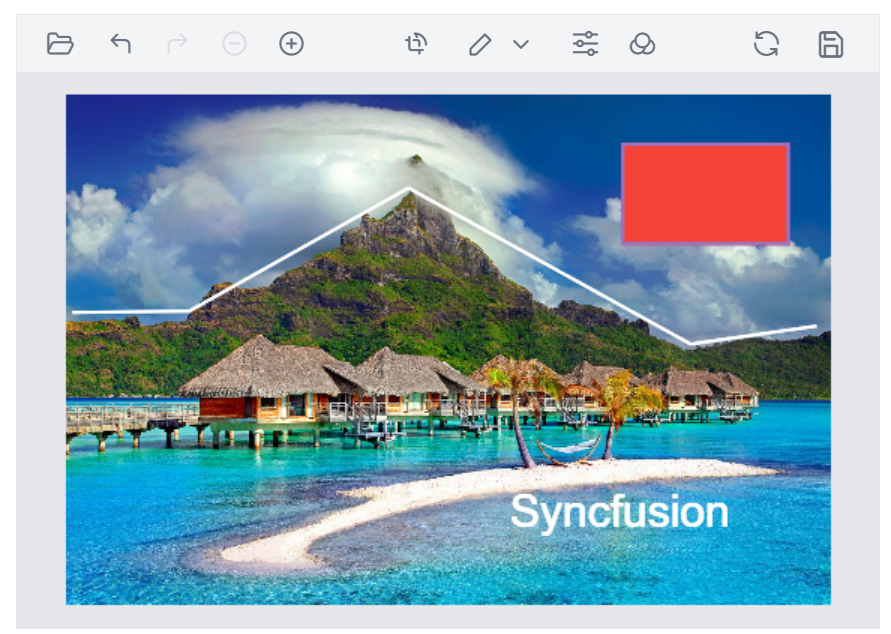
Full-featured image editing component for Blazor applications. Crop, rotate, flip, straighten, apply filters, frames, image redaction and annotate images with shapes and freehand drawings with an intuitive user interface.
Components/App.razor or App.razor file.wwwroot/index.html file.<link href="_content/Syncfusion.Blazor.Themes/bootstrap5.css" rel="stylesheet" />
<script src="_content/Syncfusion.Blazor.Core/scripts/syncfusion-blazor.min.js" type="text/javascript"></script>
Program.cs file.using Syncfusion.Blazor;
builder.Services.AddSyncfusionBlazor();
@using Syncfusion.Blazor.ImageEditor

<SfImageEditor @ref="ImageEditor" Toolbar="customToolbarItem" Height="400">
 <ImageEditorEvents Created="OpenAsync"></ImageEditorEvents>
</SfImageEditor>

@code {
 SfImageEditor ImageEditor;
 private List<ImageEditorToolbarItemModel> customToolbarItem = new List<ImageEditorToolbarItemModel>() { };

 private async void OpenAsync()
 {
 // Load default image
 await ImageEditor.OpenAsync("sample.jpg");
 }
}
This is a commercial product and requires a paid license for possession or use. Review the Syncfusion® EULA.
Syncfusion® provides 1600+ UI components and frameworks for web, mobile, and desktop development across multiple platforms:
Web: Blazor | ASP.NET Core | ASP.NET MVC | JavaScript | Angular | React | Vue
Desktop: WinForms | WPF | WinUI
Learn more at www.syncfusion.com.
| Toll Free: 1-888-9-DOTNET
| Product | Versions Compatible and additional computed target framework versions. |
|---|---|
| .NET | net8.0 net8.0 is compatible. net8.0-android net8.0-android was computed. net8.0-browser net8.0-browser was computed. net8.0-ios net8.0-ios was computed. net8.0-maccatalyst net8.0-maccatalyst was computed. net8.0-macos net8.0-macos was computed. net8.0-tvos net8.0-tvos was computed. net8.0-windows net8.0-windows was computed. net9.0 net9.0 is compatible. net9.0-android net9.0-android was computed. net9.0-browser net9.0-browser was computed. net9.0-ios net9.0-ios was computed. net9.0-maccatalyst net9.0-maccatalyst was computed. net9.0-macos net9.0-macos was computed. net9.0-tvos net9.0-tvos was computed. net9.0-windows net9.0-windows was computed. net10.0 net10.0 is compatible. net10.0-android net10.0-android was computed. net10.0-browser net10.0-browser was computed. net10.0-ios net10.0-ios was computed. net10.0-maccatalyst net10.0-maccatalyst was computed. net10.0-macos net10.0-macos was computed. net10.0-tvos net10.0-tvos was computed. net10.0-windows net10.0-windows was computed. |
Showing the top 1 NuGet packages that depend on Syncfusion.Blazor.ImageEditor:
| Package | Downloads |
|---|---|
|
Jakar.Extensions.Blazor.Syncfusion
Extensions to aid in development. |
This package is not used by any popular GitHub repositories.
| Version | Downloads | Last Updated |
|---|---|---|
| 33.2.13 | 123 | 6/16/2026 |
| 33.2.12 | 2,287 | 6/9/2026 |
| 33.2.10 | 339 | 6/2/2026 |
| 33.2.8 | 404 | 5/26/2026 |
| 33.2.7 | 273 | 5/19/2026 |
| 33.2.6 | 532 | 5/12/2026 |
| 33.2.5 | 2,148 | 5/4/2026 |
| 33.2.4 | 356 | 4/27/2026 |
| 33.2.3 | 1,631 | 4/21/2026 |
| 33.1.49 | 2,046 | 4/13/2026 |
| 33.1.47 | 3,638 | 4/6/2026 |
| 33.1.46 | 411 | 3/30/2026 |
| 33.1.45 | 965 | 3/23/2026 |
| 33.1.44 | 1,829 | 3/16/2026 |
| 32.2.9 | 2,138 | 3/9/2026 |
| 32.2.8 | 1,345 | 3/2/2026 |
| 32.2.7 | 922 | 2/23/2026 |
| 32.2.5 | 741 | 2/16/2026 |
| 32.2.4 | 681 | 2/10/2026 |
| 32.2.3 | 1,797 | 2/5/2026 |