|
VOOZH | about |
|
VOOZH | about |
dotnet add package Syncfusion.Blazor.SfPdfViewer --version 33.2.13
NuGet\Install-Package Syncfusion.Blazor.SfPdfViewer -Version 33.2.13
<PackageReference Include="Syncfusion.Blazor.SfPdfViewer" Version="33.2.13" />
<PackageVersion Include="Syncfusion.Blazor.SfPdfViewer" Version="33.2.13" />Directory.Packages.props
<PackageReference Include="Syncfusion.Blazor.SfPdfViewer" />Project file
paket add Syncfusion.Blazor.SfPdfViewer --version 33.2.13
#r "nuget: Syncfusion.Blazor.SfPdfViewer, 33.2.13"
#:package Syncfusion.Blazor.SfPdfViewer@33.2.13
#addin nuget:?package=Syncfusion.Blazor.SfPdfViewer&version=33.2.13Install as a Cake Addin
#tool nuget:?package=Syncfusion.Blazor.SfPdfViewer&version=33.2.13Install as a Cake Tool
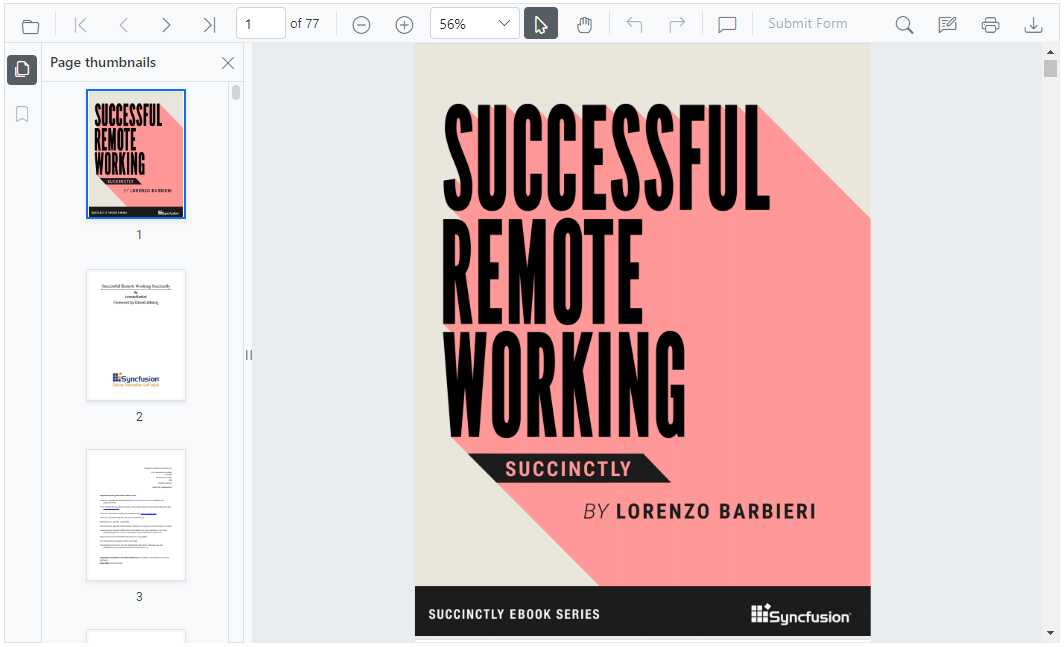
This package contains the Blazor PDF Viewer (NextGen) Component for Blazor applications. The new Blazor PDF Viewer (NextGen) component allows users to view, edit, print, and download PDF files without the web service dependency in Blazor applications. It is designed to be fast and responsive, and comes with the same feature set as the previous PDF Viewer. It is easy to use and can be integrated into both Blazor Server and WASM applications with minimal effort.
Components/App.razor or App.razor file.wwwroot/index.html file.<link href="_content/Syncfusion.Blazor.Themes/bootstrap5.css" rel="stylesheet" />
<script src="_content/Syncfusion.Blazor.SfPdfViewer/scripts/syncfusion-blazor-sfpdfviewer.min.js" type="text/javascript"></script>
Program.cs file.using Syncfusion.Blazor;
builder.Services.AddSignalR(o => { o.MaximumReceiveMessageSize = 102400000; });
builder.Services.AddMemoryCache();
//Add Syncfusion Blazor service to the container.
builder.Services.AddSyncfusionBlazor();
using Syncfusion.Blazor;

builder.Services.AddMemoryCache();
//Add Syncfusion Blazor service to the container
builder.Services.AddSyncfusionBlazor();
@page "/"
@using Syncfusion.Blazor.SfPdfViewer

<SfPdfViewer2 DocumentPath="https://cdn.syncfusion.com/content/pdf/pdf-succinctly.pdf"
 Height="100%"
 Width="100%">
</SfPdfViewer2>
This is a commercial product and requires a paid license for possession or use. Syncfusion® licensed software, including this component, is subject to the terms and conditions of Syncfusion's EULA. You can purchase a license here or start a free 30-day trial here.
Syncfusion® provides 1600+ UI components and frameworks for web, mobile, and desktop development across multiple platforms:
Web: Blazor | ASP.NET Core | ASP.NET MVC | JavaScript | Angular | React | Vue
Mobile: Flutter | Xamarin | UWP
Desktop: WinForms | WPF | WinUI
Learn more at www.syncfusion.com.
| Toll Free: 1-888-9-DOTNET
| Product | Versions Compatible and additional computed target framework versions. |
|---|---|
| .NET | net8.0 net8.0 is compatible. net8.0-android net8.0-android was computed. net8.0-browser net8.0-browser was computed. net8.0-ios net8.0-ios was computed. net8.0-maccatalyst net8.0-maccatalyst was computed. net8.0-macos net8.0-macos was computed. net8.0-tvos net8.0-tvos was computed. net8.0-windows net8.0-windows was computed. net9.0 net9.0 is compatible. net9.0-android net9.0-android was computed. net9.0-browser net9.0-browser was computed. net9.0-ios net9.0-ios was computed. net9.0-maccatalyst net9.0-maccatalyst was computed. net9.0-macos net9.0-macos was computed. net9.0-tvos net9.0-tvos was computed. net9.0-windows net9.0-windows was computed. net10.0 net10.0 is compatible. net10.0-android net10.0-android was computed. net10.0-browser net10.0-browser was computed. net10.0-ios net10.0-ios was computed. net10.0-maccatalyst net10.0-maccatalyst was computed. net10.0-macos net10.0-macos was computed. net10.0-tvos net10.0-tvos was computed. net10.0-windows net10.0-windows was computed. |
Showing the top 2 NuGet packages that depend on Syncfusion.Blazor.SfPdfViewer:
| Package | Downloads |
|---|---|
|
Syncfusion.Blazor.SfSmartPdfViewer
Syncfusion® delivers AI‑powered Blazor Smart PDF Viewer components that automate PDF workflows such as data redaction, form filling, and AI‑driven summarization and Q&A. |
|
|
Jakar.Extensions.Blazor.Syncfusion
Extensions to aid in development. |
This package is not used by any popular GitHub repositories.
| Version | Downloads | Last Updated |
|---|---|---|
| 33.2.13 | 346 | 6/16/2026 |
| 33.2.12 | 3,148 | 6/9/2026 |
| 33.2.10 | 1,583 | 6/2/2026 |
| 33.2.8 | 1,525 | 5/26/2026 |
| 33.2.7 | 1,447 | 5/19/2026 |
| 33.2.6 | 2,905 | 5/12/2026 |
| 33.2.5 | 4,044 | 5/4/2026 |
| 33.2.4 | 3,498 | 4/27/2026 |
| 33.2.3 | 3,960 | 4/21/2026 |
| 33.1.49 | 5,011 | 4/13/2026 |
| 33.1.47 | 7,216 | 4/6/2026 |
| 33.1.46 | 1,664 | 3/30/2026 |
| 33.1.45 | 3,352 | 3/23/2026 |
| 33.1.44 | 3,840 | 3/16/2026 |
| 32.2.9 | 7,230 | 3/9/2026 |
| 32.2.8 | 3,074 | 3/2/2026 |
| 32.2.7 | 2,298 | 2/23/2026 |
| 32.2.5 | 2,036 | 2/16/2026 |
| 32.2.4 | 4,155 | 2/10/2026 |
| 32.2.3 | 7,466 | 2/5/2026 |