|
VOOZH | about |
|
VOOZH | about |
dotnet add package Umbraco.Community.uAccessible --version 1.1.1
NuGet\Install-Package Umbraco.Community.uAccessible -Version 1.1.1
<PackageReference Include="Umbraco.Community.uAccessible" Version="1.1.1" />
<PackageVersion Include="Umbraco.Community.uAccessible" Version="1.1.1" />Directory.Packages.props
<PackageReference Include="Umbraco.Community.uAccessible" />Project file
paket add Umbraco.Community.uAccessible --version 1.1.1
#r "nuget: Umbraco.Community.uAccessible, 1.1.1"
#:package Umbraco.Community.uAccessible@1.1.1
#addin nuget:?package=Umbraco.Community.uAccessible&version=1.1.1Install as a Cake Addin
#tool nuget:?package=Umbraco.Community.uAccessible&version=1.1.1Install as a Cake Tool
👁 Downloads
👁 NuGet
👁 GitHub license
👁 Umbraco Marketplace
Accessibility audit reports for your Umbraco content pages — directly inside the backoffice.
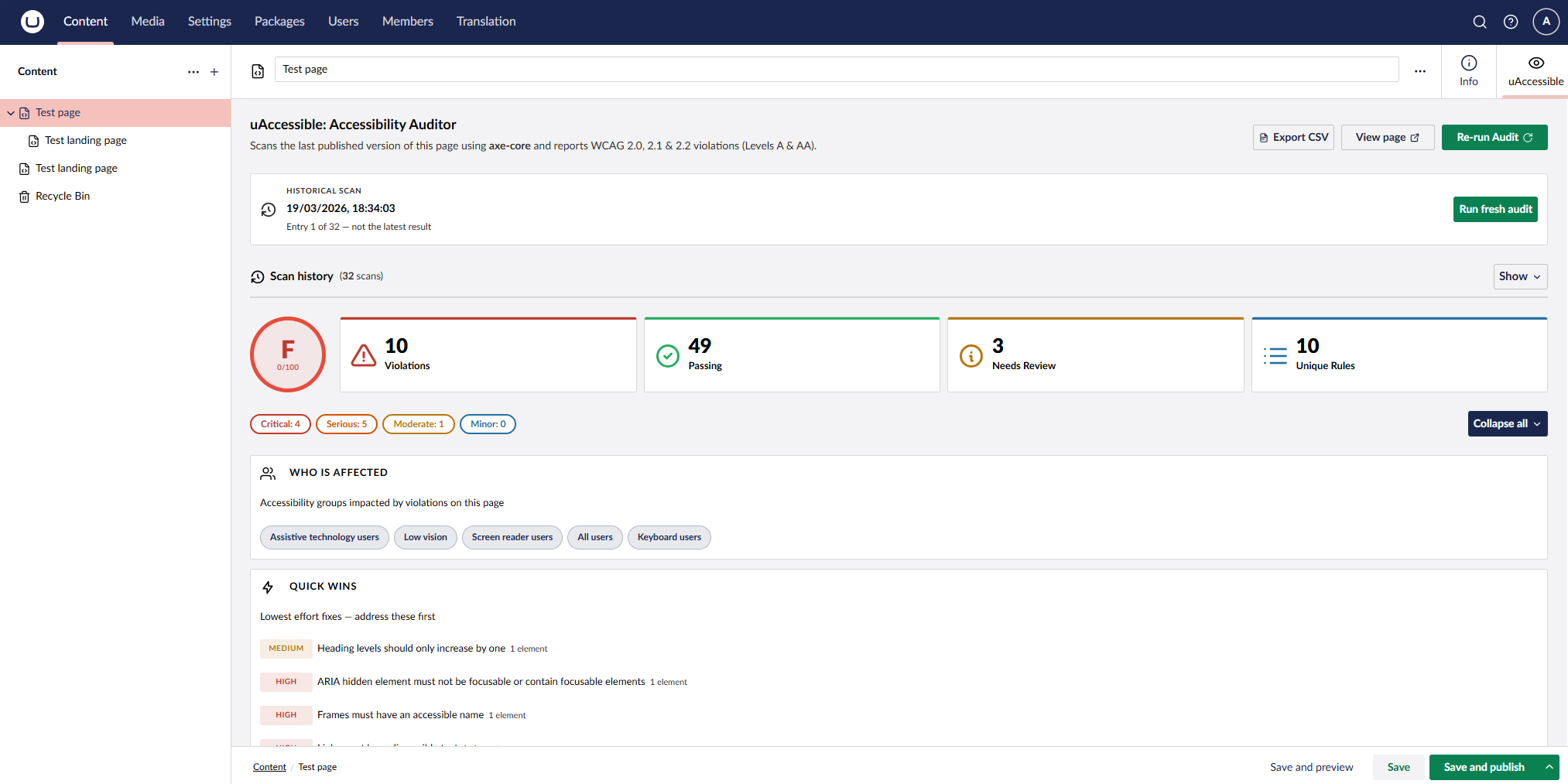
uAccessible adds an Accessibility tab to every content node workspace. Clicking it launches a headless Chromium browser, runs a full axe-core audit against the last published version of the page, and returns a graded report with violations, remediation guidance, WCAG success criteria, and affected HTML elements — without leaving the backoffice.
👁 uAccessible workspace tab showing accessibility audit results
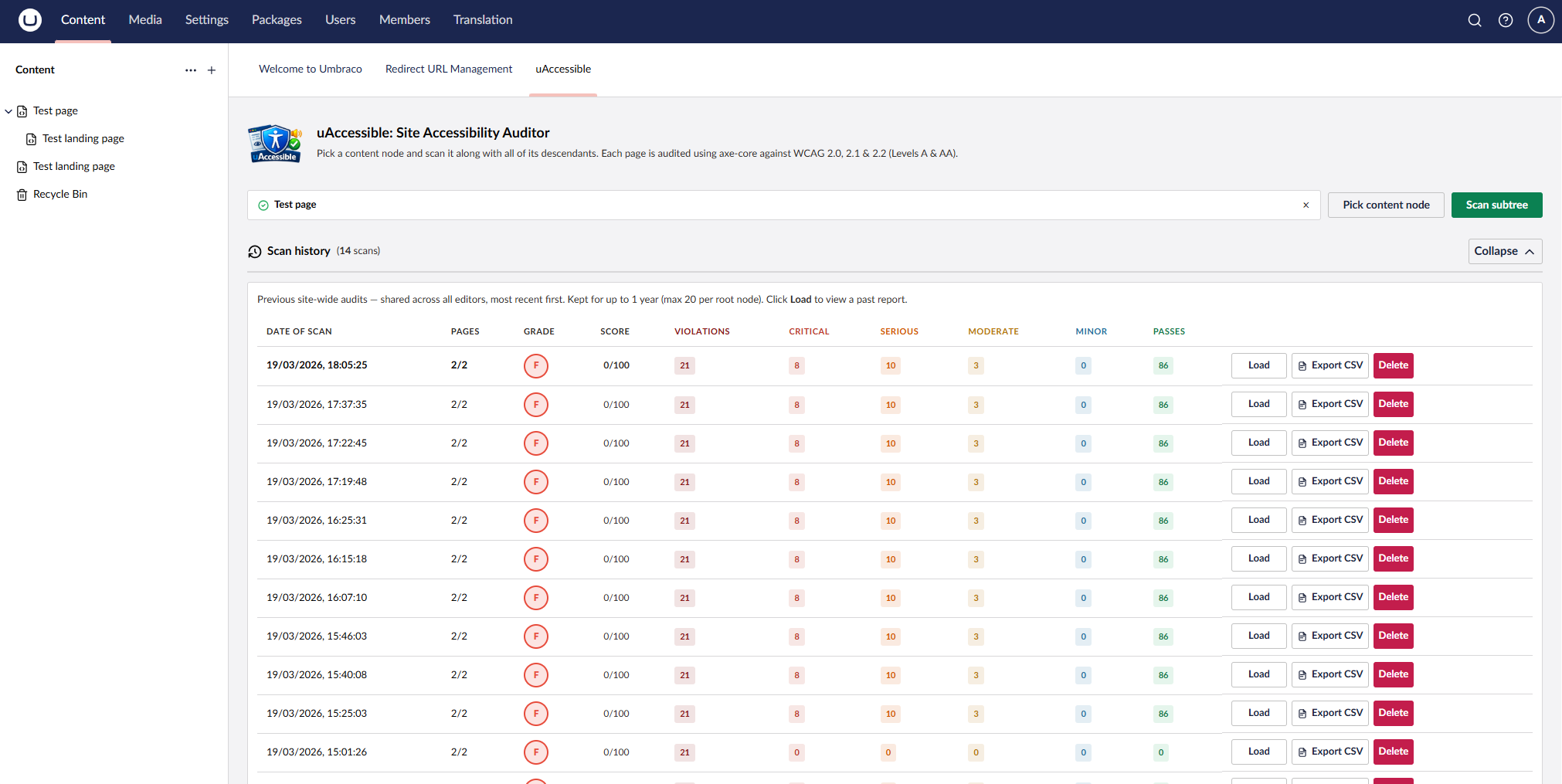
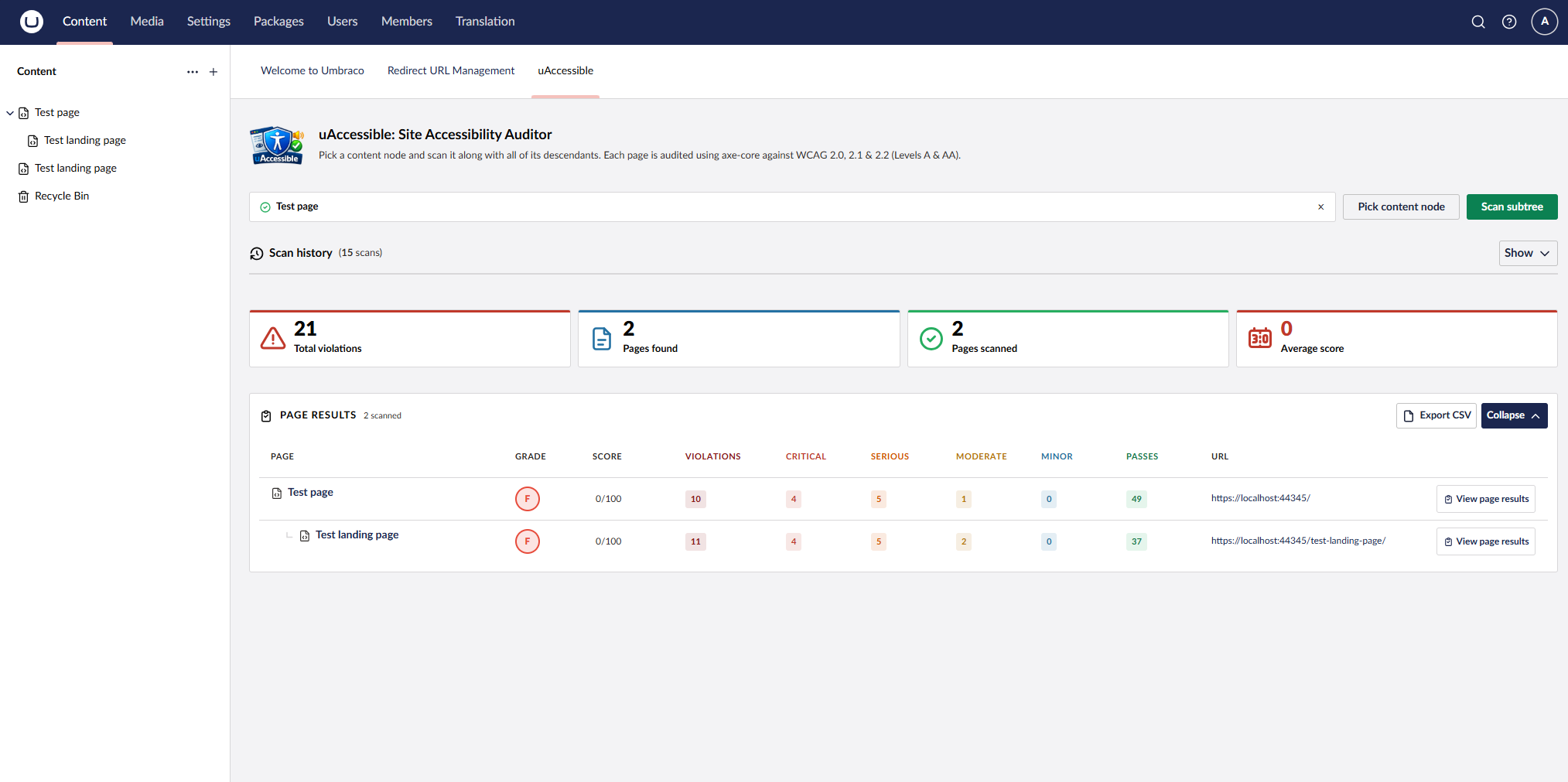
👁 uAccessible site-wide audit dashboard with page results
👁 uAccessible workspace tab showing a historical scan with grade, stat cards, and Quick Wins
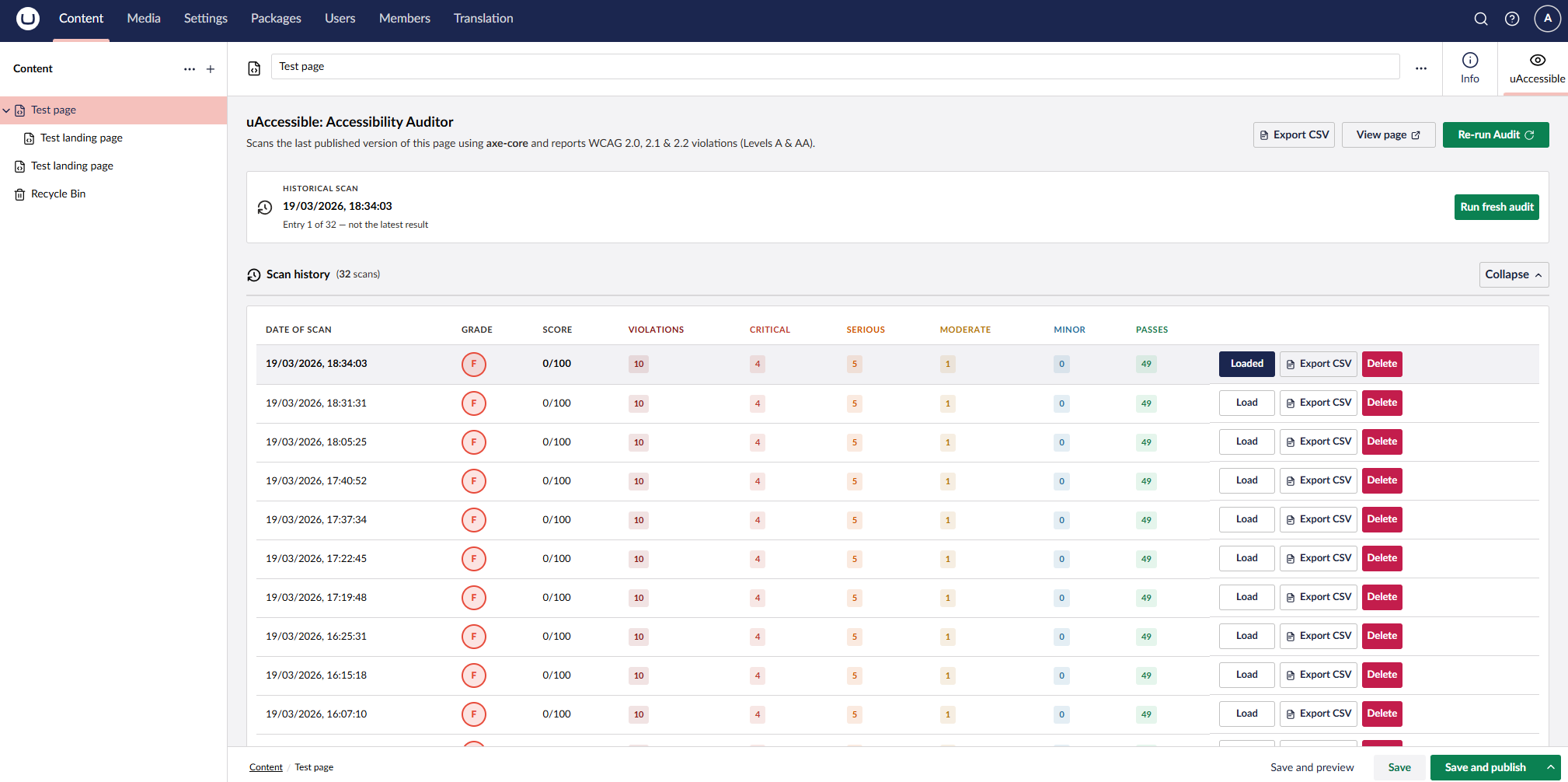
👁 uAccessible workspace scan history with Load, Export CSV, and Delete actions
appsettings.jsonbrew install powershell on macOS/Linux)dotnet add package Umbraco.Community.uAccessible
uAccessible uses Microsoft Playwright to drive a headless browser for each scan. After your first build, run:
Windows / PowerShell:
pwsh bin/Debug/net10.0/playwright.ps1 install chromium
Linux (Ubuntu/Debian — installs OS dependencies too):
pwsh bin/Debug/net10.0/playwright.ps1 install --with-deps chromium
macOS:
pwsh bin/Debug/net10.0/playwright.ps1 install chromium
For a Release build, substitute Debug with Release in the path above. For CI/CD pipelines, add this step once after each deployment — e.g. pwsh $DOTNET_ROOT/tools/playwright.ps1 install --with-deps chromium on GitHub Actions.
No appsettings.json changes are required. Restart your site and the Accessibility tab will appear on every content node.
Optional: To exclude document types or specific pages from site-wide scans, add the following to appsettings.json:
"uAccessible": {
 "ExcludedDocumentTypes": ["robotsTxt", "redirects"],
 "ExcludedContentKeys": ["00000000-0000-0000-0000-000000000000"]
}
Note: The page must be published and publicly accessible for the scan to work. Pages behind a login or bot-protection cannot be reached by the headless browser.
| Product | Versions Compatible and additional computed target framework versions. |
|---|---|
| .NET | net10.0 net10.0 is compatible. net10.0-android net10.0-android was computed. net10.0-browser net10.0-browser was computed. net10.0-ios net10.0-ios was computed. net10.0-maccatalyst net10.0-maccatalyst was computed. net10.0-macos net10.0-macos was computed. net10.0-tvos net10.0-tvos was computed. net10.0-windows net10.0-windows was computed. |
This package is not used by any NuGet packages.
This package is not used by any popular GitHub repositories.