
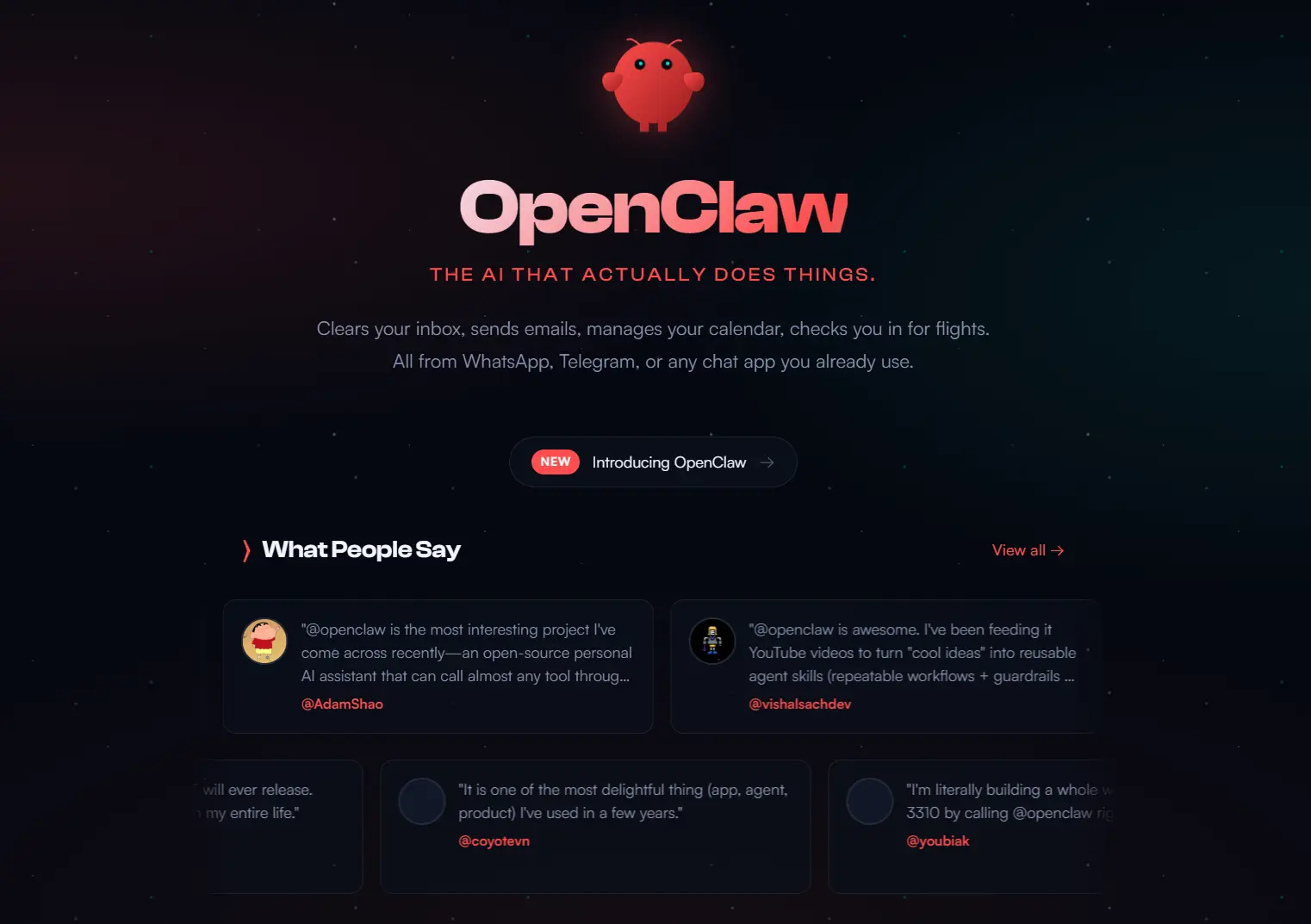
OpenClaw (formerly Clawdbot and Moltbot) is an open-source, self-hosted personal AI agent and Gateway system that runs locally on your devices and connects to messaging platforms like WhatsApp, Telegram, Discord, Slack, Microsoft Teams, Google Chat, iMessage, and WebChat.
The local Gateway connects your chosen AI model to chat channels, browser sessions, files, scripts, scheduled jobs, plugins, skills, and device nodes. You can control the agent from chat, the CLI, or companion surfaces after you configure access and permissions.
Your data stays on your device unless you configure external model providers or connected services. OpenClaw can remember session context, manage files, run scripts, automate browsers, route tasks to agents, and deliver results through configured channels.
OpenClaw is best for technical users who want a self-hosted AI agent that can handle real tasks from chat, voice, browser automation, files, scripts, calendars, reminders, and connected apps. Recent releases focus on agent recovery, channel reliability, mobile Talk mode, plugin packaging, Skill Workshop, and safer Gateway behavior.
It is not a simple chatbot. Treat it as a local AI operator with powerful host access, not as a casual chat app. The useful part is control from everyday channels, but the setup and security choices matter.
Features
- Runs through a local Gateway that controls sessions, channels, tools, events, plugins, and agent routing.
- Connects to WhatsApp, Telegram, Slack, Discord, Google Chat, Signal, iMessage, IRC, Microsoft Teams, Matrix, Feishu, LINE, Mattermost, Nextcloud Talk, Nostr, Synology Chat, Tlon, Twitch, Zalo, Zalo Personal, WeChat, QQ, and WebChat.
- Supports voice wake and Talk mode on macOS, iOS, Android, Discord voice, and related realtime voice surfaces.
- Provides a Live Canvas for agent-driven visual output and UI surfaces.
- Uses browser, canvas, nodes, cron, sessions, channel action tools, transcript capture, and agent coordination surfaces.
- Supports bundled skills, workspace skills, managed skills, ClawHub resources, and the newer Skill Workshop proposal flow.
- Supports multiple model providers through model configuration, provider catalogs, named auth profiles, and OpenAI-compatible provider paths.
- Uses DM pairing by default for unknown senders on major direct-message channels.
- Supports sandboxing for non-main sessions through Docker, SSH, or OpenShell backends.
- Includes optional companion apps and nodes for macOS, iOS, and Android, plus a browser-based WebChat surface.
Use cases
Personal productivity
OpenClaw can send morning briefings, schedule follow-up reminders, summarize messages, monitor tasks, prepare checklists, and respond through the channel you already use.
Developer workflows
OpenClaw can run shell commands, inspect files, review logs, manage Git workflows, interact with browser sessions, and route tasks to agent sessions from chat or the CLI.
Research and monitoring
OpenClaw can collect information, summarize pages, watch sources, process structured data, and deliver updates through configured channels.
Content and publishing
OpenClaw can draft outlines, prepare social posts, manage repeated publishing workflows, and use scheduled jobs or webhooks for recurring tasks.
Voice and meeting workflows
OpenClaw supports voice wake, Talk mode, realtime voice sessions, Discord voice work, and meeting-related voice workflows. Recent releases also improved realtime voice diagnostics, mobile Talk playback, and Google Meet-related voice handling.
Home and device automation
OpenClaw can connect agent actions to local tools, paired nodes, browser control, and external services. The exact capability depends on your installed tools, channel setup, and security policy.
Real-world Use Cases
Yesterday I installed ClawdBot on this mac mini. An AI agent assistant that works for you 24/7
— Alex Finn (@AlexFinn) January 24, 2026
Since then it's accomplished all of this for me while I lived my life:
• Wrote 3 Youtube scripts
• Wrote my next newsletter
• Researched 26 other AI accounts and took notes on… pic.twitter.com/1Ypq5GbhuO
My clawdbot just asked me for an RTX 4090. Instead of buying it, I gave it a $2K trading wallet on Hyperliquid.
— Legendary (@Legendaryy) January 24, 2026
I said: If you want the GPU, earn it. It now trades crypto, stocks, and commodities 24/7.
It scans Twitter sentiment, tracks Trump posts, and decides trades on its… pic.twitter.com/5Yfa33UbnQ
Had some fun today
— Jeff Tang (@jefftangx) January 23, 2026
Got 12 Mac Minis setup with 12 Clawdbots running 12 Ralph Wiggums with my 12 Claude Max Plans
Wake up. It’s 2026. You’re getting left behind in the dust pic.twitter.com/2vul9aJGCk
Another awesome thing @clawdbot did for me today.
— Nimrod Gutman (@theguti) January 24, 2026
Created Home Assistant automation that controls the boiler run time taking into consideration the weather in the 12h prior to the automation run time 🦞🤘🦞
No more cold bath on cloudy day (we have solar boiler + regular one) pic.twitter.com/45ejJzSEIk
How to use OpenClaw
1. Install Node.js first. OpenClaw recommends Node 24 and supports Node 22.14 or later. Windows users should use WSL2 for the best supported setup path.
2. Install OpenClaw globally with npm or pnpm.
npm install -g openclaw@latestpnpm add -g openclaw@latest3. Start the guided setup.
openclaw onboard --install-daemon4. Choose your model provider and authentication method during onboarding. OpenClaw supports many providers and models, including OpenAI-compatible endpoints, but you should use a current model from a provider you already trust.
5. Connect your messaging channels. Telegram usually needs a bot token. WhatsApp usually needs device linking. Discord, Slack, Google Chat, and other channels have their own setup requirements.
6. Keep the default DM pairing policy unless you understand the security tradeoff. Unknown direct-message senders receive a pairing code, and OpenClaw does not process their message until you approve access.
7. Start the Gateway manually if you want verbose logs.
openclaw gateway --port 18789 --verbose8. Send a test message through a configured channel or from the CLI.
openclaw message send --target +1234567890 --message "Hello from OpenClaw"9. Send a direct terminal request to the assistant.
openclaw agent --message "Ship checklist" --thinking high10. Run diagnostics after installation or updates.
openclaw doctor11. Update through the stable channel unless you deliberately want beta or development builds.
openclaw update --channel stableOpenClaw Command Reference
| Command | What it does |
|---|---|
openclaw onboard --install-daemon | Runs guided setup and installs the Gateway daemon. |
openclaw gateway --port 18789 --verbose | Starts the Gateway manually with detailed logs. |
openclaw agent --message "your text" --thinking high | Sends a direct CLI message to the assistant. |
openclaw message send --target +1234567890 --message "text" | Sends a message through a configured channel target. |
openclaw pairing approve <channel> <code> | Approves a new sender after DM pairing. |
openclaw doctor | Checks configuration, setup, auth, and common failure points. |
openclaw update --channel stable | Updates through the stable release channel. |
openclaw update --channel beta | Switches to beta releases. |
openclaw update --channel dev | Uses the moving development channel when published. |
openclaw nodes list | Lists connected device nodes. |
openclaw plugins list --json | Shows plugin state in JSON format. |
openclaw cron list --json | Shows cron jobs and computed job status in JSON format. |
openclaw cron list --agent <id> | Shows cron jobs for a specific configured agent. |
Chat Commands
Send these in WhatsApp/Telegram/etc.
| Command | What it does |
|---|---|
/new | Starts a fresh session. |
/reset | Clears the current session context. |
/status | Shows current model, token usage, and session state. |
/think <level> | Sets reasoning level for supported models. |
/think default | Clears the current thinking override. |
/fast default | Clears the current fast-mode override. |
/compact | Summarizes conversation context. |
/verbose on | Turns detailed response logging on. |
/verbose off | Turns detailed response logging off. |
/usage off | Hides token usage output. |
/usage tokens | Shows token usage. |
/usage full | Shows fuller usage details. |
/restart | Restarts the Gateway process for the owner. |
/activation mention | Replies only when mentioned in group contexts. |
/activation always | Replies more broadly in allowed group contexts. |
/steer <message> | Steers an active current-session run. |
/side | Sends a side question alias for the BTW flow. |
Key Settings
The main configuration file is:
~/.openclaw/openclaw.jsonA minimal model configuration looks like this:
{
 agent: {
 model: "<provider>/<model-id>"
 }
}
The default agent workspace is:
~/.openclaw/workspaceOpenClaw injects these prompt files into the agent workspace when configured:
AGENTS.md
SOUL.md
TOOLS.md
Workspace skills live under:
~/.openclaw/workspace/skills/<skill>/SKILL.mdSkill Workshop adds a governed way to propose, revise, approve, reject, or quarantine skill changes. This matters if you want reusable instructions without letting unreviewed skill files silently change agent behavior.
Supported messaging channels
| Channel or surface | Notes |
|---|---|
| Messaging channel with setup requirements. | |
| Telegram | Bot-based channel setup. |
| Slack | Workspace channel and DM workflows. |
| Discord | Bot and channel workflows. |
| Google Chat | Supported channel. |
| Signal | Supported direct-message channel. |
| iMessage | Supported Apple messaging surface. |
| IRC | Supported chat channel. |
| Microsoft Teams | Supported work messaging channel. |
| Matrix | Supported open messaging channel. |
| Feishu | Supported work messaging channel. |
| LINE | Supported messaging channel. |
| Mattermost | Supported team chat channel. |
| Nextcloud Talk | Supported collaboration channel. |
| Nostr | Supported protocol surface. |
| Synology Chat | Supported chat channel. |
| Tlon | Supported channel. |
| Twitch | Supported community channel. |
| Zalo | Supported messaging channel. |
| Zalo Personal | Supported personal messaging channel. |
| Supported messaging channel. | |
| Supported messaging channel. | |
| WebChat | Browser-based chat surface. |
Security and privacy
OpenClaw is self-hosted, but it can access sensitive local resources after you configure tools and channels. The safest setup keeps the Gateway bound to localhost, uses DM pairing, limits approved senders, and keeps host-level tools away from untrusted sessions.
Direct messages use pairing by default on major supported channels. Unknown senders receive a pairing code, and OpenClaw does not process their messages until you approve them.
Public inbound DMs require an explicit opt-in. Do not use open DM policy with wildcard allowlists unless you understand the risk.
The main session can run tools on the host. Non-main sessions should use sandbox mode when group chats, public channels, or other less trusted inputs can reach the assistant.
Recent releases added more guardrails around unsafe command wrappers, malformed CLI numeric options, stale device tokens, untrusted sender metadata, approval prompts, and no-auth remote exposure. You should still review channel access, agent permissions, and plugin settings before you let OpenClaw act on important files or accounts.
Optional apps and nodes
OpenClaw can run as a Gateway alone. Optional apps and nodes add extra surfaces.
macOS app
The macOS app can provide menu bar Gateway control, health status, voice wake, push-to-talk, WebChat, debug tools, and remote Gateway control over SSH.
iOS node
The iOS node can pair with the Gateway over WebSocket, forward voice triggers, provide a Canvas surface, support realtime Talk playback, and respond to node commands.
Android node
The Android node can pair over WebSocket and expose Connect, Chat, Voice, Canvas, Camera, Screen Capture, and Android device command families. Recent Android work also improved Talk mode surfaces and offline voice or Gateway recovery.
Pros
- Open-source code.
- Self-hosted Gateway.
- Broad channel support.
- Voice support.
- Live Canvas.
- Strong automation surface.
- Flexible model routing.
- Useful setup wizard.
- Active release cadence.
Cons
- Technical setup required.
- API costs may apply.
- Channel setup varies.
- Security needs care.
- Beta and development releases can change quickly.
- Host tools and channel plugins carry risk if you approve broad access.
Related resources
- OpenClaw GitHub repository: View source code, releases, issues, and license details.
- OpenClaw documentation: Read the full setup, channel, Gateway, security, and tool docs.
- Getting started guide: Follow the beginner setup path for a new install.
- Onboarding guide: Learn how the guided CLI setup works.
- Updating guide: Update OpenClaw and switch release channels.
- Security documentation: Review DM policy, remote access, and Gateway safety.
- Skills documentation: Learn how OpenClaw skills work.
- 7 Best OpenClaw Alternatives: Compare OpenClaw with other local AI agent projects.
- NanoClaw: Check a lighter OpenClaw alternative.
FAQs
Q: Can OpenClaw really automate my entire workflow?
A: It depends on your workflow complexity and technical comfort level. Simple tasks like file organization, calendar checks, reminders, and basic research can work after setup. Advanced automation, multi-channel posting, complex alerts, or business workflows require more configuration. You should build skills carefully, configure API access, review permissions, and test each workflow before you rely on it.
Q: Is my data safe with a self-hosted assistant?
A: Your data stays on your hardware and only leaves your network when you explicitly configure external API calls. This is more private than cloud-based assistants. However, you’re responsible for security. Use the default pairing mode for DM access, run non-main sessions in sandboxed environments, and never expose the Gateway to the public internet without proper authentication.
Q: What happens if the Gateway crashes or my computer restarts?
A: The daemon installation (recommended setup) automatically restarts the Gateway when your system boots and recovers from crashes. Conversations persist through restarts because the session data is stored on disk. You might miss messages that arrive during downtime, but the assistant picks up where it left off once running again.
Q: How does OpenClaw compare to ChatGPT or Claude directly?
A: ChatGPT and Claude are conversational AI products. They answer questions and can use selected tools inside their own environments. OpenClaw uses model providers as reasoning engines, then adds a self-hosted Gateway that can act through your configured files, scripts, channels, browser sessions, agents, plugins, and device nodes.
Q: Can multiple people share the same OpenClaw instance?
A: You can configure multi-user access, but OpenClaw is designed as a personal assistant. Shared access can expose conversations, tools, context, and host permissions to more people than intended. A safer approach is running separate Gateway instances for each person with separate configurations and workspaces. Agent coordination and Workboard features can handle handoffs when you need multi-agent work.
Q: Is OpenClaw free?
A: OpenClaw is open source and can be self-hosted, but your model provider, voice provider, messaging platform, hosting setup, or connected APIs may charge separately. Check those costs before you connect OpenClaw to paid services.
Changelog
05/31/2026
- Beta releases improved agent recovery, channel delivery, provider timeouts, Skill Workshop, plugin loading, Workboard, hosted iOS push relay, external Copilot and Tokenjuice plugin packaging, and release diagnostics.
05/28/2026
- Stable release updates improved channel reliability, mobile and chat surfaces, provider coverage, plugin packaging, CLI auth, diagnostics, and security checks.
05/10/2026
- Tons of updates
01/30/2026
- Renamed to OpenClaw.
- Tons of updates
01/27/2026
- Renamed to Moltbot



Leave a ReplyCancel Reply