
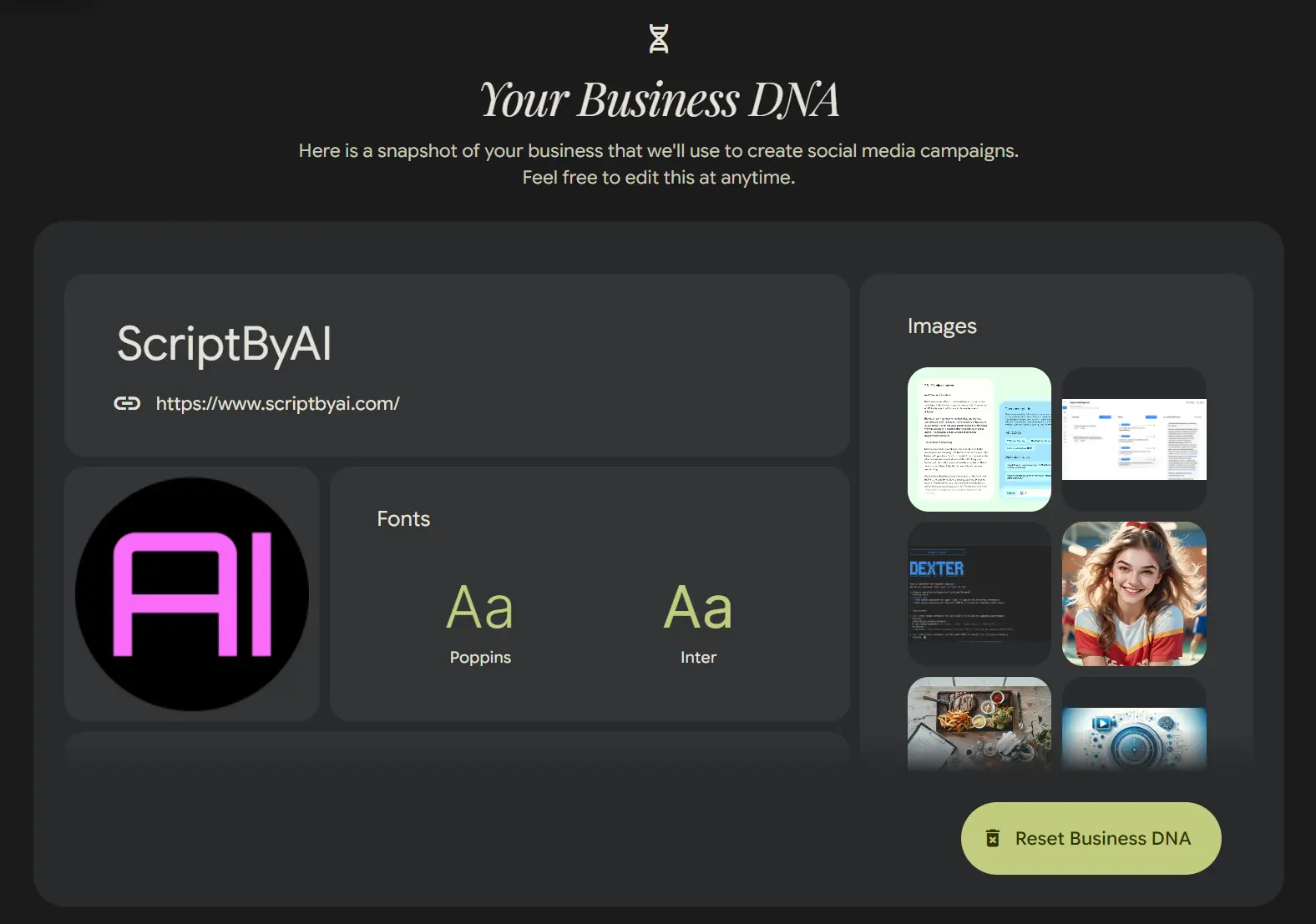
Pomelli is a free AI marketing tool from Google Labs and Google DeepMind that helps small and medium-sized businesses create on-brand campaigns, product images, brand books, and websites.
The tool builds a “Business DNA” profile from your website, uploaded materials, product photos, or chat-based brand input. Pomelli then uses that profile to generate marketing assets that match your colors, fonts, imagery, and tone of voice.
Features
Pomelli Agent (NEW)
Pomelli Agent helps build your Business DNA when your brand identity is incomplete or still forming. You can upload product documents and photos or chat with the agent to define your brand identity before generating marketing content.
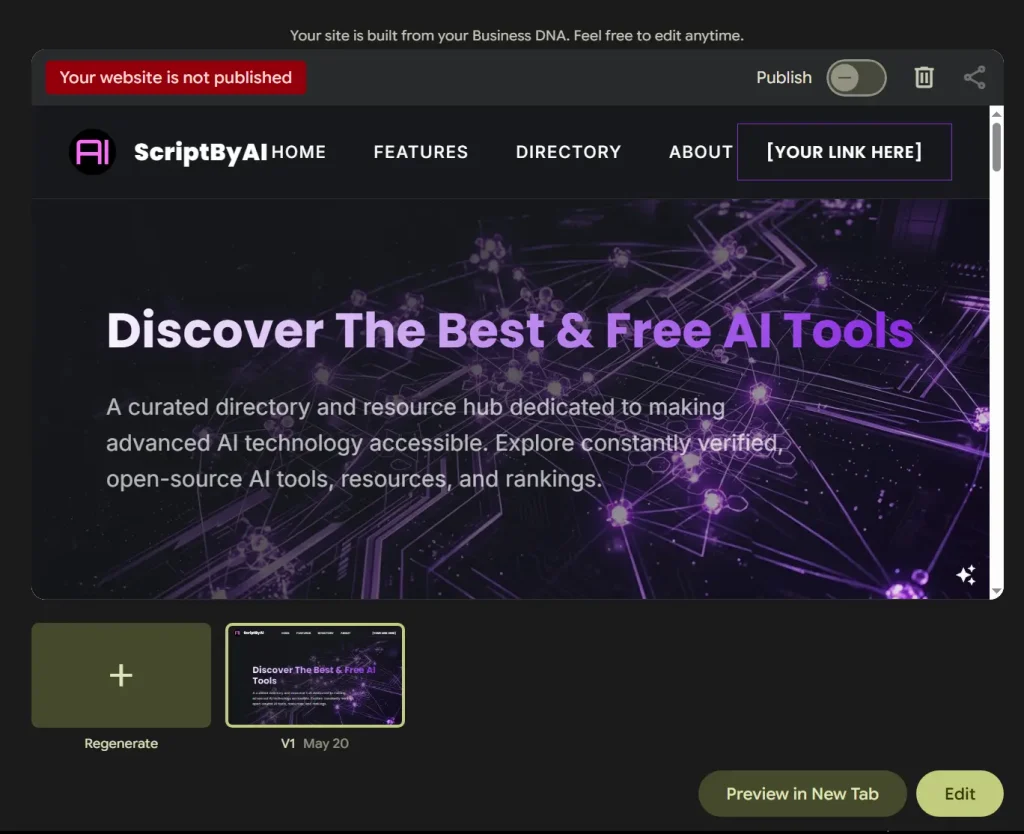
Website Builder (NEW)
Pomelli can create a complete website in a few clicks after your Business DNA is defined. This feature fits small businesses that need a fast brand-matched web presence for a product, service, promotion, or early business launch.
Brand Books (NEW)
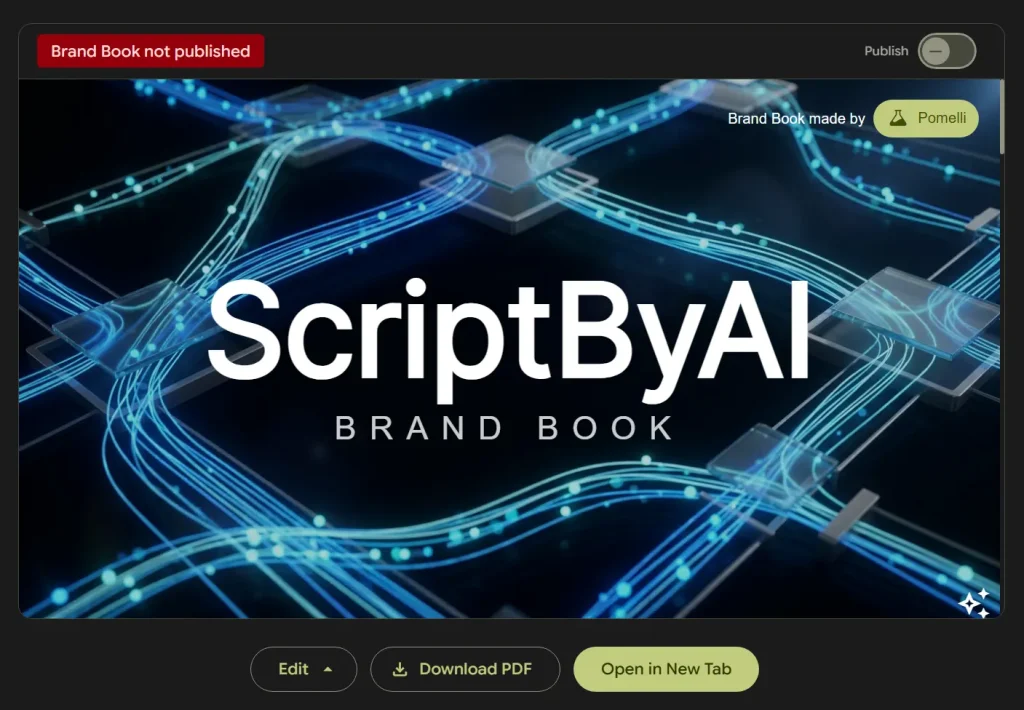
Pomelli can generate a brand book that documents your custom images, fonts, and colors. This gives small teams a practical style guide for keeping campaigns, websites, and visual assets consistent.
Photoshoot
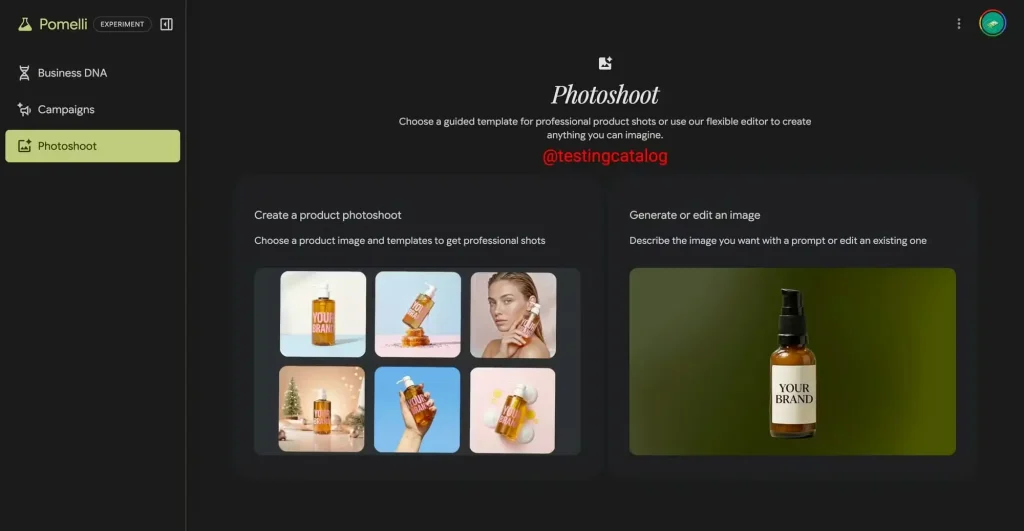
Photoshoot turns a product image into studio or lifestyle product shots by using Business DNA and Nano Banana image generation. You can start with a basic product photo, choose a template, generate branded images, refine the result, download the images, or add them back to your Business DNA for later campaigns.
Business DNA Creation
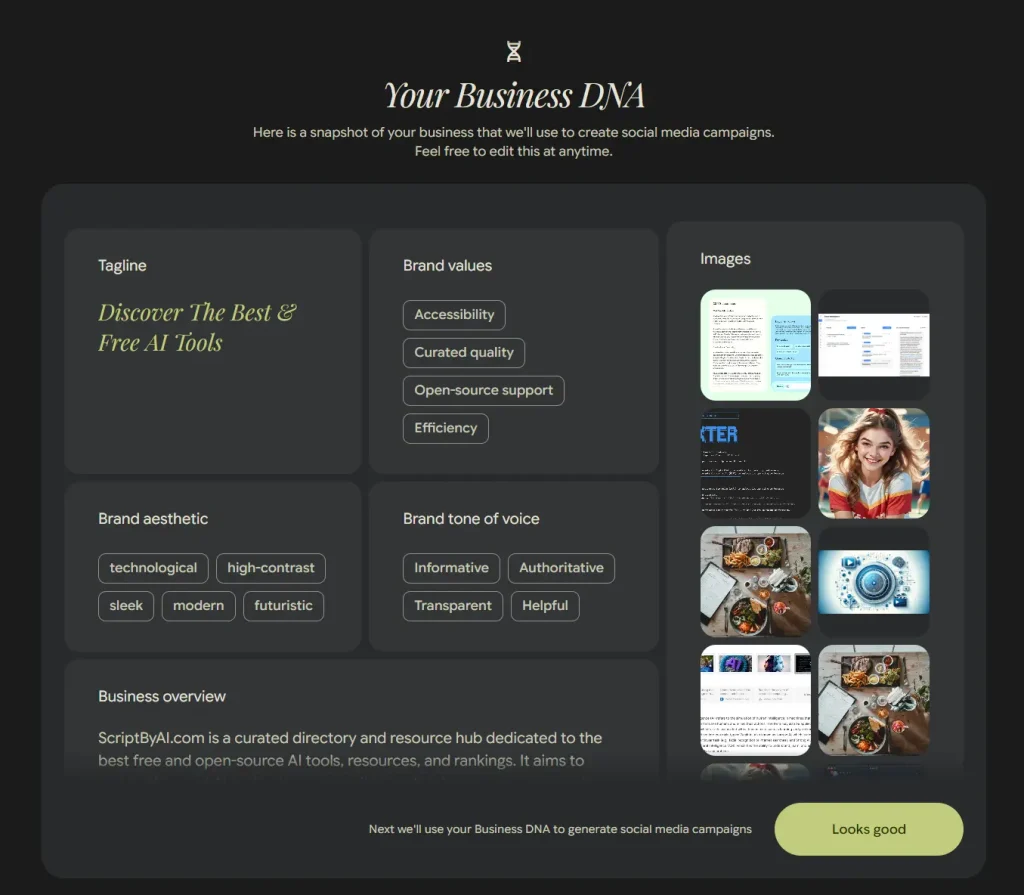
Pomelli scans your website or uses uploaded materials to identify brand elements such as color schemes, typography, tone of voice, and imagery. The Business DNA profile becomes the foundation for campaigns, product images, brand books, and websites.
Automated Campaign Ideas
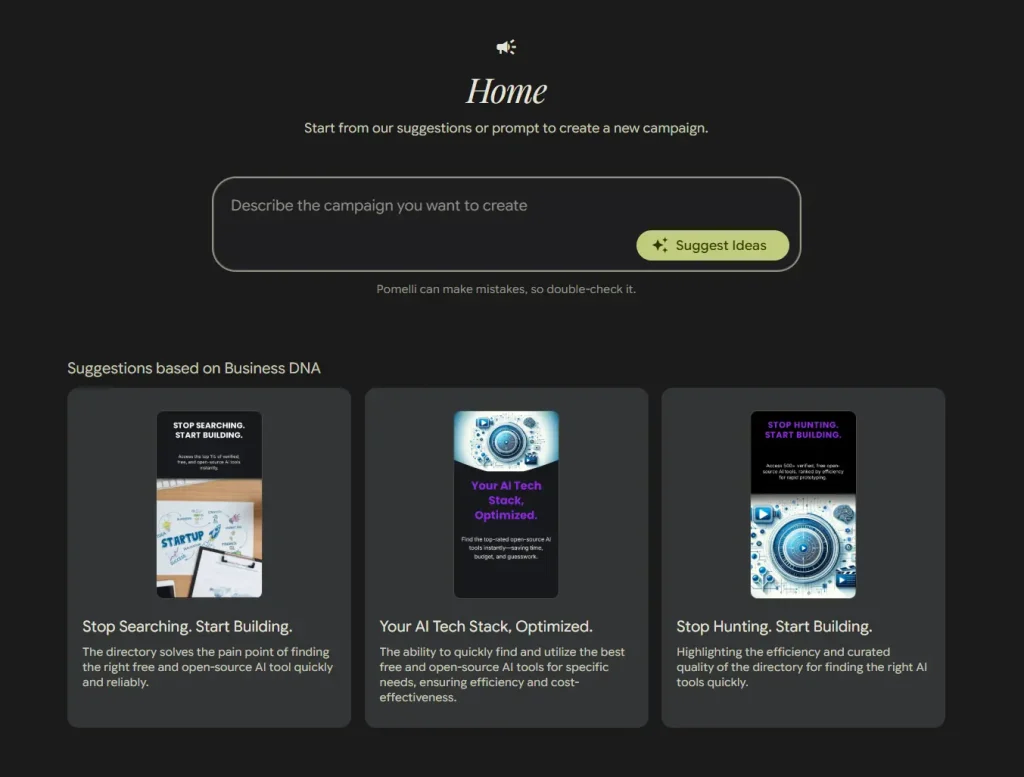
Pomelli generates campaign concepts based on your business identity. You can use suggested ideas or enter your own campaign prompt when you already know the offer, audience, or product focus.
Platform-Ready Asset Generation
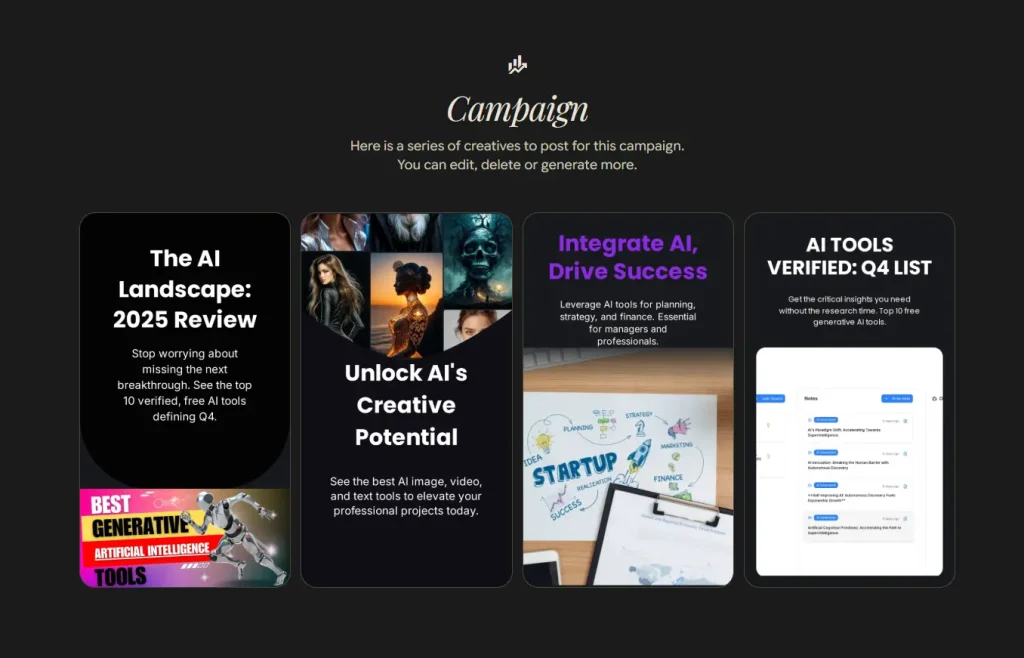
Pomelli creates marketing materials for channels such as social media, ads, and website graphics. Each asset uses the Business DNA profile to keep colors, visuals, and copy direction aligned with the brand.
Natural Language Editing
You can refine generated content with text instructions such as “make the tone more energetic” or “emphasize our sustainability focus.” This editing workflow is useful for small teams that do not want to adjust every visual element manually.
In-Tool Customization
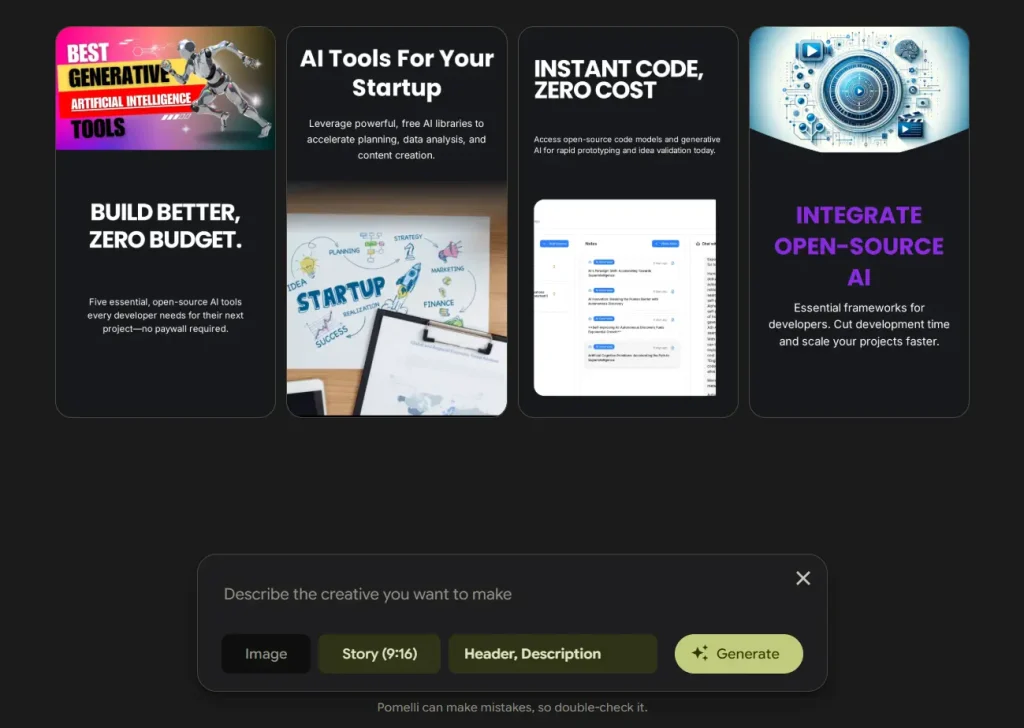
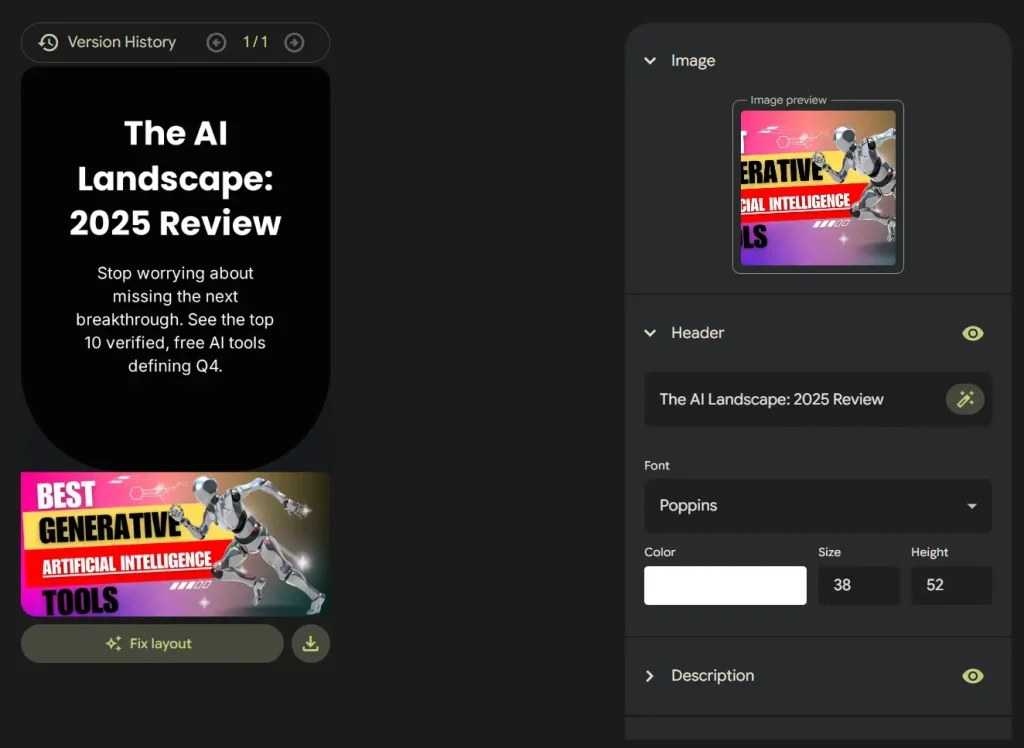
Pomelli includes built-in controls for adjusting text, swapping images, changing layouts, and modifying call-to-action buttons. You can fine-tune individual assets before downloading them.
Multi-Format Export
You can download finished assets for use across your marketing channels. Images from Photoshoot can also be added to your Business DNA so future campaign assets can reuse the same product visuals.

Use Cases
- New Brand Setup: A new business can use Pomelli Agent to turn product documents, product photos, and brand notes into a Business DNA profile before creating public-facing marketing assets.
- Product Launches: A product team can use Pomelli to create announcement posts, product images, CTA graphics, and a simple website for a new offer.
- Seasonal Campaigns: A small business can prompt Pomelli for a holiday sale, seasonal service package, or limited-time promotion and generate branded visuals from the same Business DNA.
- Brand Documentation: A team without formal brand guidelines can use Brand Books to document fonts, colors, and imagery for contractors, marketers, or future content production.
- Daily Social Media Content: A business with limited design support can generate brand-matched posts, ad concepts, and product visuals for ongoing social publishing.
How to Use It
1. Log in to Pomelli through Google Labs using your Google account.
The tool launched as an English-language public beta in the United States, Canada, Australia, and New Zealand.
2. Enter your business website address if your business already has a website. Pomelli scans the site to gather brand information such as color schemes, fonts, imagery, and content tone.
3. Use Pomelli Agent if your brand is new or incomplete. Upload product documents and photos or chat with the agent to define your Business DNA.
4. Review the Business DNA profile when it appears. Check the logo, brand fonts, main color palette, homepage images, product capabilities, and positioning keywords. Edit any elements that do not accurately represent your brand.
5. Click “looks good” to proceed after the Business DNA profile is accurate. Pomelli uses that profile as the base for campaigns, product images, brand books, and websites.
6. Describe your campaign in the input box or click “Suggest Idea” to let Pomelli generate campaign ideas automatically.
7. Click “Generate ideas” to create marketing assets for your chosen campaign. Browse the options, select the creatives that match your goals, generate more variations, or delete assets that do not fit.
8. Use Photoshoot when you need branded product images. Start with a product photo, choose a studio or lifestyle template, generate new images, then refine the result before downloading it.
9. Add product context by entering a product URL when you want campaign assets based on a page’s images, title, and description.
10. Create a Brand Book when you need a reusable guide for fonts, colors, and imagery.
11. Create a website when you need a brand-matched site draft from your Business DNA.
12. Fine-tune individual assets by clicking on them.
13. Add a call-to-action button if your asset needs one. Click the “Generate” button to create a CTA styled to match your brand’s buttons and color scheme.
14. Use the “Fix Layout” button if text edits create alignment issues. This tool adjusts spacing and positioning after you change copy length or formatting.
15. Download your finished assets when you are satisfied with the results.
Pros
- Free Google Labs access: Pomelli remains positioned as a free experimental tool for SMB marketing work.
- Brand setup support: Pomelli Agent helps newer businesses build a Business DNA profile from product materials and chat input.
- Brand consistency: Campaigns, product images, brand books, and websites can all draw from the same Business DNA profile.
- Product image generation: Photoshoot creates studio and lifestyle product visuals from basic product photos.
- Campaign ideation support: The suggestion feature helps when you need a clear promotion angle.
- Broader output range: Pomelli now supports campaign assets, brand books, and website creation from one brand profile.
Cons
- Limited geographic availability: The public beta launched in the United States, Canada, Australia, and New Zealand with English-language support.
- Experimental status: Pomelli can change quickly because it is still a Google Labs experiment.
- Limited manual control: Pomelli favors fast generation over the detailed control found in traditional design tools.
- Website controls are not fully documented: The website feature has limited public detail on publishing, export, and hosting controls.
- Website quality affects Business DNA: A weak or inconsistent website can produce a weaker brand profile unless you correct it with agent input, uploads, or manual edits.
Related Resources
- Google Labs: The Google Labs platform where you can access Pomelli and other experimental Google AI tools.
- Pomelli Agent, Websites, and Brand Books Announcement: The May 2026 update covering Pomelli’s new agentic capabilities.
- Pomelli Photoshoot Announcement: Details on Photoshoot, Nano Banana image generation, templates, editing, and product URL context.
- Original Pomelli Announcement: The launch post covering Business DNA, campaign ideas, asset generation, and beta availability.
- Google DeepMind: The AI research organization that partnered with Google Labs on Pomelli.
More Free AI Tools from Google
- Code Wiki: Google’s AI-Powered Solution for Code Understanding.
- NotebookLM: AI Research Assistant for Students and Professionals.
- Antigravity: Agent-First Dev Platform with multi-agent teams, scheduled tasks, native voice input, and more.
- Mixboard: Free AI Moodboard Tool from Google Labs.
- Google Stitch: Free AI Vibe Design Tool with Agent and Web Export
- Producer.ai: Free AI Studio-Quality Music Generator by Google.
- Dreambeans: Google Apps Turned Into Daily AI Stories.
- Google Antigravity 2: Agent-First Dev Platform with Gemini 3.5.
FAQs
Q: Is Pomelli free?
A: Pomelli is a free tool from Google Labs. It remains an experimental product, so availability, limits, and feature access can change during the beta.
Q: What is Pomelli Agent?
A: Pomelli Agent helps create your Business DNA or brand identity. It can use uploaded product documents, product photos, and chat input, which helps new businesses that do not already have complete brand guidelines.
Q: Can Pomelli create a website?
A: Yes. Pomelli can create a complete website in a few clicks after your Business DNA is defined. The website feature has limited public detail on hosting, export, and advanced editing controls.
Q: What are Pomelli Brand Books?
A: Brand Books are generated style guides that include your brand’s custom images, fonts, and colors. They help small teams keep future visuals and campaigns consistent.
Q: Do I need design experience to use Pomelli?
A: No design skills are required for basic use. Pomelli handles brand analysis and asset generation automatically, while built-in editing controls let you adjust text, images, layouts, and calls to action.
Q: How accurate is the Business DNA profile?
A: Business DNA quality depends on the inputs. A clear website, product documents, consistent images, and manual corrections give Pomelli better brand context than a sparse or inconsistent site alone.
Q: How does Pomelli compare to Canva or Adobe Express?
A: Pomelli focuses on generating branded campaign assets from a Business DNA profile. Canva and Adobe Express offer broader design libraries and more manual control, while Pomelli is better suited to fast brand-matched generation.
Q: Is my business data private when using Pomelli?
A: Pomelli can analyze public website data and can use uploaded product materials for Business DNA creation. Review Google’s current product terms and privacy policies before uploading non-public business documents or unreleased product images.
Changelog
05/20/2026
- Added Pomelli Agent, Websites, and Brand Books.
02/19/2026
- Added Pomelli Photoshoot and image generation improvements.


Leave a ReplyCancel Reply