
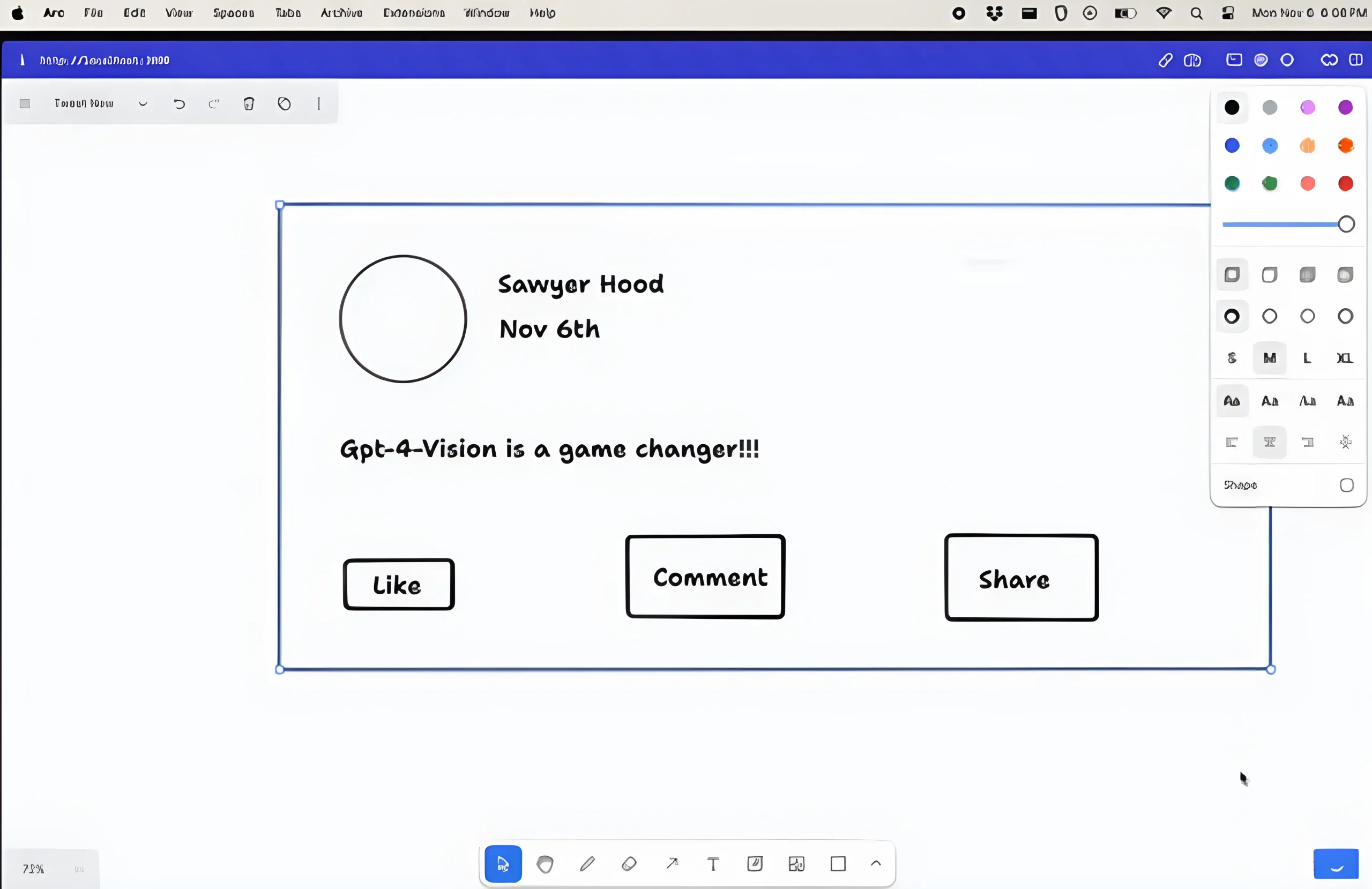
draw-a-ui is a Next.js-powered web app that uses OpenAI’s GPT-4V(vision) model to convert simple wireframe drawings into fully functional web pages styled with TailwindCSS.
Doodle some boxes and labels representing different UI elements like headers, menus, forms, etc, and draw-a-ui sends the sketch off to GPT-4, which returns clean, responsive HTML/CSS code. This automates repetitive coding tasks so you can focus on higher-level design decisions.
How to implement:
1. Download $ clone ‘draw-a-ui’ from the GitHub repository.
2. Install dependencies in the project directory.
npm install
3. Sign up for an OpenAI API key and add it to your .env file as OPENAI_API_KEY.
echo "OPENAI_API_KEY=sk-xxx" > .env.local
4. Start the development server.
npm run dev
5. Navigate to http://localhost:3000 and start sketching your wireframes using the built-in drawing tools in your web browser.





Leave a ReplyCancel Reply