
If you’ve been looking for a no-frills, free AI assistant that doesn’t force you to log in or pay for basic access, Zola might be what you need.
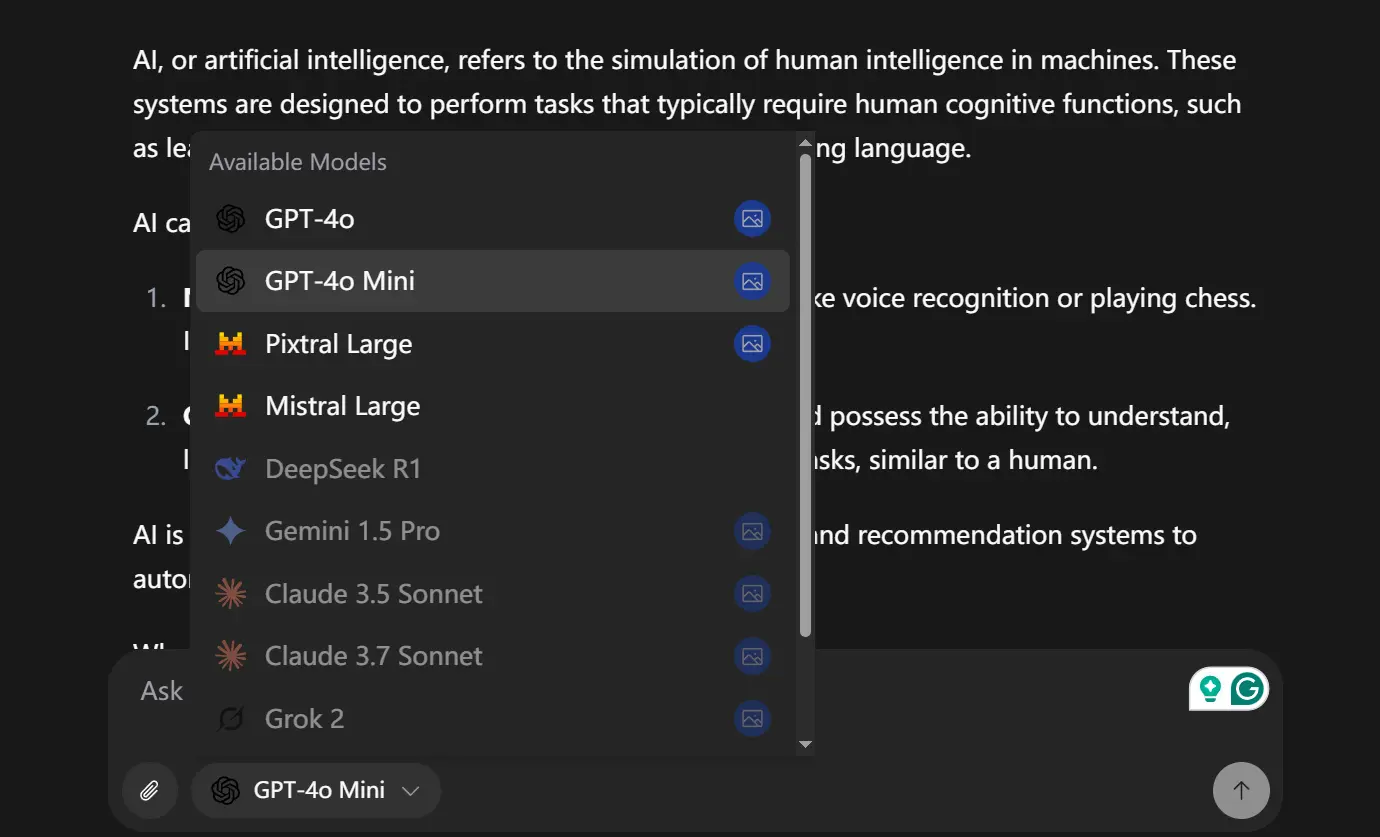
It’s an open-source AI chatbot app that supports multiple AI models (like GPT-4o, Pixtral Large, Mixtral Large, etc) and keeps things simple—no bloated interfaces or hidden paywalls.
Features
- No Login Required: You can start chatting immediately using the default model.
- Free Advanced Model Access (Limited): Log in with Google to use models like GPT-4o, capped at 100 messages per day.
- File Uploads: Supports attaching files to your chats (useful for multimodal models).
- Clean UI: Simple, intuitive interface with light/dark modes (thanks to shadcn/ui).
- Prompt Suggestions: Offers ideas to get your conversation started.
- Mobile-Friendly: The layout adapts well to smaller screens.
- Open Source: You can view, modify, and self-host the code.
Use Cases & Real-World Applications
- Quick, Anonymous AI Chats: Need a quick answer or idea generation without logging into your main OpenAI/Mistral account? Zola’s anonymous mode is perfect for that.
- Testing GPT-4o for Free: The 100 messages/day limit is enough to get a feel for GPT-4o’s capabilities or handle occasional complex tasks without paying for direct API access or a subscription.
- A Base for Custom Tools: Since it’s open-source and built on Next.js, Vercel AI SDK, and Supabase, it’s a solid starting point if you want to build a custom internal chat tool for your team. You can fork it and add specific features you need.
- Learning Platform: Developers can dissect the code to see how to integrate the Vercel AI SDK for streaming responses, handle authentication with Supabase, manage different models, and build a modern React frontend with server components.
How To Use It
1. Visit the Zola Chat.
2. Start chatting immediately – by default, you’ll be using the Pixtral Large model.
3. For access to more advanced models like GPT-4o and GPT-4o Mini, log in with your Google account.
4. Once logged in, you can select your preferred model from the interface.
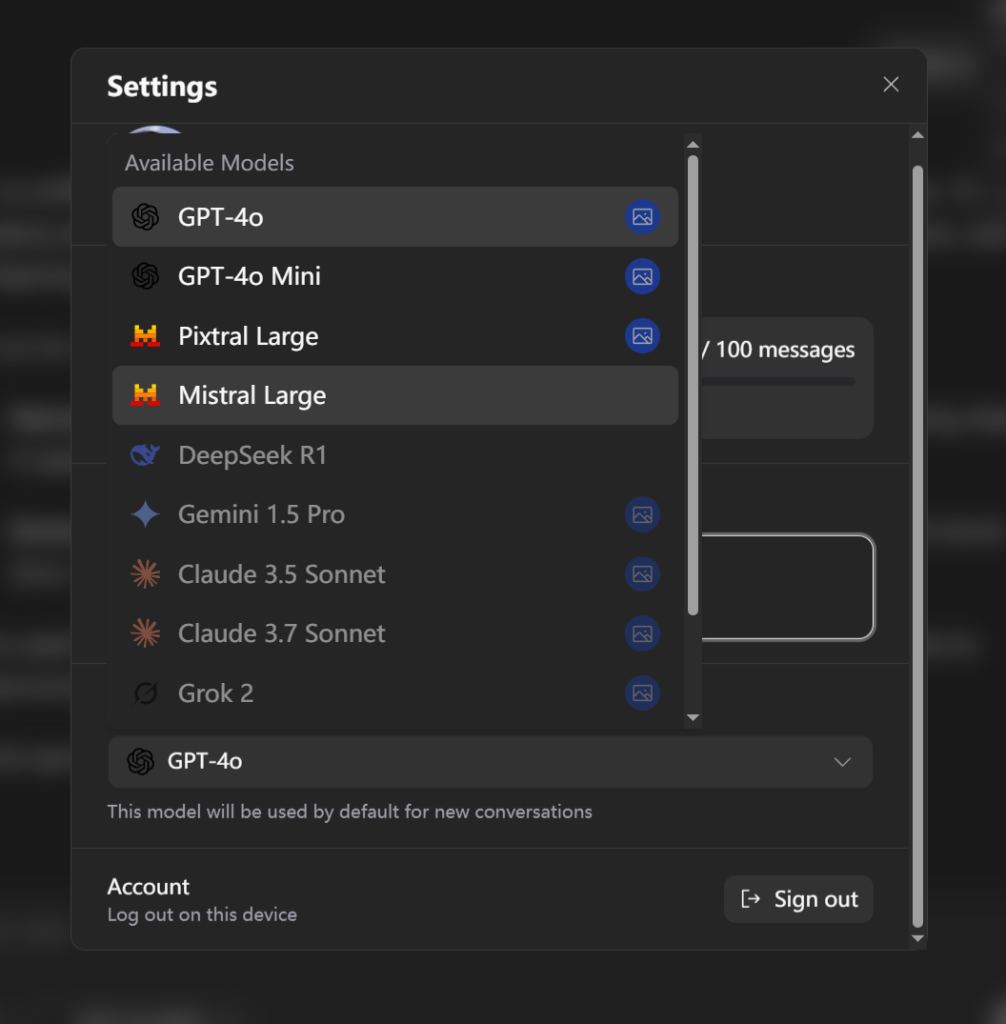
5. To upload files, use the attachment button in the chatbox.
Self-host Zola
If you want to self-host Zola, the setup process requires some technical knowledge but is well-documented. Click here to see the full official installation guide.
Pros
- Free Access: Start using it instantly online without cost or login. Limited free access to powerful models like GPT-4o is a big plus.
- Open Source (Apache 2.0): Total transparency. You can inspect, modify, and host it yourself. Great for privacy-conscious users or those wanting customization.
- Multi-Model Flexibility: Easily switch between different AI models. Support for more models is planned.
- Clean & Modern Stack: Built with popular tools (Next.js, shadcn/ui, Supabase, Vercel AI SDK) which many developers appreciate.
- Self-Hostable: Full control over data, usage, and features if you run it on your own infrastructure.
- File Uploads: Essential for working with multimodal models.
Cons
- Daily Limit on Advanced Models: The 100-message/day cap for models like GPT-4o on the public instance is understandable but limiting for heavy users.
- Self-Hosting Setup Required: Running it yourself involves setting up Supabase, managing API keys, and handling deployment. It’s not overly complex if you’re familiar with these tools, but it’s not zero-click.
- Features Still Developing: Things like search, chat memory, and agent mode are listed as “Coming next,” so the current feature set is focused primarily on the chat interface itself.
- Requires API Keys for Self-Hosting: While Zola itself is free, the underlying AI models (if self-hosted) usually have associated API costs based on your usage.
Related Resources
- Zola GitHub Repository: https://github.com/ibelick/zola – The source code, installation instructions, and issue tracker.
- Vercel AI SDK: https://vercel.com/docs/ai-sdk – Documentation for the library used to integrate AI models.
- Supabase: https://supabase.com – The backend service used for auth and database.
- shadcn/ui: https://ui.shadcn.com – The component library used for the UI.
- Prompt-Kit: https://prompt-kit.com/ – AI components used in Zola.
FAQs
Q: Does Zola store my conversations?
A: If you use it anonymously on the public instance, conversations are likely ephemeral (not stored long-term tied to you). If you log in or self-host, conversations are stored in the Supabase database associated with your user account (or the instance you set up) to provide chat history. If self-hosting, you control that data..
Q: How do I increase the daily message limit beyond 100?
A: Currently, there isn’t an official way to increase the 100 message daily limit. However, if you’re self-hosting, you can modify the limit in the configuration files.
Q: Is it possible to add custom AI models to Zola?
A: Yes, if you’re self-hosting, you can modify the configuration to add support for additional AI models. This would require adding the API integration code and updating the model selection interface.
Q: How secure is my data when using Zola?
A: Zola uses CSRF protection and secure authentication through Supabase. However, like any application, the security also depends on how you configure it and the security of your API keys.
Q: Can I deploy Zola on platforms other than Vercel?
A: Yes, Zola is a Next.js application that can be deployed on any platform that supports Node.js applications. The documentation provides specific guidance for Vercel, but the principles apply to other platforms as well.


Leave a ReplyCancel Reply