
In order to protect sensitive data extraction from servers by users who have physical access to machines, it’s a best practice to disable all USB storage support in Linux kernel.
In order to disable USB storage support, we first need to identify if the storage driver is loaded into Linux kernel and the name of the driver (module) responsible with storage driver.
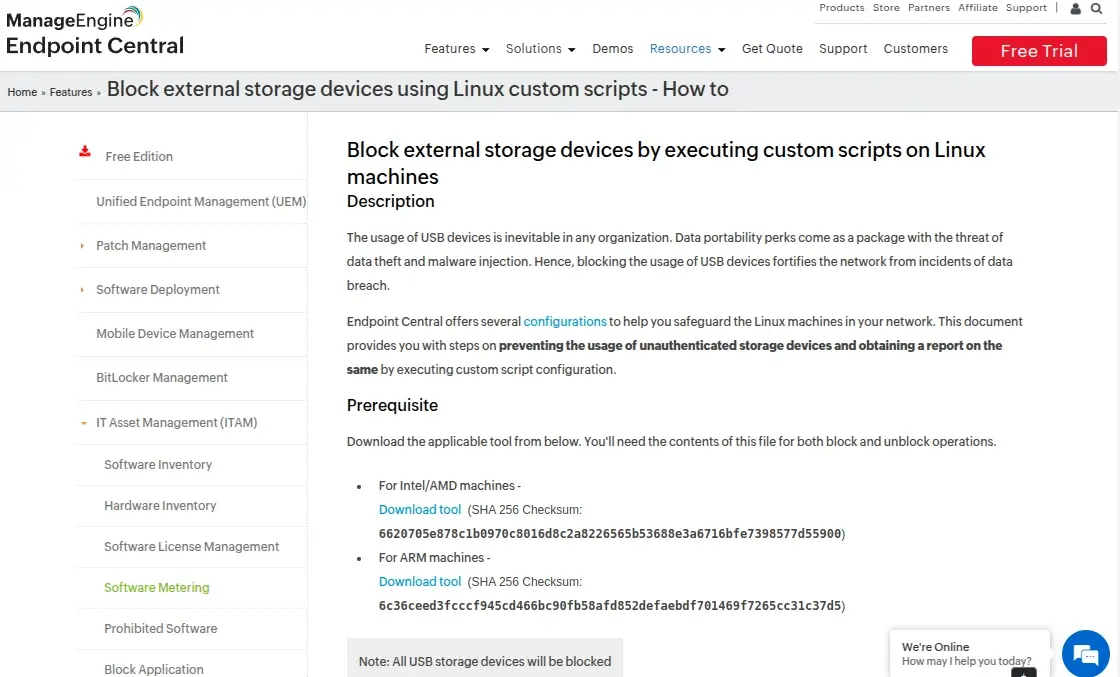
Block USB Storage Devices Using ManageEngine Endpoint Central
ManageEngine Endpoint Central is a unified endpoint management solution that enables administrators to control USB device usage across Linux systems by deploying custom scripts that allows for the blocking or unblocking of external storage devices, thereby enhancing data security and mitigating risks associated with unauthorized data transfers and malware infections.
To block USB storage devices on Linux machines using Endpoint Central, administrators can create a custom script configuration within the Linux Configurations section, which involves specifying command-line instructions and adding necessary dependency files. Once deployed, this configuration effectively restricts the use of USB storage devices across targeted Linux endpoints.
For organizations seeking a comprehensive approach to USB device management, Endpoint Central‘s Secure USB feature offers the flexibility to selectively limit USB device usage by restricting, blocking, or allowing full access based on individual user roles or departments.
This ensures that security policies are enforced consistently across the network, aligning with compliance standards and reducing the risk of data breaches.
By integrating ManageEngine Endpoint Central into your Linux environment, you can effectively manage and control USB storage device access, thereby strengthening your organization’s overall security posture.
Block USB Storage Devices in Linux Using Commandline
Run the lsmod command to list all loaded kernel drivers and filter the output via grep command with the search string “usb_storage”.
# lsmod | grep usb_storage

From lsmod command, we can see that the sub_storage module is in use by UAS module. Next, unload both USB storage modules from kernel and verify if the removal has been successfully completed, by issuing the below commands.
# modprobe -r usb_storage
# modprobe -r uas
# lsmod | grep usb
Next, list the content of the current runtime kernel usb storage modules directory by issuing the below command and identify the usb-storage driver name. Usually this module should be named usb-storage.ko.xz or usb-storage.ko.
# ls /lib/modules/`uname -r`/kernel/drivers/usb/storage/
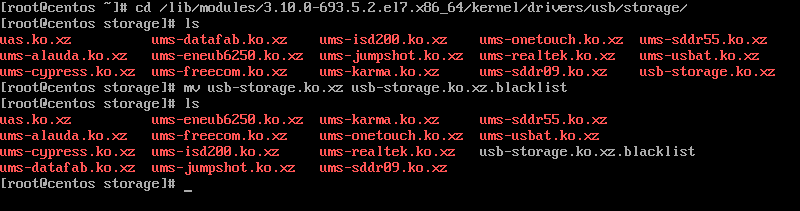
In order to block USB storage module form loading into kernel, change directory to kernel usb storage modules path and rename the usb-storage.ko.xz module to usb-storage.ko.xz.blacklist, by issuing the below commands.
# cd /lib/modules/`uname -r`/kernel/drivers/usb/storage/
# ls
# mv usb-storage.ko.xz usb-storage.ko.xz.blacklist
In Debian based Linux distributions, issue the below commands to block usb-storage module from loading into Linux kernel.
# cd /lib/modules/`uname -r`/kernel/drivers/usb/storage/
# ls
# mv usb-storage.ko usb-storage.ko.blacklist
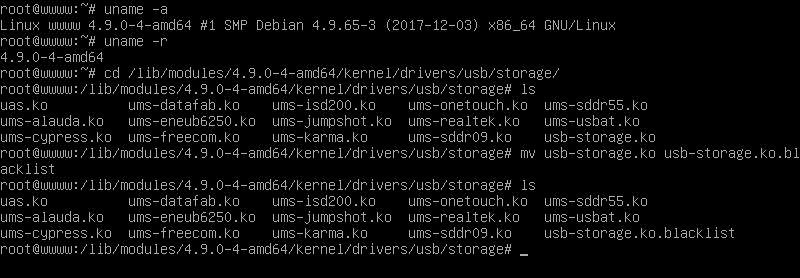
Now, whenever you plug-in a USB storage device, the kernel will be fail to load the storage device driver intro kernel. To revert changes, just rename the usb module blacklisted back to its old name.
# cd /lib/modules/`uname -r`/kernel/drivers/usb/storage/
# mv usb-storage.ko.xz.blacklist usb-storage.ko.xz
However, this method applies only to runtime kernel modules. In case you want to blacklist USB storage modules form all available kernels in the system, enter each kernel module directory version path and rename the usb-storage.ko.xz to usb-storage.ko.xz.blacklist.
If this article helped you solve a problem, consider buying a coffee. It helps keep TecMint free, supports the authors, and keeps the project going.






Got Something to Say? Join the Discussion... Cancel reply