VOOZH about

URL: https://www.tecmint.com/connect-to-mysql-without-root-password/

⇱ How to Connect to MySQL Without Root Password on Terminal


Skip to content

Normally while installing MySQL/MariaDB database server on Linux, it’s recommended to set a MySQL root user password to secure it, and this password is required to access the database server with root user privileges.

Suggested Read: How to Install and Secure MariaDB 10 in CentOS 7

In this guide, we will show you how to connect and run MySQL commands without entering a password (mysql passwordless root login) on the Linux terminal.

How to Set MySQL Root Password

In case you have freshly installed the MySQL/MariaDB server, then it doesn’t require any password to connect to it as root user. To secure it, set the MySQL/MariaDB password for root user with the following command.

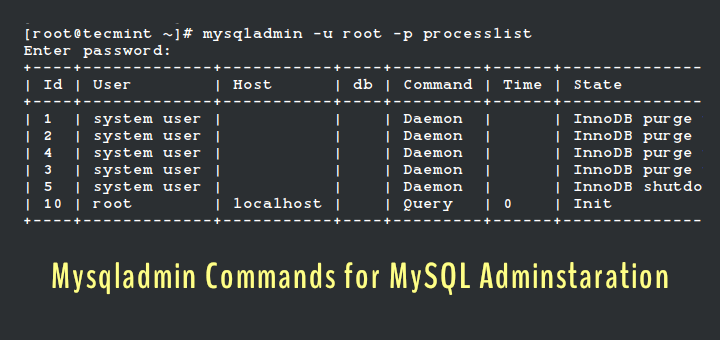
Note that this command is just one of the many MySQL (Mysqladmin) Commands for Database Administration in Linux.

# mysqladmin -u root password YOURNEWPASSWORD

How to Connect or Run MySQL Without Root Password

To run MySQL commands without entering password on the terminal, you can store your user and password in the ~/.my.cnf user specific configuration file in user’s home directory as described below.

Now create the config file ~/.my.cnf and add configurations below in it (remember to replace mysqluser and mysqlpasswd with your own values).

[mysql]
user=user
password=password

Save and close the file. Then set the suitable permissions on it, to make it only readable and writable by you.

# chmod 0600 .my.cnf

Once you have set user and password in the Mysql configuration file, from now on when you run mysql commands such as mysql, mysqladmin etc, they will read the mysqluser and mysqlpasswd from the above file.

# mysql 
# mysql -u root 
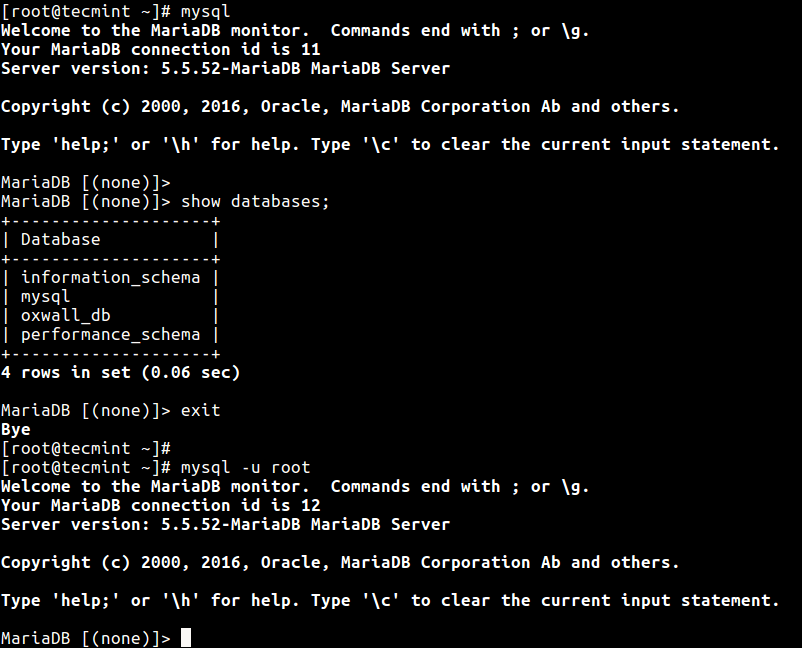
👁 Run Mysql- Commands Without Root Password
Run Mysql- Commands Without Root Password

You may also like to read these related articles about MySQL/MariaDB:

    1. 20 MySQL (Mysqladmin) Commands for Database Administration in Linux
    2. How to Change Root Password of MySQL or MariaDB in Linux
    3. How to Reset MySQL or MariaDB Root Password in Linux
    4. 15 Useful MySQL/MariaDB Performance Tuning and Optimization Tips
    5. 4 Useful Commandline Tools to Monitor MySQL Performance in Linux

In this guide, we showed how to run MySQL commands without entering root password on the terminal. If you have any queries or thoughts to share, do hit us up via the feedback form below.

If this article helped, share it with someone on your team.
TecMint Weekly Newsletter
Get the Learn Linux 7 Days Crash Course free when you join 34,000+ Linux professionals reading every Thursday.
Check your email for a magic link to get started.
Something went wrong. Please try again.
TecMint has been free for 14 years. Help keep it that way.
Google AI Overviews and tools like ChatGPT have cut into search traffic for independent tech sites like TecMint. Running this site costs over $2,000 every month for hosting, infrastructure, and paying authors to keep the content accurate and tested.

If this article helped you solve a problem, consider buying a coffee. It helps keep TecMint free, supports the authors, and keeps the project going.
☕ Buy Me a Coffee
Aaron Kili
Aaron Kili is a Linux and F.O.S.S enthusiast, an upcoming Linux SysAdmin, web developer, and currently a content creator for TecMint who loves working with computers and strongly believes in sharing knowledge.

Each tutorial at TecMint is created by a team of experienced Linux system administrators so that it meets our high-quality standards.

6 Comments

Leave a Reply
  1. It didn’t work. I had created the user from cPanel in shared hosting. It did work with:

    [client]
    user=mysqluser
    password=mysqluser-password
    

    as my my.cnf file.

    Reply
    • @Myname

      Thanks for sharing, we will verify this.

      Reply
  2. Hi

    Sorry, I’m here again

    I am getting below error when trying to connect to MySQL.

    ERROR 1045 (28000): Access denied for user ‘root’@’localhost’ (using password: NO) or … YES)

    mysqld_safe --skip-grant-tables does it works? the procedure as above was going normally, no remarks!

    What about the file /etc/mysql/.my.cnf? and the command chmod 0600 .my.cnf?

    (Mysql 10.3 / RPI 4 Mod B Buster)

    thank you for your help

    Max

    Reply
  3. Thank you, you helped me

    Reply
  4. “In case you have freshly installed the MySQL/MariaDB server, then it doesn’t require any password to connect to it as root user.”

    This is not the case for MySQL 5.7 on CentOS 7.x the MySQL server generate a random password that you need to figure it out with:

    # grep -i password /var/log/mysqld.log
    
    Reply
    • @sedlav

      Okay, we will cross-check this and perhaps update the article. Many thanks for the feedback.

      Reply

Got Something to Say? Join the Discussion... Cancel reply

Free Course
Get a free Linux course before you go.
Subscribe to TecMint Weekly and get the Learn Linux 7 Days Crash Course free. Read by 34,000+ Linux professionals every Thursday.
Check your email for a magic link to get started.