
Web push notifications are a common way for websites to send updates and information directly to your browser, even if you’re not currently on the site.
While notifications can be helpful, they can also be annoying or intrusive. This article will show you how to find and turn off push notifications in three popular web browsers: Chrome, Firefox, and Opera.
Disabling Push Notifications in Chrome
Click on the three vertical dots in the top right corner of the browser, then choose “Settings” from the menu.
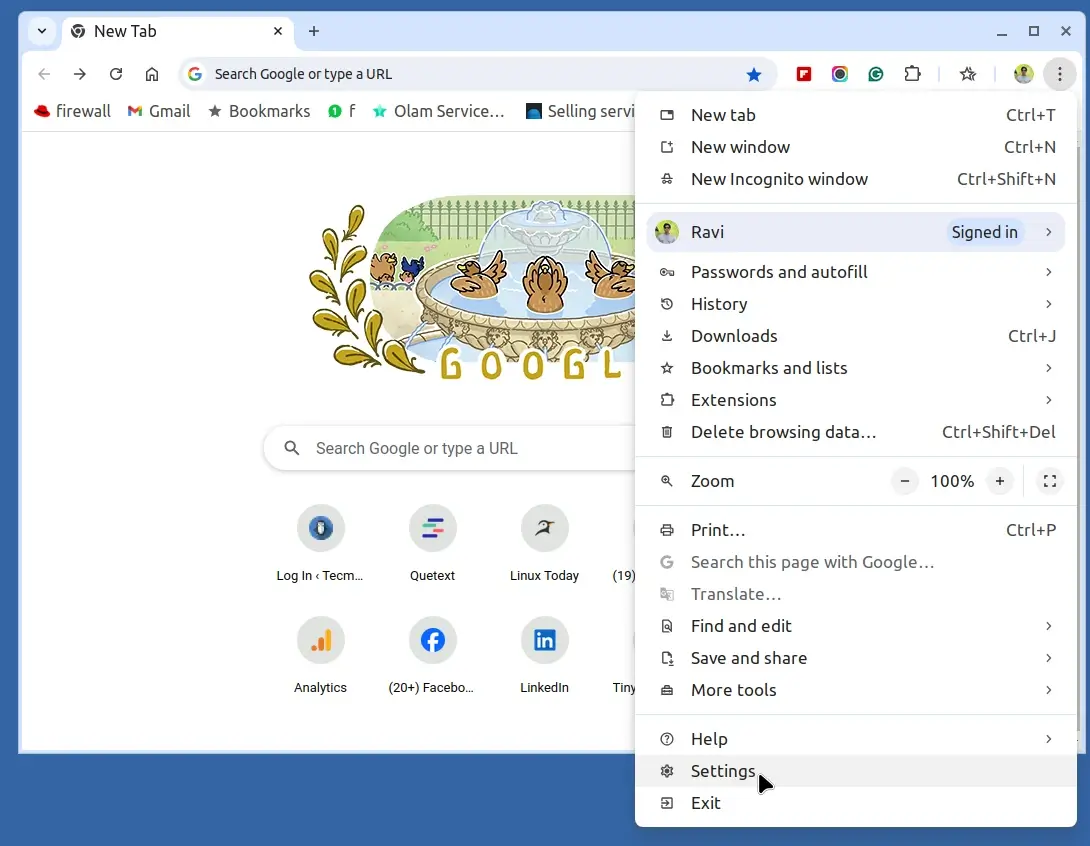
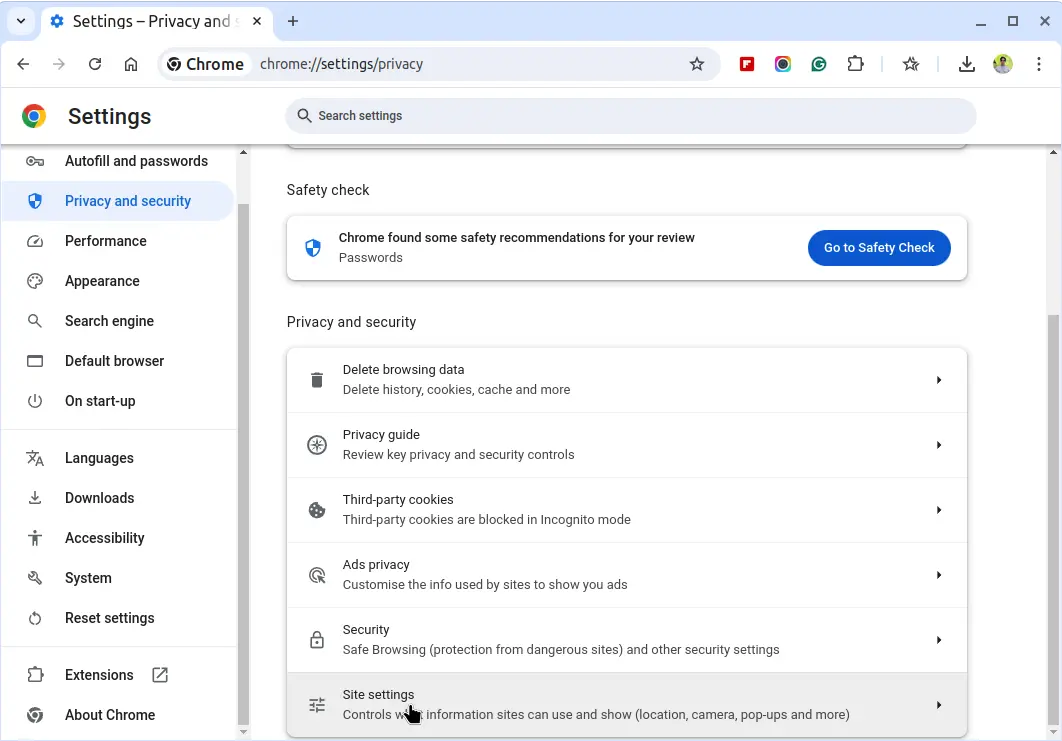
Next, scroll down and click “Privacy and security” on the left side, then select “Site Settings“.
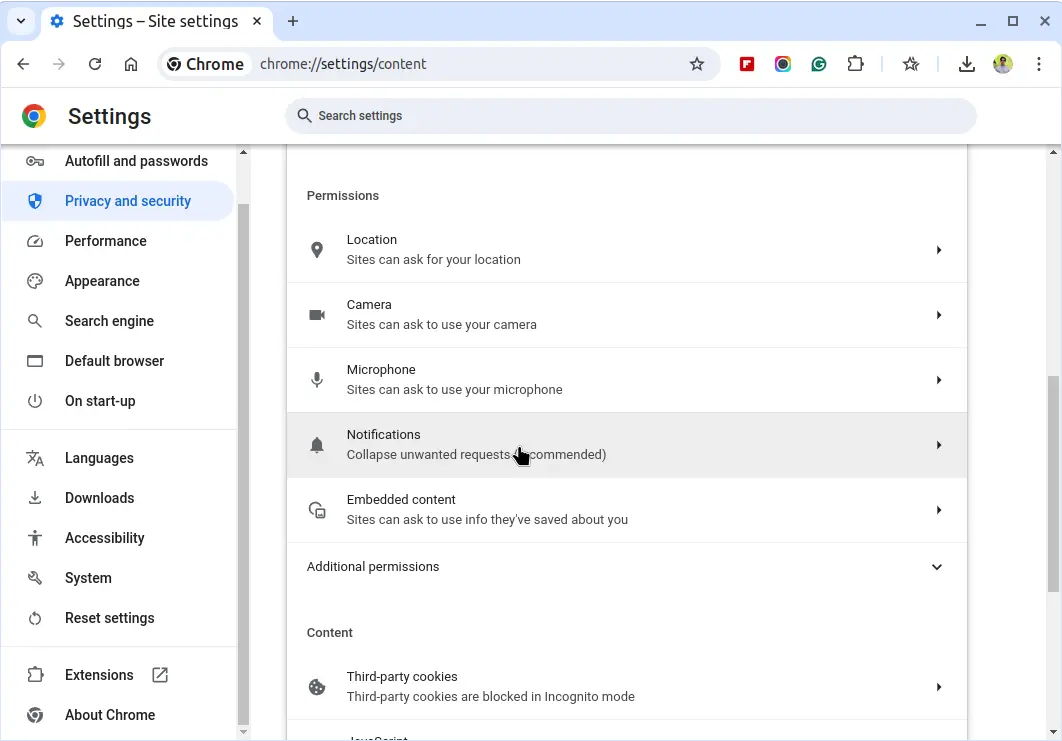
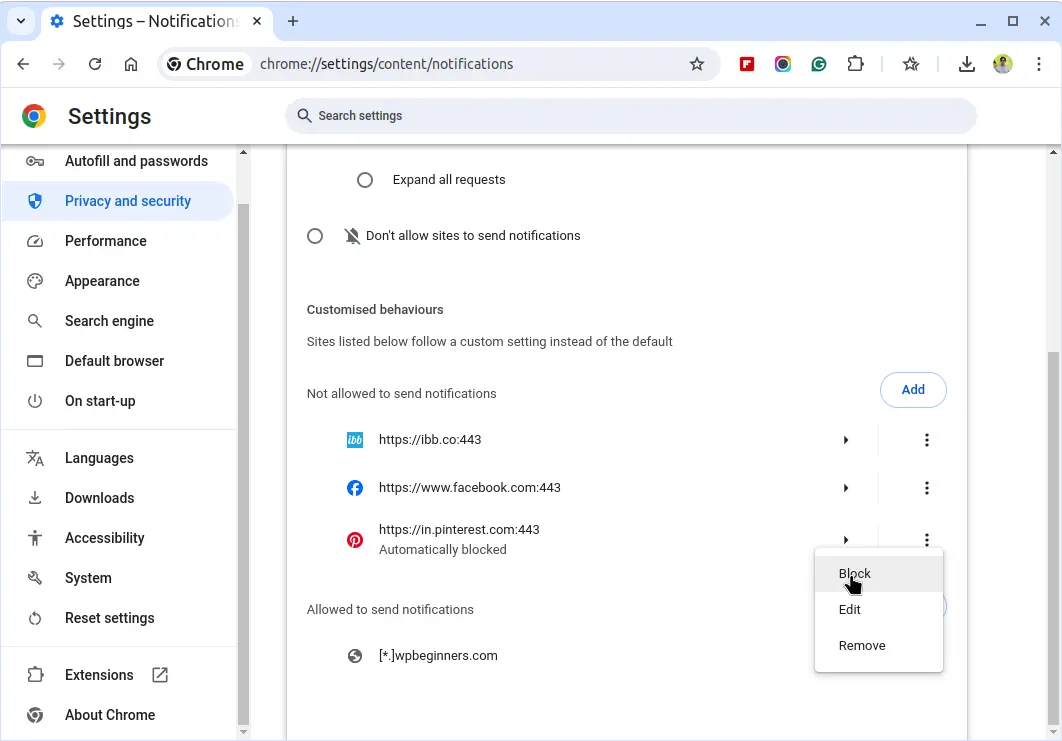
Scroll down and click on “Notifications“, which will show you a list of all the websites that are allowed to send you notifications.
To block all notifications, choose the option “Do not allow sites to send notifications”
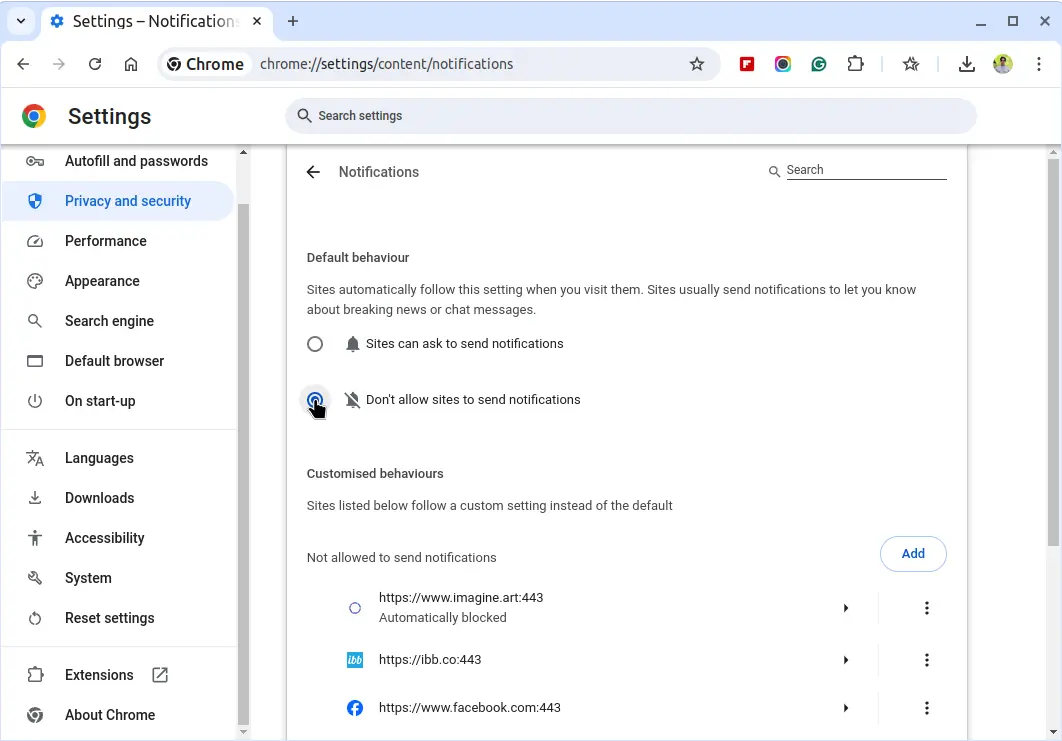
To block specific websites, click on the three vertical dots next to the site name and select “Block“.
Disabling Push Notifications in Firefox
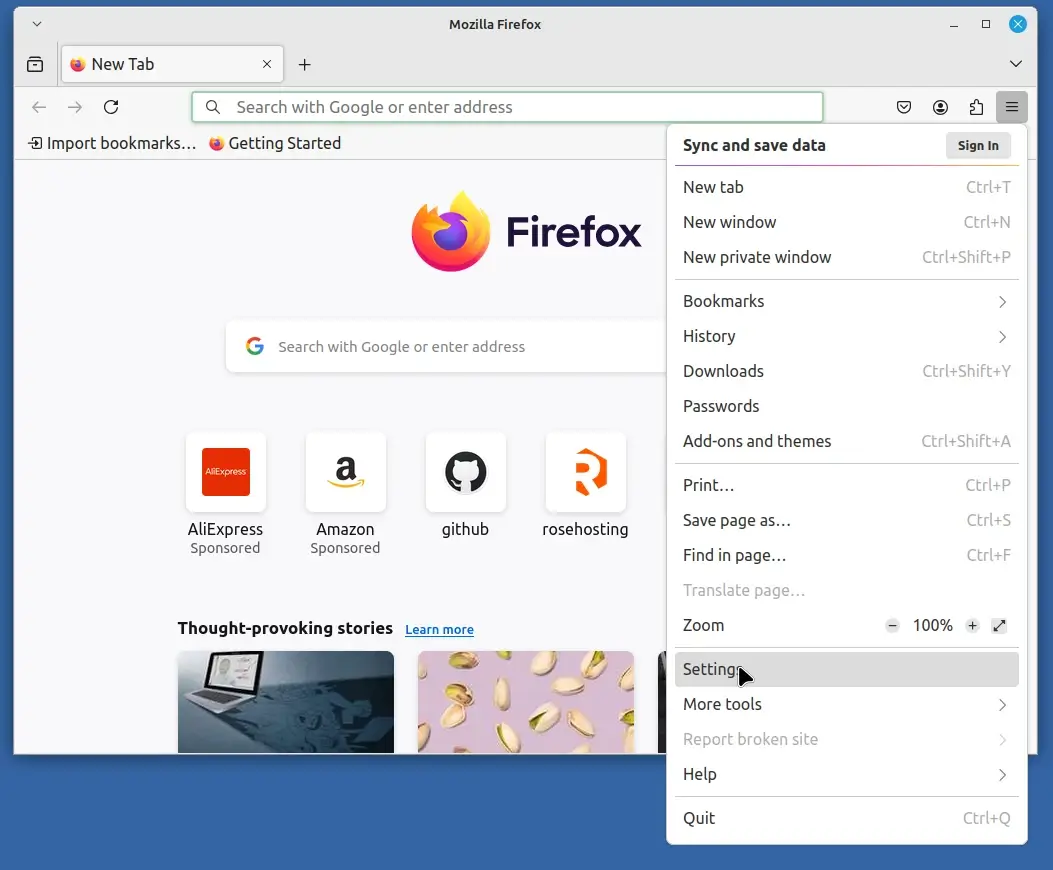
Click on the three horizontal lines (menu) in the upper-right corner and select “Settings” from the dropdown menu.
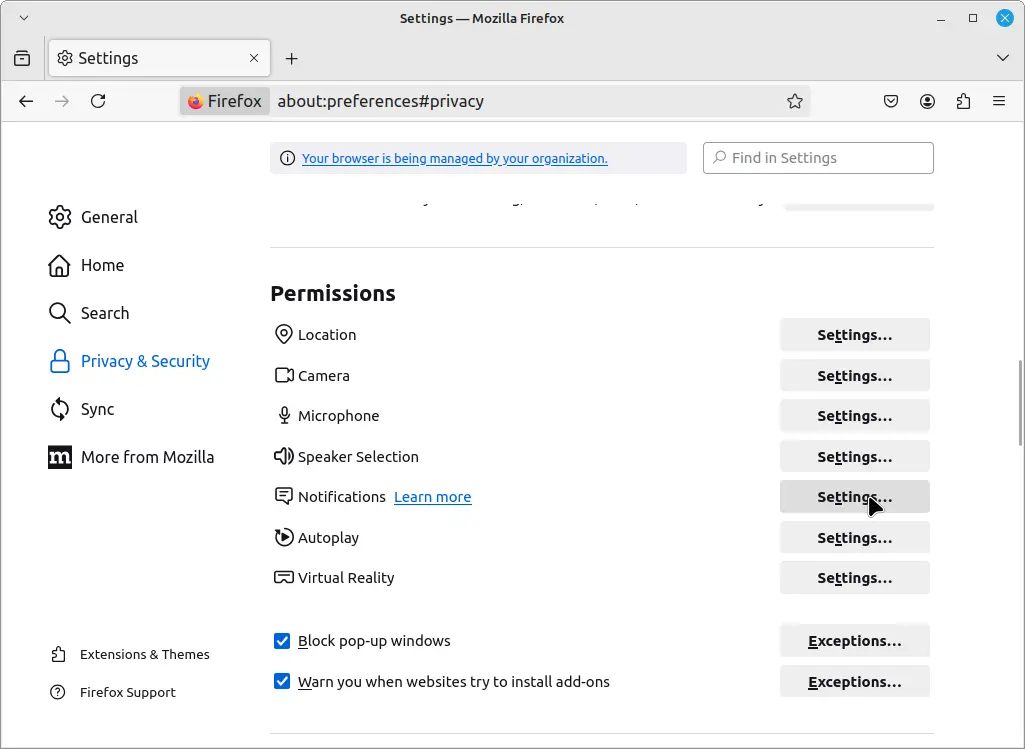
In the left-hand sidebar, click on “Privacy & Security“, scroll down to the “Permissions” section and click on the “Settings” button next to “Notifications.”
A list of websites with notification permissions will appear.
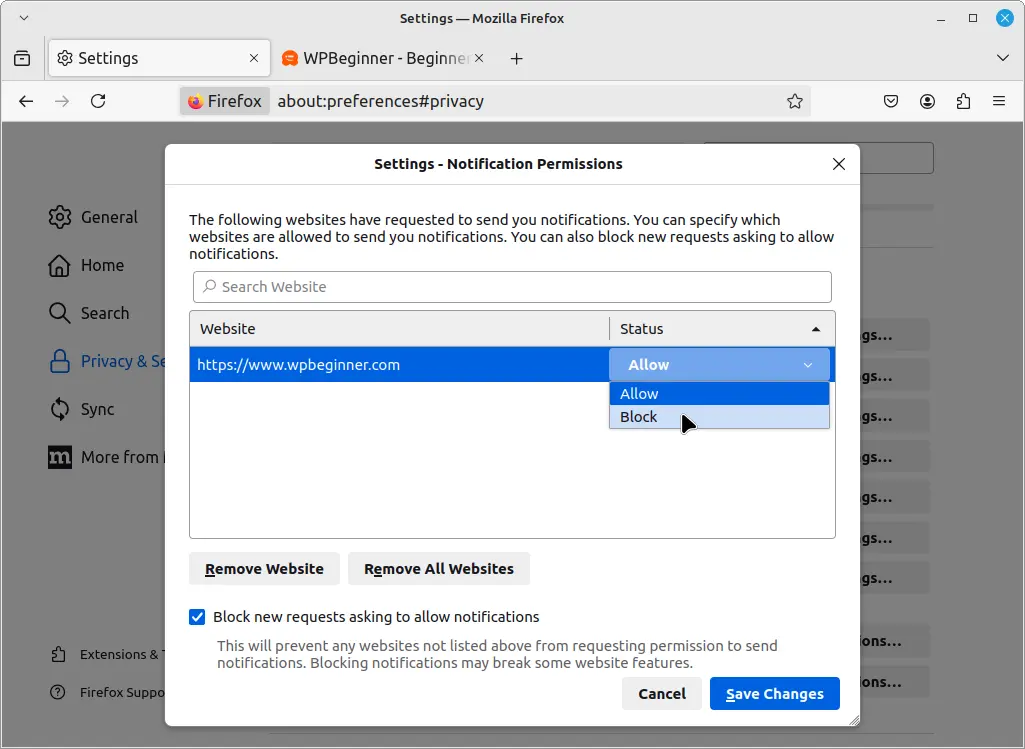
To block all notifications, check the box “Block new requests asking to allow notifications” or to block specific websites, select the site from the list and click “Remove Website” or change the status to “Block“.
Disabling Push Notifications in Opera
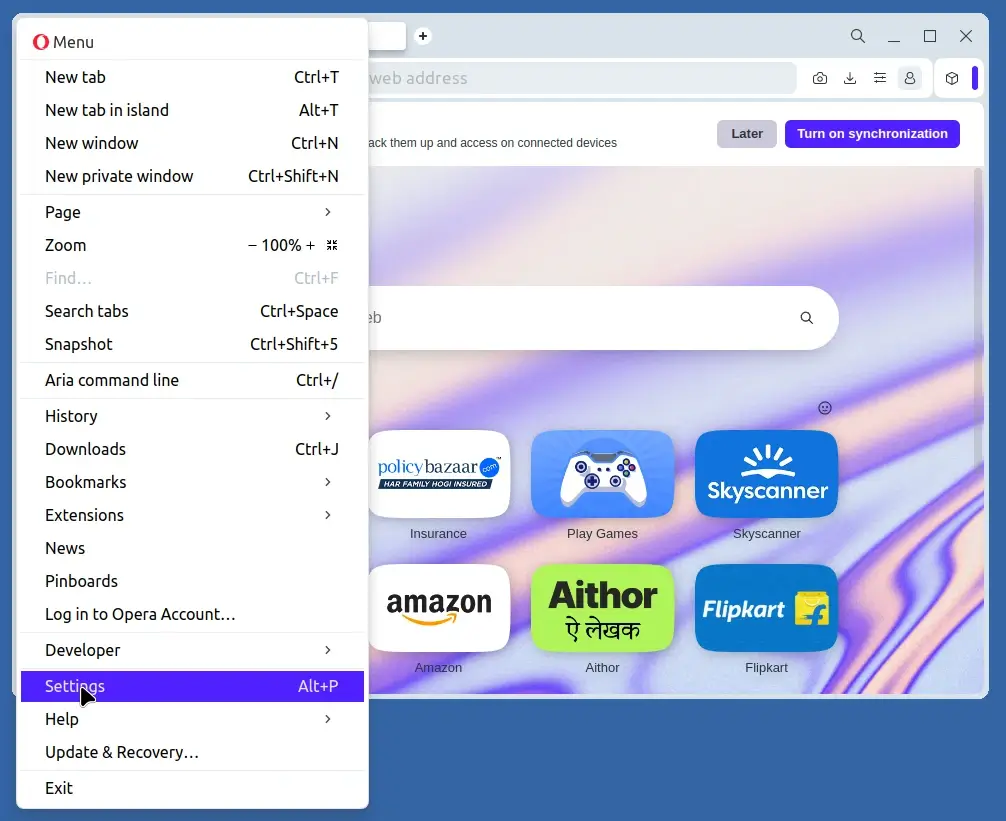
Click on the “Opera” icon in the upper-left corner and select “Settings” from the dropdown menu.
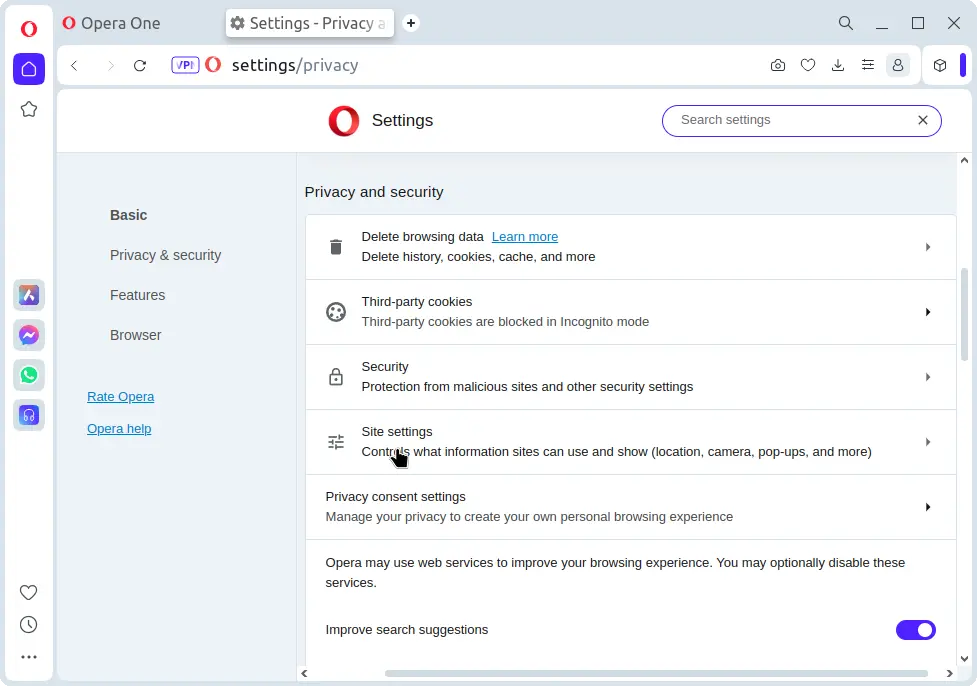
Scroll down and click on “Privacy and security” and select “Site settings“.
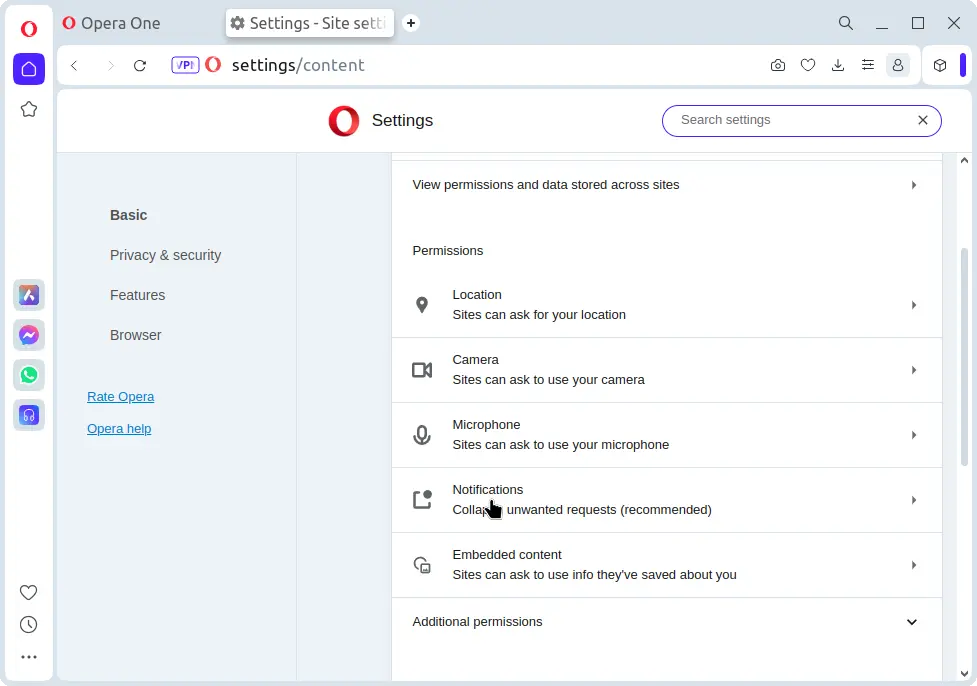
Next, scroll down and click on “Notifications“, here you will see a list of websites that have permission to send notifications.
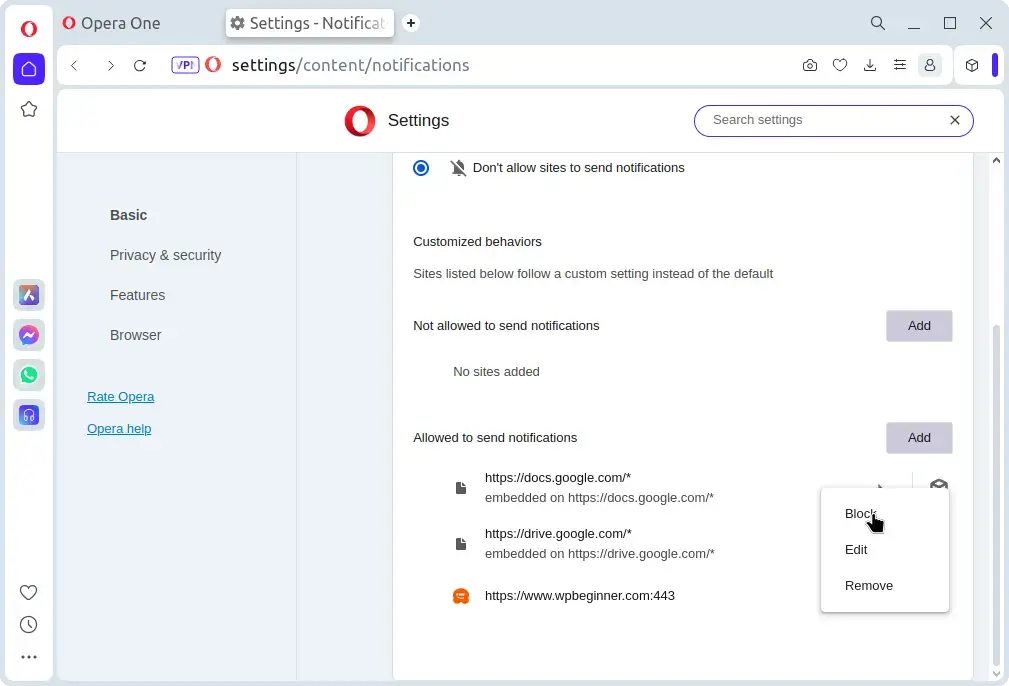
To block certain websites, click on the three vertical dots next to the site name and choose “Block“.
Conclusion
Disabling push notifications can help reduce distractions and protect your privacy. By following the steps outlined above, you can easily manage and disable push notifications in Chrome, Firefox, and Opera.
Whether you want to block all notifications or just specific sites, these browsers provide straightforward options to control your notification settings.
If this article helped you solve a problem, consider buying a coffee. It helps keep TecMint free, supports the authors, and keeps the project going.




Got Something to Say? Join the Discussion... Cancel reply