
In this short quick article, you will learn how to find all clients (using their IP addressees) connected to an Apache or Nginx web server on HTTP or HTTPS ports on a Linux server.
In Linux, every service running on the server listening to the socket for a client to make a connection request. Upon a successful connection from a client, a socket (a combination of an IP address and a port (a number which identifies an application/service the client is connected to)) is created.
Recommended Read: How to Watch TCP and UDP Ports in Real-time
To get the detailed information of these sockets, we will use a ss command-line tool, which is used to display network socket related information on a Linux machine. You can also use the older netstat command, which displays active socket connections.
For example, you can use these tools to get the socket statistics information of all clients connected to a specific port or service.
# ss
OR
# netstat
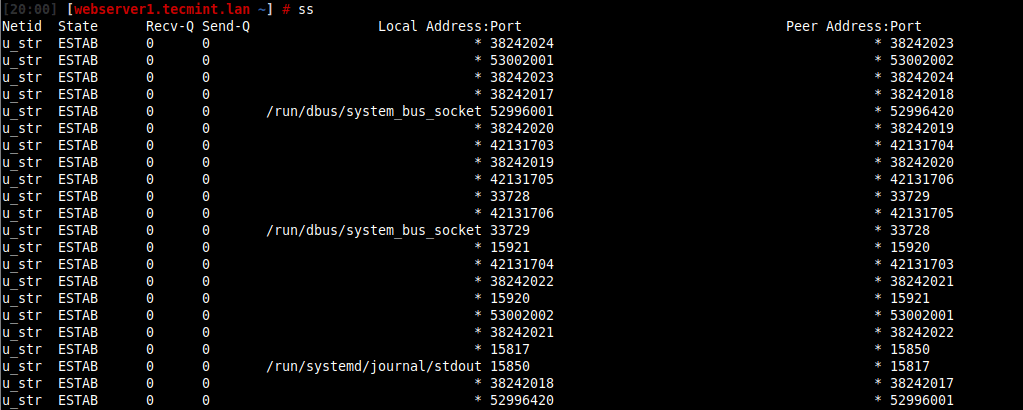
To get the list of all clients connected to HTTP (Port 80) or HTTPS (Port 443), you can use the ss command or netstat command, which will list all the connections (regardless of the state they are in) including UNIX sockets statistics.
# ss -o state established '( sport = :http or sport = :https )'
OR
# netstat -o state established '( sport = :http or sport = :https )'
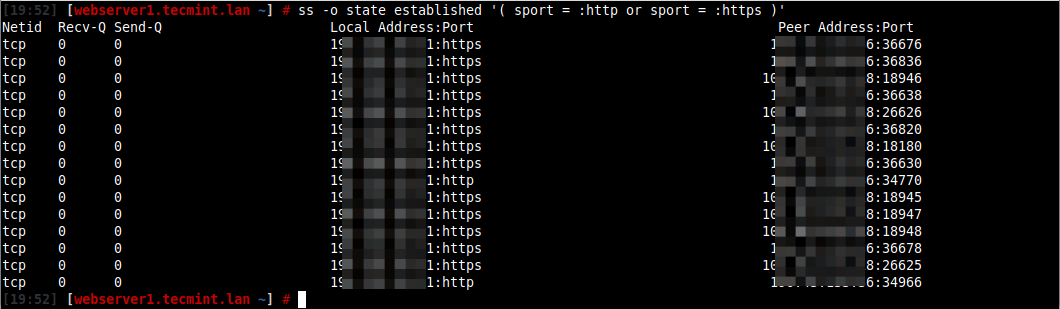
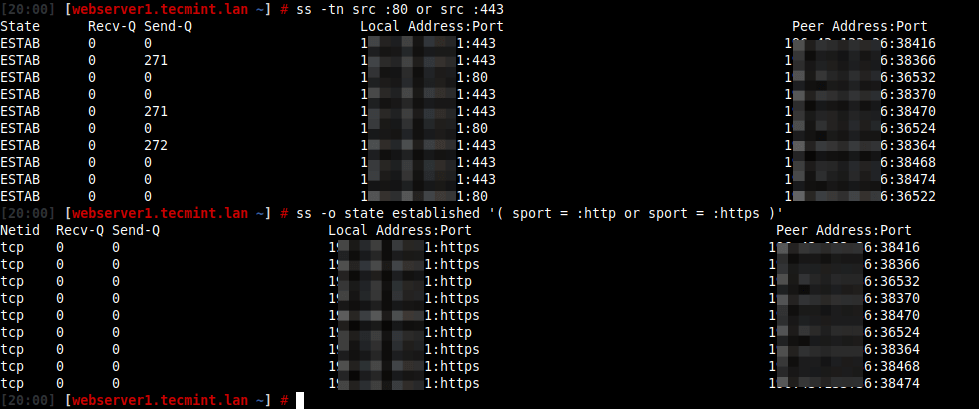
Alternatively, you can run the following command to list the numerical port numbers.
# ss -tn src :80 or src :443
OR
# netstat -tn src :80 or src :443
You might also find the following articles useful:
- 4 Ways to Find Out What Ports Are Listening in Linux
- How to Check Remote Ports are Reachable Using ‘nc’ Command
That’s all we have in this short article. For more information about the ss utility, read its man page (man ss). You can reach us for any questions, via the comment form below.
If this article helped you solve a problem, consider buying a coffee. It helps keep TecMint free, supports the authors, and keeps the project going.






Got Something to Say? Join the Discussion... Cancel reply