
In this article we’ll see how we can use Dmidecode command to retrieve hardware information of any Linux system. Suppose if we want to upgrade a system we need to gather information like Memory, BIOS and CPU etc. With help of Dmidecode command we will come to know the details without opening system chasis. Dmidecode command works for RHEL/CentOS/Fedora/Ubuntu Linux.
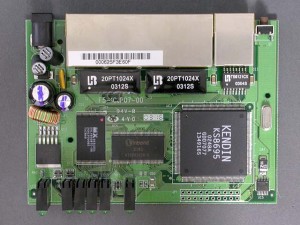
Dmidecode tool read DMI (some say SMBIOS) table to fetch data and displays useful system informations like hardware details, serial numbers and BIOS version, Processor etc. in human readable format. You may require root priviledge to execute dmidecode command.
1. Basic Output of Demidecode
Below is the Demidecode command sample output.
# dmidecode 2.11
SMBIOS version fixup (2.31 -> 2.3).
SMBIOS 2.3 present.
45 structures occupying 1642 bytes.
Table at 0x000E0010.

Handle 0x0000, DMI type 0, 20 bytes
BIOS Information
 Vendor: Phoenix Technologies LTD
 Version: 6.00
 Release Date: 12/06/2006
 Address: 0xE78A0
 Runtime Size: 100192 bytes
 ROM Size: 64 kB
 Characteristics:
 ISA is supported
 PCI is supported
 PC Card (PCMCIA) is supported
 PNP is supported
 APM is supported
 BIOS is upgradeable
 BIOS shadowing is allowed
 ESCD support is available
 USB legacy is supported
 Smart battery is supported
 BIOS boot specification is supported
2. How to Get DMI Types
DMI Id give us particular hardware information of system. Dmidecode with options ‘-t ‘or ‘–type‘ and ‘Id‘ will provide us the exact infromation. Id 6 will give us Memory Module information.
[root@tecmint ~]# dmidecode -t 6
# dmidecode 2.11
SMBIOS version fixup (2.31 -> 2.3).
SMBIOS 2.3 present.

Handle 0x0009, DMI type 6, 12 bytes
Memory Module Information
 Socket Designation: RAM socket #0
 Bank Connections: 0 1
 Current Speed: Unknown
 Type: EDO DIMM
 Installed Size: 1024 MB (Single-bank Connection)
 Enabled Size: 1024 MB (Single-bank Connection)
 Error Status: OK

Handle 0x000A, DMI type 6, 12 bytes
Memory Module Information
 Socket Designation: RAM socket #1
 Bank Connections: 2 3
 Current Speed: Unknown
 Type: EDO DIMM
 Installed Size: Not Installed
 Enabled Size: Not Installed
 Error Status: OK

Handle 0x000B, DMI type 6, 12 bytes
Memory Module Information
 Socket Designation: RAM socket #2
 Bank Connections: 4 5
 Current Speed: Unknown
 Type: EDO DIMM
 Installed Size: Not Installed
 Enabled Size: Not Installed
 Error Status: OK

Handle 0x000C, DMI type 6, 12 bytes
Memory Module Information
 Socket Designation: RAM socket #3
 Bank Connections: 6 7
 Current Speed: Unknown
 Type: EDO DIMM
 Installed Size: Not Installed
 Enabled Size: Not Installed
 Error Status: OK
Following are the DMI types details.
		Type Information
		----------------------------------------
 0		BIOS
 1		System
 2		Base Board
 3		Chassis
 4		Processor
 5		Memory Controller
 6		Memory Module
 7		Cache
 8		Port Connector
 9		System Slots
 10		On Board Devices
 11		OEM Strings
 12		System Configuration Options
 13		BIOS Language
 14		Group Associations
 15		System Event Log
 16		Physical Memory Array
 17		Memory Device
 18		32-bit Memory Error
 19		Memory Array Mapped Address
 20		Memory Device Mapped Address
 21		Built-in Pointing Device
 22		Portable Battery
 23		System Reset
 24		Hardware Security
 25		System Power Controls
 26		Voltage Probe
 27		Cooling Device
 28		Temperature Probe
 29		Electrical Current Probe
 30		Out-of-band Remote Access
 31		Boot Integrity Services
 32		System Boot
 33		64-bit Memory Error
 34		Management Device
 35		Management Device Component
 36		Management Device Threshold Data
 37		Memory Channel
 38		IPMI Device
 39		Power Supply
Instead of going with ‘type_id‘ you can also use keyword with ‘-t‘ argument to the dmidecode command. Following are the list of available keywords.
	Keyword Types
 ------------------------------
 bios 0, 13
 system 1, 12, 15, 23, 32
 baseboard 2, 10
 chassis 3
 processor 4
 memory 5, 6, 16, 17
 cache 7
 connector 8
 slot 9
For example, to get the Cache information on system, you can execute below command instead of Id 7.
[root@tecmint ~]# dmidecode -t cache
# dmidecode 2.11
SMBIOS version fixup (2.31 -> 2.3).
SMBIOS 2.3 present.

Handle 0x000D, DMI type 7, 19 bytes
Cache Information
 Socket Designation: L1 Cache
 Configuration: Enabled, Socketed, Level 1
 Operational Mode: Write Back
 Location: Internal
 Installed Size: 16 kB
 Maximum Size: 16 kB
 Supported SRAM Types:
 Burst
 Pipeline Burst
 Asynchronous
 Installed SRAM Type: Asynchronous
 Speed: Unknown
 Error Correction Type: Unknown
 System Type: Unknown
 Associativity: Unknown

Handle 0x000E, DMI type 7, 19 bytes
Cache Information
 Socket Designation: L2 Cache
 Configuration: Enabled, Socketed, Level 2
 Operational Mode: Write Back
 Location: External
 Installed Size: 0 kB
 Maximum Size: 512 kB
 Supported SRAM Types:
 Burst
 Pipeline Burst
 Asynchronous
 Installed SRAM Type: None
 Speed: Unknown
 Error Correction Type: Unknown
 System Type: Unknown
 Associativity: Unknown
3. How to Get Memory Information
How do i get Memory information on system and how much memory is supported by system? The following command shows that the system can support maximum 4GB of RAM.
[root@tecmint ~]# dmidecode -t 16
# dmidecode 2.11
SMBIOS version fixup (2.31 -> 2.3).
SMBIOS 2.3 present.

Handle 0x001D, DMI type 16, 15 bytes
Physical Memory Array
 Location: System Board Or Motherboard
 Use: System Memory
 Error Correction Type: None
 Maximum Capacity: 4 GB
 Error Information Handle: Not Provided
 Number Of Devices: 4
Note: From the keyword list the memory related information IDs are 5, 6, 16 and 17.
4. How Do I Get BIOS information?
To get the BIOS information of the system, run the following command with ‘-t’ option.
[root@tecmint ~]# dmidecode -t bios
# dmidecode 2.11
SMBIOS version fixup (2.31 -> 2.3).
SMBIOS 2.3 present.

Handle 0x0000, DMI type 0, 20 bytes
BIOS Information
 Vendor: Phoenix Technologies LTD
 Version: 6.00
 Release Date: 12/06/2006
 Address: 0xE78A0
 Runtime Size: 100192 bytes
 ROM Size: 64 kB
 Characteristics:
 ISA is supported
 PCI is supported
 PC Card (PCMCIA) is supported
 PNP is supported
 APM is supported
 BIOS is upgradeable
 BIOS shadowing is allowed
 ESCD support is available
 USB legacy is supported
 Smart battery is supported
 BIOS boot specification is supported
5. How Do I Get the Manufacturer, Model and Serial Number?
To get the information about Manufacturer, Model and Serial Number of system, use the following command as shown below.
[root@tecmint ~]# dmidecode -t system
# dmidecode 2.11
SMBIOS 2.4 present.

Handle 0x0001, DMI type 1, 27 bytes
System Information
 Manufacturer: LENOVO
 Product Name: 9637C76
 Version: ThinkCentre M55e
 Serial Number: L9BT188
 UUID: 8015D37A-2F82-DC11-A3FB-8C6E4EBAD5CE
 Wake-up Type: AC Power Restored
 SKU Number: Not Specified
 Family: Not Specified

Handle 0x000F, DMI type 12, 5 bytes
System Configuration Options
 Option 1: Jumper settings can be described here.

Handle 0x0010, DMI type 15, 29 bytes
System Event Log
 Area Length: 432 bytes
 Header Start Offset: 0x0000
 Header Length: 16 bytes
 Data Start Offset: 0x0010
 Access Method: General-purpose non-volatile data functions
 Access Address: 0x0000
 Status: Valid, Not Full
 Change Token: 0x0000001A
 Header Format: Type 1
 Supported Log Type Descriptors: 3
 Descriptor 1: POST error
 Data Format 1: POST results bitmap
 Descriptor 2: Single-bit ECC memory error
 Data Format 2: Multiple-event
 Descriptor 3: Multi-bit ECC memory error
 Data Format 3: Multiple-event

Handle 0x0017, DMI type 23, 13 bytes
System Reset
 Status: Enabled
 Watchdog Timer: Present
 Boot Option: Do Not Reboot
 Boot Option On Limit: Do Not Reboot
 Reset Count: Unknown
 Reset Limit: Unknown
 Timer Interval: Unknown
 Timeout: Unknown

Handle 0x001F, DMI type 32, 20 bytes
System Boot Information
 Status:
Please run ‘man dmidecode‘ from terminal or command prompt to know more about dmidecode.
Read Also: 10 Command Line Tools to Get Linux Hardware Information
If this article helped you solve a problem, consider buying a coffee. It helps keep TecMint free, supports the authors, and keeps the project going.






Got Something to Say? Join the Discussion... Cancel reply