|
VOOZH | about |
|
VOOZH | about |
Automate routine messages and let your workflows run on autopilot.
Turn new sign-ups into customers with hands-off follow-ups.
Recover carts and upsell with timely, personalized messages.
Use customer data to make every message feel one-to-one.
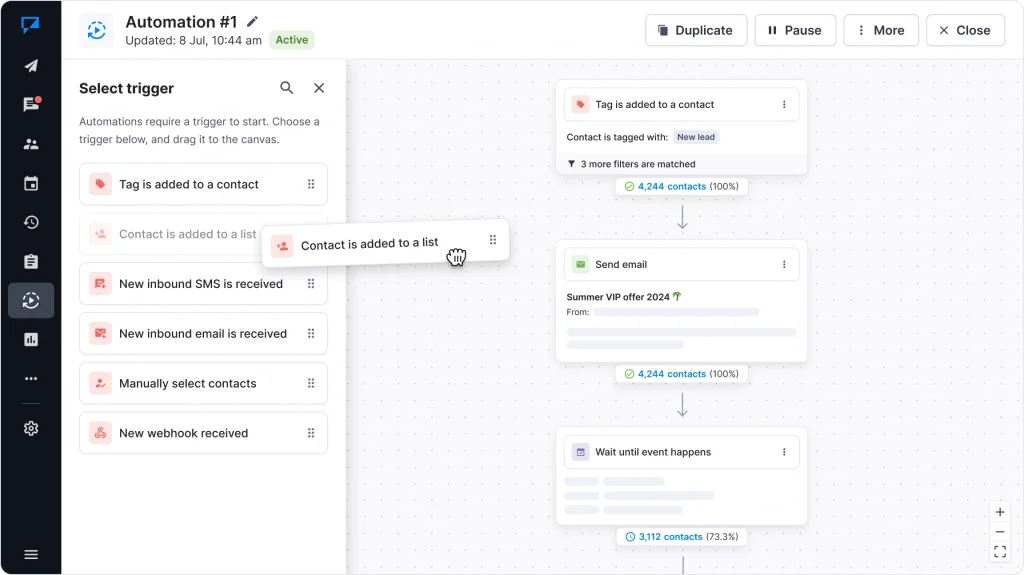
Create message flows that work on their own. Design and manage everything visually with a simple drag-and-drop builder.
Intuitive drag-and-drop builder
Build workflows easily – no coding needed.
Flexible triggers
Start flows from events, dates, or actions.
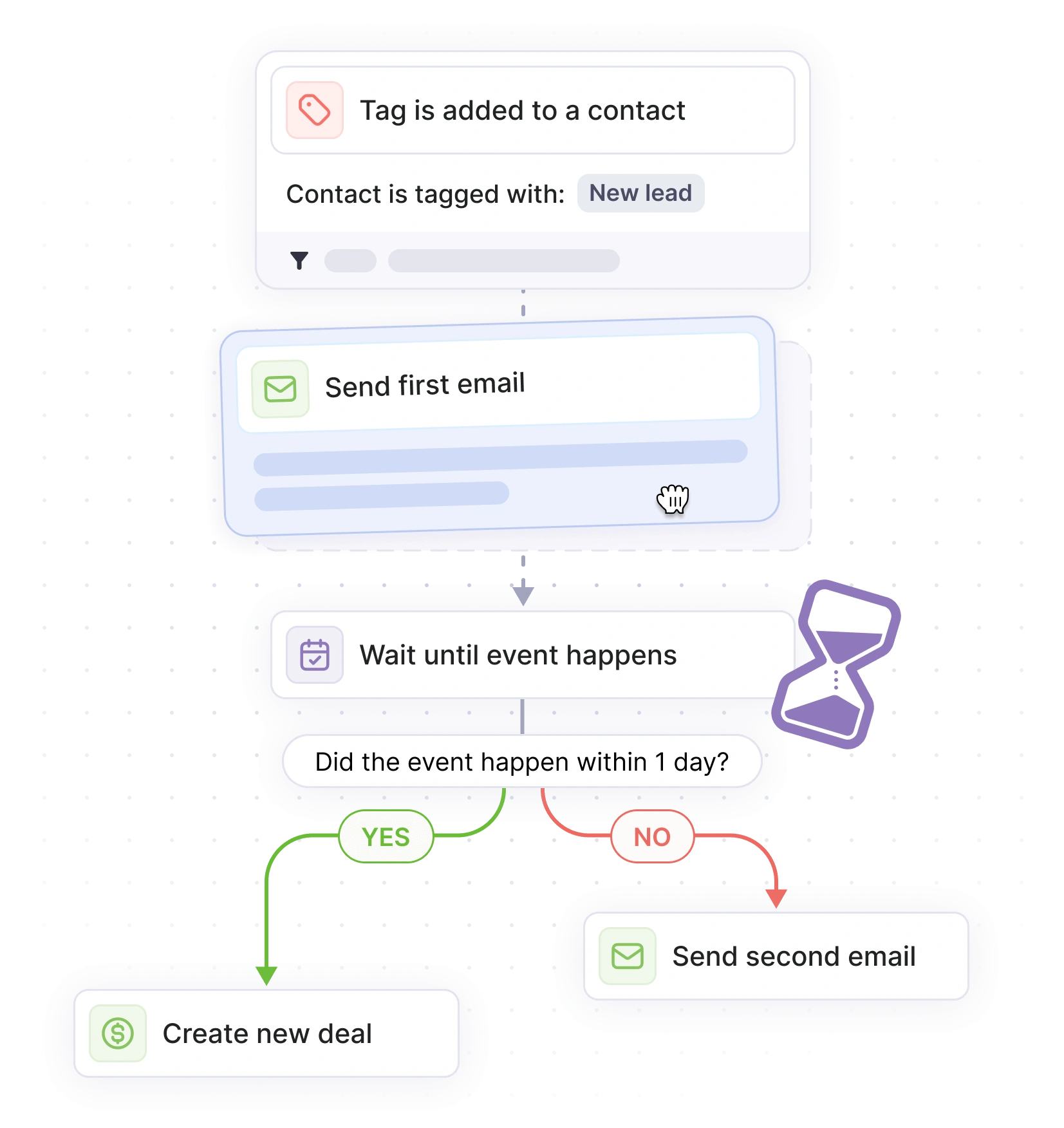
Smart timing & scheduling
Add delays or schedules to send at the right moment.
Conditional logic
Branch flows based on customer behavior.
Send messages that feel relevant to each contact. Automation reacts to behavior in real time – from first visit to purchase.
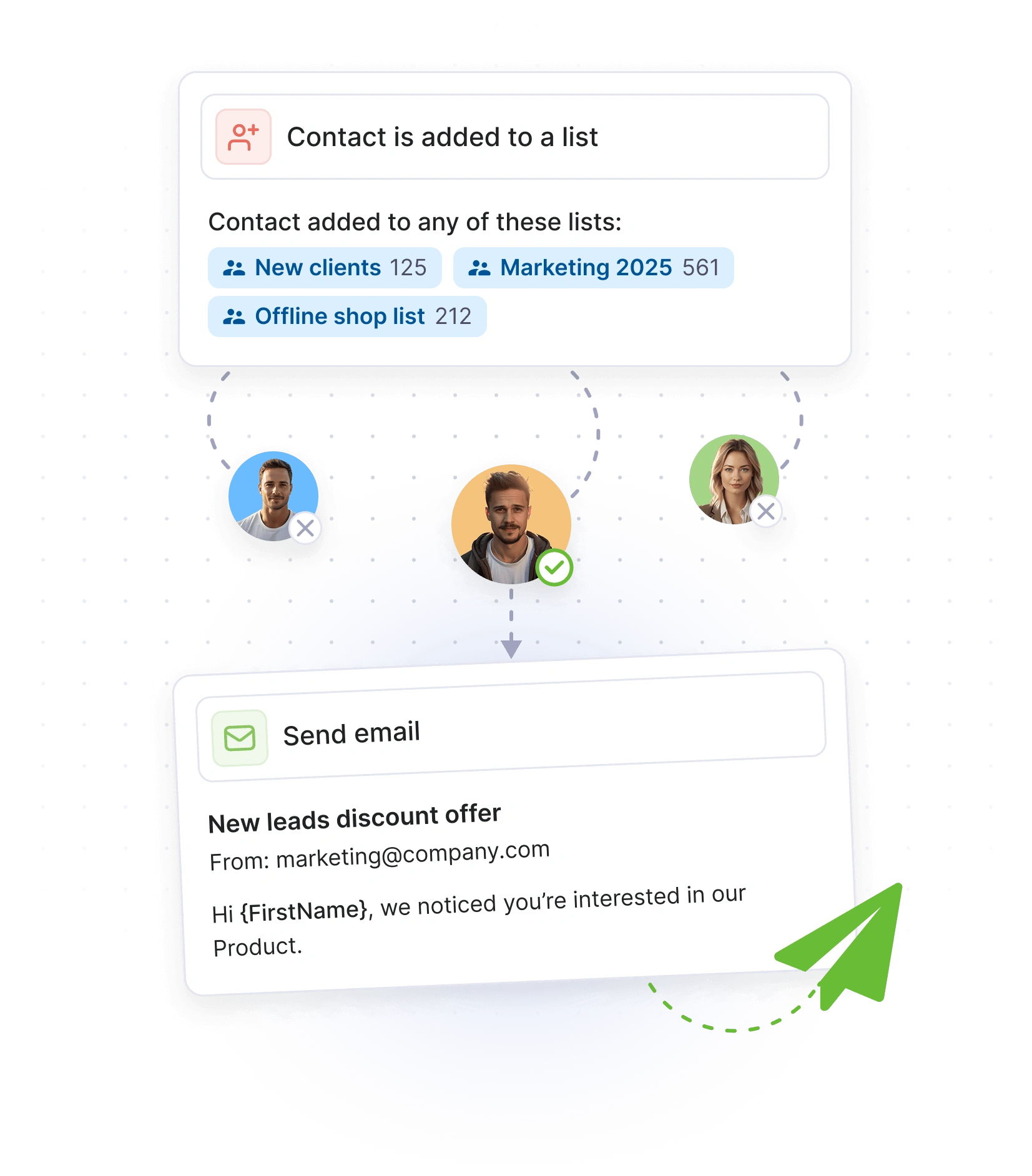
Smart segmentation
Group contacts using lists, tags, or segments.
Dynamic content
Personalize messages using mail merge fields.
Send at the right moment
Deliver messages when contacts are likely to engage.
Behavior-based triggers
Start flows automatically from clicks, signups, or actions.
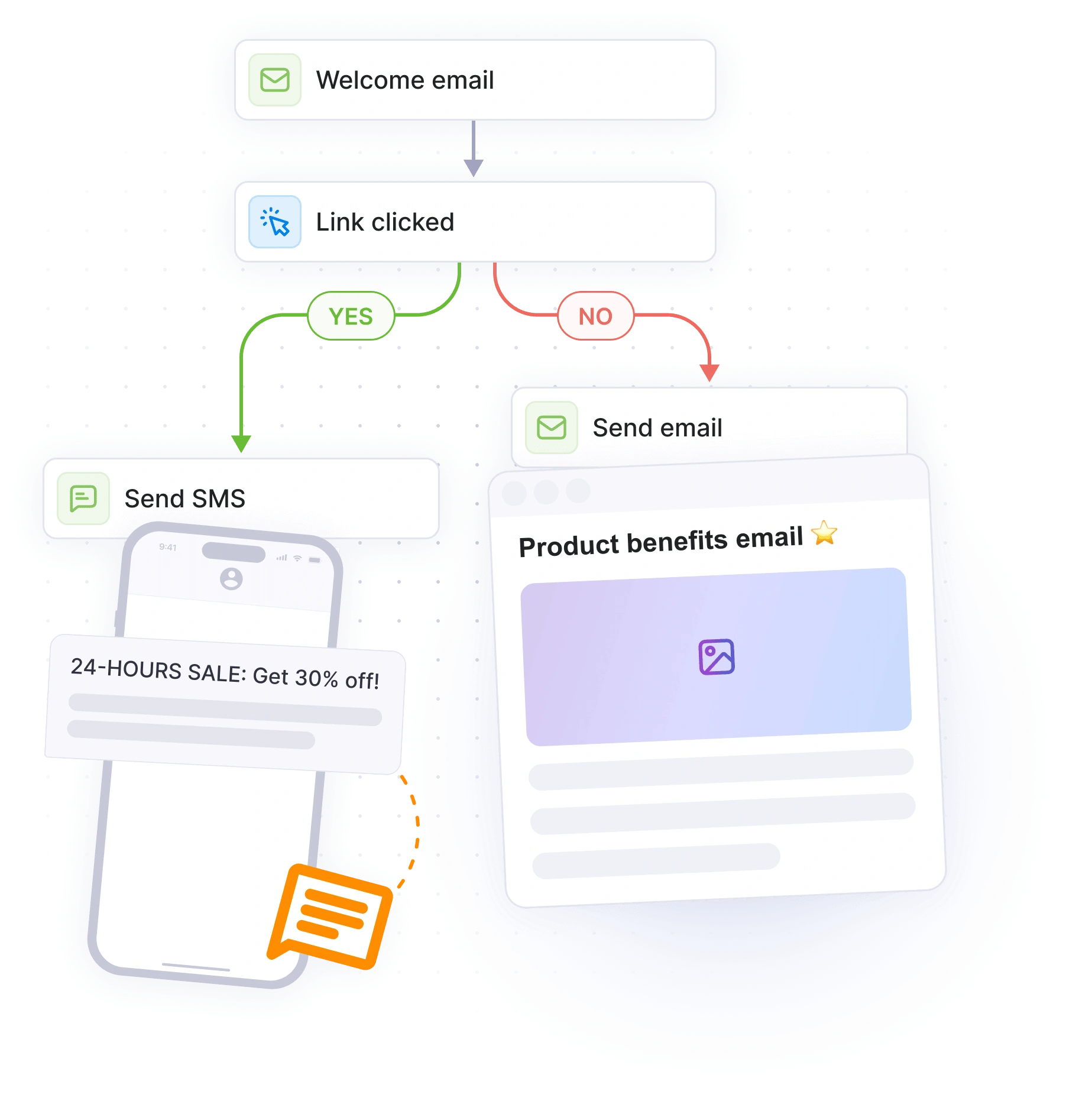
Combine SMS and email into one flow. Send the right message through the right channel – without switching tools.
Send emails
Automate your onboarding and promotional emails.
Send SMS
Reach customers instantly with time-sensitive updates.
Combine channels
Build mixed sequences with both email and SMS.
Right channel for every message
Deliver messages based on user preference or behavior.
Get free credit for testing • No credit card required
Send one-off offers, deals, or seasonal news.
Send sequences that build trust and conversions.
Remind users about forgotten items with nudges.
Greet new subscribers and guide their first steps.
Win back inactive users with timely prompts.
Walk users through your product with helpful tips.
Keep your audience engaged before key events.
Send timely offers after purchase to boost revenue.
Reconnect with churned users and rebuild interest.
Integrate with the tools you already use – CRMs, eCommerce platforms, and more. Sync data, send messages, and automate workflows in minutes.
Haven’t found what you were looking for? Contact us now
You can automate SMS and email follow-ups, drip campaigns, reminders, and full customer journeys — all from one app.
Choose a trigger (like a tag, form submission, or new contact), add actions, and Textmagic will send messages automatically when conditions are met.
Yes. You can combine both in one flow — for example, send an email first and a follow-up SMS if there’s no reply.
No. You can build them visually with a simple drag-and-drop editor — no coding needed.
Welcome messages, lead nurturing sequences, booking confirmations, payment reminders, and customer re-engagement campaigns.
Yes. Use contact fields and conditions to send messages that match each customer’s name, time zone, or activity.
You can see detailed reports on delivery, opens, clicks, and responses directly inside your Textmagic dashboard.
Yes. You can pause, update, or duplicate any workflow at any time without losing your data.
Yes. All Textmagic users can create automations — message volume depends on your plan balance.
Log in to Textmagic, go to Automations, choose a trigger, and set your first message. Most users get their first workflow running in minutes.
Try Textmagic message automations. Build your first automation in minutes and start nurturing leads while you sleep.