
Staying productive when your web browser is open is often an exercise in self-control. Sure, for some tasks, you could get your browser to read the text out loud to you, but you'll have to reach for the mouse and keyboard at some point. At which point, you'll have to resist staying away from YouTube, or social media, or any of the other millions of distracting elements online. However, you might be surprised at how productive you can be by just adding a few choice extensions to your web browser. Whether those extensions are for Chrome, Edge, Safari, Firefox, or any of the underrated browsers, they can turn you into a person with a proclivity for productivity, and that's got a nice ring to it.

Best web browsers for Windows in 2023
There are plenty of options when it comes to web browsers for Windows, but if you're trying to choose one, here are our top recommendations.
9 1Password
For managing passwords and more
Web browsers like Chrome and Safari have their own built-in password managers, but what if you use a variety of browsers on multiple devices? Then you need a more powerful password manager extension like 1Password, which can sync your secrets across any devices you own. It can save passwords, payment details, notes, addresses, passkeys, and more. Any Chromium-based browser can use the Chrome extension, but it also has options for Safari, Firefox, Brave, and Edge. There's also a system-wide app for Windows, Linux, or macOS, and mobile apps for iOS and Android, so you don't have to remember long, complicated passwords on any of your devices.
1Password
Secure your passwords, personas, and credit cards behind industry standard encryption to keep your data safe while online.
8 Save image as Type
Stop struggling to download images👁 save image as type chrome extension in action
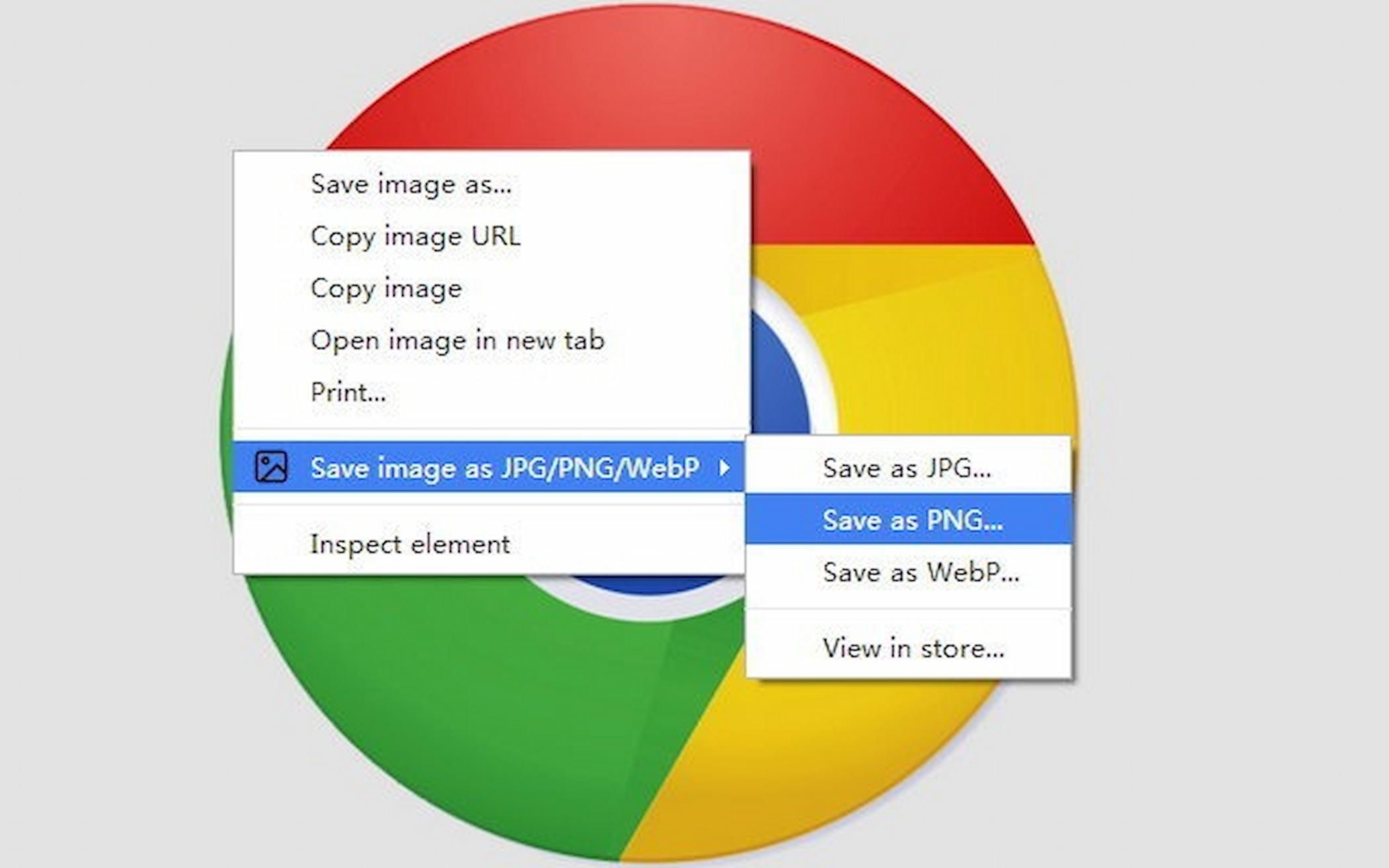
After 1Password, this handy extension is the one I use the most to stay productive. Ever find you downloaded an image with your web browser, and it downloaded in a format that your computer refused to open, like WebP or AVIF? I have, and it's one of the most frustrating parts of the modern web for me. Instead of having to hunt for another program to read and convert those image files to a usable one, I just use Save image as Type, which lets me choose to save an image as JPG, PNG, or WebP. It does the conversion for me as it downloads from the web, which is awesome. That way, I can be far more productive with fewer wasted minutes per image I have to process.
Save image as Type
This handy, simple extension enables you to choose your preferred format when downloading images from the web.
7 Mailtrack
Never wonder if that email got buried
Email is the productivity killer. Email is the little-death that brings total obliteration. We're not going to go all Bene Gesserit on you and force you to put your typing hand into a little box, but you can get some lost productivity back by managing your email inbox with this extension. It gives your Gmail inbox the read receipts that you're used to in instant messaging services like Signal, WhatsApp, and Telegram, so you know if your message is getting through. If you know your mail isn't being read, or is being opened but not replied to, you know it's time to change tactics to get your response rates up. That will definitely make you more productive with anyone you communicate with.
Mailtrack
Everyone's inboxes are overflowing, but you can at least know if the email you sent was read or lost in the pile with Mailtrack.
6 Awesome Screenshot and Screen Recorder
Supercharge your screenshots
While every operating system has in-built tools for screenshots or video recording, they're pretty bare-bones and require trimming or editing after the capture for the best possible results. Awesome Screenshot and Screen Recorder supercharges your screenshots, so you can capture specific sections of webpages or even scrolling screenshots of an entire webpage. It can also record the contents of the browser window, but the most powerful feature is being able to record a browser tab while overlaying your webcam's feed. That's a perfect feature for making tutorials or short guides to provide tech support for a family member, and is an invaluable tool for your browser.
Awesome Screenshot and Screen Recorder
Awesome Screenshot and Screen Recorder makes it easy to capture customized sections of your browser window or desktop, for guides, marketing, or other illustrative purposes.
5 LanguageTool
Grammar checking is essential👁 screenshot of languagetool editor
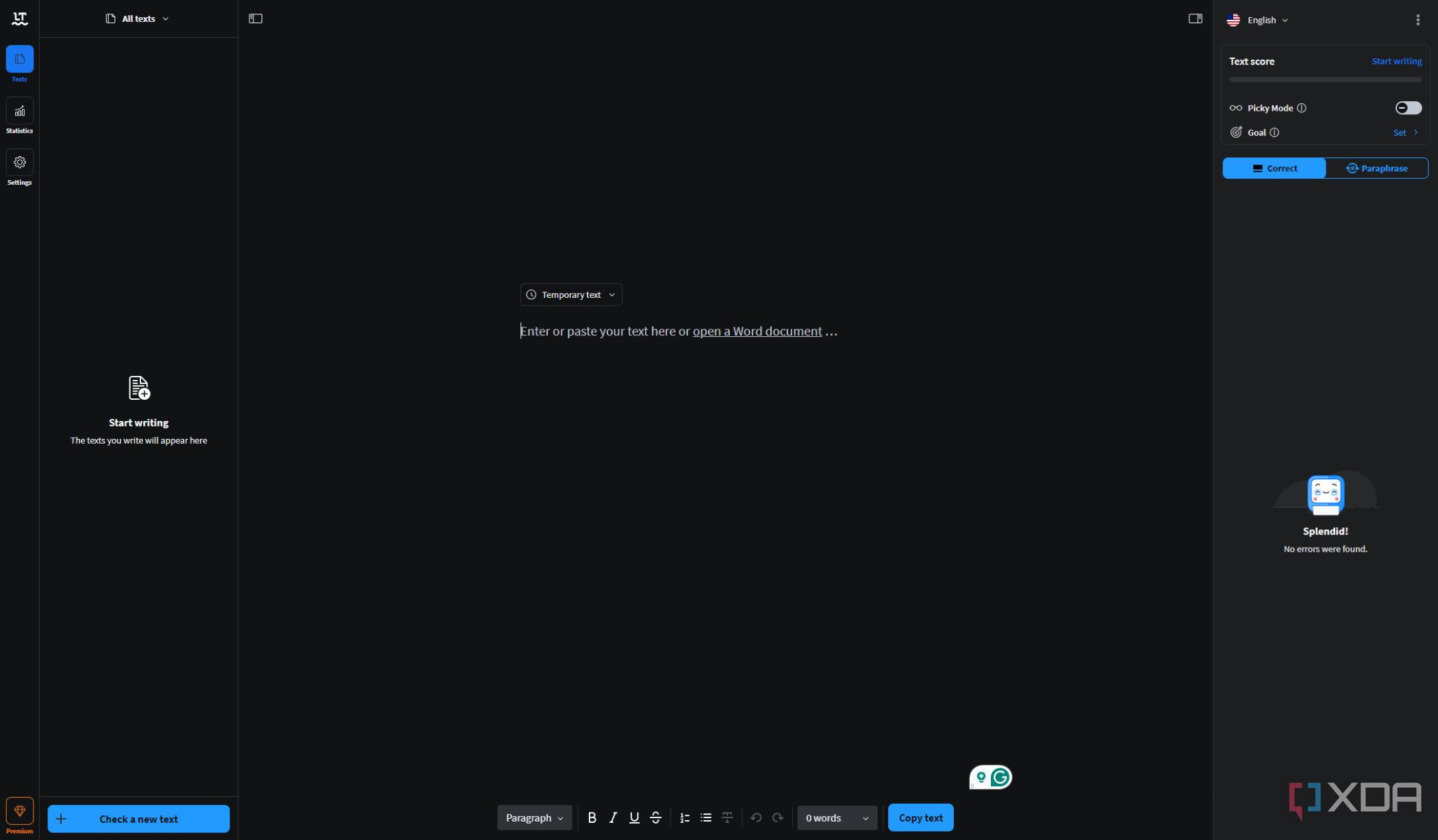
If you're the type to make typos or grammar mistakes while typing (and who isn't, let's be honest), you'll love this extension. LanguageTool hovers over your web browser while you type, and offers suggestions to make your spelling and grammar top-notch. It's my favorite extension for writing help, as it outperforms the competition with clear, concise corrections, so I can get back to writing with minimum fuss. I like that it also shows a small explainer about why it's correcting things, along with the relevant grammatical rules that I was inadvertently breaking. I can write either with the extension keeping watch, or, on the web app, which even includes tone and handy paraphrasing tools.
LanguageTool
Grammar and spellcheckers are often hidden behind paywalls, but the basic version of LanguageTool is free to use and does a great job with correcting any minor errors.
4 Forest
Grow your potential
Being your most productive self also means accountability, staying focused on the task at hand even with a jungle of distractions around us. The Forest extension is a cute pomodoro timer, which you can set for the time interval you want to focus on uninterrupted work. It helps you do this by only letting you visit the websites you've specifically allowed, or it can work by blocking you from a specified list of sites you're not supposed to be visiting when you should be concentrating. The fun part is that you get an animation of a tree growing from a tiny sprout to a giant grove. Oh, and the tangible punishment for breaking whatever rules you set for yourself? Your tree, flower, or shrub will wither and die, remaining as a black mark on your growing record forever. Or for however long the extension stays around, but as it's been around for a decade now, helping plant the seed of productivity across the world, so that could be a long time indeed.
Forest
Grow a tree in your browser with uninterrupted focus, and turn the digital coins you earn into real-world planted trees, with this great extension.
3 Todoist
Lists to stay organized
Many productivity extensions and apps give the illusion of productivity in multiple layers of busywork. Not Todoist, which makes the job of creating and following to-do lists quick and easy. The browser extension opens when clicked, and shows all of your current tasks to grant you the endorphin hit of ticking them off once they're complete. I like to use it for organizing my next day before I sleep, so I don't have to remember any complicated instructions when I'm still sleepy in the morning. But it's also great for other things, like adding the website you're browsing to a pending task for later use.
Todoist
Lists, lists and more lists, but this extension is great for keeping you organized and ahead of your daily tasks.
2 ClickUp
Manage everything in one place
Sometimes a simple to-do list isn't enough, and you need a wider range of productivity tools to get your grind going. ClickUp is a scalable project management tool that lives in the cloud, or your browser extension bar, and enables collaboration, communication, and a lot of customization. You get time tracking, including estimates of the work to be done, automation of boring and repetitive tasks, and tons of different page views to help you find one that works best for you. Or, you can create your own dashboard from the dozens of widgets and tailor it to the tasks in front of you. It's also great for managing a team of one, as a flexible freelancing organization tool.
ClickUp
Want a project management tool that lives in your browser? Sounds good to me.
1 Toggl
Track the time you waste
Ever found yourself in a job situation where you require accurate tracking of your time spent on tasks? It's a tricky thing to track, so that you can calculate not only effective billing of clients but your personal productivity. Toggl has a ton of handy features, but the one standout is detailed reporting. It will give you invaluable insights into how you use your time at work, and while it won't instantly make you more productive, it will show you what to change to get there. The detailed reports will identify any problem areas for improvement, giving you the least productive tasks to pare down, so that you can spend that time more wisely on high-priority ones.
Toggl Track
Toggl tracks your time spent doing tasks, so you can figure out where your effort is better spent and be more productive.
Productivity is what you make of the tools at your disposal
Each of these extensions can make your web browser a powerhouse of productivity. It's about finding the ones that fit well within your workflow, as the best tools are the ones you want to keep using. From managing large-scale projects with ClickUp, to personal ones with Todoist, keeping your online accounts safe with 1Password, or outsmarting the websites that only want you downloading images in WebM with Save Image as Type, you might be surprised at how much you can accomplish with only a web browser. And if you can't find the productivity tool you need here, you can always learn how to write your own browser extension.

Best productivity apps for Windows
Boost your efficiency on Windows with these top productivity apps