
A 10GbE network card costs less than a triple-A game these days, and a small managed switch with a couple of 10-gig ports is no longer the price of a used car. And thus, the upgrade to the illustrious 10-gig seems more within reach than it ever has before. But raw link speed is the easy part of the equation. The hard question is what's feeding that link, and for the overwhelming majority of home builds, the disks tap out long before the network does, and the goal of 10GbE networking has far more moving parts than just a switch and a NIC.

I'll admit that 10GbE between my NAS and PC was a vanity upgrade (but I'd do it again if I had to)
It wasn't necessary, but I consider it a worthwhile investment
The NAS numbers for bandwidth
It's all about storage
Marketing numbers are stated in gigabits, but storage is measured in megabytes per second. After accounting for overhead, Gigabit Ethernet's 1,000 Mbps works out to a theoretical 125 MB/s, and in practice you'll see roughly 113 MB/s of real throughput. 2.5GbE lands around 312 MB/s in theory and 280–295 MB/s in the real world. The golden goose, 10GbE, tops out near an eye-watering 1,250MB/s on paper, with sustained transfers maintaining well above the 1,000MB/s mark. That last figure is the one to keep in mind when thinking about 10GbE networking on a NAS, because the vast majority of user setups will not even sniff that mark.
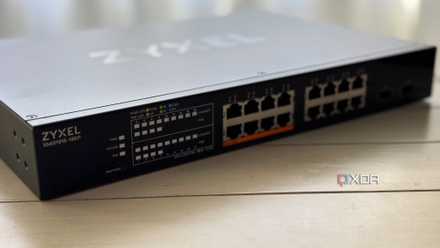
2.5GbE is the real home upgrade, not 10GbE vanity bandwidth
Unless market conditions are right for the higher speed, of course
Your drives probably cannot fill that link
Even in a best-case scenario, you're looking at well below 10-gig speeds.
Here's where the spec-sheet fantasy meets physics. A modern, high-capacity 7,200rpm mechanical drive peaks at roughly 260–290 MB/s on its outer tracks, and that's the best case. As the heads work toward the inner tracks of the spinning platter, sustained throughput sags to around 120–160 MB/s, and that figure assumes large, sequential transfers. Any kind of instantaneous access of random small files (what you usually do with a NAS) will cause collapses of bandwidth, sometimes below Gigabit speeds.
A single hard drive, on its very best day, only just brushes 2.5GbE and comes nowhere near 10GbE. 2.5GbE already exceeds what one spinning disk can sustain. Running 10GbE behind a single HDD, or even a couple of them in RAID0 (don't do that) is like trying to water your garden with a fire hose.

5 reasons you might want to upgrade to 2.5GbE for your home network
With more devices supporting 2.5GbE, upgrading your home network is worth thinking about
There's only one task that makes 10GbE worth it
Even if you can achieve those speeds using flash storage
Striping data across several drives in a RAID can aggregate output to the point where 10 GbE speeds are achievable. Four to six drives working together can push 800 to over 1,000 MB/s on large sequential reads, and when it comes to flash storage, a SATA SSD can saturate a 2.5GbE link in the right conditions, and NVMe breezes past the 10GbE barrier quite easily.
The catch is, of course, that the array's aggregate throughput only shows up on large sequential reads, which, as we've already discussed, doesn't help normal NAS usage. Switch to random access or many small files and performance tanks regardless of how fast the link is. On top of that, this only helps if every link in the chain supports 10GbE, meaning the NIC, switch, cabling, and client all need to be 10-gig capable. If anything in the chain isn't, it'll default to the slowest link-speed in the chain. Even when a peak transfer technically benefits from the headroom, the lived experience is indistinguishable from 2.5GbE.
One of the only tasks that's worth a 10GbE link is video editing directly from a NAS. Editing high-bitrate footage directly from network storage stacks up large sequential reads, sustained rather than bursty demand, and real latency sensitivity all at once, which are all things that test that link speed. Not all kinds of video will benefit, though. Anything with a ton of streams playing at once, ProRes RAW, 6K, 8K, or uncompressed files will benefit from this kind of link speed, but other than that, 5GbE or even 2.5GbE is more than enough to handle most editing workloads. A single 4K ProRes 422 HQ stream runs about 110 MB/s, which is well below the requirements of that sort of link.
Score Storage & Networking Deals for Faster NAS
If you're working with footage of this sort off of a network without 10-gig, it can be noticeable. Timeline scrubbing and rendering can be incredibly painful without it, and an upgrade makes sense in the scenario where your drives can keep up.
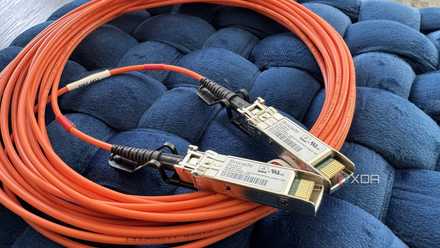
I replaced my copper links with SFP+ active optical cables, and I won’t go back
These are light years ahead of twisted copper.
2.5GbE is what most people will actually use
10GbE isn't entirely pointless, but it's got a very niche set of use-cases that actually make sense. For almost everyone, 2.5GbE is the upgrade that removes a bottleneck you'll actually feel, at a fraction of the cost and heat of going 10-gig. Reserve 10GbE for the specific situation where you're editing high-bitrate or uncompressed video straight off the NAS, and only when everything in the chain can keep up properly.