
PC gaming handhelds are now a powerful part of the gaming landscape, but all but a few are still being held back by one thing. No, it's not the low-power AMD APUs that power most of the market; it's the capabilities of their displays. Every PC gaming handset on the market has a GPU that supports Adaptive Sync for buttery-smooth frames. Except other than the ROG Ally, ROG Ally X, and the MSI Claw, nobody is using displays that are Adaptive Sync compatible. The Steam Deck does support VRR for external monitors, but not on the handheld display. That's a real shame, as the gaming experience on handhelds that support Adaptive Sync, like the ROG Ally X, is superb. Maybe it was true that displays supporting Adaptive Sync didn't exist or were too expensive to use, but that's not true anymore, and every PC gaming handheld should be using one from now on.

3 reasons gaming handhelds favor AMD chipsets
AMD has (nearly) taken over the console market, and that's not going to change any time soon.
3 Lack of screen tearing
It's just a superior experience for gaming
The big thing that Adaptive Sync, FreeSync, or G-Sync does is reduce screen tearing. Ever been playing a game and noticed things like trees or buildings looked like they've been cut horizontally and shifted over? That's screen tearing, and it happens when your monitor shows you two incomplete frames at once. It all has to do with a mismatch between the number of frames your GPU puts out, and the number of times your monitor refreshes each second. When they don't align, you run the chance of screen tearing.
The LCD Steam Deck has a 60Hz display, and the OLED model has a 90Hz refresh rate. I play my LCD Steam Deck all the time, and it's not always the smoothest experience. The Legion Go has a 144Hz display, which makes it feel smoother, but without VRR, it still occasionally experiences screen tearing. The ROG Ally range, however, has VRR on its 120Hz displays and is a much-improved gaming experience because of it. I've found it's worth turning down graphical settings to aim for around 60FPS in most games, which feel smooth as a result of VRR kicking in.
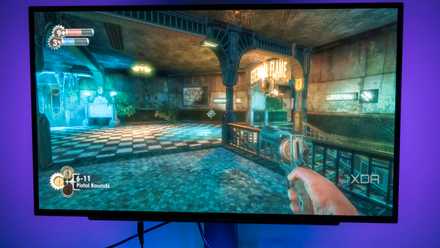
AMD FreeSync vs. Nvidia G-Sync: Which Adaptive Sync tech is best for gaming?
Do you go with AMD or Nvidia for synchronizing your GPU and display?
2 Better for single-player gaming
Be real, you're not playing competitive FPS on your handheld
One of the big arguments against variable refresh-rate technology comes from competitive gamers, who want high refresh rates and low input latency to react to the action faster. While there is some merit to that argument for desktop gaming PCs capable of high FPS in esports titles, PC gaming handhelds don't fall into that category. With the constraints on display refresh rate and low-power processors, you aren't likely (if at all) to hit the FPS numbers needed for competitive gaming.
Nor would you want to, as the overall setup on PC gaming handhelds is far more suited to single-player experiences or co-op gaming in titles like Minecraft that are fairly easy to run. Handheld gaming consoles are built for single-player gaming, and I'd rather have smoother frames than other annoyances making my gaming experience worse. Whether I'm playing Horizon Forbidden West or playing 2D side-scrollers, I don't want screen tearing or uneven frame pacing to break my enjoyment of my time gaming. V-Sync, which locks the FPS to the refresh rate of the display, isn't the answer, not with PC gaming handhelds struggling to provide more frames than the refresh rate of their displays.
5 best games I play on the Asus ROG Ally
For me the Asus ROG Ally has one big advantage over the Steam Deck. Here are some of my favorite games currently.
1 Low Framerate Compensation also helps
Making extra frames when outside the Adaptive Sync range
One place that Adaptive Sync falls down is at very low frame rates, where it stops working. The cutoff is at 30FPS, which is around the frame rate of many PC gaming handhelds without lowering graphical settings from defaults. Below that, there are a few ways that GPU makers have found to increase the frame rate so it's in the VRR range again. One of them is part of AMD's FreeSync, and it's called low framerate compensation. This is a fairly simple fix to explain: once the FPS goes under the FreeSync minimum, the GPU displays every frame twice, effectively doubling the framerate and putting it back into the FreeSync range.
The newer option is frame generation, like AMD's Fluid Motion Frames or Nvidia's DLSS Frame Gen (if they ever built a PC gaming handheld). This technology uses your graphics chip to interpolate generated frames in between the frames generated by the normal rendering path, which can almost double your effective frame rate at the 1080p resolution that the display in most PC gaming handhelds uses. While it's not perfect at generating crisp frames, bringing the frame rate up to the level needed for Adaptive Sync is a more compelling argument for using frame gen on handhelds.

Asus ROG Ally gets major boost with support for AMD's Fluid Motion Frames
The latest update attempts to bring awesome enhancements to the PC gaming handheld
Adaptive Sync just makes sense on gaming handhelds
With technologies like frame generation and low framerate compensation fixing the issues Adaptive Sync has below 30FPS, there's no reason for it not to be included on every PC gaming handheld going forward—at least from a technical perspective. The only real issues are the availability of compatible display panels, and the increase in cost that adding the technology brings to the overall price of the handheld console. That's likely a big part of why the ROG Ally is more expensive than other handhelds, but in my experience, it's a price that's worth it.