
Whether you're working in the technology industry or are simply a PC hardware enthusiast, an uninterruptible power supply (UPS) should be on your radar. Make no mistake, a UPS certainly won't be your favorite part of a gaming PC setup. In fact, it might be somewhat painful to spend hundreds on a UPS.
It's still something you should do if you care about protecting your PC hardware and your data, much like you invest in a network-attached storage (NAS) for data redundancy. Let's break down a few reasons why you might need a UPS, and what they can do to shore up your PC and tech hardware.
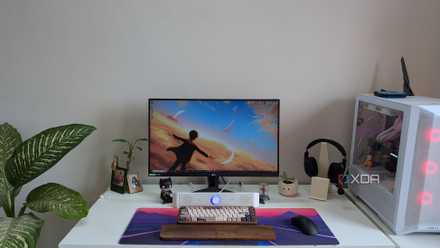
My 5 favorite things in my gaming PC setup (not the PC or monitor)
Some of my favorite parts of my desk setup have nothing to do with my PC or gaming monitor
3 Protect your devices and data, even when you're away from home
UPS software can save your work and shut down your PC safely
In simple terms, a UPS is like a giant battery bank and a surge protector all-in-one. It evens out the power coming in from your electrical grid, protects your hardware against surges, and keeps your devices running when the power goes out. However, it's important to note that a UPS is not a generator. These batteries are not designed to keep your computer up-and-running for hours — most are designed to power a PC for an hour.
That'll give you enough time to save your work and complete a proper shutdown. What happens if the power goes out when your PC is still running, and you're away from home? A good UPS will come with custom software that you can install on your computer. When the UPS detects a power outage and kicks on the battery backup, the installed software can automatically save your work — think of things like Microsoft Word documents or your email client — and safely shut down your PC automatically.
That's why a UPS is great for people who have home servers and other types of hardware that are running constantly, even when they are away from home. With a UPS and included software, you an have peace of mind that everything will be saved and powered down the correct way regardless of where you are when the power goes out.

How to reduce noise and create a silent NAS or home server
Electrical devices produce heat and noise, but here's how you can help keep your NAS or home server quiet.
2 Avoid performance issues and general instability
Surges, unstable power sources, and more can harm your PC
If you've encountered odd performance issues or instability while using your PC, it's possible that the power coming from your electrical grid could be the culprit. You see, the power coming from the power company you use is not always even. It can fluctuate, or even briefly cut out. That's why you may notice the lights in your home or office flicker from time to time, for example. Computers like consistent and strong power sources, and that's why uneven or unreliable power coming from your electrical grid could cause major issues that are difficult to diagnose.
If you think there's a chance unstable power could be causing problems with your PC — perhaps you notice the lights flickering in your home or general instability in your system — a UPS is a good option. It not only powers your PC in the event of an outage, but also serves as an intermediary between it and the grid. You'll get a consistent, surge-free supply of power flowing to your computer and any connected hardware products at all times.
1 Keep your PC running during a power outage
A UPS will give you enough time to save your work and do a proper shutdown
Of course, a UPS is a giant battery at the end of the day. It's designed to power a computer and your essential devices when the power goes out, and anyone who has mission-critical hardware should consider one. Aside from a PC, you can hook up a router, NAS, or other device to keep it powered on in the event of an outage. To do so properly, be sure to total up the power requirements of your connected devices and make sure the UPS you buy meets those demands. For example, if you have a 1,000W gaming rig, you'll want a UPS that supports 1,000W of power.
As we mentioned earlier, it's important to recognize the limits of a UPS. It should be used to properly shut down your PC in the event of an outage, save your work, or to complete critical actions before the battery runs out of juice. It's not designed to keep your PC running for hours or days. Still, any seasoned computer user knows that a PC immediately losing power without a proper shutdown could be irreparably damaged. Anyone, and we really mean anyone, can benefit from a UPS if only to keep their most valuable hardware protected against surges and outages.
What kind of UPS do I need for my PC?
If you're new to the world of UPS systems, it's okay to start slow. At the very least, pick up a surge protector to keep your hardware safe from unexpected electrical surges. From there, you can start with a UPS by choosing one that fits into your budget and has enough power to support the devices you need to connect. To help you find the right one, we have a buyer's guide below.

Best UPS in 2024
These uninterruptible power supplies will keep you online through outages.