
Those of us spending more than half the day on our PC know how much it means to have a personalized desk setup. Building a custom gaming PC is just the beginning — the real journey to an excellent setup begins afterward. You choose your desk, peripherals, accessories, and other fixtures, without which your setup feels incomplete.
My existing PC setup is around two years old now, but it never feels stale or boring, thanks to a couple of simple (and cheap) upgrades I made over time. It turns out that these upgrades are actually my favorite parts of the setup, even moreso than my gaming PC and monitor.
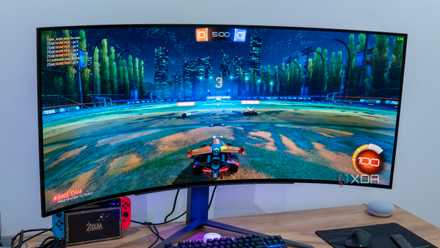
5 best visual upgrades you can make to your PC setup
The desktop PC experience is a highly visual one. Here are the 5 biggest upgrades you can make to enhance the beauty of your setup.
5 Desk lamp with warm lighting
Don't underestimate lighting in your setup
This is one of the latest additions to my desk setup, and it wasn't even my idea. My partner noticed that I used to rely on the wall-fitted white (and too bright) tube lights when I was working at night. She then decided to add a towering lamp to my setup to infuse some warm lighting into it. This lamp is actually meant to be used as a floor lamp, but I discovered that I like the higher angle of the light when keeping it on my secondary desk.
It's nothing fancy — connect the power cord to an outlet, and you're good to go. The brightness or color of the light aren't adjustable, but I don't really miss that. I simply love the warm glow that envelops my setup whenever I switch it on at night. As a bonus, the monitor's light doesn't strain my eyes as much as before. You could get one of these for around $40 (with adjustable settings) from Amazon, and bid adieu to the harsh white lighting (or perhaps the darkness) in your PC room.

5 cheap PC desk setup upgrades that actually matter
Upgrade your desk setup without going too crazy, thanks to these affordable accessories
4 Headset stand from IKEA
Every wireless headset needs this
Every gaming headset needs a stand to show it off appropriately, but a wireless headset especially requires a sleek and good-looking stand that fits an uncluttered desk setup. I've always been a proponent of wireless peripherals, and after switching to a wireless headset last year, I felt the need for a compact and visually appealing headset stand.
I have a white desk and a white PC, so I was naturally hunting for a white headphone stand, which I finally found on IKEA's website. This stand was a great choice for three major reasons — it was cheap, light, and didn't wobble when I placed my headset on it. Despite being a good-looking accessory, it doesn't stand out too much on my desk, blending perfectly with the rest of the setup. It's also available in a black variant if that floats your boat.

Buying a new gaming headset? These are the things I always look for
Use your budget wisely by looking for these features first.
3 Real potted plants and succulents
You need to touch grass (sometimes)
I have nothing against artificial plants, but the feel of including real fauna in your setup is something else. Maybe I just like the threat of a plant dying hanging over my head, but I can't really say for sure. At any rate, I have multiple green friends as part of my setup, placed on and beside my desk. The highlight of my setup is clearly the huge potted Dieffenbachia I have next to my desk. I love sitting next to it every day, enjoying the visual variety it brings to the setup.
My other two plants are a small bamboo plant in a glass pot and a succulent in a cute cat-style pot. I keep both of them on my main desk, one on either side of my monitor. They don't need as much care as the Dieffenbachia, but I still check on them twice a week. Sometimes, taking a break from work to add a few drops of water to the succulent is enough for me to relax and recharge.

Need to jazz up your home office? Get yourself these 10 must-have upgrades.
Your home office is your mainstay for almost half of your day. These indispensable upgrades can help you take it to the next level.
2 Variety of mechanical keyboards
No one can have just one
Of course, being me, I can't exclude this one from the list. A great mechanical keyboard is essential for my setup, but thankfully, I always have a few on hand if I'm looking to shake things up a bit. For instance, I was using a 65% Hall effect keyboard last week, which was splendid save for one little gripe — the spacebar felt rattly no matter what I did.
So, I went back to the Akko MU01 I had reviewed some time back, and despite the louder sound signature, I prefer it over the HE model. I have a wooden wrist rest that naturally goes well with the wooden MU01. It looks breathtaking and sounds so good that I might spend a month with it, that is, unless I feel that I need another change. After all, I can always switch to my trusted Aula F87 or the heavenly-sounding Epomaker MS68.

6 features that should be mandatory on every mechanical keyboard
Mechanical keyboards differ greatly in both form and function, but skipping these 6 features should be illegal
1 Compact and aesthetic soundbar
I finally made the switch from speakers
My desktop speakers have been a mainstay of my setup since 2017, bearing witness to two different PC builds. However, I've been meaning to switch to a soundbar for a while now. The speakers have served me well, but one of the speakers stopped working a few months ago, so it was only a matter of time before I had to retire them.
Not wanting to commit to an expensive soundbar, I decided to buy the Redragon GS560, a dirt-cheap model that's also available in a white variant (bonus points for that). It cost me less than $25, and for this price, I'm extremely satisfied with the sound quality. It's small enough to fit between my desk mat and monitor stand, and is powered by USB and 3.5mm cables. It might not be an audiophile's choice, but I'll use it for several months before deciding if I need an upgrade.

3 reasons why the best speaker for your PC might just be a soundbar
It may be time to move on from traditional speakers for your PC
A decent PC desk setup doesn't need to be expensive
None of my favorite elements of my desk setup are fancy or expensive. They're some of the cheapest and simplest everyday items that anyone can add to their setup. Besides being functionally useful, they also fit nicely into the white aesthetic of my PC and desk. Most of us like to personalize our workspaces, and a few accessories, plants, and lights can easily do that. Plus, go all-in and add some figurines to further make your PC setup unique.