
Buying a graphics card in 2026 often feels like a losing battle. It's less like choosing hardware and more like decoding marketing; The same GPU silicon can appear in half a dozen different SKUs, each one positioned as more “premium” than the last. Factory overclocks, oversized coolers, liquid cooling, and exclusive software features are all used to justify higher prices, even when the real-world experience barely changes from card to card. That's not to say paying for a premium card is totally without merit, but generally, if you're just looking at pure performance, there are several features that you don't need to pay extra for.

5 reasons to overclock your GPU instead of buying a new one
Consider overclocking your GPU before rushing for another GPU upgrade
Factory overclocks
You can often get better results yourself
Factory overclocked GPUs are one of the most common upsells, and it also happens to be one of the least impactful. Modern GPUs already boost dynamically, adjusting clock speeds in real time based on temperature, power limits, and workload, and as a result, the difference between a base model and a factory-overclocked SKU is often a few dozen megahertz. This typically translates to one or two percent performance uplift at best, if you're lucky.
In practice, that small bump is usually accompanied by higher power limits and more aggressive fan curves. The card may draw more power, run louder, or generate more heat, all while delivering gains that are difficult to notice outside of controlled benchmarks. A much more significant bump in performance can come from a manual undervolt, which might sound like an exotic modification, but it's really adjusting a couple of sliders. This can result in very significant performance increases, along with better thermals and acoustics during load.
The underlying silicon matters far more than the label on the box, and most GPUs already operate close to their practical limits out of the gate. Unless you want to be absolutely sure your card has been binned, factory overclocks rarely offer good value.

8 overhyped PC upgrades that aren’t worth the money
PC upgrades don't come cheap, but some of them are simply not worth the premium
Beefy air coolers
On mid-range cards it's unnecessary
Triple-fan coolers look impressive and are often marketed as a clear upgrade, but on mid-tier GPUs they frequently deliver diminishing returns. Once a GPU is operating comfortably within its thermal envelope, lowering temperatures by a few additional degrees does not meaningfully improve performance or longevity.
In terms of acoustics, triple-fan coolers offer a bit of extra breathing room on mid-range cards, but honestly, when your GPU is running full tilt, you're going to hear it no matter what. If a specific GPU is already prone to running hot, however, then the consideration is worthwhile, since the thermal and acoustic profile can be more of a significant factor.

7 worst purchase decisions to avoid when building a gaming PC
Some mistakes are minor, but these PC building purchase decisions are anything but
Water cooling
Almost nobody needs this
As someone who's a PC enthusiast at heart, I love pushing the limits of hardware for no reason other than the fact that you can. Pushing limits and having overkill stuff is fun, but it's exactly that: overkill.
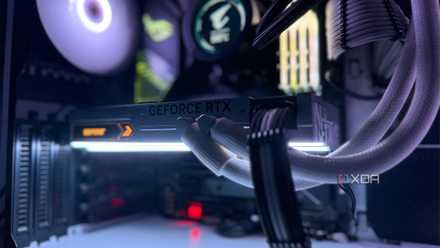
Water-cooled GPUs fall squarely into this category. Modern air coolers are extremely effective, and in many gaming scenarios GPUs are limited by power or architecture rather than thermals. Lowering temperatures further doesn’t necessarily unlock higher frame rates. Factory liquid-cooled GPUs and even custom loops can reduce noise under sustained load significantly, and maintain much more consistent temperatures, especially on warmer running cards.
But they also introduce cost, complexity, and additional points of failure; pumps wear out, fittings can leak, and maintenance becomes part of ownership. For many users, those downsides outweigh the modest gains. I wouldn't spend hundreds on a high-end water-cooled card for performance’s sake alone. If you're into overkill hardware for the sake of it, I respect it, but if you're looking at maximizing performance per dollar, leave the liquid-cooled stuff alone.
3 reasons I’d rather lower graphics settings than upgrade my GPU
Why spend thousands for modest gains?
Upscaling tech
You can be safely brand-agnostic now
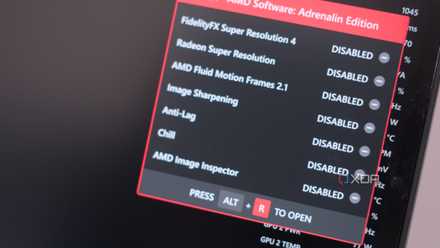
Upscaling technologies are a fundamental part of gaming now. Many titles have a level of detail that is simply too much to bear for some cards, but upscalers like what's included in Nvidia's DLSS suite of technologies, AMD's FSR, and Intel's XeSS all allow these GPUs to render a lower quality image and scale it up with machine-learning.
From the outset, Nvidia's DLSS was the industry standard for this, and it was only available on their GPUs. It had the highest degree of fidelity and arguably improved performance the most over the other two, but now, all of these technologies are pretty close in their performance. Image quality on all three is quite strong, and while DLSS is still only available on RTX cards, you can use FSR and XeSS on any GPU.
You can be pretty brand agnostic if upscalers are a relevant selling point for you. Both FSR and XeSS are competent, and accomplish pretty much the same thing as the upscaler in DLSS, though other features like frame generation, ray reconstruction, and vary in their level of performance on AMD and Intel GPUs.
5 ways DLSS, FSR, and XeSS are the perfect solution for SFF gaming PCs
Here's why you won't need the most powerful GPU for your compact gaming PC.
Stock models are perfectly fine
Many premium GPU features exist to differentiate SKUs and justify higher prices rather than to meaningfully improve how a system feels to use. That doesn’t mean they’re useless in every scenario, but they are often oversold, especially to buyers who would be better served by focusing on core features of the GPU itself, like core clock speed, memory capacity, and driver support.