
For a long time, getting the best network speeds around your home meant dragging Ethernet cables everywhere. That was a pain for homeowners, but renters looking for better network speeds were limited in what they could do. Nowadays, improvements to Wi-Fi routers mean wireless is often the way to go for speed, but that wasn't the case not that long ago. One solution that came out was powerline adapters, which used the wires that provide you with A/C electricity as makeshift Ethernet cables. They sounded great in theory, being able to plug two boxes into sockets across your home and get a network connection between them, but often fell short in practice.

4 reasons you should use a mesh network instead of a Wi-Fi extender
Don't get stuck in the past, consider upgrading to a mesh network instead of using the band-aid of a Wi-Fi extender in your home.
4 Poor quality signalling
At times, worse than the problem they were created to solve
While older homes with flaky wiring can cause issues with powerline signals, newer homes are even worse. That's because all new homes need to have whole-house GFCI, which essentially cuts the power really quickly if there is a ground fault. This preventative safety feature is important to guard against electrocution, but it filters out the data signal powerline adapters use, so they're effectively useless. Other things that can degrade the signal include having something plugged into the second socket on a wallplate next to the adapter. With many apartment buildings having a low number of outlets, using a powerline adapter often means reducing the number of other things you can power in that room.
The other annoyance is that your neighbors can degrade your signal as well. Powerline adapters are supposed to be a fix for not being able to run Ethernet cables, but buildings like condos or apartments have some degree of shared wiring. That means a suitably powerful appliance running in another apartment or condo can put enough interference into the power lines that your network signal drops out. In a perfect environment, powerline adapters can work well, but no real building fits those conditions, making the adapters almost useless for the places they were intended for.
3 They're expensive
Save your money for a better router
While you'd think adding adapters to your networking setup would be relatively inexpensive, powerline adapters need to be used in pairs, which drives the price up somewhat. Depending on the max speed they can handle, a good set could be anywhere from $50 to $150, and that's after they've been out on the market for a while.
I'm a somewhat unrepentant early adopter, so when I picked up a Netgear set that said it could handle gigabit speeds, it was closer to $200. I can tell you, I didn't get anywhere near the value out of that kit, as the wiring in my apartment was terrible, and I could barely get them to connect while in the same room. Powerline adapters are too expensive for the level of performance they can provide.

Best mesh routers in 2025
Get a fast Wi-Fi mesh router kit to keep speeds high all over your home
2 Very dependent on the quality of your home's wiring
And signals can't really pass through to different power circuits
Because powerline adapters work through the wiring already in your walls, they are very dependent on the quality of that wiring. That's a big problem because many of the building types that could benefit from powerline adapters aren't able to because of when they were built. Older properties were built to vastly different electrical codes, and some might still have aluminum wiring in places, which is going to wreak havoc on the connection between two powerline adapters. You also can't use them with surge protectors, as the protection filters out the networking signals. That means trying to find space close enough to your computer to plug in the large adapter while also powering all of your computing devices.
Unlike Wi-Fi, where direct physical distance reduces signal strength, powerline adapters depend on the electrical distance the signal has to travel. In multi-family buildings, that could be a significant challenge, or it might even make them fail to connect at all. The more adapters you add to the mix, the worse the overall experience becomes, as the signals can collide and interfere with each other on the wires. And you could end up merging your network with a neighbor in some circumstances, especially if you forget to use the physical pairing button on each adapter to encrypt your data. Oh, and running appliances in your home can interfere with powerline connections to the point of disconnection, which makes them impossible to use when doing chores like washing clothes, but even your fridge could knock you off the network.
1 Wi-Fi is often better
Unless your home is made of concrete
Wired networking has long been considered the gold standard for network connectivity, but that is rapidly changing as Wi-Fi improves, and upgrading your router will likely give you a better speed boost. Many of the talking points that powerline adapter makers use are no longer relevant, as newer Wi-Fi standards and mesh networking have changed the landscape considerably. Take multi-floor homes, for example. While a powerline adapter might be able to bridge the two furthest apart rooms, there's no guarantee of speed, or even if a connection will work because of the multiple different circuits the signal would have to take. If you set up two mesh nodes on different floors, the whole home will get consistent Wi-Fi.
It's true enough that if your home is made of concrete or bricks, you might have trouble getting consistent Wi-Fi signals. Powerline adapters might help in that situation, but again, many of those homes are older, and will likely have older wiring. Trying to use a powerline adapter might not give you the speeds you were expecting, leading to more disappointment. They're a product, like Wi-Fi extenders, that was designed to fix a hole in the market that quickly closed over with the advancement of Wi-Fi routers.
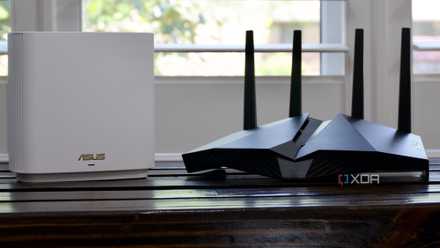
5 ways you can get better Wi-Fi signal in your home
You can quickly and easily improve the Wi-Fi signal of your home network, but you might need to invest in new hardware in some situations.
Powerline adapters are neat, until you try to use them
When powerline adapters first came out, they looked like they could solve connectivity issues for many renters, as you could get internet signals to the other side of a building without running wires through the walls. Except, the reality doesn't match up to the hype. I bought a set to play around with, and while I could get them connected, the speed of the connection in a small apartment was lower than my Wi-Fi. The only thing it did better was not to glitch out when my microwave was heating food, but that's a small annoyance compared to slow speeds. They still have some niche use cases, but for almost everyone else who can't run cables through their walls, Wi-Fi is better.