
In my daily workflow, I'll use both macOS on my MacBook Air, and Windows 11 on my desktop PC. I'm someone who doesn't prefer one over the other; both have their strengths and weaknesses, and I can pretty easily navigate potential annoyances without much trouble.
That doesn't mean these annoyances don't bother me, however. As some of you will be keen to point out, you can fix some of these with third-party tweaks, but for many users, they use their computers exactly how they come out of the box. In my time using both macOS and Windows, I've come across a few different things that grind my gears about each operating system, and here are 4 of them that they happen to share.

Mac users beware—this Windows phishing scam is coming for you
You really thought you were safe, huh?
4 File system GUI
No need to reinvent the wheel
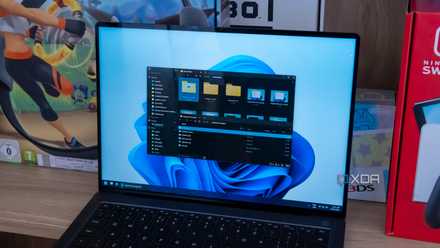
I love specific features of both Finder and File Explorer, but in my time using both of them extensively, I still have my nitpicks. On the Windows side, File Explorer just completely lacks any kind of color tagging, “Quick Look” style preview features, or dual-pane navigation that’s found on some 3rd party options.
Finder has both Quick Look and color tagging, but lacks dual-pane navigation. I like that both now have tabbed navigation, but honestly, I don’t use it as much as I would use a dual-pane solution. Search isn’t great in either OS, but at least in Finder I can find what I’m looking for most of the time. Searching in File Explorer is exceptionally bad.
You can finally try one of the best File Explorer alternatives
It's time to ditch Windows File Explorer!
3 Settings menus
It really shouldn't be this bad
If there’s one thing I could snap my fingers and change in this entire list right now, it’d be the settings menus for both of these operating systems.
On Windows, we’re multiple years into the “transition” from Control Panel to the more modern Settings app. There are things I like about both, but having them separate, with some settings only contained in one or the other, is just such a massive headache. Even if we were able to ignore that (which we can’t, let’s be honest) the settings menus are still not intuitive to navigate in Windows. I’m used to Control Panel, but I’ll admit it’s not a great solution for non-Windows power users. Microsoft really needs to pick one avenue and stick with it. They’ve made certain things about the Settings app better, but certain functionality like search is just painful to use.
On the macOS front, everything is laid out nicely and concisely, but the submenus and dropdowns can be dizzying if you’re not acclimated. Search is also lacking. For example, even if the System Settings app contains notification settings for apps that I have installed, I’m not able to search for them. The settings menus in prior versions of macOS were a lot more intuitive and functional, but they’ve opted for something closer to the iOS experience. It works for a phone, but I’m not sure if I love it on my Mac.

7 things you can do to make Linux look like macOS
Here's how you can configure Linux to mimic the macOS interface
2 Software Updates
macOS is too lax, Windows is too forceful
I’ll start by saying that software updates are critical for the security of a system, and I totally understand why Microsoft makes Windows Update a pest in regard to important updates. With that said, as a power user, I should be able to completely postpone any and all updates. Windows 11 allows you to do this, but only for a limited amount of time. It’s not uncommon for Windows updates to contain bugs that break core functionality, so I’d rather Microsoft lets me decide when and what to update.
macOS, on the other hand, tends to be super lax with software updates. I can let one sit in the queue for weeks without being notified of it, which, as a Windows user, makes me uneasy. Perhaps it’s because of all the abuse my poor psyche has taken from using Windows. Sometimes, when I schedule a system update for macOS’ “Tonight” option, it doesn’t actually update, even if the system is plugged in. Maybe this is a "me" problem, but it’s not uncommon for these automatic updates to just straight up fail. When I manually trigger the update, it all goes off without a hitch, but I’d like to see the automatic update system a bit more refined. Perhaps let me select a specific time for the update, and if I’m still using the machine at that time, just give a light reminder.

9 reasons why Windows is still better than macOS for most people
While macOS is tightly bound and expensive, Windows is affordable and opens the door to many possibilities
1 Account management
Windows is the main culprit for this, but both could be a lot better
Account management has become a core part of using both macOS and Windows, and I’d argue that it really shouldn’t be. I appreciate things like sync (when they work) but I should be able to fully use my computer without having to log in with an account.
Windows is becoming really poor on this front; fresh installations of Windows 11 require a Microsoft account to complete, and while there are workarounds, Microsoft doesn’t seem keen to keep those alive, as it’s gone out of its way to patch them in the past. Unless you’re handy with a command prompt, I would imagine most users would just cave and login in order to use their computers, which shouldn’t be the only option.
macOS is a bit better in this regard; you can skip the initial configuration of an Apple ID on first boot, but you can’t get around the lack of one for things like the App Store or any kind of continuity features with other devices. At least Apple makes it relatively easy to de-register your devices with your account, something that isn’t as simple on Windows.

7 ways to customize the Windows taskbar for maximum productivity
The Windows 11 taskbar may seem basic, but there's a lot you can change about it. Here are a few ways you can boost your productivity.
To each their own
You can certainly have a preference between the two operating systems, but you can't deny that they both have some shortcomings, albeit in very different ways most of the time. Microsoft has an obsession with putting ads in their OS, while macOS tends to be a bit unfriendly to power users out of the box.