
When you sign up to receive Internet service from an ISP, they'll usually provide a router and modem, or a combo unit of the two. While it will certainly get you online, it quietly leaves a few doors ajar for malicious actors, putting your security and privacy at risk. This is exceedingly common with routers provided by ISPs, but you can lock things down fairly easily with a few tweaks.
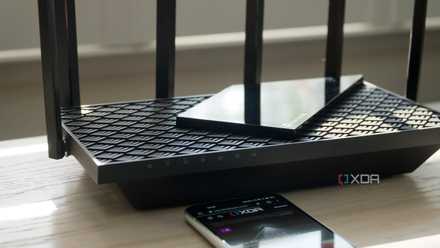
6 overlooked router settings that can improve your network security
You can make your home network much more secure with a few changes.
Default credentials
An easy fix
When your ISP provides you with a router and the technician sets everything up, most (if not all) of the credentials will be set to default. This could be something as small as your SSID, but it could also be your admin credentials for changing settings on your router. Many of these default credentials can be brute forced with different combinations of the word "admin" and "password" at worst, and at best, they're physically printed on the router somewhere, which also isn't ideal. Changing these credentials should be one of the first things you do. Create a strong, unique password for both the Wi-Fi and the admin console.

4 reasons you should turn off Wi-Fi Protected Setup (WPS) right now
WPS used to be a quick way to pair Wi-Fi devices, but you shouldn't use it anymore.
Unnecessary features are set to on by default
Convenience should be second to security
The convenience of certain networking features like Universal Plug and Play (UPnP) and WPS is clear, and it can make connecting new devices a breeze, but it leaves so many holes in your network security that they shouldn't be enabled. Unfortunately, these features can be enabled by default, depending on your ISP.
WPS is particularly troublesome. "Wi-Fi Protected Setup", as it's called, is pretty much a misnomer, as it allows anyone to connect to your network via a physical button press on the router, or using PIN-based authentication. Many of these WPS PINs that come stock on ISP-provided routers are hardcoded in the firmware, and are not able to be changed. The best course of action is to just disable WPS entirely. As far as UPnP goes, it was more meant for LAN usage, but some routers have it enabled on Internet-facing ports, leaving them vulnerable to a wide range of attacks. If your router supports it, disable NAT-PMP as well, as it essentially performs the same action as UPnP.
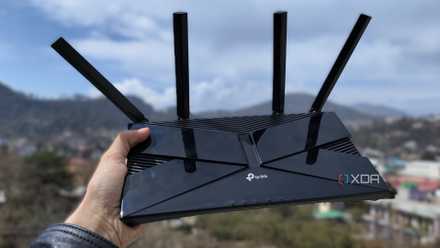
5 reasons to replace your basic router with a pfSense or OPNSense box
A custom router and firewall gives you so many more options.
Use the latest Wi-Fi security standard
Forget about WEP or WPA mixed modes
Some routers, especially older ones, ship with WPA2 as the default security standard for your Wi-Fi. To make matters even worse, sometimes they'll enable WEP and WPA mixed modes for compatibility reasons, but these standards are woefully outdated, and are incredibly trivial to crack using modern tools.
Always select WPA3 if your devices will support it, and at worst, WPA2 can be used as long as it has been set up to use AES encryption. Disable WEP and older versions of WPA if they're not in use by devices in your home.

6 tips to securely share guest Wi-Fi with friends
Make guest access easy backed by robust security
Outdated firmware
ISPs can be slow in pushing updates
Like any device, routers have their own firmware, and as is the case with any kind of software, there can be bugs and vulnerabilities that can be detrimental to the security of your home network. Fortunately, they also receive updates that patch these bugs and vulnerabilities, but there's a decent chance your ISP doesn't push them out frequently enough. You should be able to check if your router has been updated through the admin console, and some will enable you to force an update.
Buy your own router
The best choice for locking things down
In an effort to provide the most consistent, seamless experience for their end users, ISPs will lock down a lot of router settings by design. This lack of control can be troublesome for users that want to take charge of their own network security, as things like advanced security features, remote management, and even rudimentary changes like DNS addresses are locked, only available to technicians from your ISP.
If you want to be able to fully secure your router, the best choice is to bring your own. This enables you to choose exactly how you want everything configured, and while your traffic will always have to go through some element of your ISP's equipment, it's much easier to minimize potential vulnerabilities with your own hardware. Consumer-grade routers from reputable brands will come with more frequent security updates, better features, and even better performance.
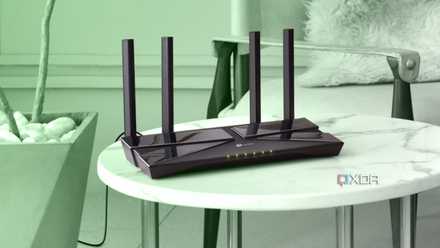
8 signs it's time to replace your aging networking hardware
You wouldn't expect your PC to work forever, so why are you letting your network hardware run into the ground?
ISP routers aren't always bad
While it heavily depends on who your ISP is, some of the provided hardware can give you a level of control that's adequate for locking things down. The default settings might also be configured more with bare bones functionality in mind, instead of opting for maximum convenience at the cost of security. This is the exception, though, rather than the rule, and it always pays to double-check all the settings on the router that your ISP provides, even if you're using your own as a bridge.