
Summary
- Amazon's refreshed Fire TV UI moves core navigation to a top bar with tabs for Movies, TV, Sports, News, and Live TV.
- Home screen app pinning has been expanded from 6 to 20 apps to provide faster access to favorite services.
- Amazon says the UI runs 20-30% faster and integrates Alexa+ for conversational AI search.
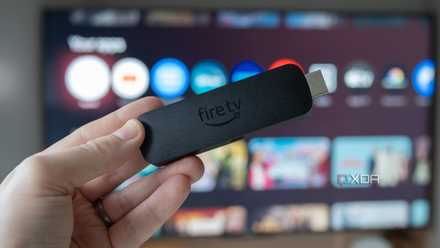
Amazon is rolling out its revamped Fire TV user interface after teasing it at CES 2026. At least so far, the Fire OS update is only making its way to the Fire TV Stick 4K Plus, Fire TV Stick 4K Max (2nd-gen), and the Fire TV Omni Mini-LED series in the US, but a broader release is coming this spring, according to Amazon (via Android Central).
Compared with other streaming device operating systems, such as Apple TV 4K's tvOS 26 and Google TV, the Fire TV's OS has, at least until now, looked pretty dated, cluttered, and confusing, especially its small main app menu bar. With this update, core navigation elements have been shifted to the top of the UI, similar to Google TV, giving the user interface a much-needed modern makeover. In some ways, it looks like a slick copy of Google TV's UI, which, as far as I'm concerned, is a good thing.
The new top bar includes a Menu, Search, Home buttons, and dedicated tabs for Movies, TV Shows, Sports, News, and Live TV. Each of these tabs displays content from subscription services such as Netflix, Disney+, Hulu, and other streamers, rather than just Prime Video like ebefore. Home screen app pinning has also been expanded from 6 to 20 apps.

Amazon’s Fire TV line won’t fully switch from Fire OS to Vega OS anytime soon
The Linux-based OS won't land on every Fire TV streaming stick -- at least not yet.
The refreshed user interface should also be faster
Alexa+ has also landed on the Fire TV stick
Along with the UI revamp, Amazon says its new Fire TV UI is 20-30% faster in some situations. I haven't found Fire OS' old home screen to be slow, but a smoother experience is always welcome. Alexa+, Amazon's recently released upgraded, AI-infused assistant, is also directly integrated into the UI, allowing users to ask questions with conversational language.
To check if the update has hit your device, go to Settings > My Fire TV > About > Check for Updates. The update hasn't arrived on my Amazon Fire TV Stick Max yet, but I imagine it will soon.
Amazon Fire TV Stick
- Resolution
- 1080p
- Integrations
- Alexa
Setting the bar for affordable TV sticks for some time, Amazon's latest integrates Alexa into the remote and can be powered directly from your TVs USB port.
Amazon escalates its Fire TV anti-piracy fight by blocking the installation of shady apps
"This app has been blocked because it provides access to unlicensed content."