
Most drivers treat Android Auto as a giant dashboard for maps and music, but they are overlooking a massive productivity hack hiding in plain sight: seamless Google Tasks integration. We have all had that "aha" moment while cruising down the highway, only for that thought to vanish by the time we shifted into park.
By leveraging Google Assistant to capture tasks or read my upcoming agenda, I have turned my commute into a hands-free brainstorming session. It’s the ultimate way to jot down my tasks without ever taking my eyes off the road.
The mental load problem
Good luck writing down your tasks from behind the wheel
There are moments when, driving down the highway with just the right music, I suddenly realize incomplete tasks. I forgot to reply to that urgent email, or I just realized I’m out of coffee beans for tomorrow morning. Since I’m behind the wheel, I can’t write it down, and I know from experience that if I don’t capture it right now, that thought will evaporate the second I step out of the car.
This is where the friction usually wins. I’m forced to choose between a dangerous distraction (fumbling for my phone at a red light) or the inevitable frustration of forgetting about it. That weight of ‘don’t forget, don’t forget’ is annoying, and it actually drains the energy I need for the rest of the day. Here is where Google Tasks’ brilliant integration with Google Assistant comes into play.

This hidden Android Auto display feature makes a bigger difference than I expected
Google's in-car infotainment system actually lets you change its display resolution
Capturing my tasks on Android Auto
With natural language processing
In the context of a drive, Google Assistant integration isn’t just a nice-to-have feature; it is the only way to close the gap between having a thought and taking action without compromising safety. A few days ago, I was heading home after a long day of testing software. Somewhere between the third and fourth turn, I remembered that I hadn’t checked the latest build logs for a Docker container I had been troubleshooting.
In the past, I would have spent the rest of the drive repeating ‘Check Docker logs’ in my head like a mantra, only to get distracted by a phone call or my son’s excitement when I walked through the door. This time, I simply tapped the microphone icon on the Android Auto dashboard to activate Google Assistant and said "Remind me to check Docker logs for the proxy manager today 8pm." By the time I actually sat down at my desk an hour later, the task was already synced to my phone and laptop.

Android Auto vs. CarPlay
Trivia challenge
Think you know your way around in-car tech? Put your Android Auto and CarPlay knowledge to the test.
In what year did Apple first introduce CarPlay to the public?
What was Android Auto originally called during its early development phase before launch?
Which of the following smartphone operating systems is compatible with Android Auto?
Which voice assistant is natively built into CarPlay?
What is the name of the overhauled CarPlay experience Apple announced in 2022 that extends to multiple vehicle screens?
Which wireless standard does both Android Auto and CarPlay use to enable wireless connections to compatible head units?
Which of these third-party navigation apps was notably NOT available on CarPlay at launch but later received Apple's approval?
Which car manufacturer was the first to offer a fully wireless Android Auto experience in a production vehicle?
Your Score
Thanks for playing!
It’s just one example. I use this integration for all types of tasks. For instance, just yesterday, I asked it to remind me to book a bowling spot for 4pm. When I’m behind the wheel, my hands and eyes are fully committed. But with Google Assistant’s deep integration into Google Tasks, the car becomes an extension of my office. Now, I don’t have to wait for a spotlight or pull over at a gas station just to write down a task.
The daily briefing workflow
Stay on top of your tasks
As soon as I’m out of the driveway, my command is always the same: ‘Hey Google, what are my tasks for today?’ Hearing the Assistant read back my list over the car’s speakers does something a screen can’t – it forces me to visualize my day. I can immediately start mental-mapping, which one takes priority.
I can even dig deeper, too, by asking, "What are my tasks for next week?" This is where the workflow really saves me. If I hear a deadline for a specific project or a family event popping up on a Tuesday, I can react in real-time. If I realize I haven’t scheduled a follow-up meeting, I don’t wait. I just followed up on a task request, and Google Assistant handled it in no time.
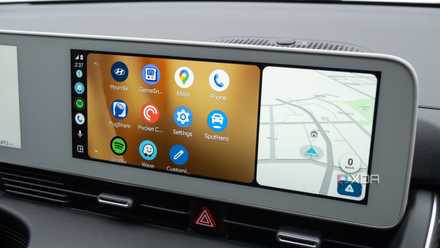
4 ways I stopped fighting Android Auto and started customizing it instead
Small changes that add up to make a noticeable impact
There are some limitations, though
Maybe, Gemini will fix that
While Google Assistant is great for simple, linear commands, the moment I try to give it a multi-step project, the experience falls apart. That’s why I’m counting down the days until Gemini is fully integrated into the Android Auto experience.
Now, if I tell the Assistant to ‘Add ingredients for a veggie pizza to my tasks,’ it either adds that exact sentence as a single useless line or gets confused. In a Gemini-powered future, that conversation changes completely. I want to be able to say, ‘Hey Gemini, I’m making a vegetable pizza tonight. Break down an ingredient list and add each item to my grocery task list.
Jot-down your tasks in no time
Google Tasks via Google Assistant is all about safety and mental clarity. By closing the gap between my steering wheel and my to-do list, I eliminate the dangerous urge to reach for my Pixel 8 the moment a thought strikes.
So, the next time a must-do pops into your head behind the wheel, don’t wait for the red light; just let the Assistant handle the heavy lifting.
With Gemini coming soon to Android Auto, I'm eager to see how Google enhances the Google Tasks integration.