
Every home lab enthusiast reaches a point where ‘functional’ no longer feels ‘optimal,’ and my setup was no exception. Instead of spending an entire weekend optimizing the home lab, I decided to see if an AI could do a better job than I could, so I handed the keys to my infrastructure over to Claude.
I went from a cluttered, confusing mess to a sleek, high-speed machine where everything has its own place. It was eye-opening to see how much better things could run once the old clutter was cleared away.
Claude Code works best when you stop asking it to code
Claude Code became far more useful once I stopped treating it like a code generator and started using it to understand projects and terminal chaos.
My digital house of cards
Identifying the chaos
My home lab didn’t start out as a mess. Like most people, I began with a single goal: hosting a few of my own services and testing out Linux distros, so I wouldn’t have to rely on big tech platforms. But over time, things got out of hand.
I’m currently running an AMD-powered Windows desktop, a Windows laptop, and a MacBook Pro, all of which are packed with Docker containers. What was once a fun weekend hobby turned into a confusing web of apps that I could barely keep track of.
Every time I found a new tool for note-taking, file management, or productivity, I would just spin up a new container. Because I use three different machines, I ended up with services scattered everywhere.
Some things ran on my Mac because it was quiet, while others ran on my Windows PC because it had more power. I had no central plan. Since I wasn’t being organized, I realized I was running multiple versions of the same thing.
I had three different databases running across my machines because I didn’t know how to make them share one. It was a waste of RAM and CPU power. My laptop fans would kick in during meetings just because a background container was struggling, and my MacBook’s battery life was taking a hit from services I hadn’t actually used in months.
Also, I’m a tech writer, so I’m always testing new things. I would often change a setting or a port number just to get something working for a quick test and promise myself I would fix it properly later. Later never came. My setup was full of these little workarounds.
It eventually reached a point where I was scared to change anything. I needed a fresh pair of eyes to review my messy Docker files and tell me the simplest way to get back to a clean, stable system. That’s when I decided to see if Claude could make sense of the chaos I had created.
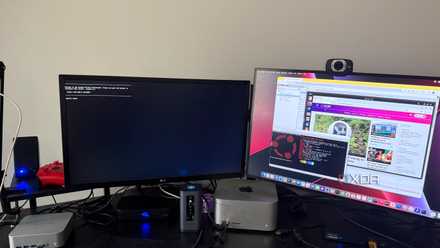
9 Docker containers that run 24/7 on my $100 mini PC
Maximum value budget homelab.
Giving Claude the keys
The initial ask
I didn’t just ask Claude to generate advice; I actually copied and pasted the contents of my Docker Compose files from my Windows PC, laptop, and MacBook directly into the chat.
I told Claude exactly what I had: a mix of three machines running different versions of the same apps, and a lot of temporary settings that I had forgotten to fix.
My main goal was simple – I wanted one clean, working setup that wouldn’t drain my battery or waste my time.
For instance, I had been using a few different tools to manage my movies and shows, but it was getting complicated to sync everything across my devices. Claude suggested moving everything over to Jellyfin.
The best part was how it handled the technical hurdles. For example, I struggled with a ‘permissions error’ where Jellyfin couldn’t see my media folders on the Windows drive.
Claude gave me the exact lines to add to my YAML file to map those folders correctly. It also helped me enable hardware acceleration, which tells the computer to use its graphics card to make the video run smoother.
The most helpful part wasn’t just the code, but the organization. I asked Claude to help me consolidate my scattered databases. Instead of having a separate database container for every app on every machine, it showed me how to run a single central instance on my main PC and point the other apps to it.
I asked Claude to look for silent failures. It pointed out that none of my containers had a restart policy. I told Claude to rewrite these files, so every service restarts automatically unless I manually stop it.
By moving my media management to properly configured Jellyfin and letting the AI audit my restart policies, I turned a high-maintenance headache into a ‘set it and forget it’ system.
Also, I wasn’t a fan of the self-hosted note-taking tool Docmost. I asked Claude to suggest a better alternative and to provide instructions for setting it up. It pointed me toward Outline and helped set it up in no time.
The Claude experiment
Overall, letting an AI play architect for my home lab was a reality check on my own habits. My setup is now leaner, and surprisingly, more stable than it ever was when I was managing every line of YAML myself.
If your server rack is starting to feel like a burden instead of a playground, it might be time to invite an AI agent into your home lab.
Of course, Claude is an AI agent after all, and it can still make mistakes. So I would always advise double-checking answers before implementing them in your home lab.
- OS
- Windows, macOS
- Individual pricing
- Free plan available; $17/month Pro plan
Claude is an AI assistant that rivals the likes of ChatGPT, Gemini, Perplexity, and Copilot.
- Group pricing
- $100/month per person for the Max plan