
It probably doesn't occur to most people, but cheap or incompatible cables can easily sabotage your PC experience. Using the wrong type of cable can significantly impact the performance and safety of your components. In some cases, even the bundled cables can be the wrong choice if they're riddled with manufacturing problems. From display and GPU issues to Ethernet and power supply problems, the weakest link can often be the cable. On the surface, even cables that look identical can have underlying differences that you can't afford to ignore. Hence, it's imperative to get into the details when buying or choosing PC cables.
6 PC components that "save money" but cost you more in the long run
Saving a few bucks on these PC components now could lead to nightmares down the road
Outdated or damaged Ethernet cables are far too common
Don't ignore the type of Ethernet cable
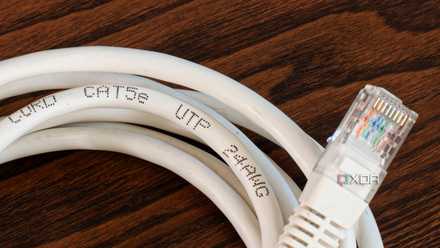
Maybe you just moved into a new apartment and found pre-installed Ethernet cables. You thanked your stars and set up your home connection with a brand-new, high-speed plan. The problem with this approach is the possibility that the pre-existing cabling inside the house is outdated. It might be a Cat 5 cable that only supports speeds of up to 100Mbps. Your 1Gbps connection needs at least a Cat 5e cable, with Cat 6 being the recommended standard these days, especially for multi-gig connections. Another possibility is that the previous owner installed CCA (Copper-Clad Aluminum) cables instead of pure copper cables. These cables have a copper-coated aluminum core, and are more easily oxidized, leading to dropped connections and slower speeds.
Long Ethernet runs also have the added complexity of diagnosing cable faults. When you're experiencing link negotiation issues or inconsistent speeds, it's logistically hard to identify a faulty cable. Inspecting a concealed cable needs specialized equipment; hence, most people end up replacing the entire cable. It's best never to trust pre-existing cabling inside a house, so that you're not riddled with outdated or faulty Ethernet cables.
GearIT Cat6 Outdoor Ethernet Cable
The Gear IT Cat67, outdoor Ethernet cable, is a high-performance cable that can withstand harsh elements while delivering fast and reliable network connectivity. The cable is designed with a UV-resistant PE jacket and a water-resistant gel filling that protects the cable from moisture, sunlight, and extreme temperatures. You can also buy this cable in a range of lengths, with 250 feet being the longest cable available.
Stop ignoring your Ethernet cables — it's where half of your network problems start
The most ignored link in your wired network might be the main culprit
Cheap or mismatched PSU cables are a serious risk
Don't tempt fate
Mixing PSU cables might seem harmless, since old and new cables look visually identical. However, PSU cables like the 6-pin, 8-pin, and 24-pin connectors aren't standardized, at least not at the PSU end. Different manufacturers use different pinouts, and there's no guarantee that even different models from the same brand will have the same pinouts. For instance, the power and ground pins can be located differently on the same connector across different models of PSUs. This makes a cable mismatch highly possible when you're moving between power supplies. It's always simpler to use the cables that came with your new PSU.
Connecting the wrong cable to your motherboard, CPU, or GPU can supply incorrect voltage and, consequently, cause stability and performance issues. In serious cases, it can even damage the component permanently, leading to hundreds or thousands of dollars in damage. You should also stay away from cheap or generic replacement cables for the PSU, whether they're used inside or outside the case. They might be low-gauge cables made with subpar materials, posing a risk to the safety and stability of your PC.
Newer standards like Intel's ATX 12VO (12V only) aim to standardize PSU cables by removing all the other voltage rails from the ATX PSU standard. Adoption has been limited outside system integrators and some retail PSUs and motherboards, but we might see things improve in the near future.

Got a new PSU? Reusing your old cables is a gamble you shouldn't take
Mixing PSU cables between different models can be fatal
HDMI and DP cable issues can be tough to diagnose
It's all in the details
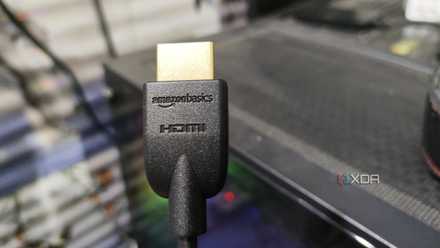
While you would have gotten an HDMI or DP cable with your monitor, it might not be the best one to use with your new graphics card. Depending on your GPU model and the resolution and refresh rate you want to drive, a cheap or outdated display cable can cause tons of headaches. For high-bandwidth signals like 4K@144Hz and 4K@240Hz, you want a reliable cable that can provide a consistent connection. Generic display cables, especially the ones on the budget end, can often be the reason behind issues like flickering, momentary signal loss, and capped performance. While you waste time blaming the GPU, motherboard, or Windows, the culprit could be a subpar cable. If your monitor and GPU support it, it's best to use HDMI 2.1, DP 1.4, or DP 2.0 cables from reliable vendors.
3 reasons gold-plated HDMI cables are a scam
The supposed benefits don't matter to most users
Proprietary GPU power connectors are prone to melting
Be extra cautious with RTX 40 and RTX 50 series GPUs
RTX 40 series and, more recently, RTX 50 series owners know the risk of the infamous 12VHPWR and 12V-2x6 connectors. While the "melting connectors" scandal was much worse with the older 12VHPWR connector on RTX 4090 cards, it didn't exactly disappear with the newer 12V-2x6 connector. There were still a handful of reports of the revamped connector burning up on RTX 5090 and RTX 5080 GPUs. It all comes down to the underlying construction of the connector and the reduced safety margins. Conventional 8-pin PCIe power connectors can carry up to 300W, but they're rated for a conservative 150W. Nvidia's 12VHPWR and 12V-2x6 connectors are rated for 600W, but their actual load capacity is not too far off.
This razor-thin safety margin creates ample opportunity for user error, leading to the connectors getting overloaded. Improper insertion or cable bending is now more likely to lead to the burning and melting connectors we've been seeing on newer Nvidia graphics cards. All this is to say that if your Nvidia GPU has one of these new connectors, it's recommended to be doubly sure when securing them to the GPU. Ensure the connector is all the way in and that there is no severe bending anywhere across the length of the cable.

Why doesn’t Nvidia stick to 8-pin PCIe cables?
Nvidia's 12VHPWR woes still exist, making everyone think why not use 8-pin cables like before?
Cheap PCIe riser cables give "rise" to a host of issues
Vertical mounting needs a durable PCIe connection
You might hear countless people avoiding PCIe riser cables out of fear of inferior GPU thermals, performance degradation, and an unstable connection. That said, vertically mounting your graphics card isn't a bad idea by itself. When done right, it doesn't lead to a measurable difference in performance or thermals. As for stability issues, you just need to get the right PCIe riser cable to eliminate potential points of failure. Budget vertical mounts often cheap out on the materials and the quality of cable shielding. Even the slightest damage can lead to stuttering, crashes, black screens, and blue screens. Since these issues can arise from multiple faulty components, you might not even think about blaming the riser cable.
PCIe connections are sensitive, and the moment you forego a direct link, such as the one you have with a horizontally mounted GPU, you introduce the potential for things to go wrong. Extending a PCIe connection using a riser cable is prone to signal degradation and loss of bandwidth. Risers use ribbon cables that aren't as durable as a direct PCIe connection. Cheaper models are more prone to faults over multiple connection cycles. So, when shopping for a riser cable to vertically mount your graphics card, look for PCIe 4.0 or PCIe 5.0 models, depending on your GPU model. Next, pick one with decent build quality from a reliable vendor, and ideally one that is, at most, 20cm long. Longer cables increase the chances of something going wrong.
EZDIY-FAB Vertical PCIe 4.0 GPU Mount Bracket
- PCI
- 4.0
- PCI Slots
- 7
- Case Support
- ATX
- GPU Slots
- 3
- Cable Length
- 170 mm
- Adjustable
- Yes
EZDIY-FAB's Vertical PCIe 4.0 GPU Mount Bracket is an excellent choice for those who want the very best bang for the buck as it's adjustable, has RGB lighting, doesn't cost a fortune like many other vertical mounts, and supports up to PCIe 4.0. With three PCI slots for the graphics card, you'll be able to use almost all GPUs with this small accessory to showcase just how much money you've spent on the ultimate gaming machine.
Don't let a weak connection sabotage your PC
Using compatible and high-quality cables is more important than it sounds. It's not only essential for avoiding signaling issues, but also critical for protecting your components from lasting damage. Cheap or outdated cables are prone to a host of issues, such as signal degradation, reduced performance, general instability, and even fire hazards. Always use the cables that come bundled with your components, and be extra cautious with connectors known to exhibit safety concerns. When buying new cables, get into the details to avoid incompatibility and capped performance.