
Storing data in the cloud using free or expensive subscriptions is one thing, but it's a whole different beast to store even more data in the long term. You could use Apple iCloud, Microsoft OneDrive, and Google Drive for all your backups and data you don't need to frequently access, but when working with big data or cold storage, it's best to use a provider with the means to manage files for longer periods and provide the support and software to make your life easier. We've rounded up some of the best long-term cool and cold storage providers right here.
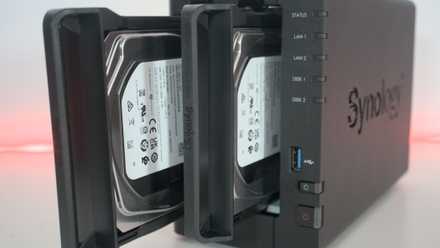
How to follow the 3-2-1 backup rule for NAS and protect your data
Keep it secret, keep it safe
5 Microsoft OneDrive
Microsoft's cloud storage service for stashing files, backing up phones and PCs, and sharing files with others is OneDrive. The service has been around for years, previously known as SkyDrive before a rebrand. It's not the best choice for those with lots of data (I'm talking multiple terabytes) since capacities are limited with the most expensive plan, but it's good enough for most system backups that aren't completely saturated with larger personal files. If you want even more space or need to stash stuff away for cold storage, you'll want to consider Azure Blob.
Where OneDrive works well is on Windows with full integration into the OS. If you have a Windows PC you'd like to back up, this would be the cloud storage provider I would start with.
4 Google Drive
Available as plans offering up to 2TB of cloud storage space, Google Drive is a great choice for those with an Android-powered smartphone. Most phones will have less than that as raw storage, so we'd expect one of the lesser plans would be more than sufficient. Google's cloud offerings are incredibly reliable with many relying on Gmail, its official products, and more. Using Drive is just as straightforward and can be achieved through the browser or an official app. Although capacities are slightly limited compared to more serious cold storage options, it's great to start with.
3 Amazon Web Services (AWS)
You've likely heard of Amazon Web Services, better known as AWS. Many video games, websites, and other online services use Amazon's cloud infrastructure thanks to its scalability, reliability, and performance. For long-term storage, you'll want to consider Amazon S3 Glacier, which offers long-term, secure, durable storage classes for data archiving and backups. This platform was designed and built from the ground up for archival storage, providing incredible scalability thanks to the underlying S3 platform and almost perfect uptime.
2 Microsoft Azure
Next up is Microsoft with its Azure Blob storage platform. The company offers flexible pricing, reserved options, and impressive scalability. Like Amazon S3, Microsoft makes full use of the cloud to offer enticing storage options for those with plenty of data to store and some relatively deep pockets. Also similarly to Amazon, Microsoft utilizes its main Azure infrastructure for running Blob and storing terabytes of data. It's not terrifically expensive either, starting from $0.15 per GB. Depending on the tier you choose, you'll pay out more for the volume of data stored per month, quantity of operations performance, and data redundancy.
1 Backblaze
When shopping around for a cooler or cold storage provider, you have likely come across Backblaze. It's one of the major players in the long-term storage game, offering solid prices with full transparency and a reliable service. Unlike some other options, such as OneDrive, where you can accidentally delete files on the cloud when removing them locally, Backblaze is fully independent. 10GB of storage is available for free too, so you can get up and running with smaller devices backed up without spending a penny. It's only $6 per TB of data per month once you go over this and there are annual subscriptions that offer better value.
It's a fantastic long-term storage platform and one some of us rely on right here for our home lab endeavors.
Build your own cloud storage
You don't have to rely on other companies to store data. We've covered building your network-attached storage (NAS) systems extensively here at XDA and the same goes for long-term cloud storage. Running everything from home will always be the most cost-effective solution but you will be tasked with maintenance and tech support should things go wrong. It's also important to consider the 3-2-1 backup rule if considering long-term storage solutions to hold a lot of data. At least one copy of your most valuable data should be kept off-site. Tape and offline storage can always be considered king, but the cloud can certainly be more convenient.
How to back up a NAS
Backing up a NAS is a bit of a complicated endeavor, and it's not really as simple as just plugging in an external drive and saving your data.