
Last year, I was surprised to test out a couple of ReMarkable tablets and find that they're a fantastic way to take notes in a digital format that still feels analog and satisfying to use. But ReMarkable isn't alone in this market, and now that I got to try the new Boox Go 10.3 (Gen II) Lumi, I have to say I find it hard to recommend anything else.
The Boox Go 10.3 is an excellent tablet for note-taking, but it's designed for much more than that, and its multipurpose approach, combining with very compelling pricing, make it the obvious choice for me, even if it's not better in every single way. I can read books, take notes, and even browse the web on this device, and I kind of love it. Plus, it has an optional backlight, making it even more suitable for any scenario.
About this review: Boox provided us with a Boox Go 10.3 (Gen II) Lumi unit for the purposes of this review. The company had no input in its content.

Boox Go 10.3 (Gen II)
Take notes, read books, and more
- Resolution
- 2480x1860
- Storage
- 64GB
- Brand
- Boox
The Boox Go 10.3 (Gen II) is both an e-reader and a note-taking tablet, but it's also capable of running a full suite of Android apps, offering a high level of versatility at a relatively affordable price. It offers a natural-feeling writing experience and it also comes with an optional backlight.
- Handwriting feels like paper
- It supports local books and any platform on Android
- You can install any Android app
- Occasional palm rejection issues while writing when gestures are enabled
- ReMarkable's pen is still better
Boox Go 10.3 (Gen II) pricing and specs
The Boox Go 10.3 (Gen II) was launched on March 17th, 2026, and it comes in two flavors. The standard version comes in at $399.99 (when shipped from the company's Hong Kong warehouse), and the Lumi version, which includes an adjustable backlight, costs $449.99. Both models include a pen with a few replaceable tips out of the box, as well as a folio case.
That $400 price tag matches that of the second-generation ReMarkable tablet, though that one doesn't include a case in the price tag, which makes the Boox a slightly better value proposition out of the box. If you're looking for a backlight, ReMarkable only offers that in the $650 Paper Pro, which makes the Boox Go 10.3 Lumi a much more compelling offering price-wise.
Specifications
- Resolution
- 2480x1860
- Storage
- 64GB
- Screen Size
- 10.3 inches
- Processor
- Octa-core processor
- RAM
- 4GB
- Audio
- Dual speakers
- Supported formats
- PDF, CAJ, DJVU, CBR, CBZ, EPUB, EPUB3, AZW3, MOBI, TXT, DOC, DOCX, FB2, CHM, RTF, HTML, ZIP, PRC, PPT, PPTX
- Battery
- 3700mAh
- OS
- Android 15
- Weight
- No backlight: 360 grams (0.79 pounds); Lumi: 364 grams (0.8 pounds)
- Connectivity
- Wi-Fi (2.4GHHz and 5GHz), Bluetooth 5.1
- Front light
- Optional, in Lumi version (supporets cold and warm white)
- Dimensions
- No backlight: 9.3x7.2x0.18 inches (235x183x4.6mm); Lumi: 9.3x7.2x0.19 inches (235x183x4.8mm)
- IP rating
- n/a
- Color
- White (with tan or orange case)
- Ports
- USB-C with OTG
- Buttons
- Power button
Boox wins on versatility
The full power of Android
Right off the bat, the Boox Go 10.3 Lumi won me over for how versatile it is. Unlike the ReMarkable tablets, which are only or taking notes, this one is very multipurpose, and it 's designed for reading e-books just as much as it is for taking notes. In fact, this is essentially an Android tablet with a very custom interface that prioritizes your notes and books, but you can access the Google Play Store to get any apps you want.
Having all of this on one device that has an ePaper screen instantly gives the Boox Go a major advantage
It doesn't really feel like an Android tablet most of the time, though. In fact, signing in with a Google account is completely optional, and you don't get prompted to do it during setup. It's only when you go into the Play Store that you have to do it, and I didn't think that was even possible for a device shipping with Google's mobile services. The home screen takes you to your list of locally-stored books, supporting formats such as EPUB, and there are tabs for the Boox store, your notes, apps, and settings. It's not a typical Android launcher, and that's a good thing, since it feels much more purpose-built. The same can be said for the quick settings panel, which is designed not to take over the entire screen.

5 reasons I love my ReMarkable — and 3 reasons you might not
ReMarkable tablets aren't great, but not for everyone
Having all of this on one device that has an ePaper screen instantly gives the Boox Go a major advantage over the likes of ReMarkable or a Kindle, since it combines both of those devices into one (to be fair, the Kindle Scribe also kind of does this). And having access to the Google Play Store just takes things that much further, since now you can access all kinds of other reading apps. You can read articles on the web, download an RSS feed reader (Boox actually includes one already), or just doom scroll in a way that's at least a little easier on the eyes. Of course, you're not going to be watching videos on this, but the screen is surprisingly responsive for all kinds of tasks, it's a lot easier on the eyes than I thought it would be.

Boox Go 10.3 vs. reMarkable
E-ink tablet showdown
Think you know your e-ink tablets? Test your knowledge of the Boox Go 10.3 and how it stacks up against the reMarkable.
What is the screen size of the Boox Go 10.3?
What type of display technology does the first-generation Boox Go 10.3 use?
Which operating system does the Boox Go 10.3 Gen II run, giving it a major advantage over the reMarkable?
What stylus does the Boox Go 10.3 Gen II support for handwriting and drawing?
Which feature does the Boox Go 10.3 include that the reMarkable 2 notably lacks out of the box?
Approximately how much does the Boox Go 10.3 cost at launch?
What is one well-known limitation of e-ink displays like those found in the Boox Go 10.3?
What subscription-based business model does the reMarkable use that the Boox Go 10.3 does NOT require?
Your Score
Thanks for playing!
Note-taking is very powerful
But the feel isn't quite there
If you've never used one of these note-taking devices, you might not really realize how much goes into getting it right. It's not just about using ePaper to be easier on the eyes, the feel of writing is incredibly important, and if you look at a company like ReMarkable, the feel of writing as if it's a real pen on real paper is the whole point of those devices, and there's a lot that needs to happen for that to be done well.
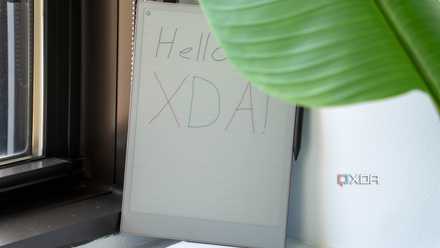
The Boox Go 10.3 Gen II gets really close to that feeling. Of course, the ePaper panel looks great and it feels very responsive, so whenever I'm writing, I don't feel like the screen is lagging behind or anything. It feels very natural. And, importantly, the way the pen slides on the screen also feels very paper-like. There's a certain texture to the surface of this screen that does nail the feel of paper, and the sound is equally as satisfying, on par with the standard ReMarkable, but less textured than something like the ReMarkable Paper Pro.
The ePaper panel looks great and it feels very responsive
But there's one aspect you might not think of right away that I think makes a big difference: the impact of the pen hitting the screen. Paper is a soft material, so when you're writing on it, it absorbs some of the impact when your pen first hits the paper, and writing becomes a little more comfortable. That's why you might also prefer writing with one or two extra sheets underneath rather than directly on a hard surface. ReMarkable seems to have some kind of impact absorption built into the stylus pens that simulates that feeling, but Boox doesn't really do this, so writing on this tablet feels slightly less comfortable. It's something you can overcome relatively quickly (especially if you haven't tried a ReMarkable), but it is noticeable when you have both side by side.
On the software front, taking notes on the Boox Go is very versatile. You can write by hand and use character recognition to turn your notes into plain text, you can draw shapes, insert content such as images, files, and links, and do all of that on multiple layers and across as many pages as you want. You can also choose multiple templates for the background, pick between single-page views or infinite scrolling, and more. It can actually be a bit overwhelming to use it for the first time since there's so much here, but all the features are certainly appreciated.
4 reasons a note-taking tablet is better than any software on your phone or tablet
It's a big investment, but it might be worth it
One thing I have noticed is that palm rejection isn't always great, particularly when you're first putting your hand down on the screen. If your hand touches the screen before the pen and you have some gestures enabled, you might trigger those gestures before you start writing. You can change your gesture settings to prevent inaccurate detections, though, and I haven't had a lot of problems with this in the first place. Once you've started writing, it doesn't really happen anymore.
You can read any book easily
Use your local files or any app you want
The ability to read ebooks is what really pushes the Boox Go over any of the ReMarkable tablets. You can technically read books on a ReMarkable, but if you bought your books on a platform like Google Play Books, you need to download the respective EPUB file and then remove any copyright protections from it, which is nothing short of tedious.
Boox is much more flexible. You can still use local EPUB books, and the BOOX "store" even has some of its own which are free to download. These are mostly public domain books like The Adventures of Tom Sawyer, though, and some of them don't have the cleanest formatting, so I'd say the inclusion of the store is a bit of a wash.

The Boox Note Air4 C is like an Android tablet combined with a Kindle, and it's everything I ever wanted
The idea of an Android-powered E Ink tablet changes everything
The real appeal to me is that, because it's an Android tablet, you can just run apps such as Google Play Books or Kindle, and read your books there. You don't have to fiddle with manual downloads and conversions, and it syncs across all your devices that use those same apps, so you don't have to rely on Boox's own account system. I own the Eragon trilogy omnibus on Play Books, and reading it there works perfectly on this tablet, even letting me pick up right where I left off on my phone.
The backlight built into the Lumi version also makes it easy to read at night, and I like that it's so customizable. You can choose between a warmer or cooler white, and the range of brightness is very wide. I usually stick to the lowest level to preserve battery and make it easier on the eyes, but it gets pretty bright if you need that.
Should you buy the Boox Go 10.3 Gen II?
Considering the price and everything it offers, the Boox Go 10.3 (Gen II) is very easy to recommend.
If you want the absolute best note-taking experience and that's the only thing you care about in one of these devices, you may still find better value in something like a ReMarkable. And if you want a e-reader and nothing else, then most Kindle devices are still significantly cheaper.
But Boox combines an e-reader and a note-taking tablet into one, and adds on to it by giving you full app support for whatever else you need. And it does so at a lower price than its main competitor for note-taking alone. If you're on a tighter budget, you might appreciate that versatility, and the Boox Go 10.3 Gen II delivers that, and it does it very well.
You should buy the Boox Go 10.3 (Gen II) if:
- You're looking for a note-taking tablet that can also double as an e-reader
- You have ebooks on other platforms like Kindle and Google Play Books
- You want to browse the web or read articles on an ePaper display
You shouldn't buy the Boox Go 10.3 (Gen II) if:
- You only need an e-reader
- You want the most comfortable and realistic handwriting experience
- You plan to watch videos on it
Boox Go 10.3 (Gen II)
- Resolution
- 2480x1860
- Storage
- 64GB
- Brand
- Boox
- Screen Size
- 10.3 inches
- Processor
- Octa-core processor
- RAM
- 4GB
With a sharp and responsive ePaper display, note-taking and e-reader capabilities, and access to the full suite of Android apps on the Play Store, the Boox Go 10.3 (Gen II) is an excellent tablet that offers versatility while still having a clear focus.