
Summary
- Upgrading RAM or SSD on mini PCs can boost performance and longevity.
- Check the compatibility of components before purchasing upgrades for your mini PC.
- Where possible, use an M.2 SSD and dual-channel RAM.
In the world of technology, being able to upgrade your PC or laptop, no matter the size, should be something everyone can do. Upgrading can be very beneficial for numerous different reasons. One of these reasons is going to be the added value of extra performance. This is why it is important to know that, yes, you can upgrade most mini PCs, and it is also quite easy in most cases. On most mini PCs, you can at least upgrade the storage and RAM if nothing else.
Upgrading the RAM or SSD in a mini PC can not only give you that added performance, but it can also extend the longevity of your device. Storage and memory prices vary, so if you are not in any major rush, you can often find them for a good price, making upgrading your mini PC cost-efficient as well.
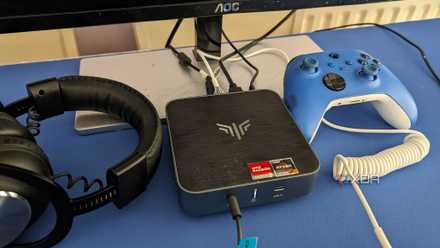
How capable are mini PCs: Are they any good for gaming?
Mini PCs may be small, but they pack a lot of power these days and can handle some light gaming
What to know before purchasing your upgrades
Make sure you have the right components
First and foremost, you will want to check with the manufacturer's specifications whether you can upgrade your mini PC. You will also want to make sure you are buying compatible upgrades, and there are a few ways to ensure that you are. Checking your RAM speed can be a good indication of what type of RAM you will need. Based on the speed, you should be able to see if you need DDR4 or DDR5. If you are using Windows 11, there are some other easy ways to check your RAM specs. Once you know if you can upgrade and what type of RAM you have, then you can start looking into the best RAM for your needs and increase it to the desired amount. Most mini PCs will use laptop RAM, so this is a good place to start.
When it all comes to storage, we all know SSDs are king and are the best upgrade you can make for your PC if you still have a spinning drive in 2024. The other main reason people upgrade their drive, of course, is for additional storage space. Similar to your RAM, you will want to make sure that 1) your SSD or storage can be upgraded, and 2) what type of drive you will need. Most mini PCs these days use M.2 SSDs. However, a lot of them still have connectors for a standard SATA SSD as well. Of course, M.2 drives should offer better performance, so if you can, stick with an M.2 drive when possible. Upgrading to an M.2 can breathe a bit of new life into almost any old PC or laptop.

Mini PC or Laptop — which is better for you?
Mini PCs and laptops are both useful but one offers better portability than the other.
Upgrading your mini PC
Time to put your new components in
While I can't speak for all mini PCs, the ones I have personally used have been so simple to upgrade. All I had to do was remove four screws from the bottom and take the cover off. Doing this on a standard mini PC in many cases will reveal an easily accessible M.2 storage drive and the RAM. Most mini PCs will come with an M.2 drive but also feature a SATA connector, should you wish to connect a SATA SSD as well. In my experience, they also come with two slots for RAM, which are generally both filled.
Consider an add-on component as well
While it may not be a physical upgrade to the mini PC itself, you can also buy an external GPU (eGPU) that you can use with a lot of mini PCs. This is going to allow you to have much more graphical processing power, so if you play games or do any type of rendering work, this would be a massive upgrade for you, albeit a bit expensive.
Is it worth the money and time?
This is going to highly depend on the age and components of your mini PC, but in most cases, the answer is going to be yes! Spending $50-$100 on upgrades can offer an amazing performance upgrade. If you are looking to upgrade, there is likely a reason why, so the jump from 16GB of 2400MHz RAM to 32GB of 3200MHz could be quite beneficial. One can also never have too much storage these days, so upgrading to a larger SSD is always worth it in my book.
Not everyone may want to upgrade though. If your mini PC is running fine, and you are happy with it, it may not be cost-effective for you. However, as mentioned, if it is slowing down a bit or being sluggish during certain tasks, it is worth looking into what is causing the issues and researching some upgrades to improve it.