
Network-attached storage (NAS) is almost a must-have in today's world. We're storing more data than ever before, everything from phones needing media backed up to files stashed away from desktop systems. You're likely storing more data across all your devices than you realize, filling up free cloud storage subscriptions and being hit with "Your iCloud storage is almost full!" notifications. This is where NAS devices can really make a difference through offloading much of your data storage demands to a single location. Instead of relying on hard drives and other media, throw everything onto a single NAS.
But that's actually where problems can arise further down the line. With this mentality, you can quickly find yourself clogging up the NAS with data. This may not impact your impressive 8 TB capacity drives, but it can wreak havoc on maintaining a tidy workspace for storing your digital life. When fusing together documents, media, backups, and more, it can prove challenging to stay on top of what you actually need as opposed to what should be stored on the NAS. Unlike an external hard drive, which would be the dumping ground of anything that couldn't (or shouldn't) be on the connected system, a NAS works a little differently.
When I first moved to a NAS
The problems started almost immediately
My journey with networked storage began in 2015 when I finally ditched the hard drives and decided to set up my own NAS using a prebuilt enclosure. After dealing with FreeNAS in an office setting, I wasn't comfortable using such a solution and having to explain it to various people I would like to open up access to. FreeNAS (now better known as TrueNAS) is a powerful platform, but its UI was cluttered and cumbersome at best and downright confusing to those with less experience. When I first set up the NAS, I decided it would store media, project work, backups, and everything else my external drives would.
I didn't think too long and hard on the directory structure. I had some top-level folders, and things were simply dumped within. No planning for indexing, permissions, or workflows. All I managed to achieve, looking back now, was replacing a physical drive as a dumping ground with one that resided on the network instead. It worked well enough and handled everything we threw at it, but it's designed to host files. Storing data on a NAS isn't the issue; it's the type of data and the manner in which it is stored that makes all the difference. Like everyone else, I stored more photos, videos, documents, downloads, backups, and software.
Searching for specific files became cumbersome.
Searching for specific files became cumbersome. Throw in the fact that I opened up the NAS to other household and family members, and now my NAS was filling up fast with everyone's data. Duplicates, old files, and other data that simply didn't need to reside on the NAS quickly piled up. It's a little ironic in that I invested time and money to launch a system to make all my data more accessible, and yet it turned out to be the least efficient means to store everything. I left it running as is with 8 TB of raw capacity, and eventually the entire array filled up with data. I was met with the unthinkable — we ran out of space.
I had the option to buy a more expensive replacement with more bays and beefier internal specs, replace the two 8 TB drives with higher-capacity models, or rethink how we utilize the NAS. The third option was deemed best, as doing anything else would simply treat the symptom and not address the root cause of the storage situation. Quickly browsing some of the files I was storing within my partition of the NAS revealed thousands that were old, not important enough for a spot on the network storage, or duplicates. It was time to treat the NAS less as a larger external drive and more like a separate system on the LAN.
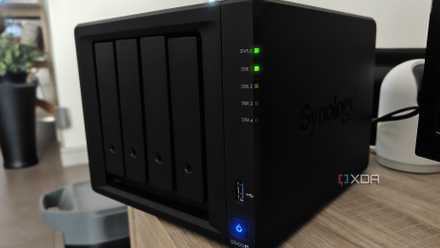
I replaced cloud storage with a local NAS and learned this the hard way
Abandoning big tech for a local NAS might not be a smart choice
A NAS can be more than a NAS
Services, storage, and more
Modern NAS systems are more like servers than destinations for stashing files and data. Prebuilt enclosures from brands such as Synology, TerraMaster, and Asustor often come with feature-rich operating systems that can handle storage but also run software. Want to create your own media streaming service for purchased content? Want to install and launch Home Assistant and create a smarter home? Need some way to save money on online subscriptions? This is all possible (and then some) with a NAS system. That's what makes it a double-edged sword, as you can quickly fill up the NAS with more data than initially planned.
So, not only was I effectively using the NAS incorrectly by not organizing files, creating structures, and being intentional with what should be stored on the system, but I also ran services and other software that each demanded space for storage. I just so happened to use the NAS as one giant external hard drive with the ability to run some self-hosted services. My first port of call was to completely change how I stored all my files. I took up the most space on the RAID by a country mile and so had more of an impact than other accounts. Everything was categorized, cataloged, and isolated.
I employed retention rules for backups, which took up considerable space due to copying across snapshots from multiple sources. Gone were the days that I'd store backups for months at a time with daily snapshots. Now, systems had configured processes that would only back up as regularly as required. The longer the period between file changes, the fewer backups are taken per month and are kept on the NAS. This alone freed up a lot of space. It also helped me pinpoint specific snapshots, having folders separating devices and periods. What I found doing this was how difficult it can prove to be to part with files and backups.
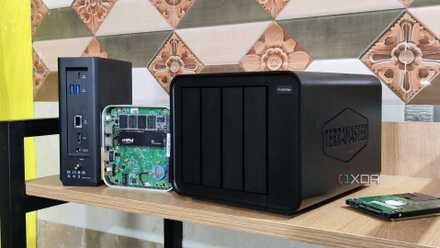
6 reasons you need a NAS, not an external drive
Store more stuff, while sharing.
Moving services away from the NAS
It's great that turnkey NAS systems are powerful enough to do much more than store files, but this isn't always the best way to use the device. I held off for too long in migrating all my running services and self-hosted content to other hardware, which is eventually where Proxmox came into play. This hypervisor platform with low-power compact systems is great at running the show, storing app data locally, and relying on the NAS to act more like cold storage. This also had the side effect of needing to manage the NAS less regularly. I could set it up and almost forget it, checking in when doing the regular home lab rounds.
This also better matched how one should really use a NAS. As well as being able to quickly drag and drop files between the network storage and your device, these systems are great for sitting a layer or two behind the daily workflow. For instance, instead of directly accessing media from an external drive (like you would with USB sticks and older vehicles), the NAS would handle storing and streaming music, movies, and shows, while another device would run Plex or Jellyfin that would act as the interface for all this stored content. My NAS became a central part of the infrastructure instead of a simple storage tool.
My NAS is now leaner
I've since moved to larger drives since we really did require more space with more hardware and users relying on our centralized storage hub, but the filesystem feels much leaner than before. We genuinely outgrew our capacity rather than filling everything up and making it almost impossible to locate anything. It has also taught me a valuable lesson in that I would always use due diligence to ensure systems run at peak efficiency for everyone but myself. It would always be a "I'll get to it eventually" type of task. With others relying on my home lab infrastructure, that's simply unacceptable in today's digital world.
Before looking at ways to upgrade your NAS or outright replace the drives used in the bays, access the stored data and see if you're using the vast space effectively, or if there's a way to shave sometimes hundreds of gigabytes of space with a few simple measures.
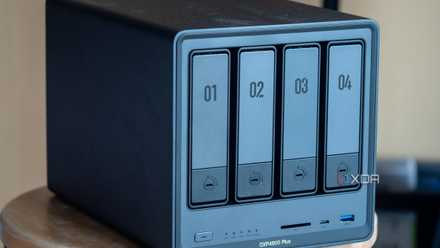
4 ways you can save money with a NAS at home
A NAS is the perfect companion for our modern digital lives.