
I was paying way more for cloud storage than I should have, and I realized it was far too late. I was subscribed to both Google One and iCloud since I use a MacBook and an Android phone. Recently, I decided I wanted nothing to do with big tech and would rather store my data myself on a local NAS.
Cloud subscriptions are recurring payments, while a NAS and a few hard drives are one-time purchases. You also get full control over your data and are not bound by arbitrary limits. On paper, it all sounded great, and I even managed to set everything up. But in practice, it is not the most reliable way to store your most important data.
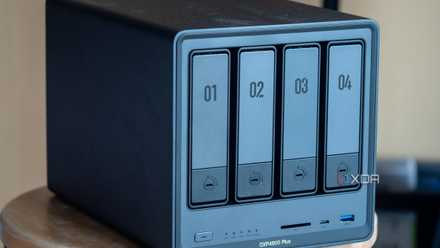
4 ways you can save money with a NAS at home
A NAS is the perfect companion for our modern digital lives.
Storing data on a local NAS is a lot of work
I inherited every problem the cloud shielded me from
The first reality check hit me before I had even moved a single file. Buying a NAS is not cheap, and neither are the drives that make it usable. A decent enclosure, NAS-grade hard drives, and a basic UPS quickly add up to a serious upfront investment. If you cheap out, you will outgrow the hardware faster than you expect. I jumped the gun since I was planning to use the device to self-host a lot of apps and services too.
While I could still justify the cost of getting a NAS since I was able to run services myself, which I was otherwise paying for, I really started struggling with the maintenance work required to keep the data safe. I inherited every problem the cloud had shielded me from.
For example, most cloud providers replicate your data across multiple data centers without you ever thinking about it. Your files exist in different locations, on different hardware, with automatic failover baked in, but a NAS lives in exactly one place. That means fire, theft, flooding, power surges, or plain bad luck can wipe everything out in one shot.
You can mitigate this, but none of it is automatic. You need off-site backups, which means either another NAS in a different location or backing up to the cloud, anyway. I had to go with the second option, and this is where the irony set in. I ended up paying for the exact thing I was trying to replace, and now I also have to inherit all the management work to make sure the data stays safe.
I have to make sure it runs on a schedule, completes successfully, and does not silently fail. While there are very good open-source apps out there that help you automate backups, you still have to manually make sure everything is working as expected. You have to test restores and check for corrupted files and bit rot.
TerraMaster F4-424 Pro
- CPU
- Intel Core i3-N300
- Memory
- 32 GB DDR5
- Drive Bays
- 4
- Expansion
- 2x M.2 PCIe NVMe
TerraMaster's F4-424 Pro is one of the brand's most powerful servers for the home and office in a compact package. Inside is an Intel Core i3-N300 processor, plenty of RAM, super-fast networking, and the ability to run an OS of your choosing.
A NAS is not a real cloud replacement
Remote access is just not the same
I am not a fan of commercial cloud storage and really wanted a personal cloud, but lately I have realized that this is an illusion we keep falling into. Remote access is where that illusion really starts to crack. With a NAS, remote access does exist, but it is not easy to set up, and even after you do, the experience is nowhere close to something like iCloud or Google Drive. You end up choosing between port forwarding, VPNs, or vendor relay services, and each option comes with its own trade-offs.
For instance, port forwarding exposes your NAS to the internet, which is risky if you do not know exactly what you are doing. VPNs are safer but add setup complexity and can break at the worst possible moment. Relay services are easier but often slower and dependent on third-party infrastructure, which defeats part of the point of self-hosting.
Performance also behaves very differently. Inside your home network, a NAS can feel incredibly fast, but outside of it, everything depends on your home internet upload speed. I have noticed that large file transfers, media streaming, and remote backups all crawl compared to cloud services. Plus, if your ISP has an outage or your router misbehaves, your personal cloud simply disappears.
This is where you start to appreciate cloud storage and the tech lords. Cloud storage quietly handles redundancy, uptime, encryption, versioning, geographic backups, and disaster recovery behind the scenes. And not to make this sound like cloud storage propaganda, but with a NAS, these features are either missing by default or require manual setup. You can build a robust system, but you have to design it, maintain it, and keep it running. And when something goes wrong, you are on your own, or you hope someone on Reddit has faced the exact same issue, which, most of the time, they have.

6 signs you are ready to bring home your first NAS
This is your sign to bring home a NAS
A NAS is still worth it
A NAS is still something you should definitely invest in, but you should stop treating it as a cloud service replacement. Instead, you can use it to run your own media server or organize your creative files. But before you start setting it up, learn about the common mistakes people make. While you are at it, check out the apps you must install on your NAS, and also the ones you should avoid.
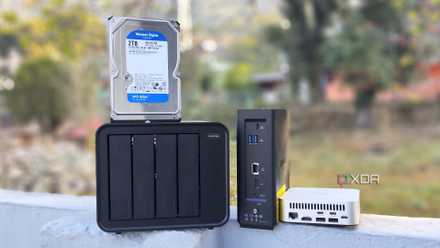
Self-hosting vs. cloud storage: Which one really protects your data?
Between convenience and data control, both come with trade-offs