
You mostly get to see my nerdy writing on network storage and Android phones. While that’s creative writing too, my other hobbyist side leans more into the niche with write-ups like essays, short stories, rhymes, screenplays, podcasts, and more. Each of these requires a different kind of temperament and a separate digital space to keep their individual delivery language from interfering with one another.
Getting that right was a lesson that didn’t come easy. I struggled with my desktop looking like a junk drawer because I threw everything there, only to later spend a lot of time trying to find something when in desperate need. Every few months, I’d attempt a fresh start, spending the whole weekend decluttering, only to find the same mess across external drives, old SD cards, my various cloud storage services, and apps.
I didn’t mind it too much, really, since chaos felt like a part of the creative process, like the byproduct of constantly chasing new ideas. But that romanticism came to a stop when it started to feel like a burden, and I needed to do something about it.
My chaos needed structure
It was a slow, deliberate switch.
All my writeups and media were spread across countless devices and services. Some of my photos from a photo walk were still on the camera’s SD card, my podcast’s raw file on Google Drive, some short-form write-ups on Keep, and longer ones on MS Word. It was like I had replaced my portable hard drives with their digital alternatives without bringing about any meaningful change to my workflow. Remembering where everything was, in itself, was a big ask, let alone finding something in one go.
By that time, I was using my NAS for storing my project files for archival purposes, syncing folders across devices, and streaming movies on Plex, but nothing else. When the junk pile started to go out of control, I turned to my NAS to put an end to all my data organization woes. I needed it for my own sanity, and I’m glad that it worked out well for me.
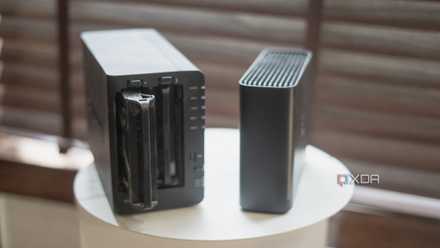
Mine isn’t some fancy rackmount setup but a modest four-bay home NAS that is perfect for a solopreneur like me. What really worked is the effort that went into organizing all my files and consolidating everything into one place that sits right on my desk.
How I rescued 10 years of forgotten photos with my NAS
A simple setup that finally brought order to my photo chaos
How the NAS is a perfect fit
Managing my creative life
A large chunk of my creative work is writing, just in different forms. So, I started by bringing everything into one place and working out a new flow. I went on to the tedious job of moving all my notes and drafts spread across Google Keep, Notion, MS Word, Google Docs, and all the other hundred apps I wanted to try out over the years to the NAS. I don’t usually take voice notes, so that saved me a lot of work.
After experimenting with a few apps, I settled on Joplin, which offered me just enough tools to organize my drafts. Its notebooks help me separate my different kinds of writing projects, while under each, there are sections for rough ideas, the ones I’m actively working on, and an archive folder. They are all tagged and sorted by their publication date, so I know where to look even a few years from now. Text makes up a big chunk of my work and took a lot of time to organize, too, but other file types required equally inventive solutions.
For my photos (non-family) and Instagram slides, I have a separate storage system. I do not like to merge this kind of media with my family photos on Synology Photos since memories with your loved ones are something you cherish and “consume,” while photography creates files that you build on. I hope that analogy makes the difference clear enough. That’s the reason I treat them separately.

I'm torn between these 5 user-friendly NAS image hosting tools
Spoilt for choice
They live in a different folder that doesn’t feed into Synology Photos by design, with folders that keep them organized, again, by month and year, while highlighting the projects I am actively handling. Folders are also what help differentiate between the different edit styles, if I need multiple copies of the same media.
And finally, as for my podcast videos and audio, they are stored in shared folders where my team, including the editor and producer, can see the files as and when changes are made and new files are added. Since the NAS can be easily mapped to File Explorer on Windows and Finder on Mac, the original files can stay on the NAS itself through the edit and upload process.
As a safety measure, every single one of these files is synced to cloud storage as an additional, off-site backup for extra peace of mind.

5 NAS apps I recommend to friends and 2 I warn them about
The self-hosted app hits and the misses
Owning the sacred process
But it’s not meant for everyone
For every creative, the process is much more sacred than the output. And it’s also true that one’s process isn’t applicable as is to another. My familiarity with NAS helped me cut down the friction from my writing process, which would’ve otherwise proven to be a big distraction, one that could’ve slowed me down instead of making me more efficient. The rhythm I have created makes the NAS disappear into the background as I focus on my work rather than organizing it now.
However, it could become an inconvenience if you’re just learning your way around the NAS. For creative work, where the spark lights off sporadically and also momentarily, it is crucial to find a workflow that caters to your needs — even if it means not forcing a NAS into the mix. If cloud services are more convenient and offer you the features that you need without much cost deviation, you’ll find yourself more productive there.
No matter the platform you’re on, be sure to tame the mess and keep things organized. Even if chaos feels like a sign of a higher order of creativity, it’s often plain old laziness. I can say that from experience.
TerraMaster F4-424 Max
- CPU
- Intel Core i5-1235U
- Memory
- 8GB DDR5 non-ECC SODIMM (up to 64GB)
- Drive Bays
- 4 HDD bays + 2 NVMe SSD slots
- Ports
- 2x USB Type-A (10Gbps), 1x USB Type-C (10Gbps), 1x HDMI 2.0, 2x 10GbE RJ45
The TerraMaster F4-424 Max is a premium hybrid NAS enclosure that combines a solid Intel Core i5-1235U processor with ultra-fast 10GbE ports and ample storage capacity. It also supports up to 64GB RAM and is as amazing for home lab workloads as it is for storing your precious data,